FilterX

Clean up your feed by hiding the posts you never wanted to see

Beginner
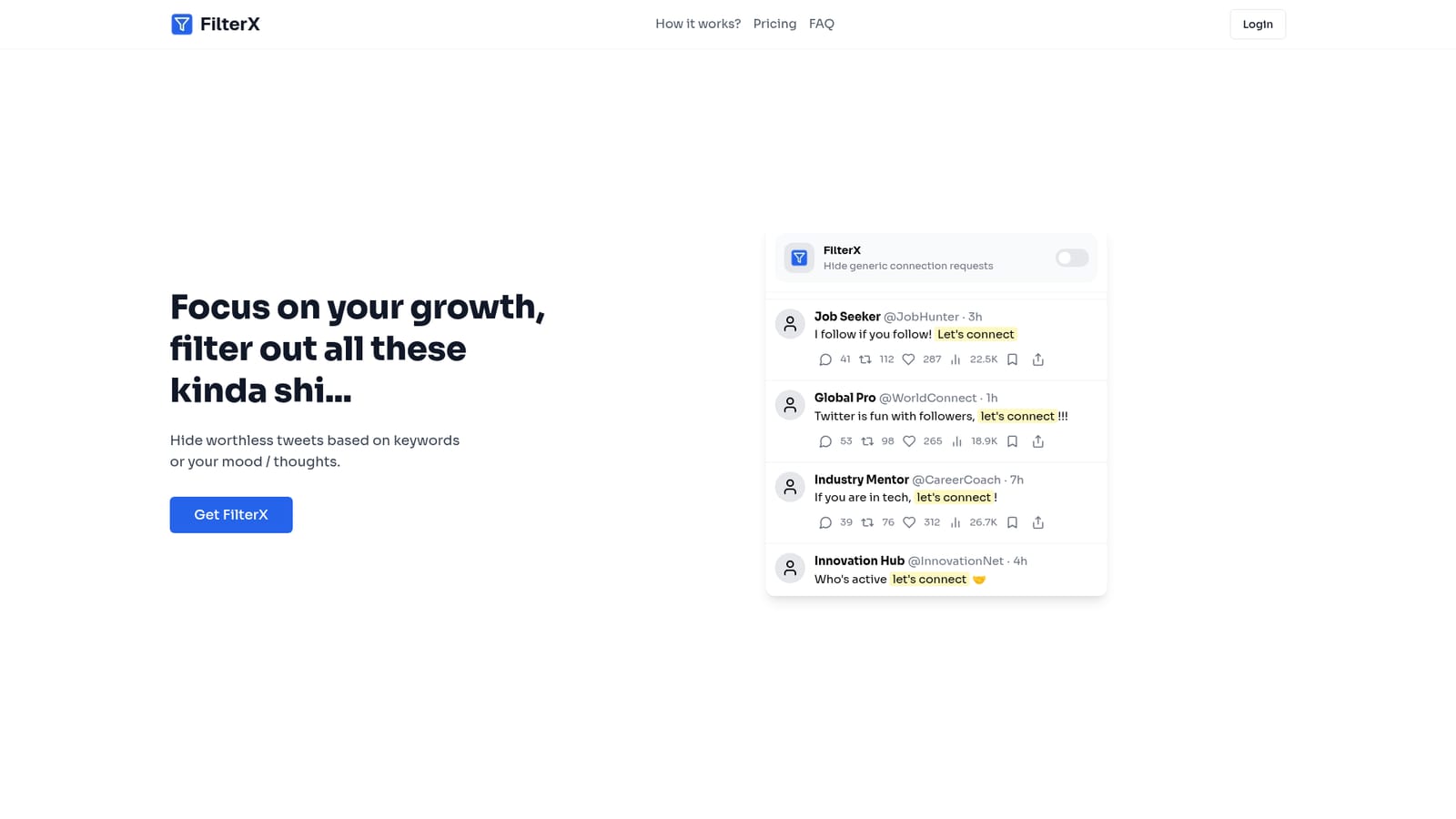
Screenshot of FilterX, Clean up your feed by hiding the posts you never wanted to see

What is FilterX?

FilterX is a content detector tool. A browser extension for Chrome, Firefox, Edge, Opera and Safari that hides social posts matching keywords or expressions you define, with prompt-based AI filtering sold as a preorder and not yet live.

FilterX is a browser extension that removes unwanted posts from your social feeds before you have to read them. The pitch on the site is blunt: focus on your growth and filter out everything else. The main demonstration targets LinkedIn-style spam, the generic connection requests from remote workers, startup networks and recruiter accounts that flood a timeline with near identical "let's connect" posts. Rather than muting individual authors one at a time, FilterX works at the level of content, matching words and expressions you specify and hiding any post that contains them. The current free tier is deliberately simple. You install the extension on Chrome, Firefox, Edge, Opera or Safari, spend about a minute on a no-code setup, and enter the words or phrases you never want to see again. The site claims you can filter out any word or expression, and it also advertises context-aware filtering, which suggests the matching goes beyond a naive substring check. That matters in practice: a keyword like "connect" would otherwise wipe out legitimate posts, so context handling is what makes a broad filter usable. The second layer is AI filtering. This is not available yet. The site lists it as coming soon and sells a discounted preorder at $4.99 that locks in the price before it rises to $12.99 at launch. AI filtering is described as filtering with prompts, so the intention is presumably to hide posts by theme or intent rather than by literal string match. Context-aware filtering is mentioned as part of the free product and also as part of the paid bundle, so check the FAQ before paying for what may already be included. This is a narrow utility, and that is its appeal. It sits closer to a feed hygiene tool than to a full moderation platform, so anyone hoping to moderate a community they run will need something else. The realistic buyer is an individual professional who wants a quieter timeline without unfollowing useful people.

How do you use FilterX?

  1. 1Install the FilterX extension
    Pick your browser from the options on the homepage and add the extension. Chrome, Firefox, Edge, Opera and Safari are all listed as supported.
    FilterX — Install the FilterX extension
  2. 2Complete the no-code setup
    Open the extension and work through the short setup flow, which the site says takes about a minute. No configuration files or scripting are involved.
  3. 3Add the words you want hidden
    Enter the words and expressions that should trigger a hide. The site states that any word or expression can be filtered, so start narrow and build out.
  4. 4Check your feed for over-filtering
    Browse your timeline after the first pass. If legitimate posts disappear, tighten the keyword list to reduce false matches.
  5. 5Decide on the AI filtering preorder
    AI filtering is marked coming soon. If you want it, the discounted preorder is listed on the homepage at $4.99 against a future price of $12.99.

Pros and cons

Pros

  • Free tier covers the full keyword and expression filtering feature setAI
  • Works across five browsers, so switching is not a barrierAI
  • One-minute, no-code setup aimed at non-technical usersAI
  • Targets post content rather than muting whole accounts, so useful authors stay visibleAI
  • Discounted preorder locks the future AI tier at $4.99 instead of $12.99AI

Cons

  • AI filtering is not shipped yet, so buyers pay in advance for the headline featureAI
  • The site does not document which social platforms are supported beyond the LinkedIn-style examplesAI
  • Keyword filtering needs careful tuning, since broad terms can hide posts you wantedAI
  • No published information on where post text is processed or whether anything leaves the browserAI
  • Documentation is thin: the explanations of AI and context-aware filtering are deferred to the FAQ rather than shownAI

How much does FilterX cost?

Pricing

The free tier includes the extension and all features except AI filtering, with an optional coffee donation. A discounted preorder for AI filtering costs $4.99 and is set to rise to $12.99 at launch, described as a one time payment owned forever. A separate complete bundle is listed as coming soon at $12.99.

Learn more

Features

Keyword and expression filtering that hides any post containing terms you specify, plus context-aware filtering that the site says detects context rather than matching text blindly. Setup is no-code and takes about a minute. Prompt-based AI filtering is announced as coming soon and is not part of the current release.

Frequently asked questions about FilterX

  • How much does FilterX cost?
    The free tier includes the extension and all features except AI filtering, with an optional coffee donation. A discounted preorder for AI filtering costs $4.99 and is set to rise to $12.99 at launch, described as a one time payment owned forever. A separate complete bundle is listed as coming soon at $12.99.
  • How do you use FilterX?
    The walkthrough on this page covers 5 steps: 1. Install the FilterX extension 2. Complete the no-code setup 3. Add the words you want hidden 4. Check your feed for over-filtering 5. Decide on the AI filtering preorder.
  • What platforms does FilterX support?
    FilterX is available on Browser extension and Web App.
  • What are the limitations of FilterX?
    AI filtering is not shipped yet, so buyers pay in advance for the headline feature. The site does not document which social platforms are supported beyond the LinkedIn-style examples. Keyword filtering needs careful tuning, since broad terms can hide posts you wanted.

Status

StatusActive
Views0
Outbound clicks0
Added10/21/2026

Platforms

Browser extensionWeb App

Pricing

FreeFreemiumPaid