Pricing
The beta is offered as pay what you want, with separate checkout links for the Mac and Windows downloads. The homepage does not list a fixed price, and OpenAI API usage is billed separately by OpenAI.
Learn moreTurns screenshots and PDFs into Anki cards with GPT-4 Vision
Own FlashFlashCards? Verify ownership to get a dofollow link

FlashFlashCards is an exam preparation tool that turns screenshots and PDFs into Anki cards with GPT-4 Vision. A Mac and Windows desktop app that reads screenshots, PDFs or pasted text with GPT-4 Vision and writes the resulting question and answer pairs into Anki through the Anki-Connect add-on.
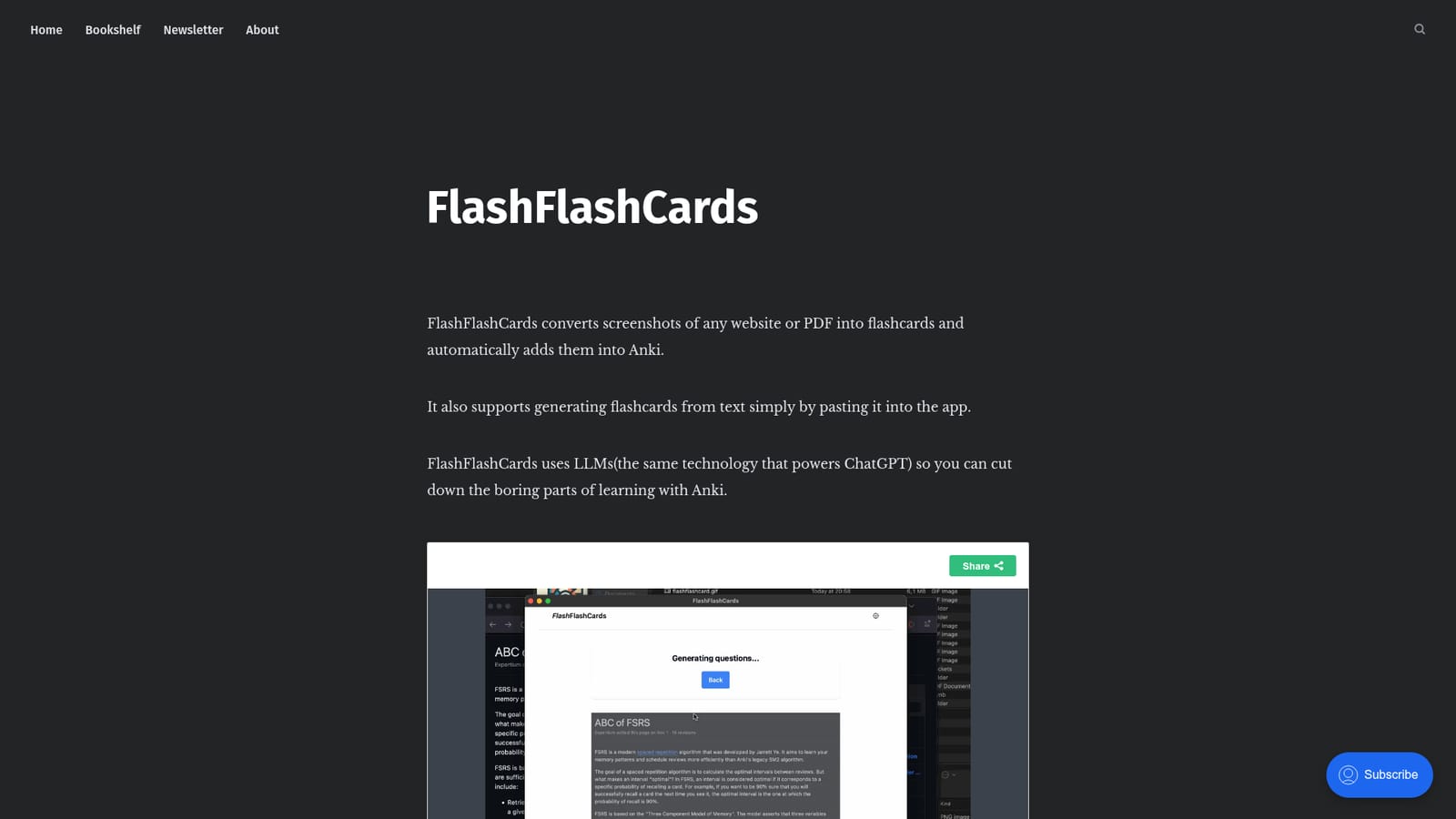
FlashFlashCards is a small desktop utility for people who study with Anki and are tired of retyping cards by hand. You capture a screenshot of a website or a PDF page, the app sends that image to an OpenAI model (gpt-4-vision-preview), and it returns ready made flashcards. A second button pushes them straight into your Anki collection, so the loop between reading something and drilling it is short. The workflow assumes two things are already in place: Anki running with the Anki-Connect add-on, and an OpenAI account whose limits page shows access to the vision model. Both are prerequisites rather than optional extras, and the app checks neither for you. Once the API key is stored, a keyboard shortcut on macOS (Control+Command+A) or Windows (Ctrl+Win+A) grabs the screen region, and the same window offers a Generate flashcards action followed by Add to Anki. Pasting plain text works too, which makes the tool useful for lecture notes, articles and other material that was never a PDF. The text or image goes to the language model, so card quality depends on how clean the source is; a cluttered screenshot yields vaguer prompts and answers than a single focused paragraph. Cards land in Anki where they would if you had written them yourself, which means review scheduling, deck choice and editing stay inside the tool you already trust. Compared with manual card writing or generic chat assistants that produce card text you still have to transfer, FlashFlashCards is narrower but faster. It is a beta build distributed directly for Mac and Windows, sold on a pay what you want basis, and it is clearly aimed at individual self learners rather than classrooms or shared decks. Expect it to supplement Anki, not replace it.
The beta is offered as pay what you want, with separate checkout links for the Mac and Windows downloads. The homepage does not list a fixed price, and OpenAI API usage is billed separately by OpenAI.
Learn moreConnects to Anki through the Anki-Connect add-on and to OpenAI through your own API key, specifically the gpt-4-vision-preview model.
Screenshot capture of any website or PDF page through a single keyboard shortcut, flashcard generation powered by GPT-4 Vision, plain text input by pasting into the app, and one click transfer of generated cards into Anki using the Anki-Connect add-on. API credentials are supplied by the user.
 AI Angels400+ customizable AI girlfriends for NSFW chat, voice calls, and roleplay
 Candy AIExperience the future of companionship with AI friends who chat, role-play, and connect with you on a human level.
 ourdream.aiA vast AI roleplay platform with millions of characters for chat, images, video and voiceAI Angels400+ customizable AI girlfriends for NSFW chat, voice calls, and roleplayCandy AIExperience the future of companionship with AI friends who chat, role-play, and connect with you on a human level.ourdream.aiA vast AI roleplay platform with millions of characters for chat, images, video and voice


