Fuse AI

AI agents that find, qualify and engage high-intent sales prospects

Intermediate API
Screenshot of Fuse AI, AI agents that find, qualify and engage high-intent sales prospects

What is Fuse AI?

Fuse AI is a Y Combinator backed sales platform with AI agents for prospecting, data enrichment, multi-channel outreach, buyer signals and workflow automation, reachable directly or through MCP from assistants like Claude.

Fuse AI is a revenue automation platform that uses AI agents to handle the repetitive parts of outbound sales: finding prospects, enriching their data, spotting buying intent and running outreach. It is aimed at sales reps, founders, RevOps teams and GTM engineers who want one system to replace a pile of separate prospecting and sequencing tools. The company is based in San Francisco, is backed by Y Combinator, and says more than 1,000 startups and enterprises use it. The product is organised into four areas. Prospect searches a database the vendor puts at 850M+ contacts and 40M+ companies, then verifies and enriches records across 40+ data providers. Engage automates personalised outreach over email, LinkedIn and phone. Signals tracks more than 50 real-time buying indicators on target accounts, such as website visits, wider web activity and competitor interactions. Automations lets teams define triggers and conditions that move work through prospecting, enrichment, CRM updates and outreach without heavy technical setup. Its Agentic Search finds companies and people by intent and context instead of plain keyword filters. A distinctive angle is how agents reach the platform. Fuse exposes an MCP server and a skill file, so assistants such as Claude, OpenAI tools, Cursor, Gemini or GitHub Copilot can add it and run sales workflows on a user's behalf, after the user signs in. A separate machine-readable version of the site is published for agents. For larger organisations, the homepage lists granular permissions, guardrails that require human approval, a single admin console, usage and spend visibility, isolated cloud environments per agent, and SOC 2 Type I, GDPR, CCPA and CASA Tier 2 compliance. Among alternatives, Fuse competes with data and prospecting vendors such as Apollo, ZoomInfo and RocketReach, and it publishes its own benchmark claiming higher data accuracy than all three. Those figures come from the vendor and should be tested against a team's own target market. It can replace point solutions or run beside an existing stack.
How do you use Fuse AI?

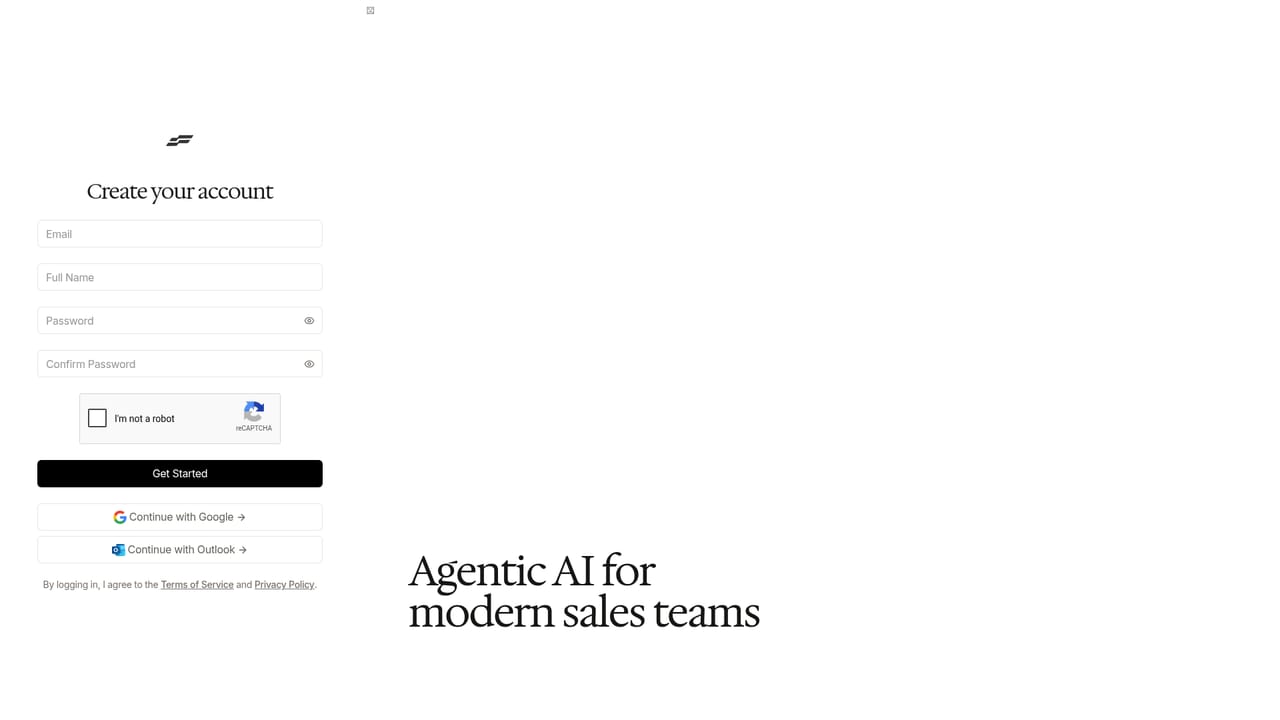
  1. 1Create a Fuse account
    Sign up for free with the Start for free button. Existing users can log in from the sign in page.
    Fuse AI — Create a Fuse account
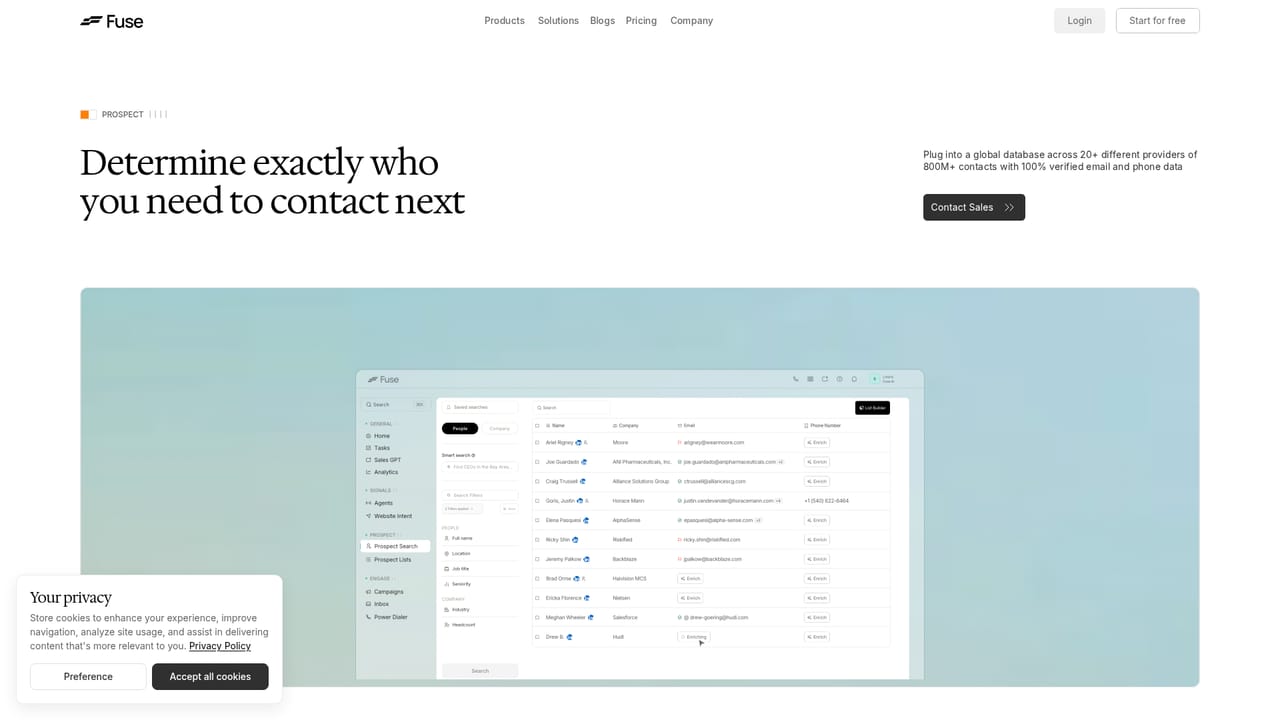
  2. 2Define your ideal customer and build a list
    Use the Prospect product to search contacts and companies that match your ICP, then enrich the records with verified data.
    Fuse AI — Define your ideal customer and build a list
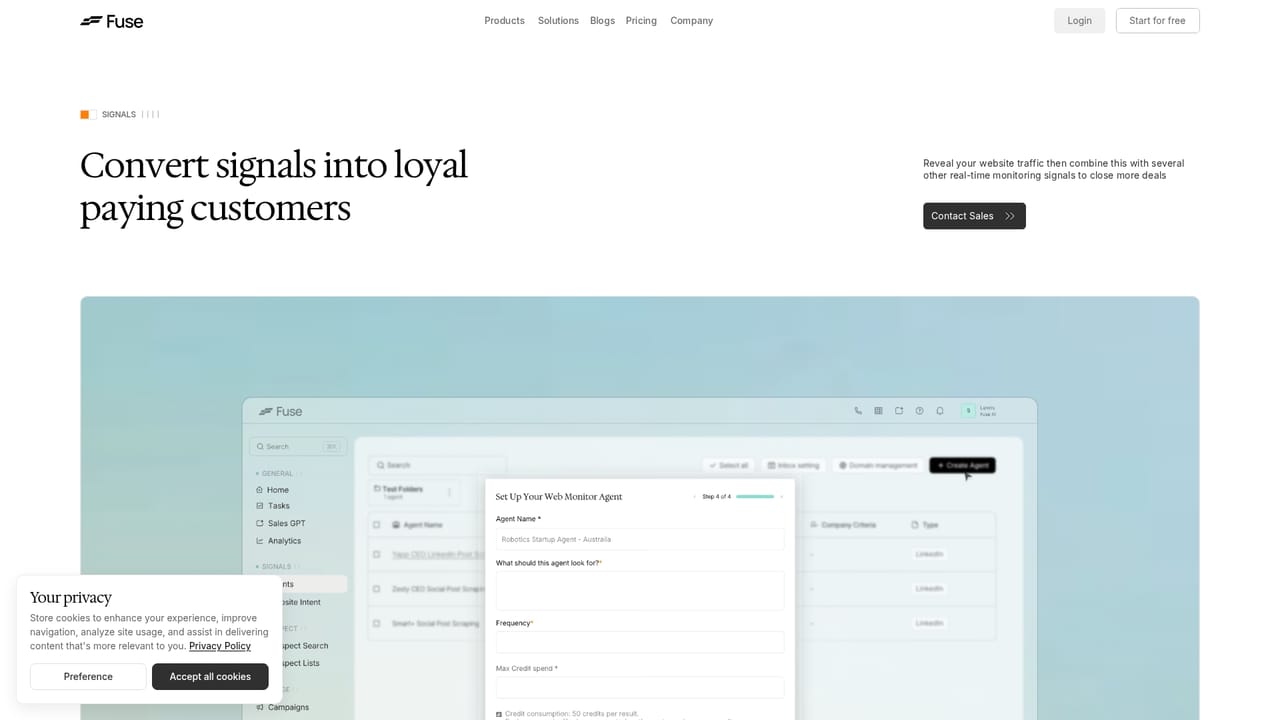
  3. 3Set up buying signals
    Turn on Signals to track intent on target accounts, such as website visits, web activity and competitor interactions.
    Fuse AI — Set up buying signals
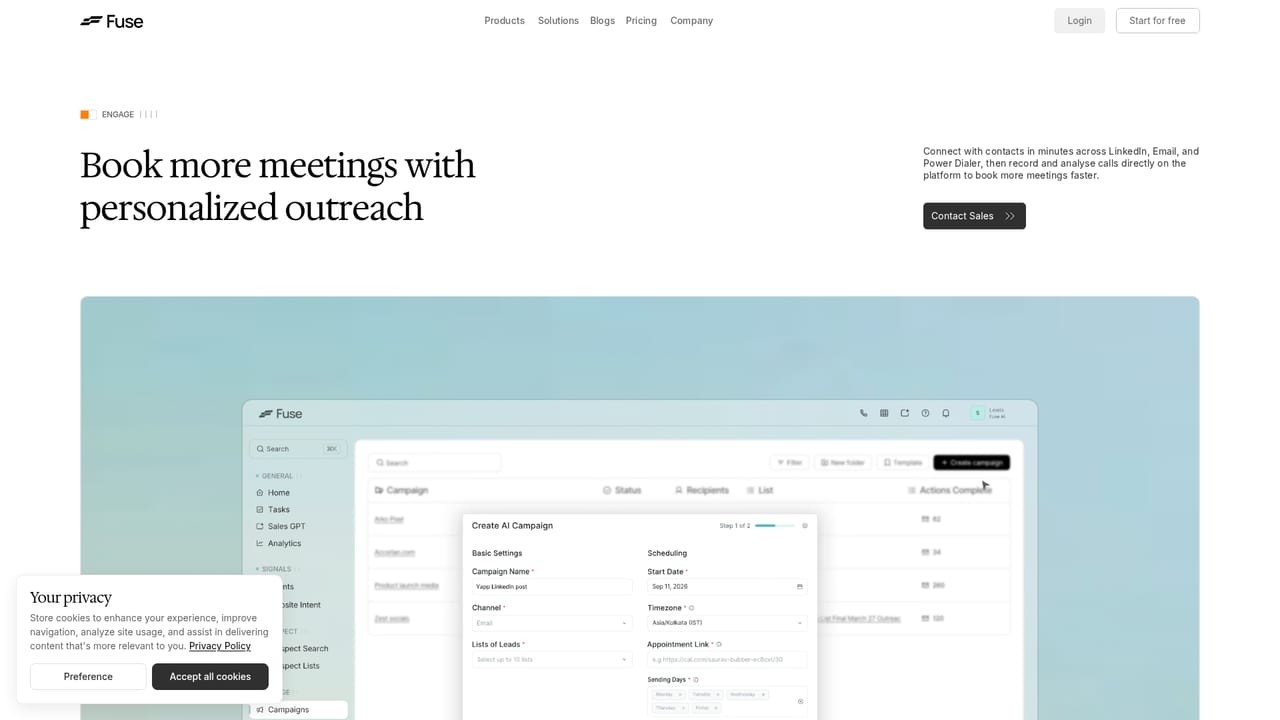
  4. 4Launch multi-channel outreach
    Use Engage to build personalised sequences across email, LinkedIn and phone, then track which campaigns earn the most opens.
    Fuse AI — Launch multi-channel outreach
  5. 5Automate repetitive workflows
    Create triggers and conditions in Automations to handle enrichment, CRM updates and outreach steps without manual work.
  6. 6Connect your own AI agent
    Add the Fuse skill and connect through the MCP server so an assistant like Claude can run workflows. The docs cover installation.

Pros and cons

Pros

  • Combines prospecting, enrichment, outreach, intent signals and automation in one platform instead of several point toolsAI
  • Enriches records across 40+ data providers, which targets the stale contact data that hurts outbound resultsAI
  • MCP server and skill file let AI assistants such as Claude or Cursor run sales workflows directlyAI
  • Outreach covers email, LinkedIn and phone, so one tool can run multi-channel sequencesAI
  • Enterprise controls include permissions, human approval guardrails, spend visibility and SOC 2 Type I, GDPR and CCPAAI

Cons

  • Pricing figures are not shown on the homepage, so budgeting requires visiting the pricing page or talking to salesAI
  • Accuracy and deliverability benchmarks are published by the vendor and are not independently verifiedAI
  • SOC 2 is listed at Type I, a lighter audit than Type II that some security reviews will ask forAI
  • Automated email, LinkedIn and phone outreach at scale needs careful compliance and sending hygiene from the userAI
  • The agent and MCP workflow assumes comfort with AI assistants, which may add a learning curve for traditional sales teamsAI

How much does Fuse AI cost?

Free trial

A Start for free button leads to account sign-up. The homepage does not state limits or duration of the free access.

Learn more

Pricing

The homepage does not list prices. It offers a Start for free sign-up and points to a dedicated pricing page, plus demo and sales contact options for larger teams.

Learn more

Support

Documentation is available at docs.fuseai.com, and the site offers demo booking, a Talk to the Founders option, and an expert connection for enterprise security questions.

Learn more

Integrations

Connects over MCP and a skill file with assistants such as Claude, OpenAI, Cursor, Gemini and GitHub Copilot. It is described as open by design, able to plug into an existing sales stack or replace point tools.

Learn more

Features

AI agents for prospecting across 850M+ contacts and 40M+ companies, enrichment from 40+ providers, agentic search, email, LinkedIn and phone outreach, 50+ real-time buyer signals, workflow automations, MCP access, and enterprise controls.

Learn more

Frequently asked questions about Fuse AI

  • How much does Fuse AI cost?
    The homepage does not list prices. It offers a Start for free sign-up and points to a dedicated pricing page, plus demo and sales contact options for larger teams.
  • Does Fuse AI offer a free trial?
    A Start for free button leads to account sign-up. The homepage does not state limits or duration of the free access.
  • Does Fuse AI have an API?
    Yes, Fuse AI offers an API.
  • How do you use Fuse AI?
    The walkthrough on this page covers 6 steps: 1. Create a Fuse account 2. Define your ideal customer and build a list 3. Set up buying signals 4. Launch multi-channel outreach 5. Automate repetitive workflows 6. Connect your own AI agent.
  • What platforms does Fuse AI support?
    Fuse AI is available on Web App.
  • What does Fuse AI integrate with?
    Connects over MCP and a skill file with assistants such as Claude, OpenAI, Cursor, Gemini and GitHub Copilot. It is described as open by design, able to plug into an existing sales stack or replace point tools.

Status

StatusActive
Views0
Outbound clicks0
Added10/18/2026

Platforms

Web App

Pricing

Freemium