Free trial
New users receive free credits at signup according to the homepage banner, and the pricing section also advertises a free trial with cancellation at any time.
Learn moreText to explorable 3D worlds at 720p and 24 FPS, right in the browser

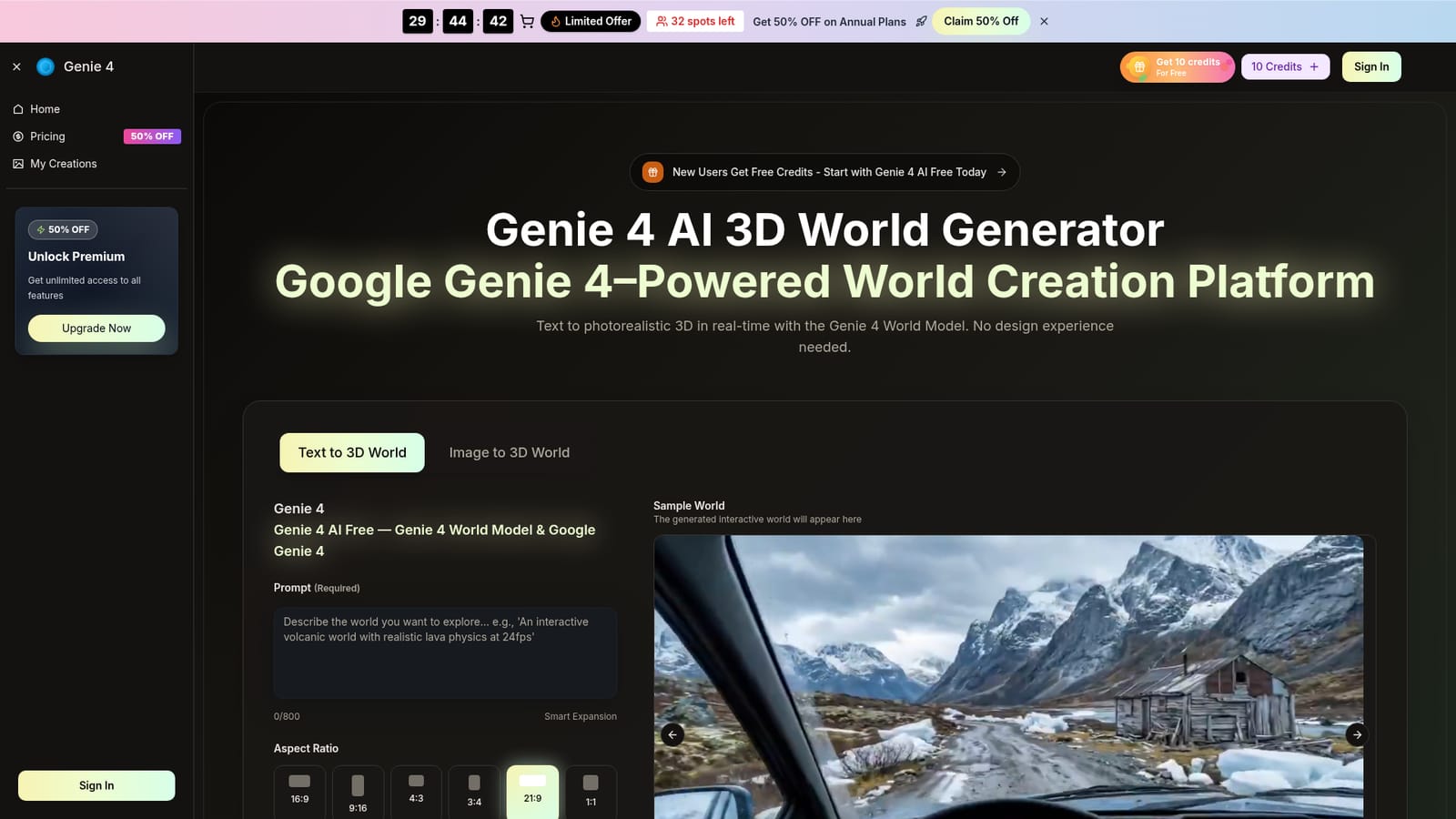
Genie 4 is a generative video tool. A browser tool that converts a text prompt or a source image into a navigable 3D world at 720p and roughly 24 FPS, with text commands to change the scene on the fly.
Genie 4 is a browser based world model generator that turns a short written description into a 3D scene you can walk through in real time. You type a prompt of up to 800 characters covering setting, mood and events, choose an aspect ratio from 16:9 down to 1:1, pick 720p or 1080p output and a clip length of 5 or 10 seconds, and the platform builds an interactive environment. An image to world mode takes a still picture as the starting point instead of text. The site bills the underlying technology as the Genie 4 World Model built on Google and DeepMind research, and output is specified at 24 frames per second with layouts that hold together for several minutes. In practice the workflow is short: describe, generate, then explore. Once a world is running you can move through it and change conditions with further text, adding objects, shifting weather or adjusting light while the scene stays coherent. Surroundings and physics are learned from data rather than a fixed engine, so gravity, fluids and materials behave plausibly. Generated worlds and sessions are kept private, and finished work can be exported as a playable build or a short capture, or iterated with new prompts rather than rebuilt from scratch. The tool is aimed at three groups. Researchers and robotics teams get varied, repeatable environments for training and stress testing agents without hand building simulations. Educators can let students step inside historical, geographic or scientific scenarios instead of reading about them. Creators get fast previsualisation of fictional or animated settings for demos, streams and game engine pipelines. Compared with conventional 3D suites, the trade off is control: this is prompt driven generation at browser scale, not a modelling package with precise asset editing, and short scene durations suit prototypes better than finished productions.

New users receive free credits at signup according to the homepage banner, and the pricing section also advertises a free trial with cancellation at any time.
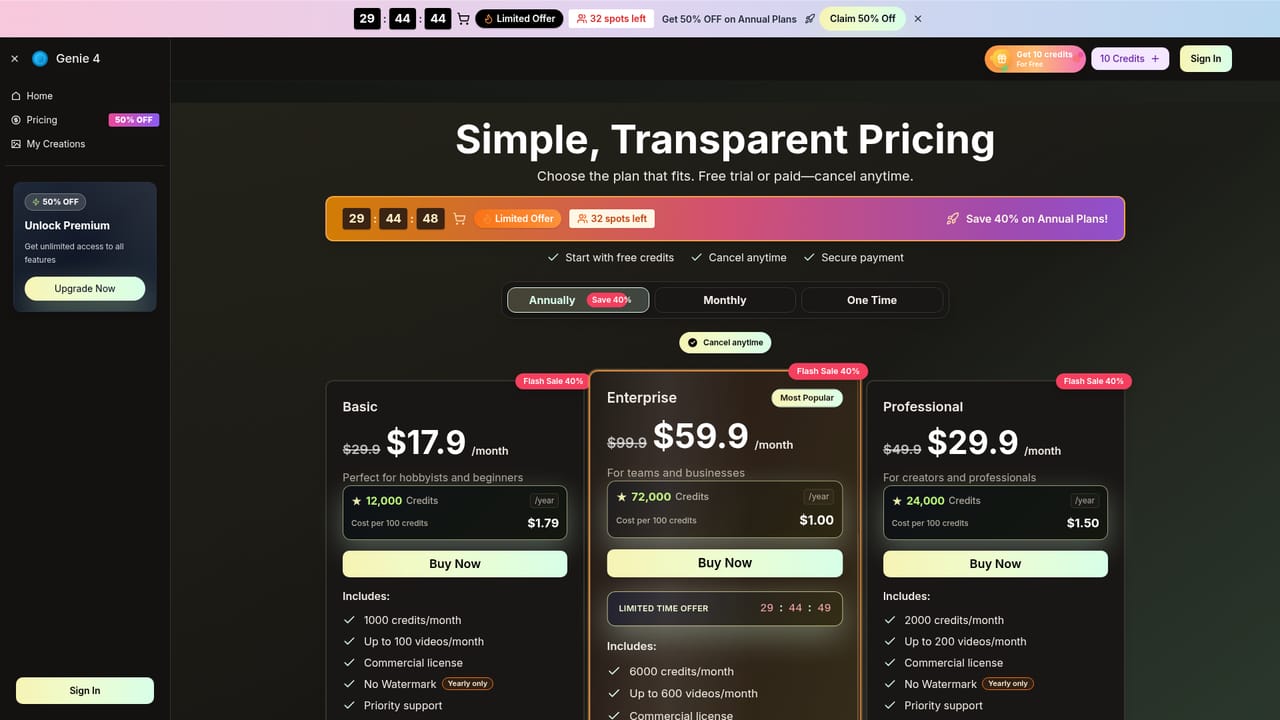
Learn moreAnnual subscriptions in three tiers, shown with a 40 percent flash sale: Basic at $17.90 per month (12,000 credits per year), Professional at $29.90 per month (24,000 credits per year) and Enterprise at $59.90 per month (72,000 credits per year). All tiers list a commercial license, no watermark and priority support. Monthly and one time options are referenced but not priced.
Learn moreThe pricing page lists priority support on all paid tiers and gives support@genie4ai.org as the contact address for cancellations.
Learn moreText to 3D and image to 3D world generation with 720p or 1080p output at about 24 FPS, six aspect ratios, 5 or 10 second durations and an 800 character prompt limit with Smart Expansion. Worlds hold layout and physics for several minutes, accept text commands for live changes, and can be exported as playable builds or captures. Sessions are described as private, and the site targets research, education and creative use.
 AI Angels400+ customizable AI girlfriends for NSFW chat, voice calls, and roleplay
 Candy AIExperience the future of companionship with AI friends who chat, role-play, and connect with you on a human level.
 ourdream.aiA vast AI roleplay platform with millions of characters for chat, images, video and voiceAI Angels400+ customizable AI girlfriends for NSFW chat, voice calls, and roleplayCandy AIExperience the future of companionship with AI friends who chat, role-play, and connect with you on a human level.ourdream.aiA vast AI roleplay platform with millions of characters for chat, images, video and voice


