Free trial
A 14-day free trial is offered, with AI included and the ability to cancel anytime.
Learn moreA shared memory and approval workflow wrapped around your AI coding tools.
Own Grasppy Context Workspace? Verify ownership to get a dofollow link

Grasppy Context Workspace is an AI project builder tool. Grasppy captures Claude Code, Codex, Cursor and browser chat sessions into shared project memory, then runs plans, builds, verification and docs through an approval workflow. Files live in a folder your local AI reads directly, with a live code map and semantic graph.
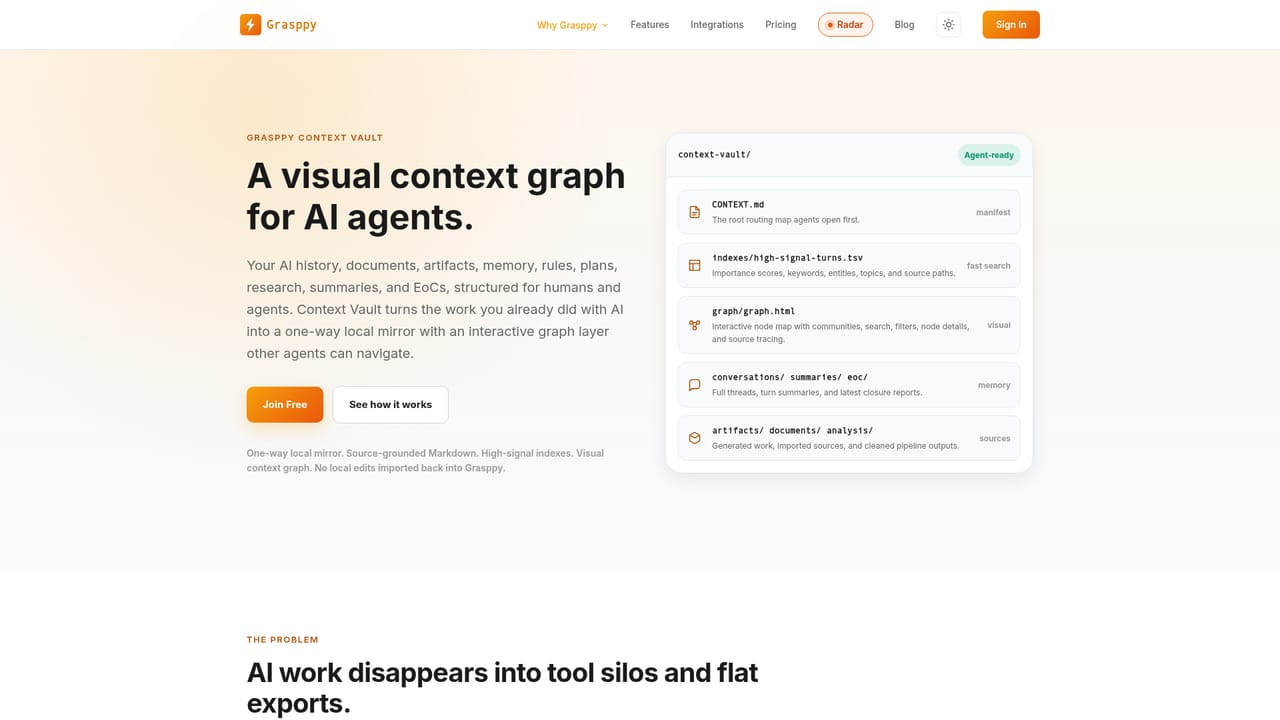
Grasppy is a workspace built around the AI coding assistants a team already uses. It sits alongside Claude Code, Codex, Cursor and browser chats, capturing each session as it happens and turning the decisions, fixes and questions inside those sessions into persistent project memory. The stated premise is blunt: building has become fast, but keeping track of what was built and why has not. Grasppy addresses that gap with a capture, plan, build, verify and document cycle rather than another chat interface. The mechanics rely on a folder in your own project. Every turn is summarized as it lands, notes are attached to the exact turn they came from, and roughly every twelve turns those notes condense into a chapter. A root CONTEXT.md file maps the folder so any local AI can find plans, docs, memory, research and a live code map without API calls or pasted handovers. Recall notes refresh about every minute; the folder and code map refresh about every five minutes when something changed. Source code stays on the machine, and Grasppy writes the files, so edits on disk cannot overwrite the workspace. The workflow layer is where the approval model matters. A local AI drafts a short brief mid-conversation, Grasppy turns it into a plan structure, and the finished plan is checked against the actual codebase before import. Build only starts after sign-off, and a verification pass walks each step with a dedicated skill and reports what was done and what was not. Documentation updates arrive as red and green diffs, accepted or rejected section by section, with every version restorable. This suits developers running agentic tools on real projects where context loss and silent regressions carry a cost. It is heavier than a plain chat client and assumes you already work inside a supported agent. Teams that want a single chat window with memory built in will find the multi-step approval cycle deliberate, sometimes slow.

A 14-day free trial is offered, with AI included and the ability to cancel anytime.
Learn moreThe homepage advertises a 14-day free trial with cancellation anytime, AI included and a cloud-synced workspace. No tier names or prices are stated on the homepage; a plans page exists for detail.
Learn more17 AI platforms and 8 document formats per the homepage, including Claude, ChatGPT, Gemini, Grok, Claude Code, Codex Desktop, Cursor, Windsurf, GitHub Copilot, DeepSeek, Perplexity and Mistral. Automatic capture applies to Claude Code, Codex and Cursor.
Session capture across Claude Code, Codex and Cursor plus browser chats; per-turn notes and twelve-turn chapters; a CONTEXT.md-mapped folder with recall, plans, docs, research and a live code map; seven-stage analysis with decision trees and relationship maps; plan drafting checked against the codebase; one-click verification reports; and documentation updates reviewed as diffs with restorable versions.
Learn more AI Angels400+ customizable AI girlfriends for NSFW chat, voice calls, and roleplay
 Candy AIExperience the future of companionship with AI friends who chat, role-play, and connect with you on a human level.
 ourdream.aiA vast AI roleplay platform with millions of characters for chat, images, video and voiceAI Angels400+ customizable AI girlfriends for NSFW chat, voice calls, and roleplayCandy AIExperience the future of companionship with AI friends who chat, role-play, and connect with you on a human level.ourdream.aiA vast AI roleplay platform with millions of characters for chat, images, video and voice


