Free trial
No separate trial is described. The Free plan allows 3 itinerary generations per account, limited to 1-day itineraries in English.
Learn moreAI trip planner that builds day by day itineraries in seconds

GuideGo generates day by day travel itineraries from your preferences, then lets you save, edit, publish and share them. Free tier covers three 1-day English itineraries; Pro adds multi-day plans, any language, budget controls and review generation.
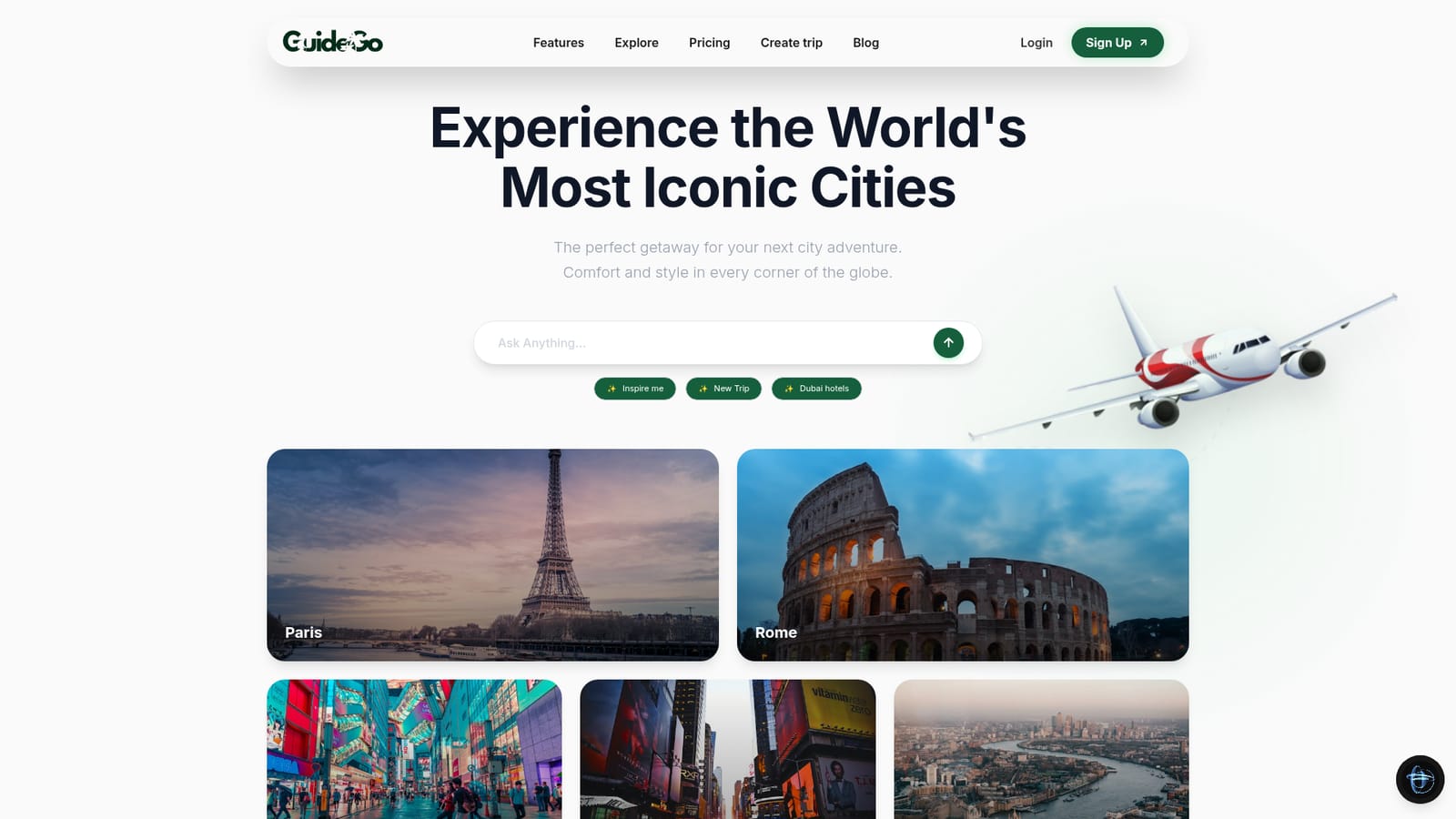
GuideGo is a web based trip planner that turns a short set of preferences into a structured itinerary for a city break. The homepage positions it around three entry points: a 12 to 24 hour layover plan, a multi-day trip with day-by-day scheduling, and a things to do mode for local activities, dining, nightlife and hidden gems. Popular cities such as Paris, Rome, Tokyo, New York and London are promoted on the landing page, along with themed starting points like culture and history, relaxation, and nature and adventure. The workflow is built as a loop rather than a one-off generation. The AI produces the first draft, the traveller saves it, then edits it: swapping places, adding stops, adjusting how long they stay somewhere. From there the itinerary can be published to an Explore page where other users can see it, or shared directly with friends and family. A separate review generator writes reviews of visited places using notes taken during the trip, which is a small but practical extra for people who post about their travels. Practical use cases map closely to the two audiences the testimonials point at. Casual travellers who dislike spreadsheet planning get a draft itinerary without the research hours. Travel agents and bloggers get a repeatable way to produce client documents and shareable content. The feature list also mentions morning to night itineraries, walking tours, flexible scheduling, photography spots, audio guide support and historical landmarks, so the output is meant to read like a day plan rather than a list of attractions. Where it sits among alternatives: GuideGo is narrower than a general chatbot and lighter than full trip management software. There is no flight or hotel booking layer described on the homepage, so it complements rather than replaces booking tools. Pricing splits into a free tier with three generations, a Pro monthly plan at $14 (discounted to $7 at the time of writing), a Pro yearly plan at $58 discounted to $29, and one-time credits at $2 each. Payment runs through Paddle with a 30-day money back guarantee.

No separate trial is described. The Free plan allows 3 itinerary generations per account, limited to 1-day itineraries in English.
Learn moreFree plan with 3 itinerary generations (1-day, English, no PDF export). Pro Monthly is $14, discounted to $7 per month, with up to 100 itineraries, multi-day plans, any language, budget controls and review generation. Pro Yearly is $58, discounted to $29 per year, adding unlimited generations plus save, share and publish. One-time credits cost $2 each and use Free settings.
Learn moreSupport is handled through a contact form on the site and a Discord invite. The homepage states no response time, and a 30-day money back guarantee applies to purchases.
AI itinerary generation for layovers, multi-day trips and things to do; save, edit and republish plans; publish to an Explore page; share with friends and family; review generation from trip notes; morning to night scheduling, walking tours, photography spots, audio guide support and historical landmarks.
 AI Angels400+ customizable AI girlfriends for NSFW chat, voice calls, and roleplay
 Candy AIExperience the future of companionship with AI friends who chat, role-play, and connect with you on a human level.
 ourdream.aiA vast AI roleplay platform with millions of characters for chat, images, video and voiceAI Angels400+ customizable AI girlfriends for NSFW chat, voice calls, and roleplayCandy AIExperience the future of companionship with AI friends who chat, role-play, and connect with you on a human level.ourdream.aiA vast AI roleplay platform with millions of characters for chat, images, video and voice