Free trial
The homepage offers a Try It For Free entry point, though the length and limits of the trial are not stated.
Learn moreLead gen with a built-in referee: find contacts, measure ICPs, keep the winners

Helios Flow is a lead generation tool. Crusader, part of the Helios Flow platform, pulls contacts from Apollo at five cents each and then runs significance testing on every buyer profile you define, showing which lists produce opens, clicks, and real sales.
Helios Flow positions its Crusader product as lead generation with a statistical referee attached. The pitch is blunt about the sourcing layer: contacts come from Apollo, the same reservoir every other tool draws from, at a flat rate of five cents per contact. Where the company claims separation is the step after the list arrives. Each buyer profile you describe is treated as its own experiment, and Crusader tracks opens, clicks, and sales for every profile side by side rather than blending results into one averaged dashboard. The workflow starts with you writing five to ten descriptions of who you think your next customers are. The examples on the site lean specific: a VP of marketing at a Series B SaaS company with 50 to 200 employees, a Shopify Plus founder above $2M in revenue, an agency owner running a five to thirty person shop. Crusader then hunts contacts matching those descriptions and sends to them. Under the hood it runs a Z-score calculation and reports a p-value, the sort of significance testing an analyst would normally do by hand. The visible interface is deliberately thinner than that: green means a profile is producing customers, grey means wait for more data. The intended rhythm is define, send, measure, cut, and reinvest. Profiles that fail the significance test lose budget, profiles that pass get more, and the loop repeats weekly. This makes the product a fit for owner-operators and small marketing teams that buy lead lists but lack the analyst hours to test which lists work. It is less suited to teams already running structured experiments in a CRM or a dedicated outbound stack, since the statistical layer is the whole differentiator and the contact data is commodity. The broader Helios Flow platform extends into agentic marketing: planning, generating, and scheduling social posts and full email campaigns, with AI image generation included. Crusader is the lead-gen module inside that larger suite, so buyers comparing it to standalone prospecting tools should weigh whether they want the surrounding content and scheduling tools as well.
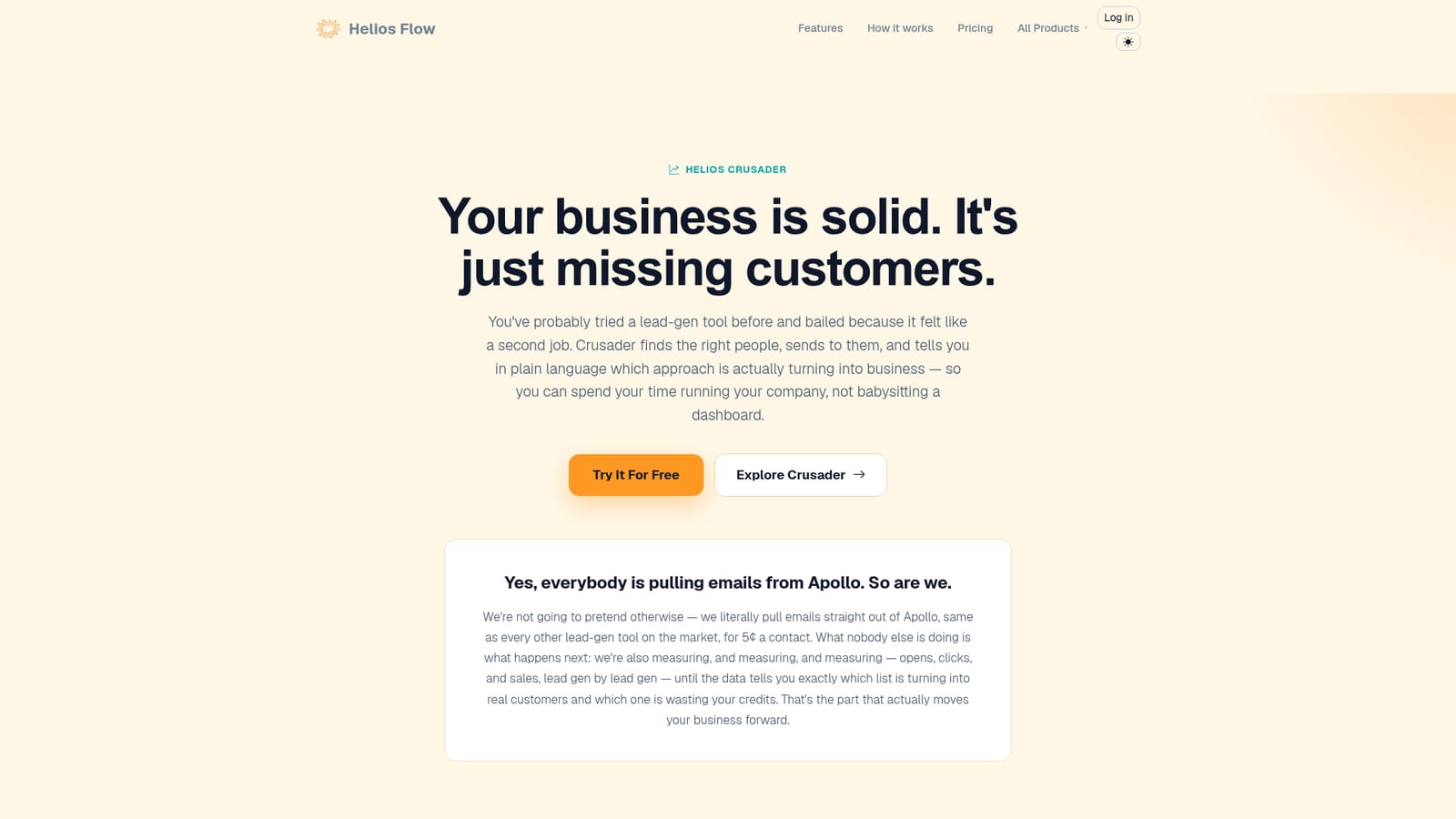
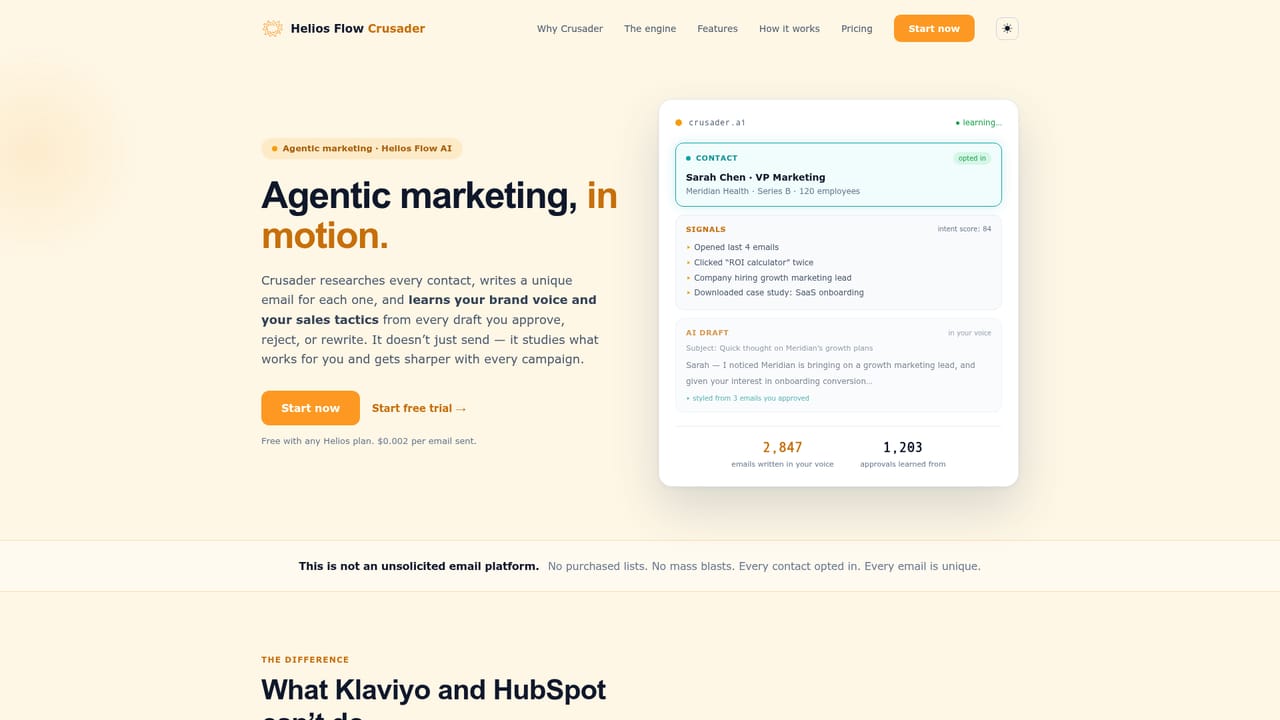
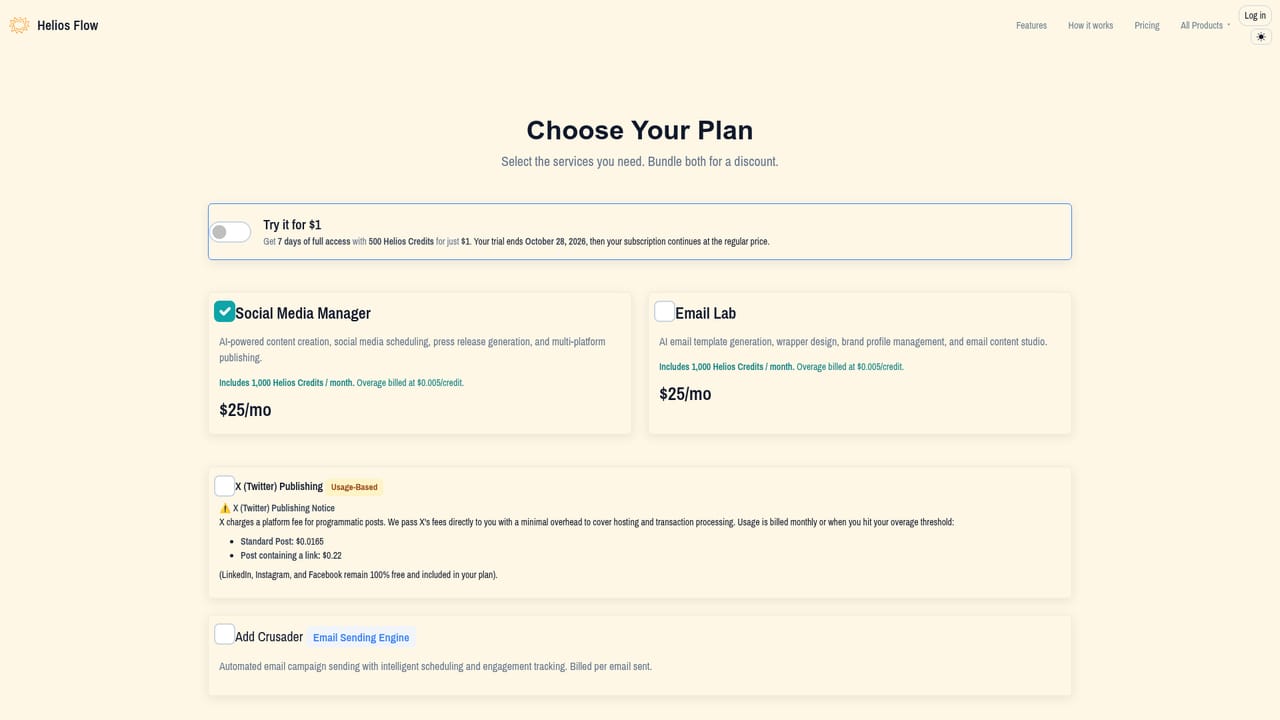
The homepage offers a Try It For Free entry point, though the length and limits of the trial are not stated.
Learn moreContacts are billed at five cents each, described on the site as the only charge for lead data, with measurement of which contacts convert included. Full plan pricing sits on the Crusader pricing section, and subscription checkout runs through a separate plan selection page.
Learn moreThe site states that contact emails are pulled from Apollo. No other integrations are listed in the provided content.
Ideal customer profile builder that accepts five to ten plain-language descriptions, Apollo-sourced contact discovery at five cents per contact, per-ICP tracking of opens, clicks, and sales, automatic Z-score and p-value significance testing with confidence ranges, and a simplified green or grey verdict interface. The wider Helios Flow platform adds social post planning and scheduling, full email campaign generation, and AI image generation.
Learn more AI Angels400+ customizable AI girlfriends for NSFW chat, voice calls, and roleplay
 Candy AIExperience the future of companionship with AI friends who chat, role-play, and connect with you on a human level.
 ourdream.aiA vast AI roleplay platform with millions of characters for chat, images, video and voiceAI Angels400+ customizable AI girlfriends for NSFW chat, voice calls, and roleplayCandy AIExperience the future of companionship with AI friends who chat, role-play, and connect with you on a human level.ourdream.aiA vast AI roleplay platform with millions of characters for chat, images, video and voice


