HeyBoss AI

Prompt-built websites, stores and apps with hosting, SEO and CRM included

Beginner
Screenshot of HeyBoss AI, Prompt-built websites, stores and apps with hosting, SEO and CRM included

What is HeyBoss AI?

HeyBoss AI is an app creation tool. An AI builder that turns plain-language prompts into websites, stores, landing pages and small apps, bundling managed hosting, SEO content, CRM, email tools and payments under one subscription with an AI credit system.

HeyBoss AI is a prompt-driven builder for websites, online stores, landing pages, internal tools and small apps. A user describes the business or idea in plain language, optionally starting from one of the published templates (wedding venue, real estate listing, photographer portfolio, vacation rental, renovation services, meditation retreat and others), and the system assembles a responsive multi-page site. The same workspace also covers the operational side: managed hosting, a custom domain connection, a built-in CRM for leads and messages, email tools for newsletters and follow-ups, and payment acceptance for one-time charges or subscriptions. Logo concepts can be generated inside the product as well. The stated audience is small and medium business owners who need a professional web presence without hiring a developer or agency. The pitch is speed: the comparison table on the homepage puts launch time at 10 to 30 minutes versus 10 to 40 hours with DIY builders and 2 to 5 weeks with a traditional agency. Beyond brochure sites, the tool advertises booking systems, membership platforms, portals, dashboards and mini SaaS products, all created from prompts rather than code. Updates work the same way: instead of editing pages manually, the owner tells the AI what to change and text, images, layouts and SEO are revised. Commercials run on an AI credit system. Credits cover generation of websites, images and content during the launch phase, while the monthly plan includes credits for hosting, maintenance and marketing. The homepage lists estimated build costs of roughly $50 to $200 in credits for a simple or professional site and $500 to $800 for a complex site or commerce store, with monthly plans in the $25 to $99 range that bundle hosting and marketing. An AI SEO and GEO system generates optimized content for Google and local search. Against DIY site builders, HeyBoss trades fine-grained design control for automation and bundles the marketing and CRM stack that competitors leave out. Against agencies, it removes the retainer but also the human strategist. Domain connection is supported for GoDaddy, Cloudflare, Namecheap and most common providers, and sites are described as encrypted and responsive by default.

How do you use HeyBoss AI?

  1. 1Describe your business or idea
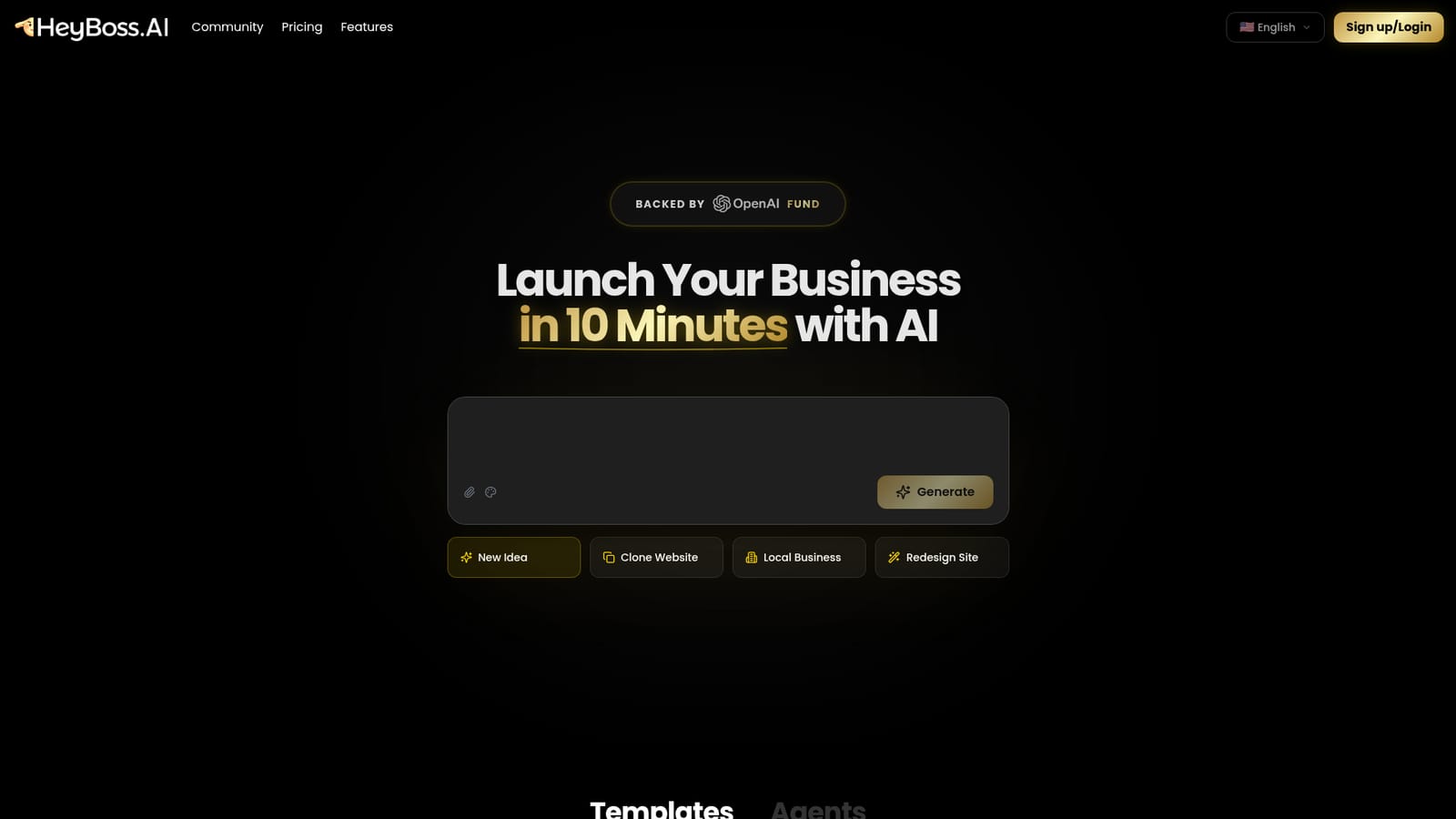
    From the homepage, type a description such as a meal prep store for fitness enthusiasts, or pick a project type like Website, Store or Landing page, then press Generate.
    HeyBoss AI — Describe your business or idea
  2. 2Or start from a template
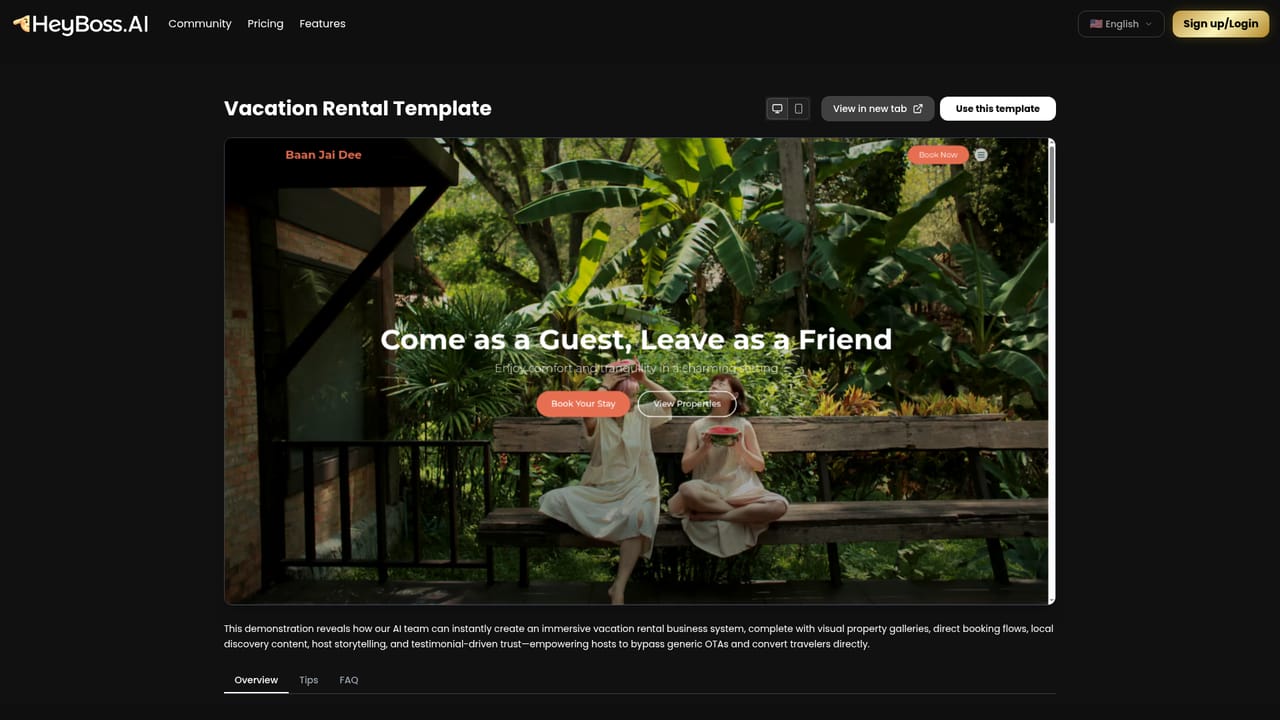
    Browse the template gallery and open one that matches your niche, for example the vacation rental or photographer portfolio template, to see the finished result before building your own.
    HeyBoss AI — Or start from a template
  3. 3Review the pricing and credit model
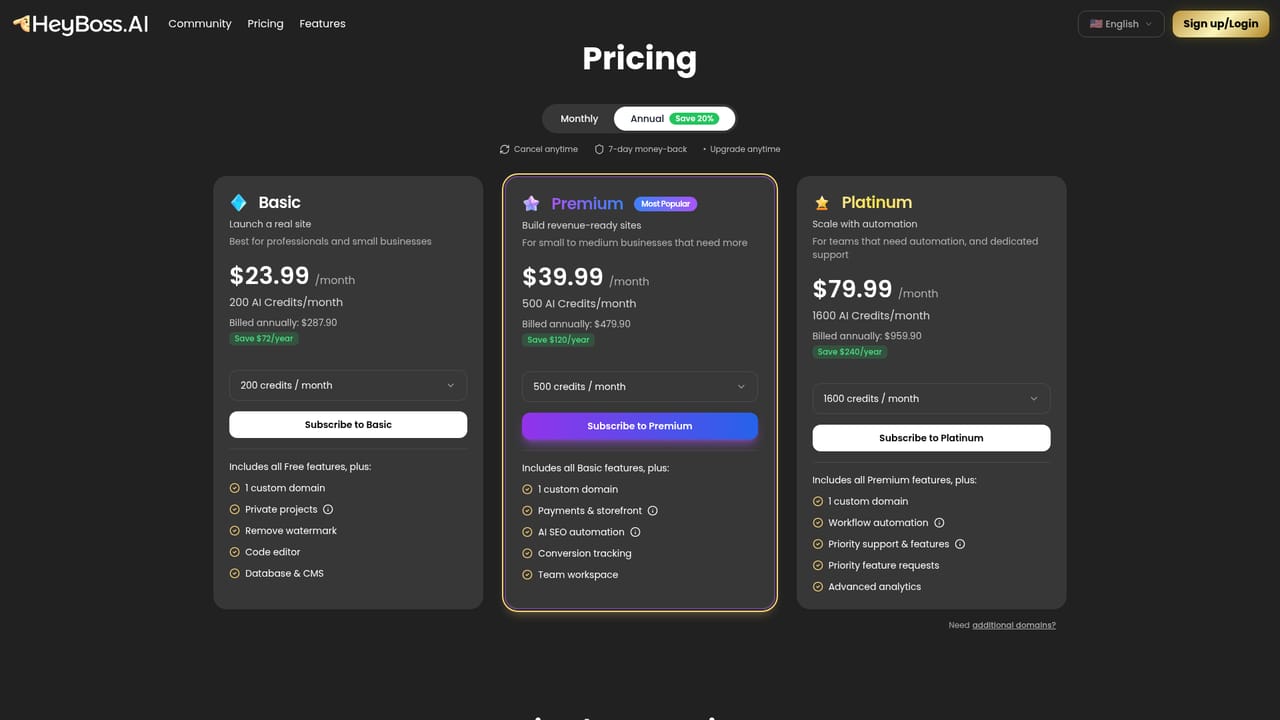
    Check the detailed breakdown to understand how AI credits are consumed for building, hosting and marketing before committing to a monthly plan.
    HeyBoss AI — Review the pricing and credit model
  4. 4Connect a custom domain and hosting
    Inside the workspace, connect a domain from GoDaddy, Cloudflare, Namecheap or another provider, or buy one directly; managed hosting is included with the plan.
  5. 5Set up CRM, email and payments
    Add the built-in CRM for leads and messages, configure newsletters and automated follow-ups, and enable one-time or subscription payments without Stripe configuration.
  6. 6Refine with prompts and publish
    Tell the AI what to change in plain language (copy, images, layout, SEO), then publish; the site is automatically responsive across mobile, tablet and desktop.

Pros and cons

Pros

  • Builds a complete multi-page site from a text prompt, with templates as optional starting pointsAI
  • Bundles hosting, CRM, email marketing, SEO content generation and payments instead of requiring separate toolsAI
  • Credit-based build costs are transparent on the homepage, with estimates for simple and complex projectsAI
  • Updates happen through prompts, so non-technical owners can change text, images, layouts and SEO without an editorAI
  • Domain connection supported for GoDaddy, Cloudflare, Namecheap and other common registrarsAI

Cons

  • No free tier is mentioned on the homepage; builds consume paid AI credits and credits are also required for ongoing hosting and marketingAI
  • Prompt-driven design limits pixel-level control compared with hand-coded or fully manual buildersAI
  • Template selection is skewed toward small business and lifestyle niches, with less coverage for complex web applicationsAI
  • The marketing stack (CRM, email, SEO) is described in broad terms, with little detail on data portability or exportingAI
  • Success depends on prompt quality, and the site offers no clear guidance on how revisions are billed in creditsAI

How much does HeyBoss AI cost?

Pricing

AI credit system: credits pay for website, image and content generation, and monthly plans include credits for hosting, maintenance and marketing. The homepage estimates $50 to $200 in credits for a simple site and $500 to $800 for a complex site or store, with monthly plans around $25 to $99.

Learn more

Support

Help is available by asking the in-product AI, and the homepage links to a Discord community for additional support.

Integrations

Domain connection is supported for GoDaddy, Cloudflare, Namecheap and most common domain providers. Payments are handled with a setup that requires no Stripe configuration.

Features

Prompt-based website, store and app building with templates, clone-from-URL and redesign options; managed responsive hosting; AI SEO and GEO content; built-in CRM; email newsletters and automations; payment acceptance for one-time and subscription sales; AI logo concepts; custom domain connection.

Frequently asked questions about HeyBoss AI

  • How much does HeyBoss AI cost?
    AI credit system: credits pay for website, image and content generation, and monthly plans include credits for hosting, maintenance and marketing. The homepage estimates $50 to $200 in credits for a simple site and $500 to $800 for a complex site or store, with monthly plans around $25 to $99.
  • How do you use HeyBoss AI?
    The walkthrough on this page covers 6 steps: 1. Describe your business or idea 2. Or start from a template 3. Review the pricing and credit model 4. Connect a custom domain and hosting 5. Set up CRM, email and payments 6. Refine with prompts and publish.
  • What platforms does HeyBoss AI support?
    HeyBoss AI is available on Web App.
  • What does HeyBoss AI integrate with?
    Domain connection is supported for GoDaddy, Cloudflare, Namecheap and most common domain providers. Payments are handled with a setup that requires no Stripe configuration.
  • What are the limitations of HeyBoss AI?
    No free tier is mentioned on the homepage; builds consume paid AI credits and credits are also required for ongoing hosting and marketing. Prompt-driven design limits pixel-level control compared with hand-coded or fully manual builders. Template selection is skewed toward small business and lifestyle niches, with less coverage for complex web applications.

Status

StatusActive
Views0
Outbound clicks0
Added10/22/2026

Platforms

Web App

Pricing

FreemiumSubscription