Free trial
Free trial credits can be used without login, registration, email or credit card. The generator showed 2 credits available at the time of capture.
Learn moreMulti-angle consistent characters from a single reference image

Hocha AI generates front, side, back, expression and custom views of a character from one reference image, aiming to keep face, outfit and style consistent. It also offers pose, 3D figure, character sheet, video and image editing tools, with free trial credits and no login needed.
Hocha AI is a browser-based image and video generator built around one core job: turning a single character reference into a set of matching views. A user uploads a photo or illustration, picks which shots to produce (front, left, right, back, top, three-quarter, full body, cinematic, face close-ups, body poses or custom shots), and the tool renders one image per selected item while trying to keep the face, outfit and visual style recognizable across the set. The workflow is deliberately short. After the upload, the user chooses a model for the run (GPT Image 2 or one of several Nano Banana variants, each priced at a different credit cost), optionally adds a prompt, sets an aspect ratio from a long list that runs from square to ultrawide, and presses generate. Results appear view by view, and they can be saved together or downloaded and fine-tuned individually. The tool can be tried without an account using a small allowance of free credits, and uploaded images are described as not being stored. Beyond the main generator, Hocha bundles several related tools under one roof: an illustration pose generator, a 3D figure generator, a character sheet generator that lays out turnarounds, expression rows and costume details, a text-to-video generator for short clips, a product image generator, and an image editor with background removal and enhancement. Preset prompts are provided for each tool, which lowers the barrier for people who do not want to write prompts from scratch. A community page shows work from other users. The audience is mostly illustrators, game and comic creators, marketers and social content makers who need the same character or subject to appear repeatedly without retraining a model. Compared with general image generators, the value lies in the guided multi-view workflow and the credit-based access to several underlying models in one place. Compared with dedicated character-design suites, it is lighter and more transactional, trading depth of control for speed. Paid subscribers receive commercial usage rights, which matters for business use.
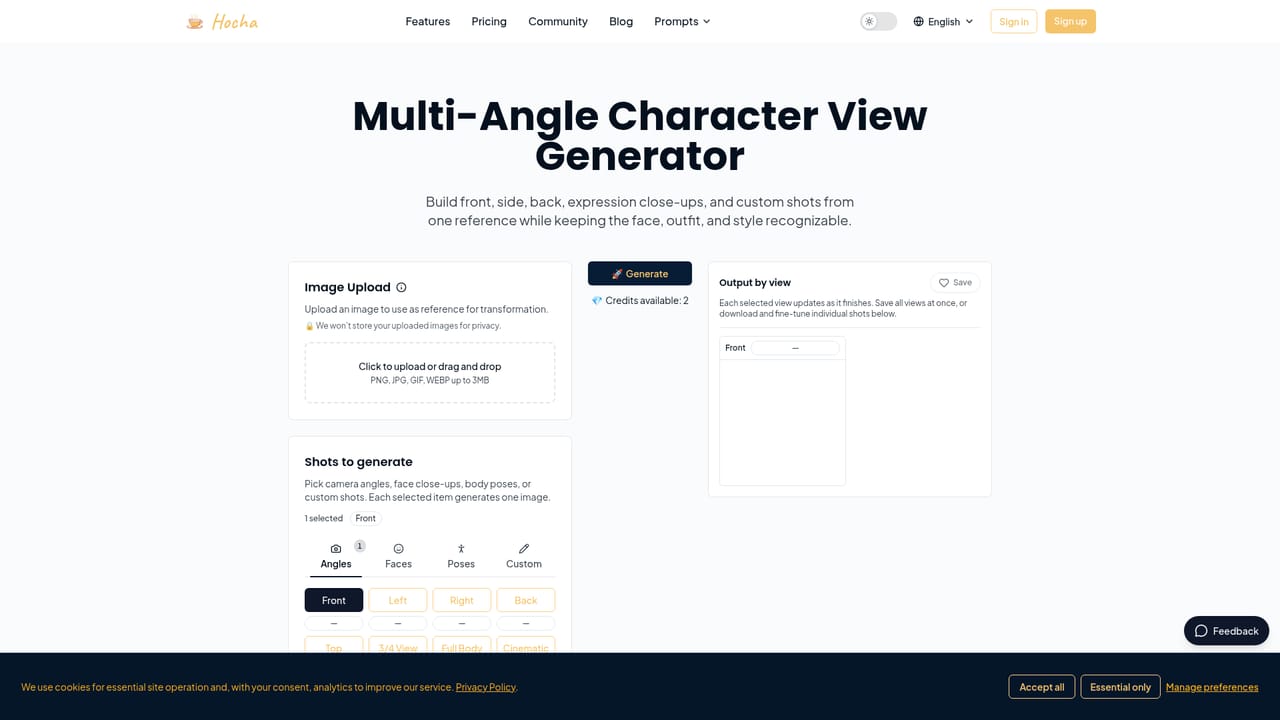
Free trial credits can be used without login, registration, email or credit card. The generator showed 2 credits available at the time of capture.
Learn moreFree trial credits are available without login. Paid plans raise the upload limit to 7MB and add commercial licensing rights. Generation costs credits per image, ranging from 1 to 4 depending on the model. Exact plan prices are not stated on the homepage.
Learn moreMulti-angle character views (front, side, back, three-quarter, expressions, custom shots), model choice including GPT Image 2 and Nano Banana variants, aspect ratio options, character sheets, illustration poses, 3D figures, text-to-video, product images, image editing and background removal, preset prompts.
Learn more


