Free trial
A 7-day full access period is available with no credit card required, and the product is currently free for a limited time.
Learn moreStop sensitive data from leaking into AI chats and agents.
Own iDox.ai Guardrail? Verify ownership to get a dofollow link

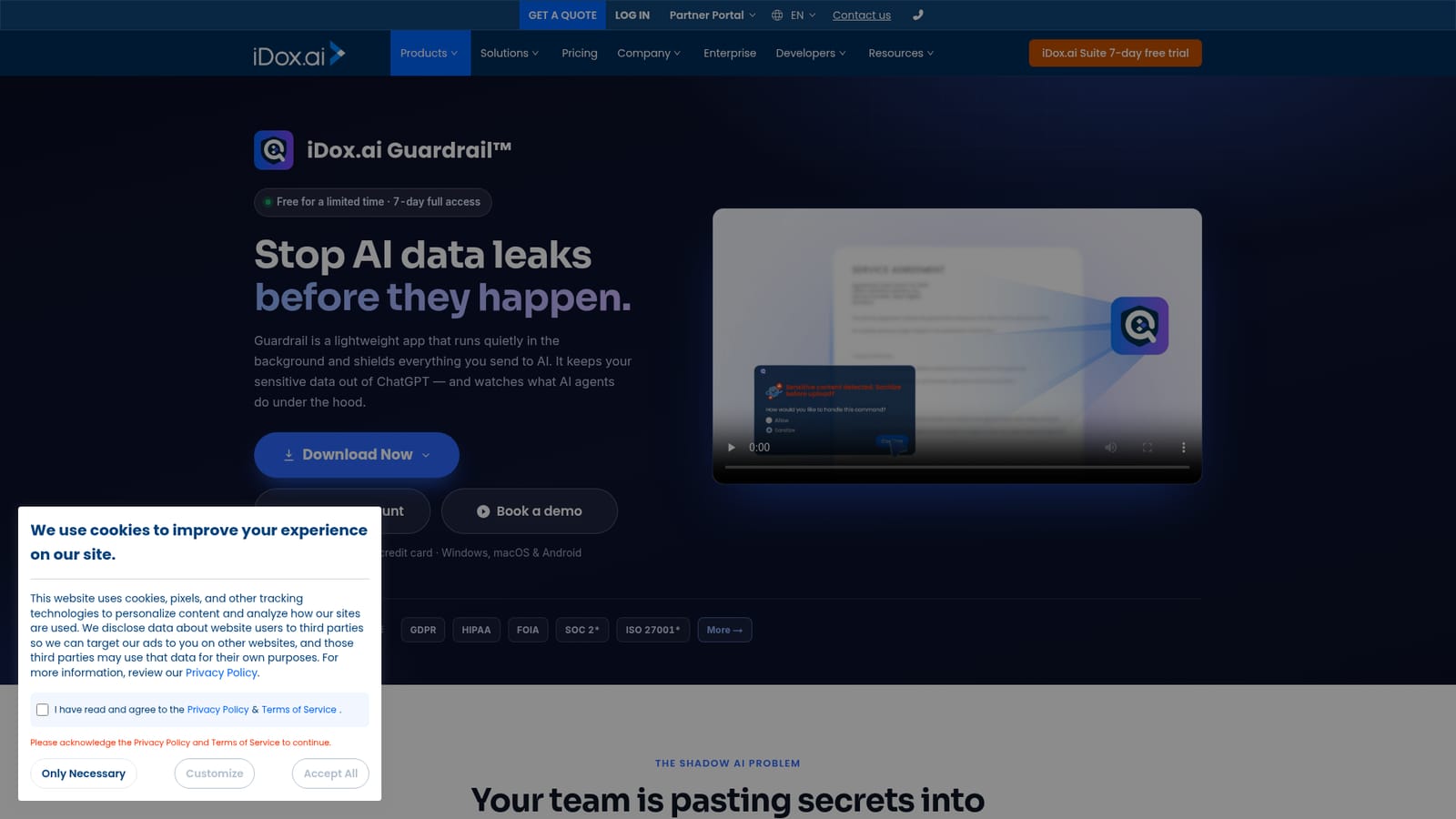
iDox.ai Guardrail is an on-device AI security app that blocks sensitive data from reaching ChatGPT and other AI tools. It also detects prompt injection and risky agent commands, with Individual and Enterprise editions for professionals and teams.
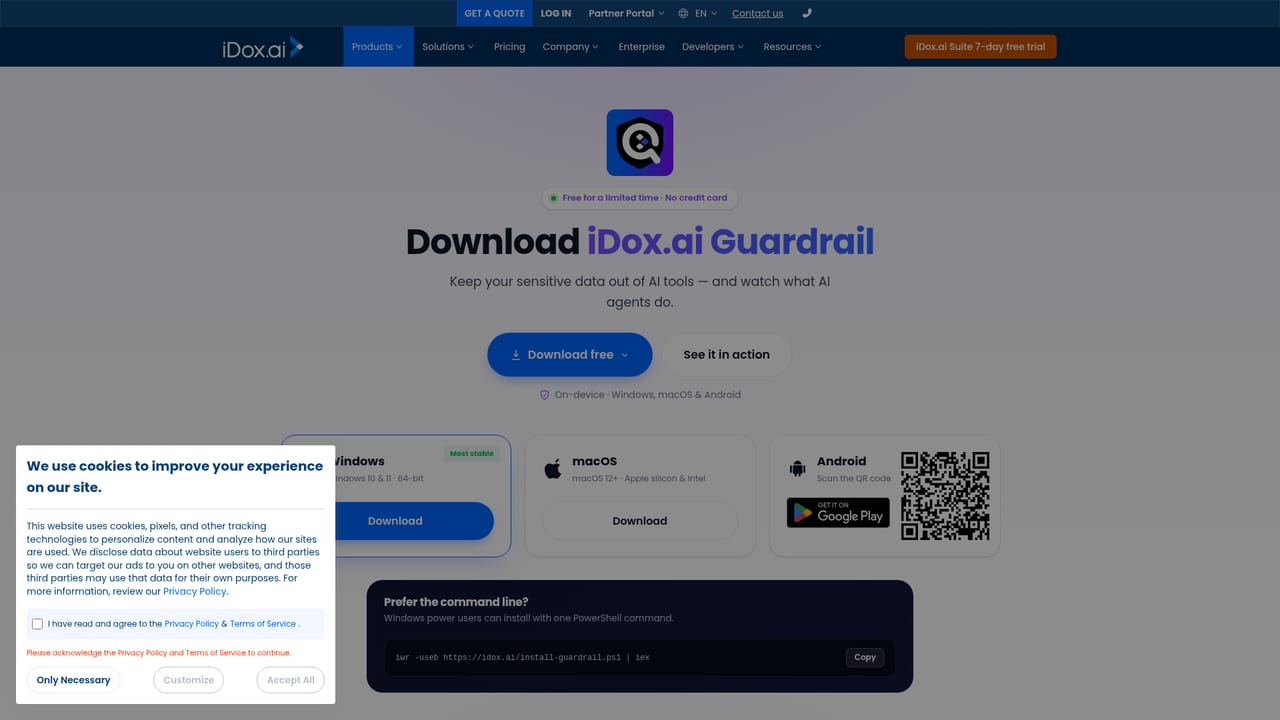
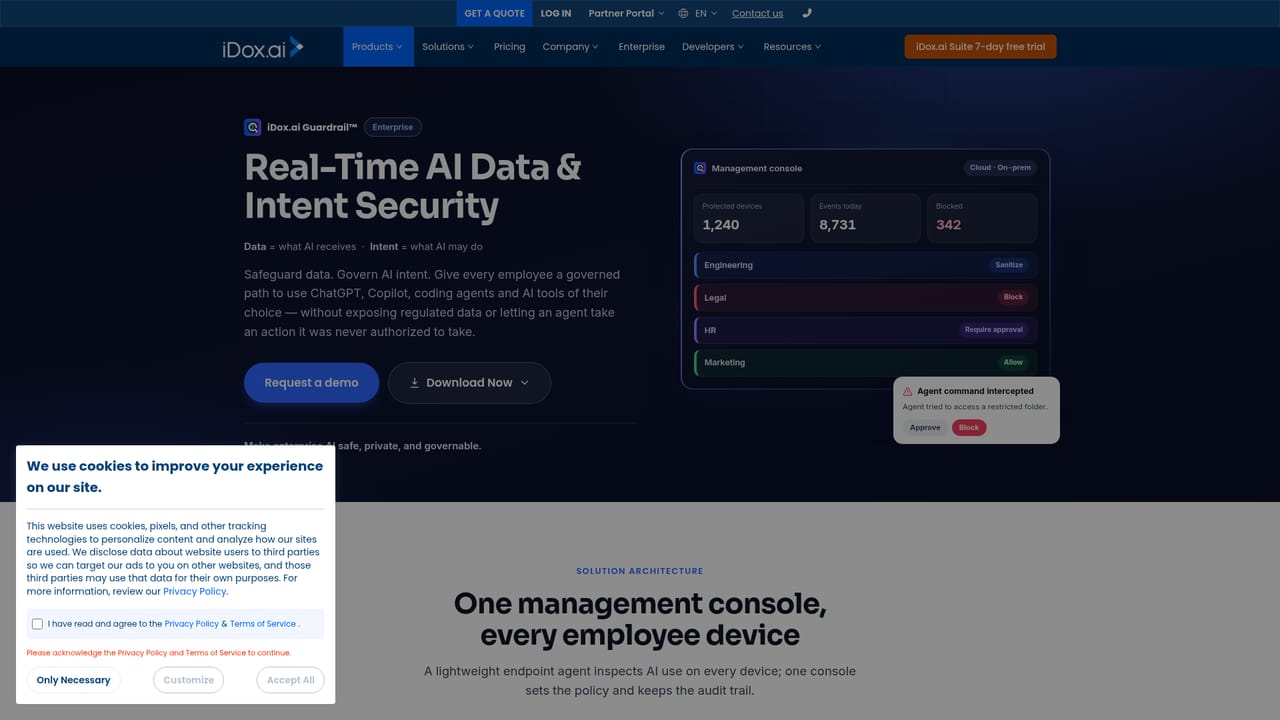
iDox.ai Guardrail is a lightweight desktop and mobile application that sits between you and generative AI tools, intercepting sensitive data before it leaves your device. Unlike browser extensions that only watch the chat box, Guardrail runs quietly in the background on Windows, macOS, and Android, monitoring what you paste or upload into AI assistants such as ChatGPT. It detects names, Social Security numbers, financial details, source code, and other confidential material, then masks or blocks it in real time. The pitch is simple: once a secret is pasted, it cannot be taken back, so prevention has to happen before the send button is pressed. The product goes beyond data loss prevention by governing what AI agents are instructed to do. Guardrail reads the intent behind prompts, not just keywords, and flags ten categories of high-risk actions such as deleting local files, modifying system settings, installing software, establishing remote connections, or sharing personal data. It scans plain text, code, documents, and system commands for prompt injection attempts that try to trick an AI into performing unauthorized operations. When a risky instruction is detected, the app blocks the action before an agent can execute it. This dual focus on data leaks and agent behavior makes it relevant for security-conscious professionals who use AI daily. Guardrail is available in two editions. The Individual edition provides on-device interception, real-time auditing of AI agent activity, and abnormal command detection for professionals and small teams. The Enterprise edition adds a management console with a policy engine, role-based access, and a full Who-What-When audit trail, plus a choice of cloud hosting or on-premises deployment. Vertical policy packs cover regulations such as GDPR, HIPAA, and FOIA, and the company lists compliance alignment with SOC 2 and ISO 27001. The tool is positioned as a complement to iDox.ai's redaction suite, but its agent-level controls give it a distinct place among AI security products that mostly focus on network or browser monitoring. Guardrail is free for a limited time with a 7-day full access period and no credit card required. It runs on-device, so sensitive content is not sent to the cloud for inspection, which matters for regulated industries. The macOS build is limited to Apple Silicon machines, and the Windows installer supports Windows 10 and 11 64-bit. For teams rolling out AI policies across an organization, the Enterprise console and audit trail are the main draw; individual users get the core protection without central management.
A 7-day full access period is available with no credit card required, and the product is currently free for a limited time.
Learn moreGuardrail is free for a limited time with a 7-day full access period and no credit card required. The homepage lists Individual and Enterprise editions but does not publish long-term prices; enterprise deployment options include cloud hosting or on-premises.
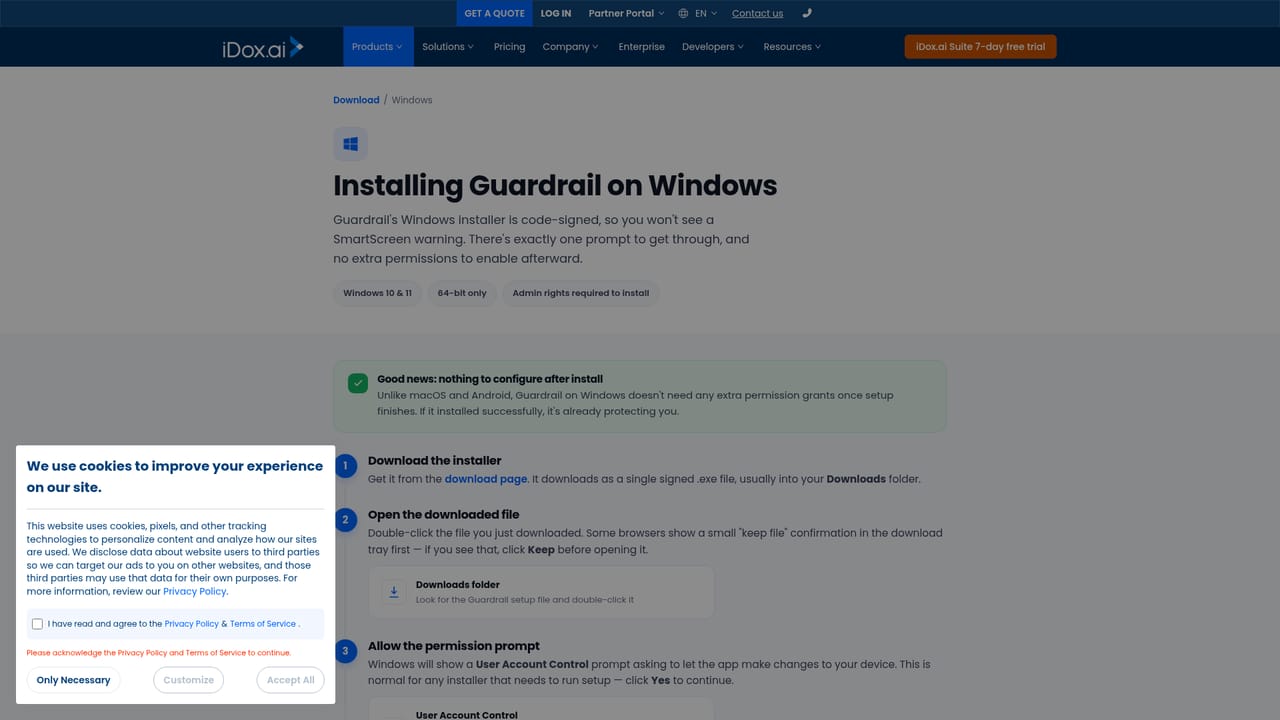
Learn moreThe site lists 24/7 customer support by phone and a FAQ page for common questions. Installation help pages are available for Windows, macOS, and Android.
Learn moreGuardrail is a standalone app that shields data sent to AI tools such as ChatGPT. The homepage does not list specific integrations with other platforms or APIs.
Guardrail provides on-device interception of sensitive text and files, PII redaction and blocking before data reaches AI tools, detection of prompt injection and ten categories of high-risk intent, monitoring of AI agent commands and privilege escalation, and real-time auditing of agent activity. Enterprise adds a management console, policy engine, role-based access, and audit trail.
 AI Angels400+ customizable AI girlfriends for NSFW chat, voice calls, and roleplay
 Candy AIExperience the future of companionship with AI friends who chat, role-play, and connect with you on a human level.
 ourdream.aiA vast AI roleplay platform with millions of characters for chat, images, video and voiceAI Angels400+ customizable AI girlfriends for NSFW chat, voice calls, and roleplayCandy AIExperience the future of companionship with AI friends who chat, role-play, and connect with you on a human level.ourdream.aiA vast AI roleplay platform with millions of characters for chat, images, video and voice


