Image to STL

Turn photos or text prompts into printable STL, GLB and OBJ 3D models

Beginner
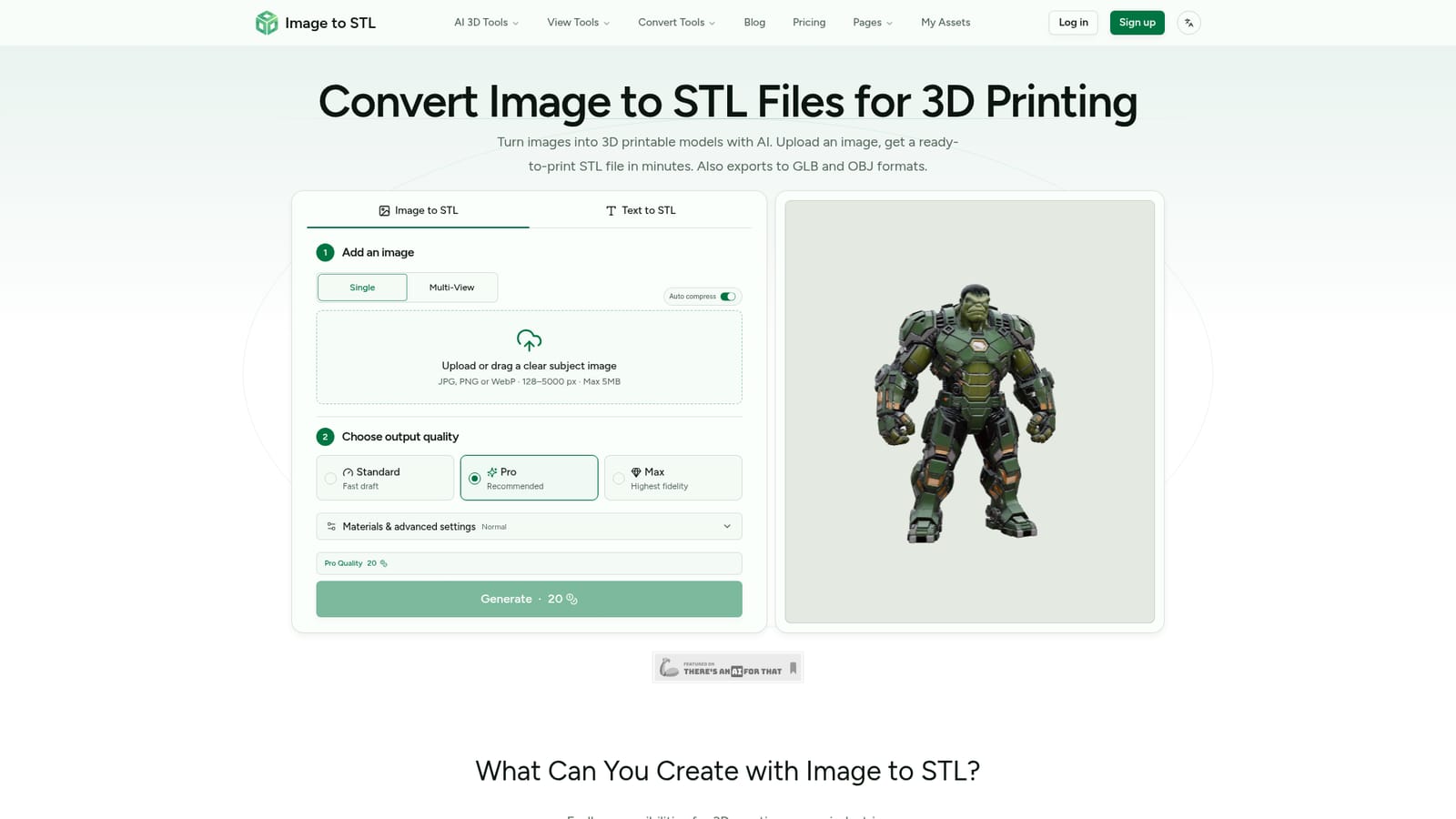
Screenshot of Image to STL, Turn photos or text prompts into printable STL, GLB and OBJ 3D models

What is Image to STL?

Image to STL is a generative image tool that turns photos or text prompts into printable STL, GLB and OBJ 3D models. Image to STL is an AI web app that turns a single photo, several views or a text prompt into a 3D mesh.

Image to STL is a browser-based generator that converts a flat picture into a 3D mesh ready for printing. A user uploads a JPG, PNG or WebP file (128 to 5000 px, up to 5MB), picks an output quality, and the service builds a model that can be downloaded as STL, GLB or OBJ. A Text to STL mode accepts a written description instead of a picture, and a multi-view option takes several angles of the same subject (front, left, right, back) to give the generator more geometry to work from. The target audience is broad but practical. Hobbyists with desktop printers can go from a photo to a printable file without learning modelling software, and one reviewer on the page mentions running the output on an Ender 3. Game developers can use the GLB export for engines, AR and VR builders can prototype assets, designers can mock up products, and e-commerce teams can create rotatable previews. The site also lists architecture sketches and 2D artwork turned into sculptures as use cases. In practice the workflow has four steps: upload or describe, let the AI build the mesh, inspect it in an interactive viewer where it can be rotated and zoomed, then download. Results can be regenerated with different settings if the first attempt misses. Quality tiers range from a fast draft to Standard (about 80K triangles) and Pro (up to 1500K triangles), with a Max mode for the highest fidelity. Pro output also supports PBR materials. Billing is credit based. A free tier gives 15 monthly credits with limited downloads and assets under a CC BY 4.0 license, while the paid Pro and Max plans add more credits, concurrent tasks, permanent downloads and private, customer-owned assets. Extra credit packs can be bought separately. Among alternatives, it sits with other single-image and text-to-3D generators, and its main differentiators are the print-focused STL export, multi-view input and the straightforward credit pricing. Complex or ambiguous source images still call for a check in the viewer before printing.
How do you use Image to STL?

  1. 1Choose an input mode
    Open the homepage and pick Image to STL or Text to STL. For images, choose Single or Multi-View depending on how many angles are available.
    Image to STL — Choose an input mode
  2. 2Upload a clear image
    Drag in a JPG, PNG or WebP of a clearly framed subject, between 128 and 5000 px and under 5MB. For text mode, write a short description of the object.
  3. 3Set the output quality
    Select a quality tier such as Fast draft, Standard, Pro or Max, and open the materials and advanced settings if needed. Higher tiers use more credits.
  4. 4Generate and inspect
    Run the generation, then rotate and zoom the result in the interactive viewer. Regenerate with different settings if the geometry is off.
  5. 5Download for your workflow
    Export the model as STL for slicing and printing, or as GLB or OBJ for game engines and other 3D tools.

Pros and cons

Pros

  • Accepts a single image, multiple views or a text prompt, so there are several routes to a modelAI
  • Exports STL, GLB and OBJ, covering both 3D printing and game or AR/VR workflowsAI
  • Interactive viewer lets users inspect and regenerate before downloadingAI
  • Pro mode supports up to 1500K triangles and PBR materials for detailed outputAI
  • Free tier needs no credit card, so output can be tested before payingAI

Cons

  • Free plan has only 15 monthly credits, limited downloads and low queue priorityAI
  • Free-tier assets fall under a CC BY 4.0 license; private ownership requires a paid planAI
  • Uploads are capped at 5MB and 128 to 5000 px, which limits very large source filesAI
  • Higher quality modes consume more credits, so detailed iterations can get costlyAI
  • Output quality depends on the source image, and results may still need checking before printingAI

How much does Image to STL cost?

Free trial

A Free plan requires no credit card and gives 15 monthly credits, one concurrent task, limited downloads and CC BY 4.0 licensed assets.

Learn more

Pricing

Free plan at $0 with 15 monthly credits. Pro is $16.9/month ($202.8/year) with 500 credits; Max is $26.9/month ($322.8/year) with 1000 credits. Credit packs run from 200 credits for $9.9 to 1,000 for $36.9.

Learn more

Integrations

No third-party integrations are listed. Exports in STL, GLB and OBJ are meant for slicers, game engines such as Unity and Unreal, and AR/VR tools.

Features

Image, multi-view and text input; Standard, Pro and Max quality modes up to 1500K triangles; PBR materials; interactive 3D preview with regeneration; STL, GLB and OBJ export; Creative Styles (Scale Figure, Bust, Badge) on paid plans.

Frequently asked questions about Image to STL

  • How much does Image to STL cost?
    Free plan at $0 with 15 monthly credits. Pro is $16.9/month ($202.8/year) with 500 credits; Max is $26.9/month ($322.8/year) with 1000 credits. Credit packs run from 200 credits for $9.9 to 1,000 for $36.9.
  • Does Image to STL offer a free trial?
    A Free plan requires no credit card and gives 15 monthly credits, one concurrent task, limited downloads and CC BY 4.0 licensed assets.
  • How do you use Image to STL?
    The walkthrough on this page covers 5 steps: 1. Choose an input mode 2. Upload a clear image 3. Set the output quality 4. Generate and inspect 5. Download for your workflow.
  • What platforms does Image to STL support?
    Image to STL is available on Web App.
  • What does Image to STL integrate with?
    No third-party integrations are listed. Exports in STL, GLB and OBJ are meant for slicers, game engines such as Unity and Unreal, and AR/VR tools.
  • What are the limitations of Image to STL?
    Free plan has only 15 monthly credits, limited downloads and low queue priority. Free-tier assets fall under a CC BY 4.0 license; private ownership requires a paid plan. Uploads are capped at 5MB and 128 to 5000 px, which limits very large source files.

Status

StatusActive
Views0
Outbound clicks0
Added10/18/2026

Platforms

Web App

Pricing

FreemiumSubscription