Free trial
Free access is described as 3 daily Video Fast generations once signed in, with no credit card required and no visible watermark on supported free outputs.
Learn moreAnimate still photos into short AI video clips from one browser workspace
Own ImageToVideo AI.tools? Verify ownership to get a dofollow link

ImageToVideo AI.tools is a generative video tool that animates still photos into short AI video clips from one browser workspace. A browser based image to video generator with multiple selectable models, prompt driven motion control and a small free daily allowance of watermark free clips after sign in.
ImageToVideo AI.tools is a browser based workspace for turning a still image into a short moving clip. The core flow is deliberately narrow: upload a photo, write a prompt describing how the subject, camera or scene should move, pick a model, aspect ratio, duration and resolution, then generate. The homepage runs this generator directly, so a first test needs no separate download or plugin. Free daily generations are tied to a Video Fast model and require an account, and supported free outputs are delivered without a visible watermark. The product is built around model choice rather than a single engine. A model picker covers options the site describes as stronger in cinematic movement, character animation, audio generation, frame control or visual consistency, and the same image and prompt can be run across several of them for comparison. Beyond the main image to video tool, the site surfaces dedicated pages for photo to video, animating old photos, first and last frame control, reference driven clips, motion control, presentation to video and text to video. That breadth makes it a practical stopping point for creators who want several generation modes behind one account instead of signing up for each model separately. Typical uses named on the homepage are portraits, product pack shots, scanned family photos and social short form drafts. The guidance is consistent: keep motion modest, then inspect faces, logos, labels and background texture before publishing, because small text and identity detail are the parts most likely to drift. In practice this positions the tool as a rapid concepting and repurposing layer rather than a replacement for a full editing suite or a final production pipeline. It suits social media managers, ecommerce sellers, indie makers and designers who already hold stills and want moving drafts quickly. Buyers comparing it with all purpose video editors should expect short clips and prompt driven output rather than timeline editing, and should read the pricing page for what sits beyond the free daily allowance.
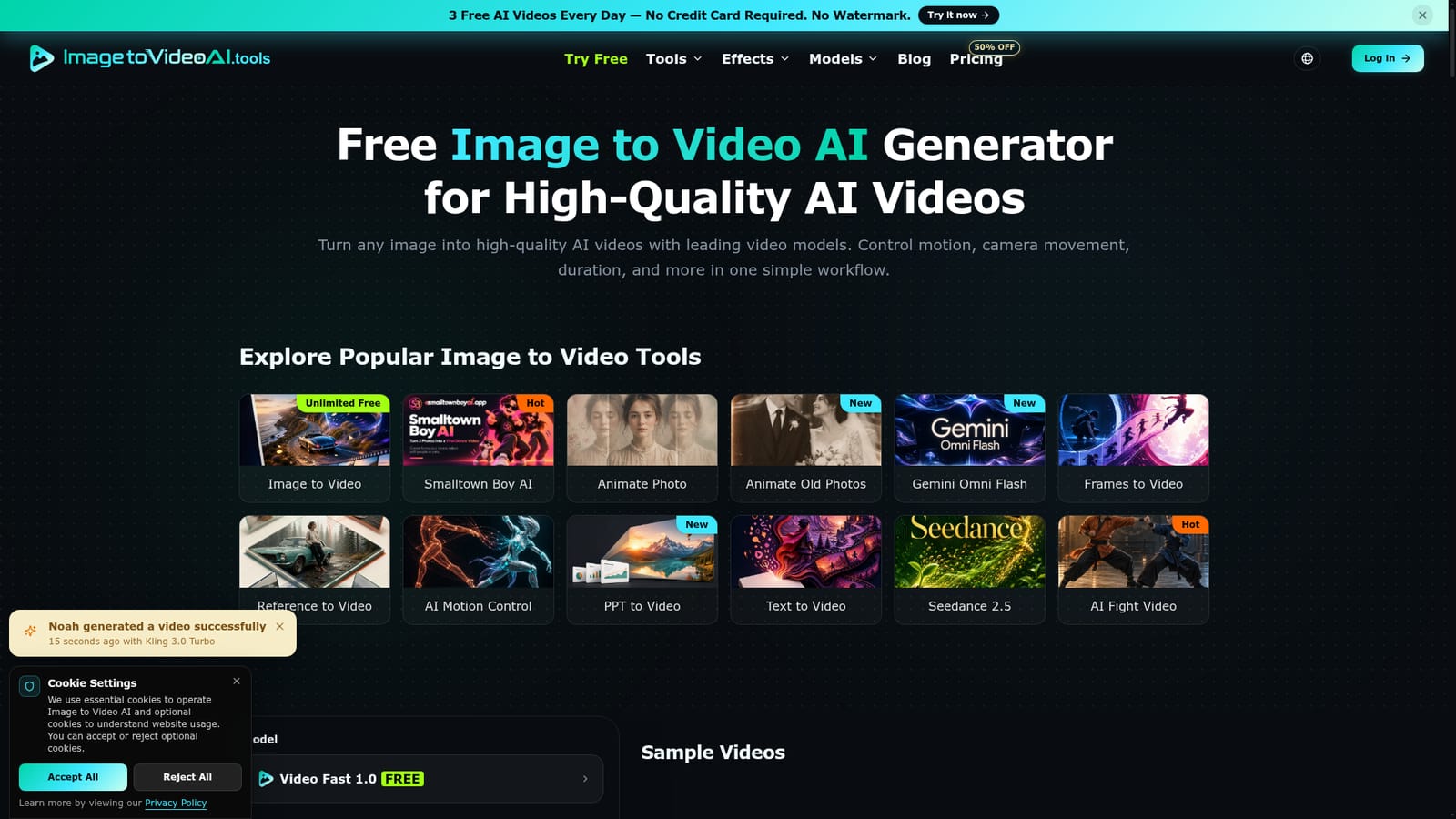
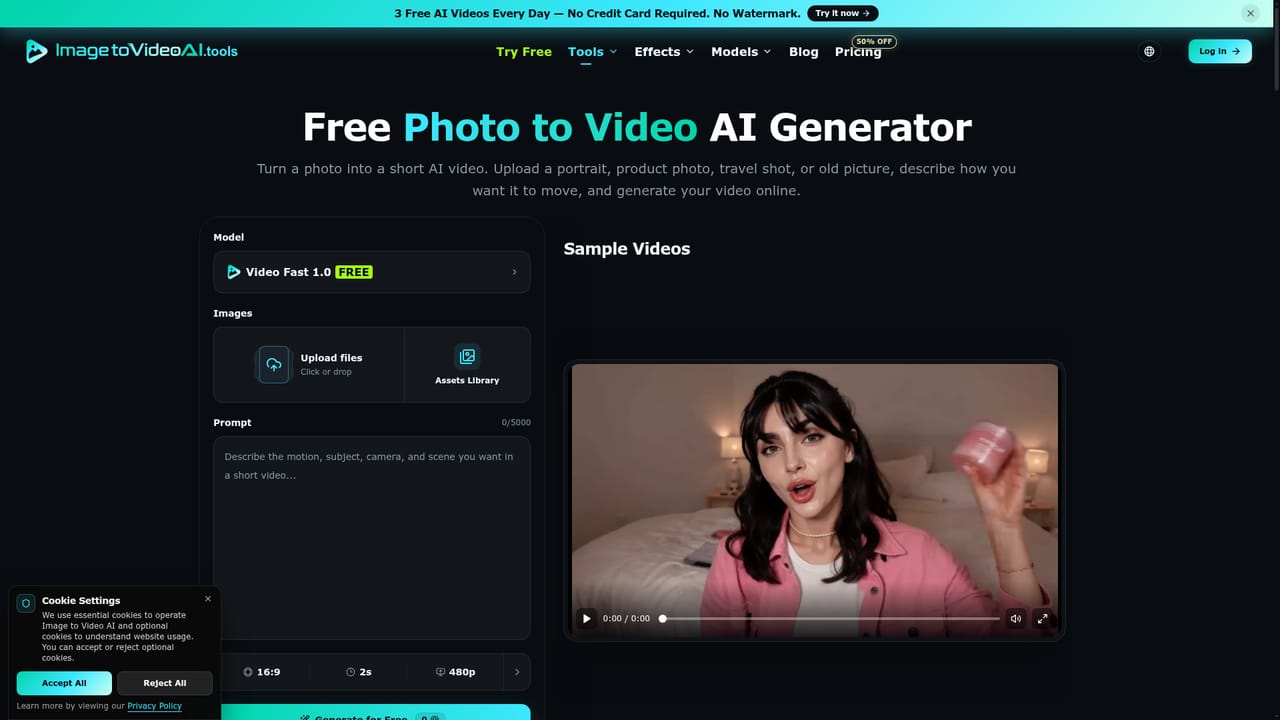
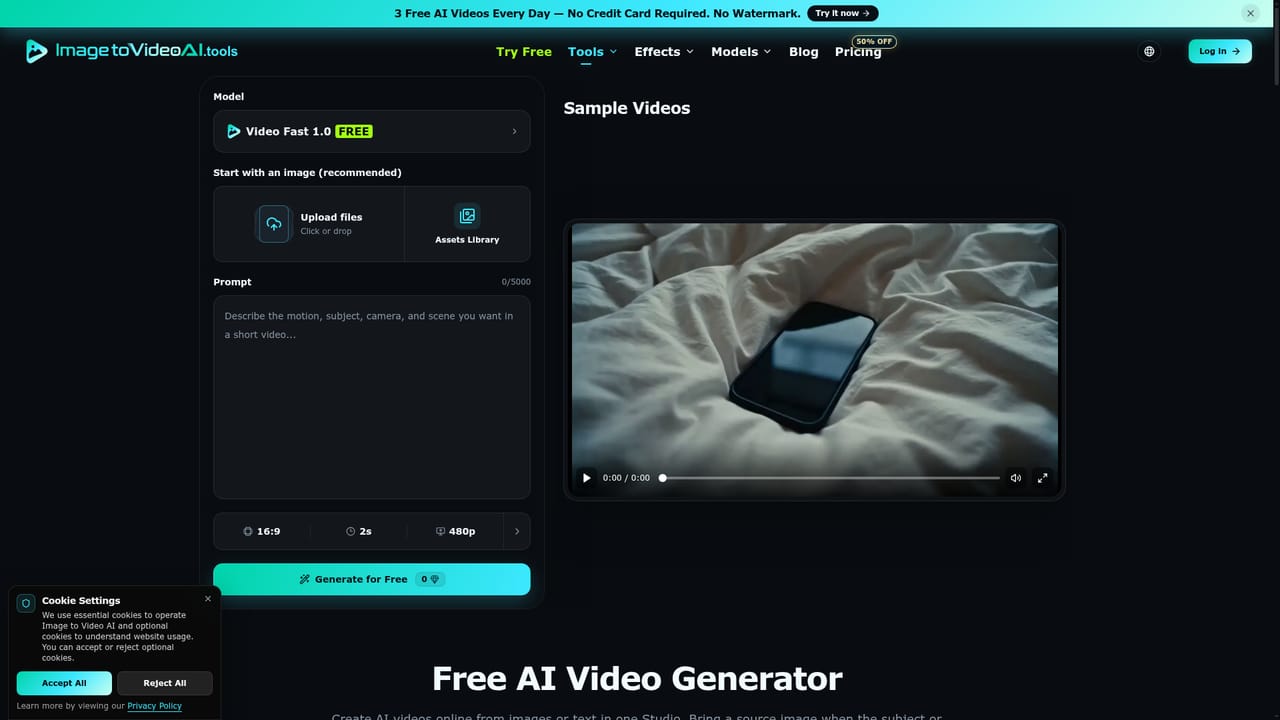
Free access is described as 3 daily Video Fast generations once signed in, with no credit card required and no visible watermark on supported free outputs.
Learn moreThe homepage confirms a free starting point: 3 free daily Video Fast generations after signing in, with no credit card required. Paid plans exist on the pricing page but the homepage does not state tiers, limits or prices, so those numbers must be checked there.
Learn moreModel picker across several video engines, image plus text prompt motion control, aspect ratio, duration and resolution settings, and outputs for portraits, product promos, archive photo animation and short form social drafts. Separate pages cover photo to video, frames to video, reference to video, motion control, old photos, presentation to video and text to video.
Learn more AI Angels400+ customizable AI girlfriends for NSFW chat, voice calls, and roleplay
 Candy AIExperience the future of companionship with AI friends who chat, role-play, and connect with you on a human level.
 ourdream.aiA vast AI roleplay platform with millions of characters for chat, images, video and voiceAI Angels400+ customizable AI girlfriends for NSFW chat, voice calls, and roleplayCandy AIExperience the future of companionship with AI friends who chat, role-play, and connect with you on a human level.ourdream.aiA vast AI roleplay platform with millions of characters for chat, images, video and voice