
Imotara

A private emotional companion that remembers and reflects your moods

Beginner
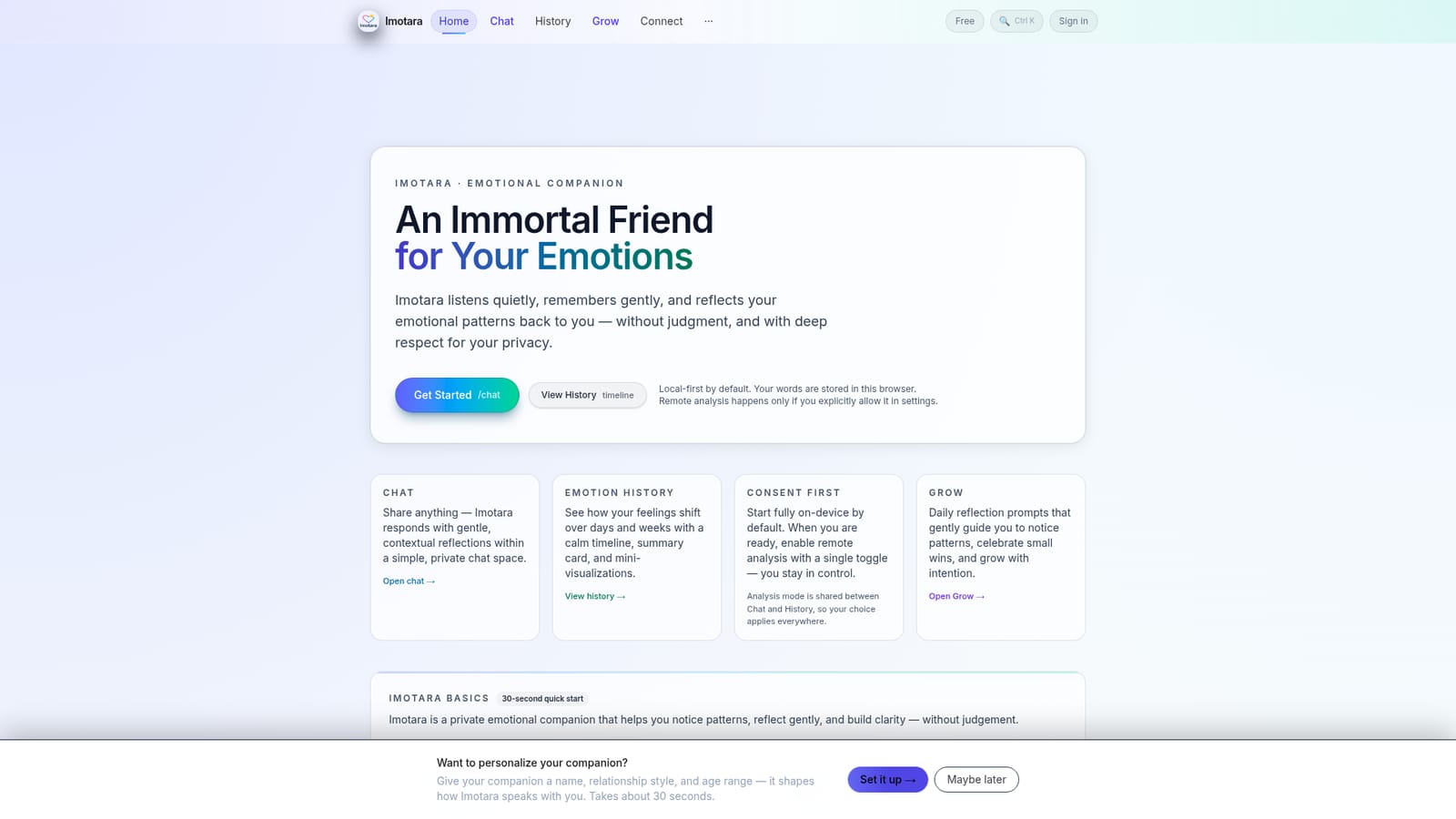
Screenshot of Imotara, A private emotional companion that remembers and reflects your moods

What is Imotara?

Imotara is a privacy first emotional wellness companion for chat based reflection, mood history timelines, and daily prompts across 22 languages. Conversations stay on the device unless remote analysis or cloud sync is explicitly enabled.

Imotara is a private emotional wellness companion built around one idea: feelings deserve a quiet place to be noticed. Users write freely in a simple chat window, and the tool answers with gentle reflections rather than advice or diagnosis. Over time those entries build an emotion history, shown as a calm timeline with a mood summary card and small visualizations that make shifts across days and weeks visible. It is not a feed, not a social network, and not a general purpose chatbot: there are no followers, likes, or public posts, and the emphasis sits on continuity and personal patterns. The privacy model is the defining design choice. By default, conversations and emotion records are stored in the browser on the device, and the web version works offline as a PWA. Remote analysis is opt in only, switched on with a single toggle in settings, and that choice carries across both Chat and Grow so behavior stays consistent. Cloud sync is likewise optional and requires explicit consent. The FAQ states there are no ads and that data is never sold, which matters for anyone who would not type personal feelings into an ad supported tool. A typical session is short. Someone writes a few lines about the day, reads the reflection, then checks the history view when they want a wider view. Grow adds daily reflection prompts that steer attention toward recurring patterns and small wins. A short setup flow lets users name the companion and pick a relationship style and age range, which shapes tone. Everything runs in 22 languages, including Hindi, Bengali, Tamil, Spanish, and Arabic, with dedicated Hindi, Bengali, and Tamil site versions. It fits best as a lightweight journaling and self awareness layer alongside professional care. Imotara states plainly that it does not replace therapy and gives no medical advice, and the welcome screen points people in crisis toward helplines. Compared with mood tracking apps, the pull is conversational reflection rather than charts; compared with general assistants, the pull is long term memory of your emotional state and a strict local first stance.

How do you use Imotara?

  1. 1Accept the terms and confirm your age
    The welcome screen asks you to confirm you are 13 or older, with parental consent if under 18, and to accept the Terms and Privacy Policy before continuing.
    Imotara — Accept the terms and confirm your age
  2. 2Personalize the companion (optional)
    A short setup lets you give the companion a name, a relationship style, and an age range, which shapes how it speaks with you. It takes about 30 seconds and can be skipped.
  3. 3Write your first chat entry
    Open Chat and write whatever is on your mind, even a short note. Imotara replies with a contextual reflection rather than instructions or advice.
    Imotara — Write your first chat entry
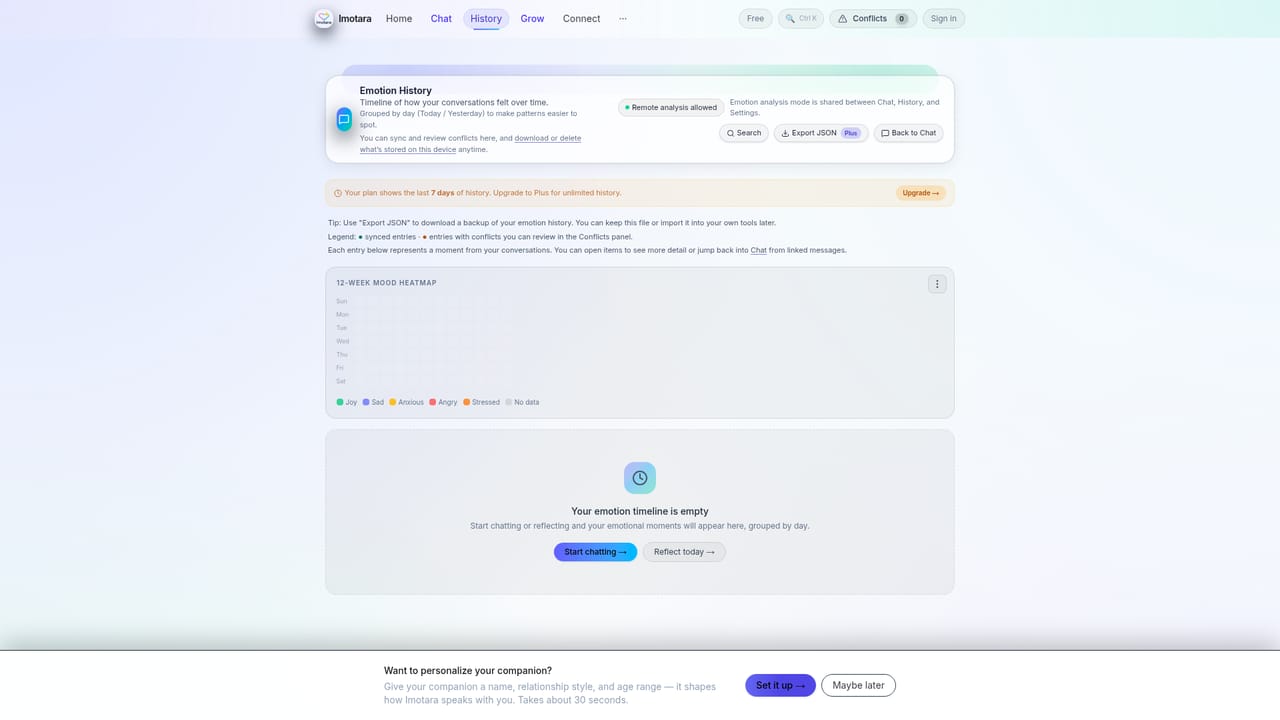
  4. 4Check your mood summary and timeline
    The History view shows a calm timeline, a summary card, and mini visualizations so you can see how feelings shift across days and weeks.
    Imotara — Check your mood summary and timeline
  5. 5Decide on remote analysis
    Local storage is the default. If you want deeper reflections, enable remote analysis with a toggle in settings; the choice applies to both Chat and History.
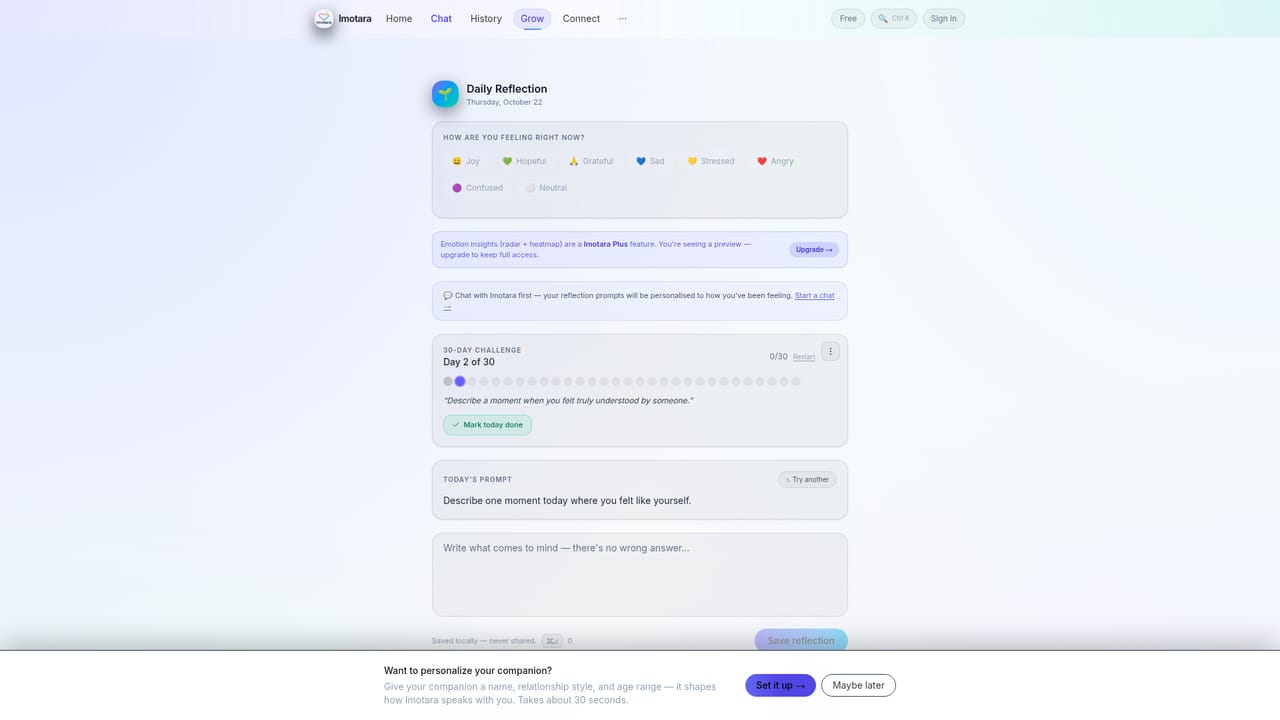
  6. 6Build a daily reflection habit
    Grow offers daily prompts that guide you to notice patterns and celebrate small wins, which pairs well with reviewing the timeline weekly.
    Imotara — Build a daily reflection habit

Pros and cons

Pros

  • Local first storage with remote analysis and cloud sync left off until the user enables themAI
  • Emotion history timeline with a mood summary card gives continuity that one off chatbots lackAI
  • Genuinely free core tier with no subscription required and no advertisingAI
  • Grow prompts encourage a regular reflection habit rather than occasional ventingAI
  • Available as a web PWA plus Android and iOS apps, with offline use on all threeAI

Cons

  • The free account is capped at 20 cloud replies a day and only the last 7 days of historyAI
  • Unlimited replies and full history sit behind Imotara Plus, so heavy journalers will hit the wallAI
  • No export, backup, or portability option is documented, which is risky for device bound dataAI
  • Reflections are conversational and descriptive rather than clinical, so there is no structured assessmentAI
  • Language coverage is broad but site translations only exist for a few of the 22 supported languagesAI

How much does Imotara cost?

Pricing

Imotara is free to use with no subscription required. The free account covers 20 cloud AI replies a day and the last 7 days of history. Imotara Plus adds unlimited replies, full history, and deeper insights. Exact Plus pricing is not stated on the homepage.

Learn more

Features

Chat based reflection with contextual responses, an emotion history timeline with mood summary card and mini visualizations, daily prompts in Grow, optional remote analysis via a single settings toggle, local first storage with optional cloud sync, offline PWA support, companion personalization (name, relationship style, age range), and 22 languages including Hindi, Bengali, Tamil, and Arabic.

Frequently asked questions about Imotara

  • How much does Imotara cost?
    Imotara is free to use with no subscription required. The free account covers 20 cloud AI replies a day and the last 7 days of history. Imotara Plus adds unlimited replies, full history, and deeper insights. Exact Plus pricing is not stated on the homepage.
  • How do you use Imotara?
    The walkthrough on this page covers 6 steps: 1. Accept the terms and confirm your age 2. Personalize the companion (optional) 3. Write your first chat entry 4. Check your mood summary and timeline 5. Decide on remote analysis 6. Build a daily reflection habit.
  • What platforms does Imotara support?
    Imotara is available on Web App, iOS and Android.
  • What are the limitations of Imotara?
    The free account is capped at 20 cloud replies a day and only the last 7 days of history. Unlimited replies and full history sit behind Imotara Plus, so heavy journalers will hit the wall. No export, backup, or portability option is documented, which is risky for device bound data.

Status

StatusActive
Views0
Outbound clicks0
Added10/22/2026

Platforms

Web AppiOSAndroid

Pricing

FreemiumFreeSubscription