Free trial
The homepage promotes a free start with no credit card required, though the length and limits of that free access are not stated.
Learn moreLive interview copilot that keeps answers off your shared screen
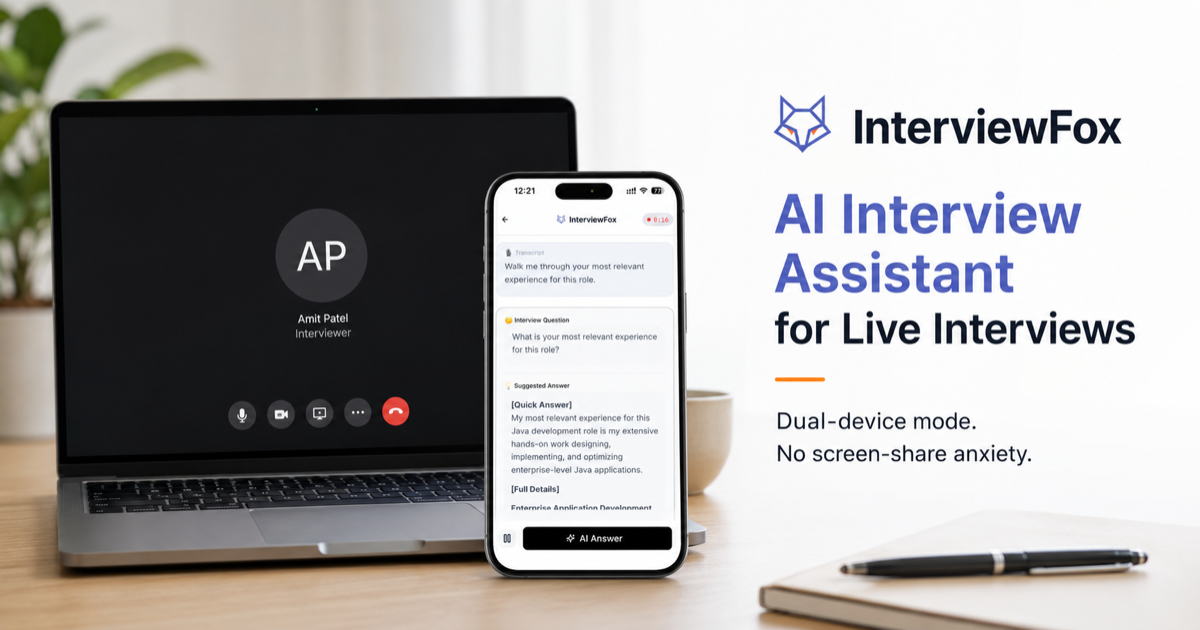
InterviewFox is an interview preparation tool. A dual-device AI interview copilot that generates live answers from your resume while keeping the interview screen clean. Coding support, 35+ languages and a WhatsApp prep agent round it out for candidates who want real-time help without desktop overlays.
InterviewFox is a real-time AI interview assistant built around an unusual architectural choice: it splits the work across two devices. Questions are heard or captured on the machine you interview from, but the generated answers appear on your phone. The interview screen itself stays clean, which removes the overlay risk that has become the main failure mode for competing tools. The product positions this dual-device setup as its central differentiator, and the reasoning is coherent: hidden desktop overlays now face stronger detection, while a physically separate screen has nothing to detect. The core assistant listens to live interview questions, infers intent and drafts an answer grounded in your resume and uploaded context within a few seconds. A separate coding assistant handles algorithm problems, dry runs, system design prompts and technical explanations, and the platform lists compatibility with Zoom, Google Meet, Microsoft Teams, HackerRank, LeetCode, CodeSignal, CoderPad, CodePen and Mercor. Question recognition works across 35+ interview languages, including Indian English and Brazilian Portuguese, and screenshots can be analyzed when audio alone is not enough. An auto answer mode removes the need to press anything mid-call. Preparation sits in a separate agent that runs over WhatsApp and SMS, handling resume tailoring, cover letters, mock interviews and strategy. The company describes a context loop that feeds prep chats, live session data and post-interview reviews back into the assistant so it adapts to your preferred answer style over time. That combination of before, during and after is what distinguishes InterviewFox from single-purpose copilots. It suits candidates in technical and non-technical loops who want live help with a lower detection profile, and who are comfortable running a phone alongside their laptop. Pricing leans premium compared with lightweight copilots, the deeper model roster is reserved for annual billing, and the whole approach depends on a second device being practical during the call.
The homepage promotes a free start with no credit card required, though the length and limits of that free access are not stated.
Learn morePro plan: $49 monthly, $39 per month billed quarterly ($117), or $29 per month billed annually ($348). All tiers include dual-device mode, unlimited sessions, screenshots, coding help and answers. Annual billing unlocks the full model roster; monthly and quarterly get three models. Credit packs exist after login.
Learn moreWorks alongside Zoom, Google Meet, Microsoft Teams, HackerRank, LeetCode, CodeSignal, CoderPad, CodePen and Mercor, with the prep agent delivered through WhatsApp and SMS.
Real-time question detection with answers generated from your resume, a coding assistant for algorithms and system design, dual-device mode, screenshot analysis, auto answer mode, 35+ interview languages, and a WhatsApp or SMS prep agent for resumes, cover letters, mocks and reviews.
 AI Angels400+ customizable AI girlfriends for NSFW chat, voice calls, and roleplay
 Candy AIExperience the future of companionship with AI friends who chat, role-play, and connect with you on a human level.
 ourdream.aiA vast AI roleplay platform with millions of characters for chat, images, video and voiceAI Angels400+ customizable AI girlfriends for NSFW chat, voice calls, and roleplayCandy AIExperience the future of companionship with AI friends who chat, role-play, and connect with you on a human level.ourdream.aiA vast AI roleplay platform with millions of characters for chat, images, video and voice


