Free trial
A free test-drive processes up to 10 pages with data stored for 7 days. No credit card is needed to start.
Learn moreAI invoice and receipt scanner that turns PDFs and photos into clean, exportable data.
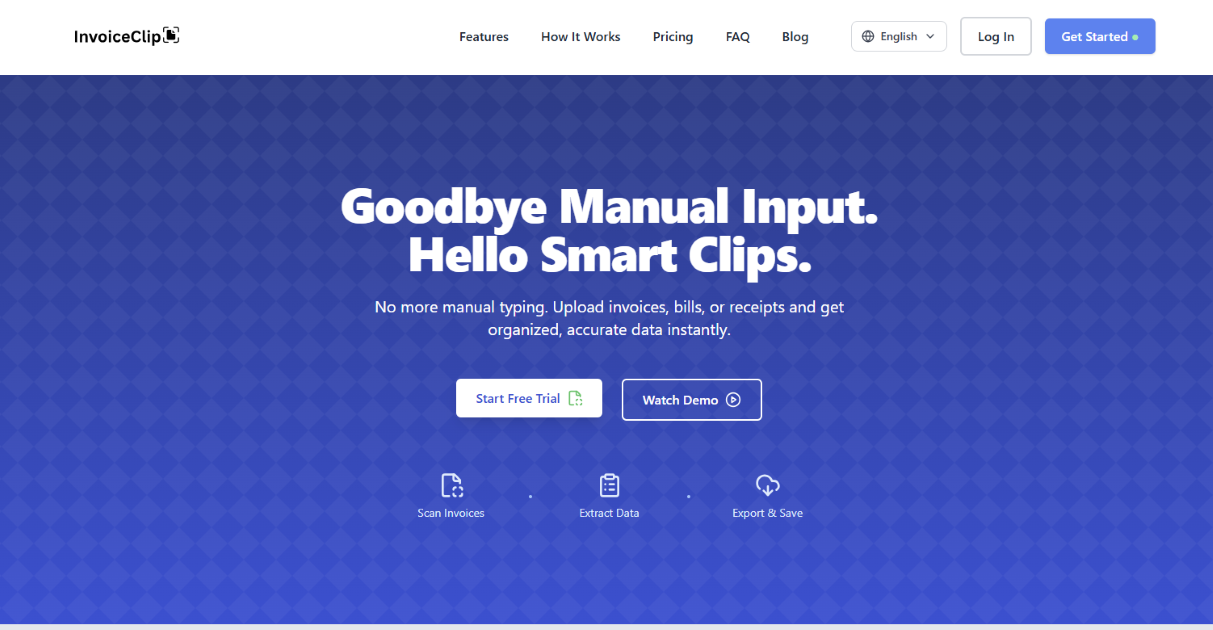
InvoiceClip is an AI OCR tool that scans invoices, receipts, and utility bills, extracts line items and vendor data, and exports to CSV or Excel. It supports batch uploads, 21 expense categories, project tracking, and English/Spanish documents, with plans from a free 10-page test-drive to a 500-page monthly tier.
InvoiceClip is an AI-powered invoice and receipt scanner built to remove manual data entry from accounts payable and bookkeeping. You upload PDF invoices, photos of receipts, or utility bills, and the tool's OCR and AI models pull out header details, taxes, line items, and even utility metrics such as meter readings. The extracted fields are structured, searchable, and ready to move into accounting software. It is aimed at freelancers, small business owners, and finance teams that process a steady stream of supplier invoices without wanting to pay enterprise AP prices. The workflow is deliberately simple. After signing in, you drag and drop files in batches, watch real-time progress, and then review the extracted data in a quick-edit view. Each document and line item is automatically tagged into one of 21 expense categories, and invoices can be assigned to projects for cleaner tracking. Search lets you find records by vendor, date, or project, and corrections are made inline. From there, one-click export produces clean CSV or Excel files, which the vendor positions as compatible with QuickBooks, Xero, and other AP systems. English and Spanish invoices are both supported. In practice InvoiceClip sits between a lightweight receipt scanner app and a full AP automation suite. It is less ambitious than tools that handle approval chains and payment runs, but it is also cheaper and faster to adopt. The free test-drive covers 10 pages stored for 7 days, which is enough to judge extraction quality on your own document mix before committing. Paid plans are priced by monthly page quota and data retention, with batch size and processing priority improving as you move up. Teams handling a few hundred invoices a month will find the ceiling generous; very high-volume operations should check whether the Pro quota and retention window fit their archive requirements.
A free test-drive processes up to 10 pages with data stored for 7 days. No credit card is needed to start.
Learn moreFree test-drive covers 10 pages stored for 7 days. Paid plans bill annually with two months free: Starter at $5.99/month ($71.88 upfront) for 100 pages and 90-day retention, Growth at $9.99/month ($119.88) for 250 pages and 180-day storage, and Pro at $13.99/month ($167.88) for 500 pages and one-year retention. All plans include PDF, JPEG, and PNG support plus CSV and JSON export.
Learn moreSupport is handled by email at support@invoiceclip.com. The site also publishes a help-oriented FAQ covering privacy, accuracy, quotas, payments, formats, retention, and GDPR deletion requests.
InvoiceClip positions its exports as suitable for QuickBooks, Xero, and other AP systems. The primary path is downloading CSV or Excel and importing into your accounting software.
AI extraction covers headers, taxes, line items, and utility metrics in English and Spanish. Documents and line items are auto-tagged into 21 expense categories and can be assigned to projects. Bulk drag-and-drop uploads show real-time progress, search works by vendor, date, or project, and fields can be edited inline. One-click export produces CSV or Excel files, with JSON also available, for import into accounting and AP systems.
 AI Angels400+ customizable AI girlfriends for NSFW chat, voice calls, and roleplay
 Candy AIExperience the future of companionship with AI friends who chat, role-play, and connect with you on a human level.
 ourdream.aiA vast AI roleplay platform with millions of characters for chat, images, video and voiceAI Angels400+ customizable AI girlfriends for NSFW chat, voice calls, and roleplayCandy AIExperience the future of companionship with AI friends who chat, role-play, and connect with you on a human level.ourdream.aiA vast AI roleplay platform with millions of characters for chat, images, video and voice