Free trial
The Sound Assistant download includes free trials for both cloud matching and local matching, so the offline workflow can be tested before a licence is bought.
Learn moreAI sound matching that searches the loops already on your hard drive

Jamahook is a phonk song generator tool. Jamahook Offline Agent indexes the sample folders on your own computer and lets the Jamahook plugin match loops and sounds from that private library, with pitch shifted, harmonic and rhythmic matching plus filters for instrument, mood and genre.
Jamahook's Offline Agent is a companion application for producers who have accumulated large personal libraries of samples and loops and can no longer remember what is inside them. The agent scans folders you nominate, classifies and labels every audio file it finds, and builds a private, searchable index on your own machine. The Jamahook plugin can then be pointed at that index instead of the cloud catalogue, so a project in progress can pull matches straight from your own collection. The workflow is deliberately short. You install the agent, add the folders you want covered, and wait for indexing to complete. Indexing is a one-off cost in time: subsequent matching draws on the finished database. Inside the plugin's Match Settings page you switch the source to Local Matching, and from that point the assistant listens to your project and returns candidates from your indexed files. Organising the folders beforehand is not required, since the classification step does the labelling for you. The matching itself is more than a raw similarity score. Pitch shifted matching looks at material in other keys and transposes it to fit the project. Harmonic and melodic matching shortlists loops that sit well against the current harmony, rhythmic matching hunts for compatible grooves across drums and percussion, and an advanced filter narrows results by source, instrument, mood or genre. Auditioning happens in the plugin, with drag and drop into the DAW. This is aimed at sample-heavy producers, loop library collectors and anyone who works with a large self-managed archive. It also serves privacy-sensitive users, because the homepage states that local sounds never reach Jamahook's servers during local matching. Against cloud sample search services the trade off is clear: you trade a curated catalogue for your own material, and a one-time licence fee replaces a subscription, but matching speed scales with how much you have indexed.
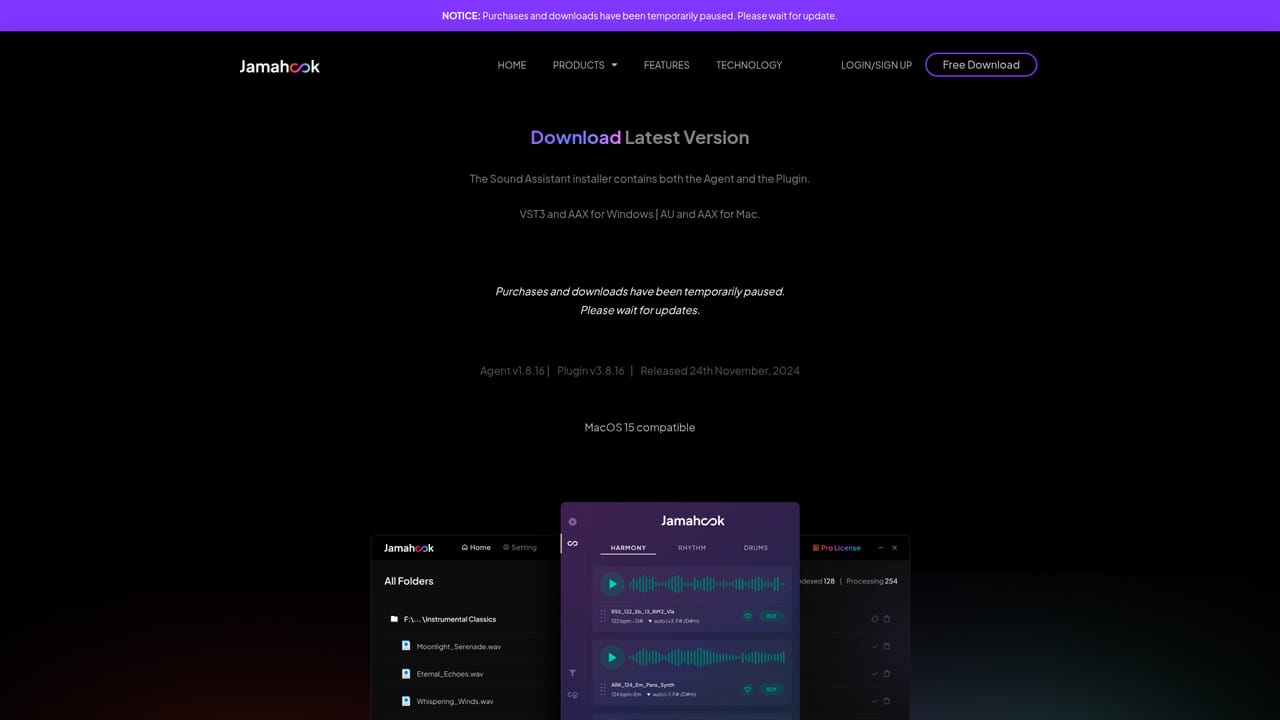

The Sound Assistant download includes free trials for both cloud matching and local matching, so the offline workflow can be tested before a licence is bought.
Learn moreTwo one-time licences. Basic costs 49 euros and covers up to 10,000 audio files from your library. Pro costs 79 euros and covers your entire local collection. Neither carries a renewal or recurring fee, and upgrading from Basic to Pro costs only the price difference, paid through your account on the web portal.
Learn morePitch shifted matching pulls in loops from other keys and transposes them for the project. Harmonic and melodic matching shortlists harmonically compatible loops for auditioning and dragging out. Rhythmic and drum matching finds loops with a similar groove. An advanced filter narrows by cloud or local source, instrument, mood and genre. The agent auto classifies and labels files, and local matching keeps audio off Jamahook's servers.
 AI Angels400+ customizable AI girlfriends for NSFW chat, voice calls, and roleplay
 Candy AIExperience the future of companionship with AI friends who chat, role-play, and connect with you on a human level.
 ourdream.aiA vast AI roleplay platform with millions of characters for chat, images, video and voiceAI Angels400+ customizable AI girlfriends for NSFW chat, voice calls, and roleplayCandy AIExperience the future of companionship with AI friends who chat, role-play, and connect with you on a human level.ourdream.aiA vast AI roleplay platform with millions of characters for chat, images, video and voice