Pricing
HookGen is free to use. The site states that generated songs are royalty free, with no royalties or license fees required, including for commercial use of the downloaded MIDI files.
Learn moreAI piano hook generator with royalty-free MIDI export
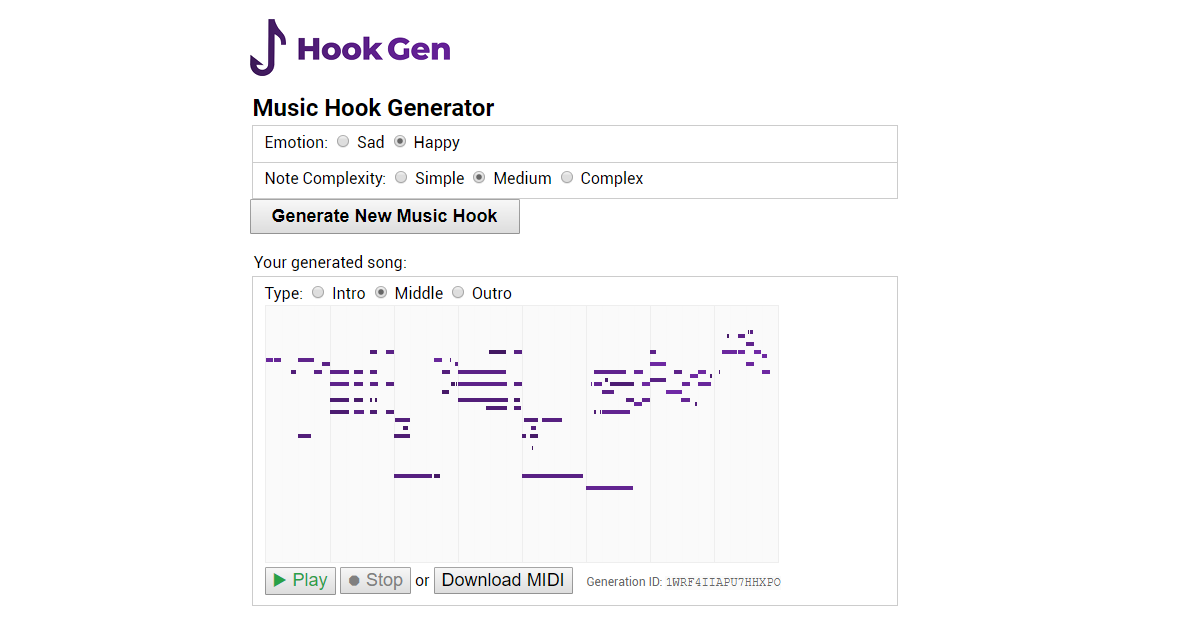
HookGen is a free web app that generates original piano hooks using neural networks, with adjustable emotion and complexity, in-browser playback, shareable links and royalty-free MIDI downloads for use in any DAW.
HookGen is a browser-based tool that uses trained artificial neural networks to generate original piano melodies. The interface is deliberately minimal: two sliders control the emotional character (sad to happy) and note complexity (simple to complex), and a single button produces a fresh hook. Each result carries a type label (intro, middle or outro) and can be played in the browser or downloaded as a MIDI file. The tool is aimed at songwriters, producers and hobbyists who need a starting point for a track. Because the output is MIDI rather than audio, it can be dropped directly into any DAW, including Ableton, Pro Tools and Logic Pro X, and edited further. The site states that the generated songs are royalty free and cleared for commercial use, which makes HookGen usable in released material without licensing fees. Sharing is supported through generated URLs that point to a specific song ID. In practice, HookGen works best as a sketchpad. A user sets the mood and complexity, generates a few candidates, auditions them with the play and stop controls, and downloads the one that fits. The system records listening behavior (which sections were played, when a song was skipped or regenerated) and feeds that data back into the neural network, so the model is meant to improve as more people interact with it. Nothing about the generated files requires an account. The current scope is narrow. Only piano is generated, though the developer has stated an intention to add drums, guitar, bass, strings and brass instruments. The tool is desktop-only in practice; the site notes that mobile screens are too small for the layout. Among AI music tools, HookGen sits at the lightweight, free end: it does not produce full arrangements or audio stems, but it offers fast, editable melodic material with no cost barrier.
HookGen is free to use. The site states that generated songs are royalty free, with no royalties or license fees required, including for commercial use of the downloaded MIDI files.
Learn moreQuestions can be sent by email to web@petercv.com. A feedback form and an update subscription form are available on the homepage.
Downloaded MIDI files can be imported into DAWs such as Ableton, Pro Tools and Logic Pro X. No direct integrations are listed.
Generates original piano hooks with trained neural networks. Users adjust emotion (sad to happy) and note complexity (simple to complex), generate songs typed as intro, middle or outro, play them in the browser, download MIDI files, and share songs through generated URLs. The system logs listening behavior to improve the model over time.
 AI Angels400+ customizable AI girlfriends for NSFW chat, voice calls, and roleplay
 Candy AIExperience the future of companionship with AI friends who chat, role-play, and connect with you on a human level.
 ourdream.aiA vast AI roleplay platform with millions of characters for chat, images, video and voiceAI Angels400+ customizable AI girlfriends for NSFW chat, voice calls, and roleplayCandy AIExperience the future of companionship with AI friends who chat, role-play, and connect with you on a human level.ourdream.aiA vast AI roleplay platform with millions of characters for chat, images, video and voice