Free trial
A free tier with limited API credits is available and is meant for trying the plugin on your own code before upgrading.
Learn moreAI plugin that explains code in plain English inside JetBrains IDEs
Own Jetbrains IDE Plugin? Verify ownership to get a dofollow link
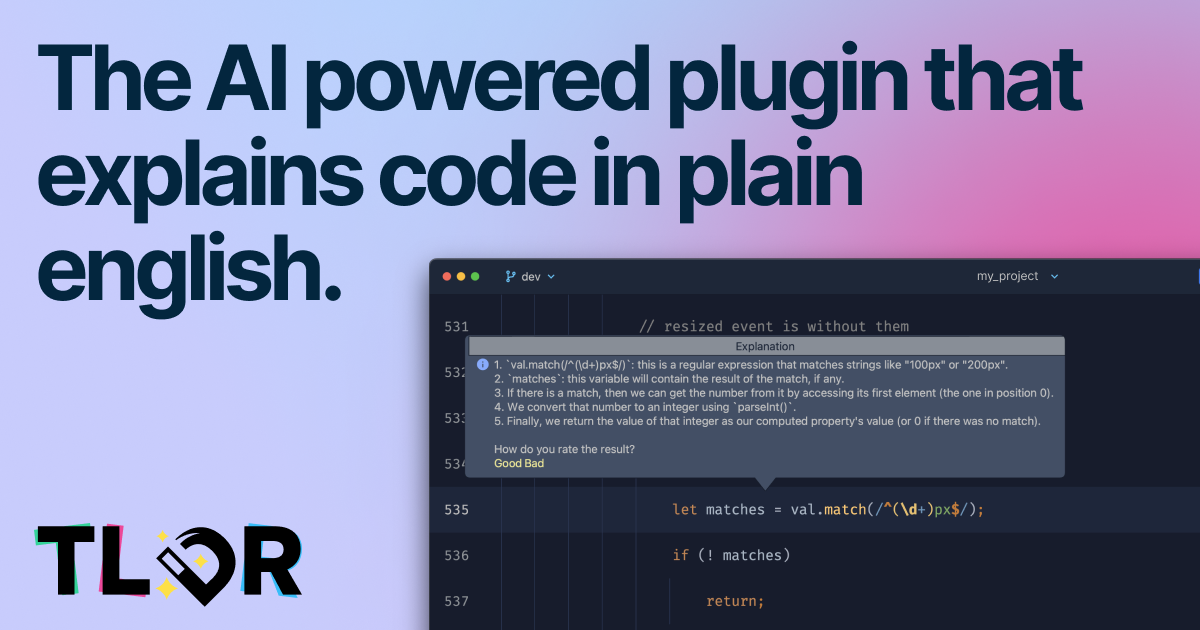
Jetbrains IDE Plugin is a developer tool. TLDR is a JetBrains IDE plugin that sends selected code to an AI service and returns a plain English explanation, with particular strength in regex and SQL. It supports most languages, offers a rate limited free tier, and bills paid plans through the JetBrains Marketplace.
TLDR is a plugin for JetBrains IDEs that uses AI to turn selected code into a plain English explanation. The premise is simple: developers spend a large share of their day reading code they did not write, and TLDR aims to shorten that comprehension loop by sending the highlighted snippet to a hosted AI service and returning a readable summary. It supports most programming languages, with the homepage calling out regular expressions and SQL queries as examples where the plugin is particularly useful. In practice you install the plugin from the JetBrains Marketplace, select a method, query or expression in your editor, and request an explanation. The code travels to the vendor's servers for processing, so the workflow requires an internet connection and a willingness to send source snippets outside your machine. The plugin is aimed at developers onboarding to unfamiliar codebases, reviewers trying to decode dense expressions, and anyone who regularly encounters regex or SQL that takes longer to parse than it should. The vendor explicitly notes that the AI is in beta and does not always interpret code correctly, so explanations work best as a first pass rather than a substitute for careful reading. Among code explanation tools, TLDR is narrow by design: it does one job inside the IDE rather than bundling chat, refactoring or test generation. That focus keeps the surface small, but it also means teams looking for a broader AI coding assistant will need other tools alongside it. Pricing is handled through the JetBrains Marketplace, which simplifies billing for organizations already paying for IDE licenses.
A free tier with limited API credits is available and is meant for trying the plugin on your own code before upgrading.
Learn moreThree tiers billed through the JetBrains Marketplace. Free: $0 with strict rate limits. Individual: $4.90 per user monthly or $49 annually, with graceful rate limits and email support. Organization: $9.90 per user monthly or $99 annually, with priority email support.
Learn moreEmail support is included with the Individual plan and priority email support with the Organization plan. The vendor also lists a support email for general questions.
Distributed as a JetBrains IDE plugin and installed through the JetBrains Marketplace, which also handles billing. Support for other IDEs is described as in progress.
Explains selected code in plain English using a hosted AI service. Supports most programming languages, with dedicated examples for regular expressions and SQL queries. Useful for onboarding to unfamiliar codebases. Explanations are generated on the vendor's servers and returned inside the IDE.
 AI Angels400+ customizable AI girlfriends for NSFW chat, voice calls, and roleplay
 Candy AIExperience the future of companionship with AI friends who chat, role-play, and connect with you on a human level.
 ourdream.aiA vast AI roleplay platform with millions of characters for chat, images, video and voiceAI Angels400+ customizable AI girlfriends for NSFW chat, voice calls, and roleplayCandy AIExperience the future of companionship with AI friends who chat, role-play, and connect with you on a human level.ourdream.aiA vast AI roleplay platform with millions of characters for chat, images, video and voice


