
JobWizard

An AI copilot that autofills applications and tracks recruiter replies

Beginner
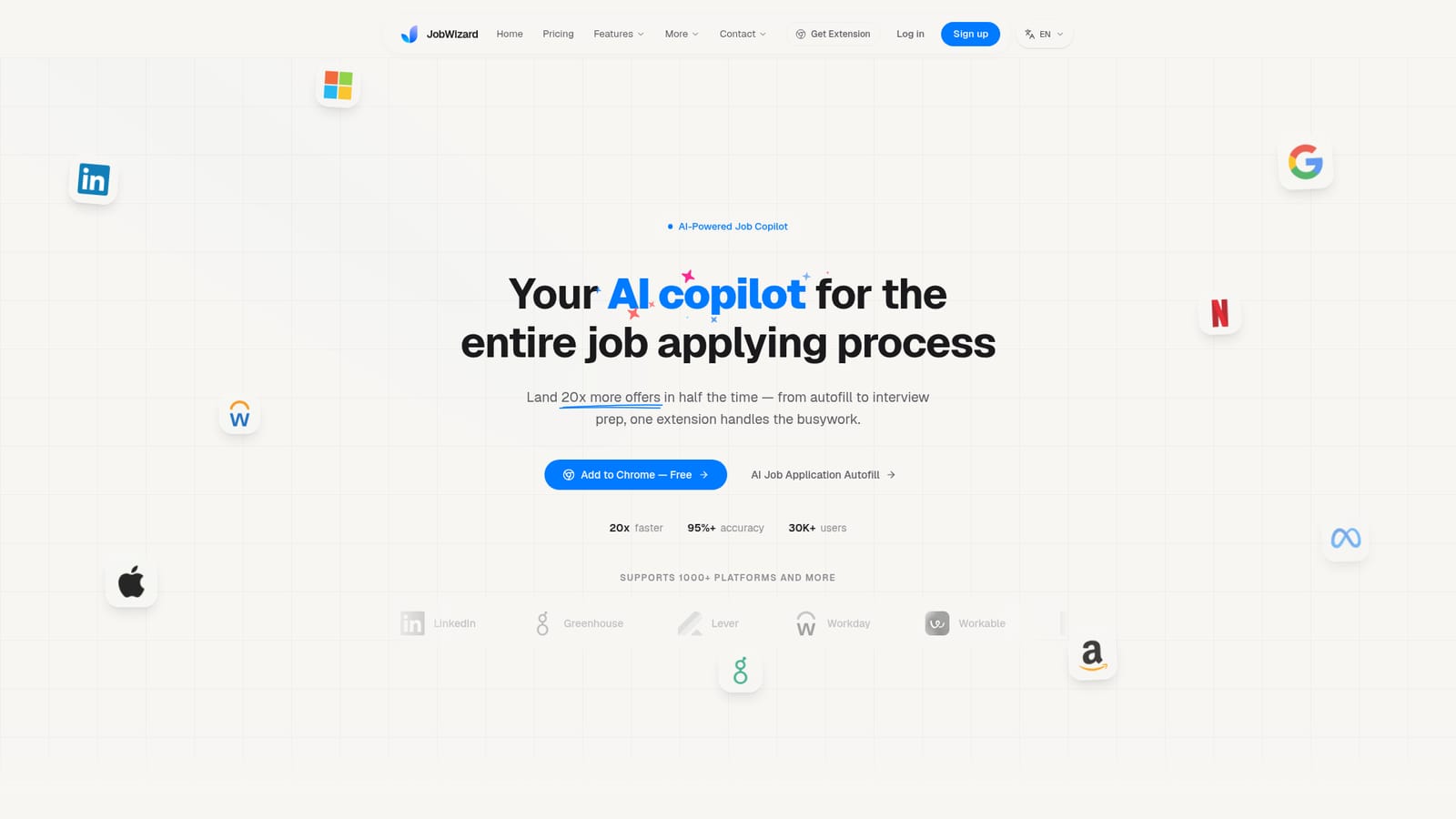
Screenshot of JobWizard, An AI copilot that autofills applications and tracks recruiter replies

What is JobWizard?

JobWizard is an automatic job apply tool. A Chrome extension that autofills job applications across major ATS platforms, summarizes job descriptions, drafts cover letters, finds referrals and tracks recruiter replies forwarded from Gmail.

JobWizard is a Chrome extension that acts as a co-pilot for the job application process, from the moment a job page opens to the point where a recruiter replies. The extension sits in the browser, detects when the user lands on a job posting, and turns the raw description into a structured summary with requirements, culture signals and a match score. From there it fills application forms on supported applicant tracking systems, drafting answers to custom questions and generating cover letters in a choice of tones. The stated aim is to compress a twenty minute application into roughly two minutes. The product is built around the idea of persistent memory. Each application adds to a profile JobWizard keeps about the candidate, and when the user edits an output or adds instructions, the extension records those preferences and applies them to later drafts. That gives it an advantage over general purpose writing assistants that forget context once a tab closes. Supporting tools include a referral finder that draws on LinkedIn, an AI career chat for questions about roles and positioning, and a match score that weighs skills and experience against the posting. The newest piece is email tracking. Rather than asking for inbox access, JobWizard relies on Gmail forwarding rules. The user sets up a forwarding rule, the extension classifies incoming messages as interview, offer, rejection or follow-up, and the dashboard tallies each stage. Setup is described as taking about thirty seconds, with no OAuth handshake and no direct inbox access. The company says forwarded data is never shared with model providers or used for training, and that a user can delete stored data or disconnect by removing the forwarding rule. JobWizard competes less with resume builders than with manual effort and generic AI chatbots. Its coverage claim of more than 1000 platforms, including Greenhouse, Lever, Workday, Ashby, iCIMS, Jobvite, BambooHR and Eightfold, is the main differentiator, alongside the tracking layer. It suits high volume applicants, career switchers and anyone tired of retyping the same employment history into portal after portal. The Chrome extension entry point is free to add.

How do you use JobWizard?

  1. 1Add the extension to Chrome
    Install JobWizard from the Chrome Web Store, then pin the icon so the copilot can activate on job pages without extra clicks.
    JobWizard — Add the extension to Chrome
  2. 2Build your candidate profile
    Upload a resume and fill in the core details the extension will reuse across forms, such as contact information, work history and links.
  3. 3Open a job posting
    Browse a role on LinkedIn, Greenhouse, Lever, Workday or another supported site. JobWizard detects the page and loads a summary with a fit score.
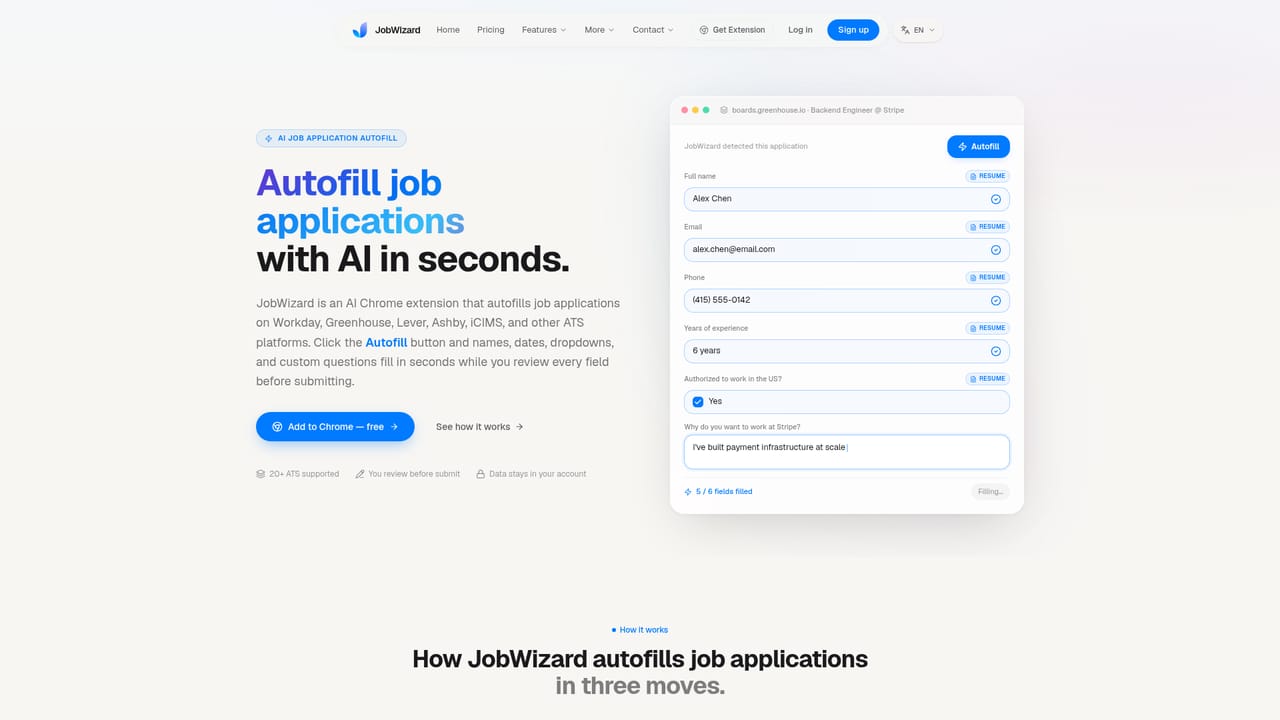
  4. 4Autofill the application
    Trigger the autofill on the application form. Text fields, dropdowns, checkboxes and custom questions are populated from your stored profile for review.
    JobWizard — Autofill the application
  5. 5Connect Gmail forwarding
    Set up a forwarding rule in Gmail so recruiter replies reach your JobWizard dashboard, where they are sorted by application stage.
    JobWizard — Connect Gmail forwarding

Pros and cons

Pros

  • Autofills text inputs, dropdowns, checkboxes and custom questions across major applicant tracking systemsAI
  • Builds a persistent profile and remembers user edits so later drafts need less correctionAI
  • Combines job description summaries, match scores and cover letter drafting in one browser surfaceAI
  • Email tracking relies on Gmail forwarding rather than OAuth, so the inbox itself stays untouchedAI
  • Dashboard classifies replies into interview, offer, rejection and follow-up stages at a glanceAI

Cons

  • Tied to the Chrome browser, so users on other browsers or on mobile have no equivalent routeAI
  • Coverage of 1000+ platforms is a marketing claim; behavior on niche or heavily customised career portals is not documentedAI
  • No pricing details are published on the homepage, which makes cost hard to judge before committingAI
  • Email tracking only supports Gmail forwarding, leaving Outlook and other mail providers outAI
  • The extension needs broad access to job pages and form fields, which is a real friction point for privacy conscious usersAI

How much does JobWizard cost?

Integrations

Works on top of job boards and ATS platforms such as LinkedIn, Glassdoor, Wellfound, RemoteOK, Greenhouse, Lever, Workday, Ashby, Workable, SmartRecruiters, iCIMS, Jobvite, BambooHR, Eightfold, Oracle and ADP. Email tracking uses Gmail forwarding.

Features

Core features include AI autofill of application forms, job description keyword highlights, match score analysis, AI cover letters with multiple tones, a LinkedIn powered referral finder, context aware career chat and smart email tracking. The extension claims support for more than 1000 job platforms, including Greenhouse, Lever, Workday, Ashby, iCIMS, Jobvite, BambooHR, Eightfold and SmartRecruiters.

Learn more

Frequently asked questions about JobWizard

  • How do you use JobWizard?
    The walkthrough on this page covers 5 steps: 1. Add the extension to Chrome 2. Build your candidate profile 3. Open a job posting 4. Autofill the application 5. Connect Gmail forwarding.
  • What platforms does JobWizard support?
    JobWizard is available on Browser extension.
  • What does JobWizard integrate with?
    Works on top of job boards and ATS platforms such as LinkedIn, Glassdoor, Wellfound, RemoteOK, Greenhouse, Lever, Workday, Ashby, Workable, SmartRecruiters, iCIMS, Jobvite, BambooHR, Eightfold, Oracle and ADP. Email tracking uses Gmail forwarding.
  • What are the limitations of JobWizard?
    Tied to the Chrome browser, so users on other browsers or on mobile have no equivalent route. Coverage of 1000+ platforms is a marketing claim; behavior on niche or heavily customised career portals is not documented. No pricing details are published on the homepage, which makes cost hard to judge before committing.

Status

StatusActive
Views0
Outbound clicks0
Added10/21/2026

Platforms

Browser extension

Pricing

FreeFreemium