Free trial
Images can be created for free without registration, and the first AI image is stated to be free. A free account is recommended for advanced features.
Learn moreGerman-language AI image generator with free, no-signup use
Own KI-Bilder-Erstellen.com? Verify ownership to get a dofollow link

KI-Bilder-Erstellen.com is a generative image tool. A web-based AI image generator with a German interface that turns German or English text prompts into images in seconds. It also handles photo style transfers like Ghibli and 3D Chibi, and works without registration.
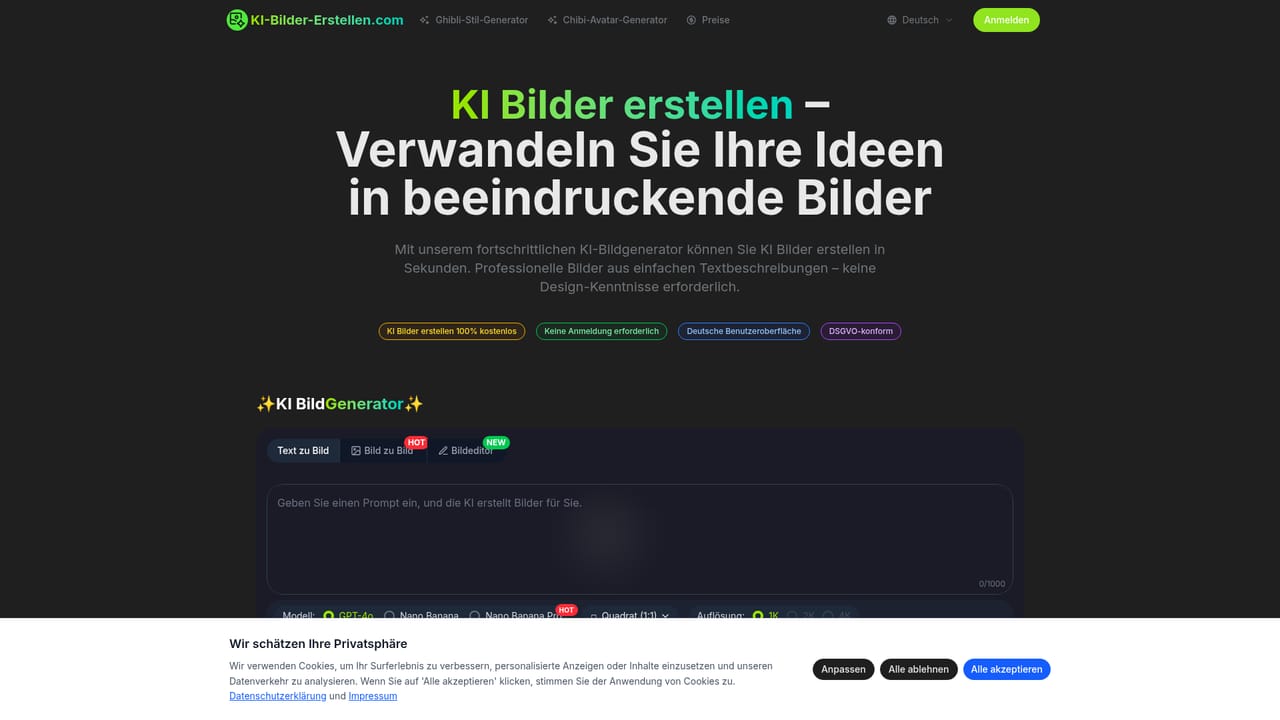
KI-Bilder-Erstellen.com is a browser-based AI image generator built around a German user interface. Users type a text description of up to 1,000 characters, pick a style, and receive a finished image, usually within 15 to 30 seconds. Prompts can be written in German or English, which makes the service a practical fit for German-speaking users who would otherwise work through English-only tools. The generator offers three working modes: text to image, image to image, and an image editor. The model selector lists GPT-4o, Nano Banana and Nano Banana Pro, and output resolution can be set to 1K, 2K or 4K, alongside an aspect ratio choice such as square. The site puts particular weight on photo transformations, with showcased presets for Ghibli-style artwork, 3D Chibi avatars and Polaroid-style looks, plus a before-and-after gallery that shows how an uploaded photo changes. More than 20 styles are mentioned, spanning photorealistic renders, paintings, cartoons and digital art. The intended audience is broad and mostly non-technical: marketers and social media managers who need quick visuals, designers and artists prototyping concept art, authors and bloggers who want illustrations or cover images, and educators and students building visual aids. No design skills are required. According to the site, generation works without registration, a free account unlocks more advanced features, and images may be used commercially without extra licensing fees. Resolution depends on the plan: the FAQ states 512x512 pixels for free users, up to 1024x1024 for Pro and up to 2048x2048 for Business customers. That differs from the 4K option shown in the generator, so buyers should check which limits apply to their tier. Among alternatives, the service sits closer to lightweight consumer generators than to full creative suites. Its strengths are the localized interface, the low barrier to entry and the style-transfer presets, while pricing detail and deeper editing controls are not documented on the homepage.
Images can be created for free without registration, and the first AI image is stated to be free. A free account is recommended for advanced features.
Learn moreThe homepage advertises free image creation with no registration. The FAQ names Free, Pro and Business tiers with different maximum resolutions, but no prices are listed.
Learn moreTestimonials mention that support responds quickly, but the homepage lists no support channels, help centre or documentation.
Text to image, image to image and image editor modes; GPT-4o, Nano Banana and Nano Banana Pro models; 1K, 2K and 4K resolution options; over 20 styles including Ghibli, 3D Chibi and Polaroid; 15 to 30 second generation; German and English prompts; commercial use.


