Free trial
The homepage promotes a free start with no credit card required, and the tool is advertised as free to try before any one-time credit pack is purchased.
Learn moreReference-driven motion transfer that animates still characters on cue
Own Kling Motion Control? Verify ownership to get a dofollow link

Kling Motion Control is an animate face tool. Motion transfer tool built on Kling 2.6 and 3.0 that maps movement from a short reference video onto a static character image. Aimed at filmmakers, studios and social creators who need repeatable, identity-consistent character animation with HD export and no watermark.
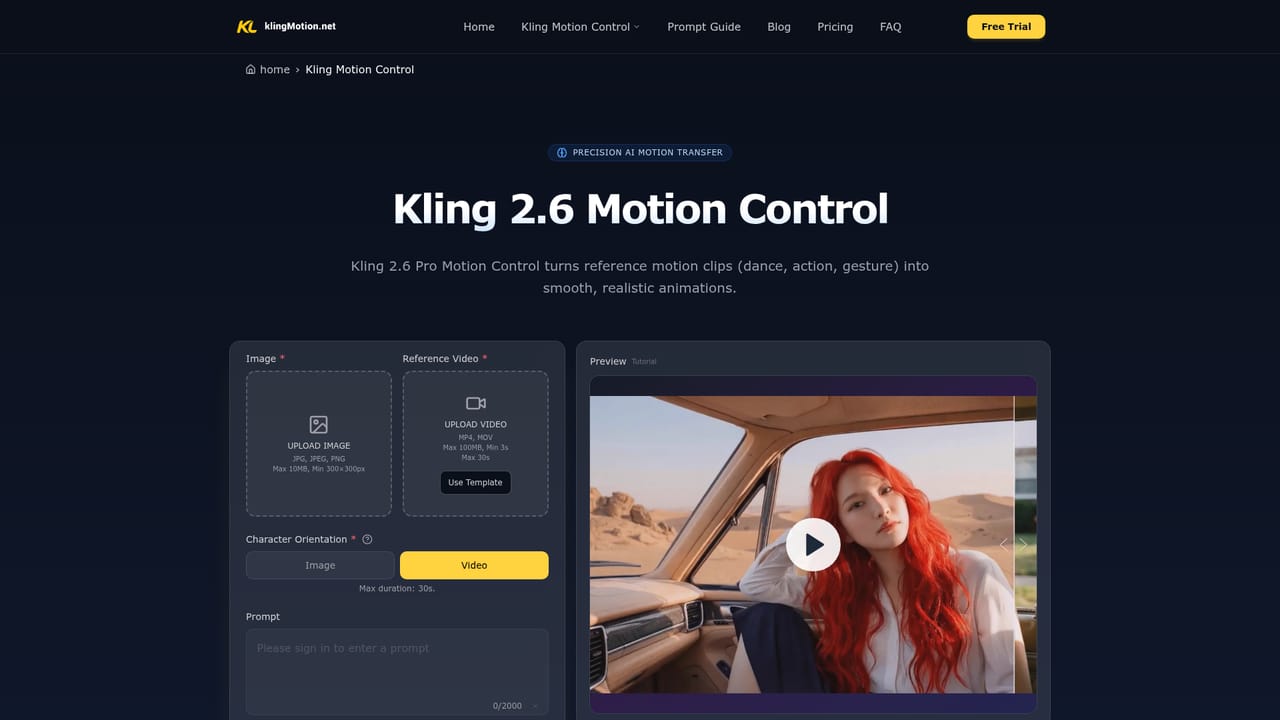
Kling Motion Control is a browser-based motion transfer tool built on the Kling 2.6 and 3.0 engines. The core idea is simple and deliberately narrow: a reference video supplies the movement, a static character image supplies the identity, and the system reconstructs that movement frame by frame onto the character. That covers full body choreography, hand gestures and facial expression detail, so output is directed rather than left to a text prompt alone. The workflow is four steps: upload a clear full-body character image, add a reference clip of 3 to 30 seconds, set the prompt and orientation options, then generate and download. Practically, motion control is the product's whole argument. Orientation flexibility lets creators match framing to either the reference footage or the source image, prompts refine background, style and lighting without disturbing the motion itself, and audio can be preserved or stripped for post-production. There is also an Image Series Mode for generating connected assets that share one visual identity, aimed at brand libraries, character design sets and storyboard continuity. Output is described as HD export with no watermark, with 2K and 4K generation supported for production work. The fit is creators and small teams who need repeatable, intentional movement: indie filmmakers building previs and dynamic storyboards, ad and brand studios producing product and social clips, concept artists animating avatars and mascots, and virtual host or streaming setups. Social short-form for TikTok, Reels and Shorts is an explicit use case, as is dance and gesture content where the reference clip is the whole point. Among generative video tools, Kling positions motion control as the alternative to prompt roulette: identity consistency is sold as the fix for characters that drift between frames, and the reference video replaces guesswork with a captured performance. The constraints are real, though. The public pricing is credit-based and one-time rather than an unlimited subscription, motion quality depends heavily on the reference clip and a clear full-body source image, and API access is listed as coming soon rather than available.
The homepage promotes a free start with no credit card required, and the tool is advertised as free to try before any one-time credit pack is purchased.
Learn moreCredit-based one-time packs: Starter at $9.9 for 99 credits (up to 6 videos), Basic at $29.9 for 330 credits (up to 22 videos), Plus at $49.9 for 600 credits (up to 40 videos) and Professional at $99.9 for 1250 credits (up to 83 videos). Higher tiers add priority queues, concurrent jobs, commercial licensing and bulk processing.
Learn moreEmail support is included on the Starter plan, with priority email support from Basic upward and 24/7 priority support plus bulk processing on the Professional plan.
Learn moreReference-driven motion extraction and transfer, full-body movement plus hand gesture and facial expression accuracy, identity consistency across sequences, orientation flexibility between reference and source framing, prompt-guided refinement of background, style and lighting, optional audio preservation, Image Series Mode for unified asset sets, and HD export without a watermark.
Learn more AI Angels400+ customizable AI girlfriends for NSFW chat, voice calls, and roleplay
 Candy AIExperience the future of companionship with AI friends who chat, role-play, and connect with you on a human level.
 ourdream.aiA vast AI roleplay platform with millions of characters for chat, images, video and voiceAI Angels400+ customizable AI girlfriends for NSFW chat, voice calls, and roleplayCandy AIExperience the future of companionship with AI friends who chat, role-play, and connect with you on a human level.ourdream.aiA vast AI roleplay platform with millions of characters for chat, images, video and voice


