Audioflare

Speech-to-text playground that transcribes, analyzes and translates audio

Beginner
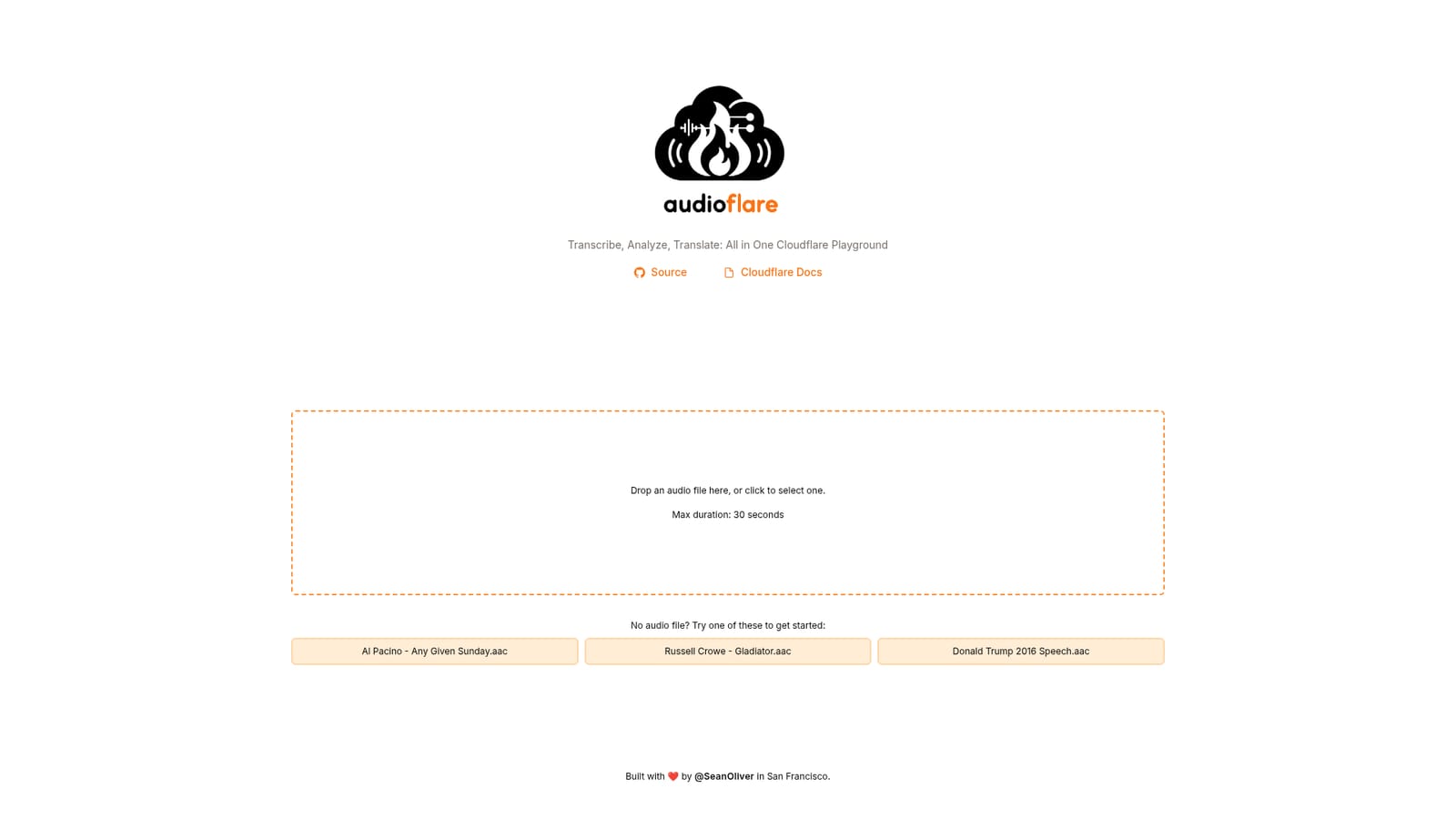
Screenshot of Audioflare, Speech-to-text playground that transcribes, analyzes and translates audio

What is Audioflare?

Audioflare is an AI transcriber tool. A single-page Cloudflare AI playground that transcribes audio clips of up to 30 seconds, then analyzes and translates the speech. Includes sample clips and a GitHub source link.

Audioflare is a browser-based playground built on Cloudflare's AI stack that takes a short audio clip and returns a transcription along with analysis and translation of the spoken content. The interface is deliberately minimal: a single drop zone sits at the top of the page, and a file can be dragged in or chosen through a click. Everything runs through Cloudflare's infrastructure, so there is no local model to install and nothing to configure before the first result appears. The hard limit is 30 seconds of audio per upload. That constraint shapes what the tool is actually good for. It suits quick demos, sample checks and short spoken snippets, not full interviews, lectures or meeting recordings. For anyone testing whether Cloudflare's speech models are worth building on, though, the cap is an advantage: it forces fast iteration and keeps each request cheap. New visitors are not left staring at an empty drop zone. Three sample clips are offered on the page, including the Al Pacino locker room speech from Any Given Sunday, Russell Crowe's address from Gladiator and a Donald Trump 2016 speech. Loading one of these produces an immediate demonstration of the transcription and downstream analysis without the user needing their own audio file on hand. The tool sits in a different bracket from commercial transcription services. Those products target long-form accuracy, speaker labels, exports and team workflows; Audioflare targets a quick look under the hood of Cloudflare's AI offering. It is best read as a developer-oriented example and a lightweight utility for very short recordings, built by an individual developer in San Francisco and published with source code on GitHub. Who it is for: developers evaluating Cloudflare AI for speech tasks, people who need a fast transcription of a brief clip, and anyone curious about translation or analysis of spoken content without an account or a setup process.

How do you use Audioflare?

  1. 1Open the playground
    Go to the Audioflare homepage. The upload zone fills most of the page, with sample clips listed underneath it.
    Audioflare — Open the playground
  2. 2Try a sample clip first
    Click one of the three included audio files to run the pipeline on known content before testing your own recording.
  3. 3Drop in your own audio
    Drag an audio file onto the drop zone or click it to open a file picker. Keep the clip within 30 seconds, since longer files are not accepted.
  4. 4Read the transcription and analysis
    The page returns the text of the speech along with analysis and translation output. Review each result section in the same view.
  5. 5Check the source if you want to self-host
    Follow the GitHub link on the page to review the implementation and see how it calls Cloudflare's AI endpoints.

Pros and cons

Pros

  • No account or setup required; drop a file and get a transcriptionAI
  • Runs on Cloudflare's AI infrastructure, making it a useful live demo of that stackAI
  • Sample audio clips are built in, so the tool can be evaluated immediatelyAI
  • Source code is public on GitHub for anyone who wants to inspect or self-hostAI
  • Translation and analysis are offered alongside transcription in the same viewAI

Cons

  • Hard 30 second limit on audio duration rules out meetings, interviews and longer recordingsAI
  • No stated pricing, export options or storage of past transcriptionsAI
  • Single-purpose interface with no speaker labeling, timestamps or editing tools describedAI
  • Depends entirely on Cloudflare AI availability with no documented fallbackAI
  • No visible support channel beyond the developer's social handleAI

How much does Audioflare cost?

Features

Transcription of audio files up to 30 seconds, with analysis and translation of the spoken content in a single view. The page accepts drag and drop or click to select, and provides three built-in sample clips for immediate testing. The project is built on Cloudflare AI, and its source code is linked from the page.

Frequently asked questions about Audioflare

  • How do you use Audioflare?
    The walkthrough on this page covers 5 steps: 1. Open the playground 2. Try a sample clip first 3. Drop in your own audio 4. Read the transcription and analysis 5. Check the source if you want to self-host.
  • What platforms does Audioflare support?
    Audioflare is available on Web App.
  • What are the limitations of Audioflare?
    Hard 30 second limit on audio duration rules out meetings, interviews and longer recordings. No stated pricing, export options or storage of past transcriptions. Single-purpose interface with no speaker labeling, timestamps or editing tools described.

Status

StatusActive
Views0
Outbound clicks0
Added10/21/2026

Platforms

Web App

Pricing

Free