Free trial
The homepage offers a Try for free link next to the demo request, but the terms, limits and duration of that free access are not described on the page.
Learn moreReal-time voice translation for meetings in 50+ languages.
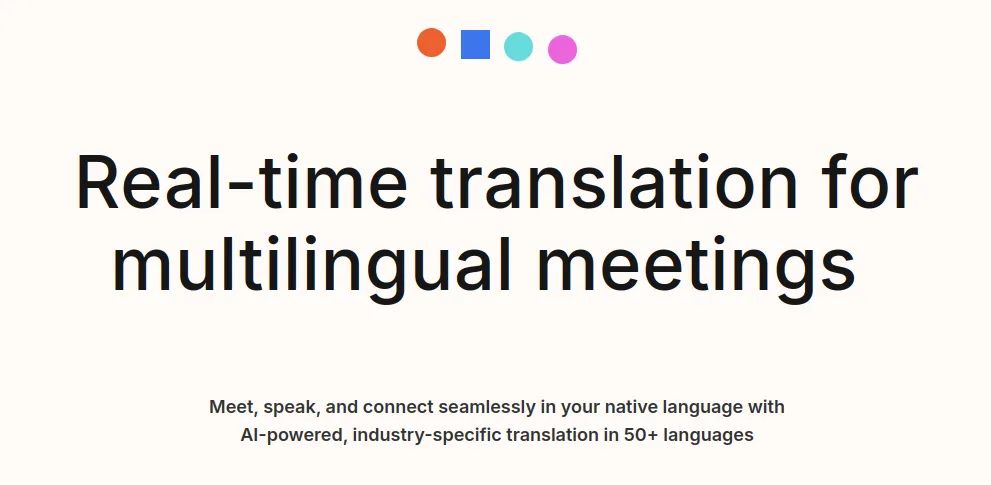
Langfinity is a formal language conversion tool. Langfinity provides real-time voice translation for meetings and events in 50+ languages, using company-specific models to handle industry terminology. It integrates with Teams and Zoom (Google Meet coming soon) and produces translated recordings, transcripts and summaries.
Langfinity (formerly Byrdhouse AI) is a real-time translation layer built for meetings and live events. The core promise is simple: every participant speaks their own language and hears everyone else in theirs, with voice avatars reproducing tone and personality so the exchange still sounds human. The product covers more than fifty languages, and the language picker shown on the homepage demonstrates a full German to English translation of a panel conversation, including speaker turns and overlapping speech. What sets Langfinity apart from generic translation tools is its use of company-specific models. Instead of translating industry terms word for word, the system learns the vocabulary your teams actually use. The homepage illustrates this with a manufacturing glossary (die casting, tolerance stack-up, powder metallurgy and similar terms) mapped into Chinese, and it lists verticals such as technology, transportation, church, pharmaceutical and manufacturing. For organizations that run multilingual engineering reviews, factory audits or clinical briefings, that domain focus is the practical difference between a usable transcript and a misleading one. Meetings are the primary setting. Langfinity plugs into Microsoft Teams and Zoom with a single tap, and Google Meet support is marked as coming soon. Each session can produce recordings and transcripts in the viewer's preferred language, complete with highlights and summaries, so participants can stay in the conversation rather than taking notes. The homepage also mentions phone use, which points to scenarios beyond the conference room such as calls with international colleagues or partners. The reference list skews toward large institutions (Roche, Deutsche Bahn, Columbia University, University of Waterloo, Atlas Copco) and the site claims millions of translation hours per year. Buyers should treat that as vendor marketing until they verify it in a pilot. Pricing is not published on the homepage, so cost comparison with meeting transcription suites or dedicated interpretation services requires a sales conversation. Overall, Langfinity fits best where recurring, terminology-heavy meetings happen across languages and where a generic caption tool would get the nouns wrong.
The homepage offers a Try for free link next to the demo request, but the terms, limits and duration of that free access are not described on the page.
Learn moreLangfinity integrates with Microsoft Teams and Zoom for in-meeting translation. Google Meet is listed as coming soon. The homepage does not name any other integrations.
Real-time multi-way translation in 50+ languages, natural voice-to-voice translation with voice avatars, company-specific models tuned to industry terminology, multilingual meeting notes, recordings, transcripts and summaries, and one-tap translation inside Teams and Zoom.
 AI Angels400+ customizable AI girlfriends for NSFW chat, voice calls, and roleplay
 Candy AIExperience the future of companionship with AI friends who chat, role-play, and connect with you on a human level.
 ourdream.aiA vast AI roleplay platform with millions of characters for chat, images, video and voiceAI Angels400+ customizable AI girlfriends for NSFW chat, voice calls, and roleplayCandy AIExperience the future of companionship with AI friends who chat, role-play, and connect with you on a human level.ourdream.aiA vast AI roleplay platform with millions of characters for chat, images, video and voice