Free trial
The homepage says users can start for free and that Letterly has no limits on recordings or AI rewrites, but it does not state trial length or what a paid plan includes.
Learn moreSpeak to write: dictation and AI notes that capture your words anywhere.
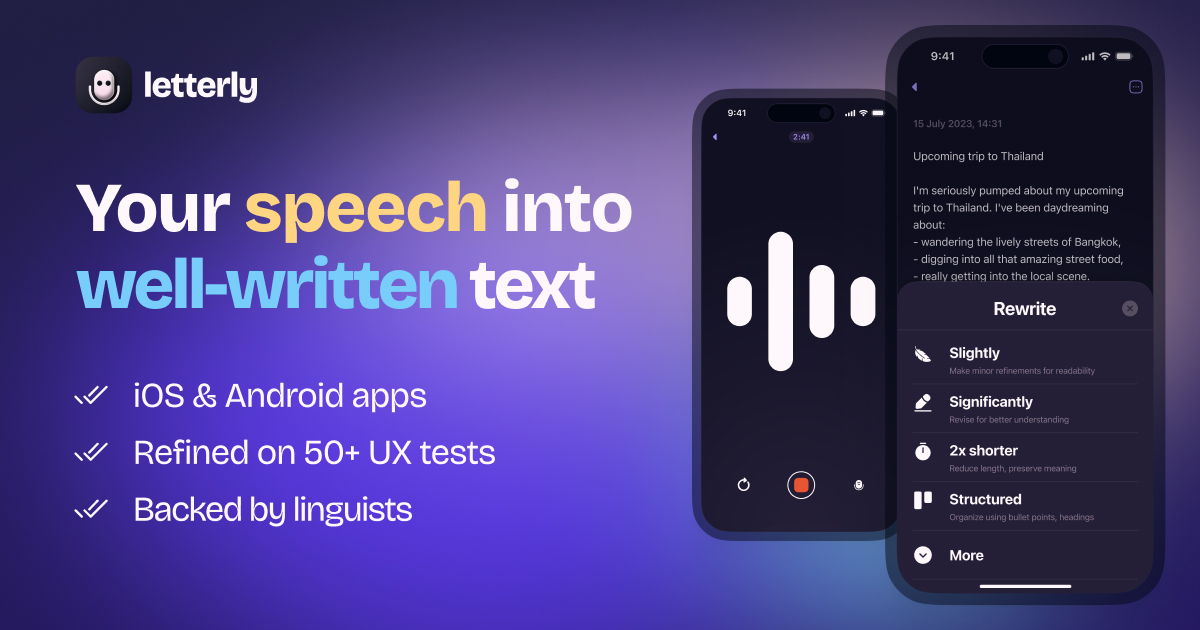
Letterly App is an AI transcriber tool that speaks to write: dictation and AI notes that capture your words anywhere. Letterly turns speech into text for messages, notes, and long recordings. It works inside other apps for dictation, transcribes meetings with speaker splits and summaries, and supports more than 90 languages across web, mobile, and desktop.
Letterly is a dictation and transcription app built around a simple premise: talking is faster than typing, and most people write far more in a day than they enjoy. The core feature is voice input that works inside the apps you already use, including Gmail, Slack, and Notion, so you can speak a message and have clean text appear in the input field rather than opening a separate recorder. For longer work, you record inside Letterly itself and the tool processes the audio into text you can keep. The app targets people who write constantly but do not want to type: professionals drafting emails and meeting recaps, students capturing lectures, writers and journal keepers collecting ideas, and anyone who thinks more clearly out loud. It covers a wide range of writing tasks, from short messages and social posts to articles, documents, and personal journal entries. Meeting recordings are handled with speaker separation and summaries, which makes the tool useful for interviews and team calls as well as solitary note taking. In practice, Letterly works in three modes. The first is in-place dictation across supported apps and input fields. The second is capture inside the app, where a spoken thought becomes a structured note. The third is long-form recording, with sessions up to 90 minutes that turn into transcripts split by speaker along with generated recaps. After transcription, a rewrite library applies ready-made styles or custom instructions so the output reads the way you want. Notes can be searched, tagged, and edited, and integrations through Zapier and webhooks push them into other tools. An MCP connection lets AI assistants such as Claude and ChatGPT read and manage your notes. Letterly sits in a crowded transcription market, but its emphasis on dictation within third-party apps and its rewrite layer distinguish it from single-purpose transcriber apps. Language detection is automatic for more than 90 languages, and audio or video files can be uploaded for transcription. The pitch is strongest for users who want one tool to cover both quick dictation and longer meeting capture, though the homepage leaves pricing details and some platform specifics unstated.
The homepage says users can start for free and that Letterly has no limits on recordings or AI rewrites, but it does not state trial length or what a paid plan includes.
Learn moreThe homepage names Gmail, Slack, Notion, Telegram, WhatsApp, X, LinkedIn, Zoom, Google Meet, Microsoft Teams, and ChatGPT as working contexts. Zapier and webhooks handle broader connections, and MCP links Letterly to Claude, ChatGPT, and Cursor.
Core features include in-place dictation across Gmail, Slack, and Notion; in-app recording with transcripts split by speaker and meeting summaries; audio and video upload for transcription; offline recording; translation into 90+ languages; text replacements for shorthand; a rewrite options library; note search, tags, and editing; Zapier and webhook integrations; widgets and shortcuts; Apple Watch recording; and MCP support for AI assistants.
 AI Angels400+ customizable AI girlfriends for NSFW chat, voice calls, and roleplay
 Candy AIExperience the future of companionship with AI friends who chat, role-play, and connect with you on a human level.
 ourdream.aiA vast AI roleplay platform with millions of characters for chat, images, video and voiceAI Angels400+ customizable AI girlfriends for NSFW chat, voice calls, and roleplayCandy AIExperience the future of companionship with AI friends who chat, role-play, and connect with you on a human level.ourdream.aiA vast AI roleplay platform with millions of characters for chat, images, video and voice


