Free trial
Signing up yields 10 free AI credits, which functions as a trial allowance for the assistant and goal generator rather than a time limited trial of the full product.
Learn moreA self-hosted style study workspace where AI drafts your curriculum

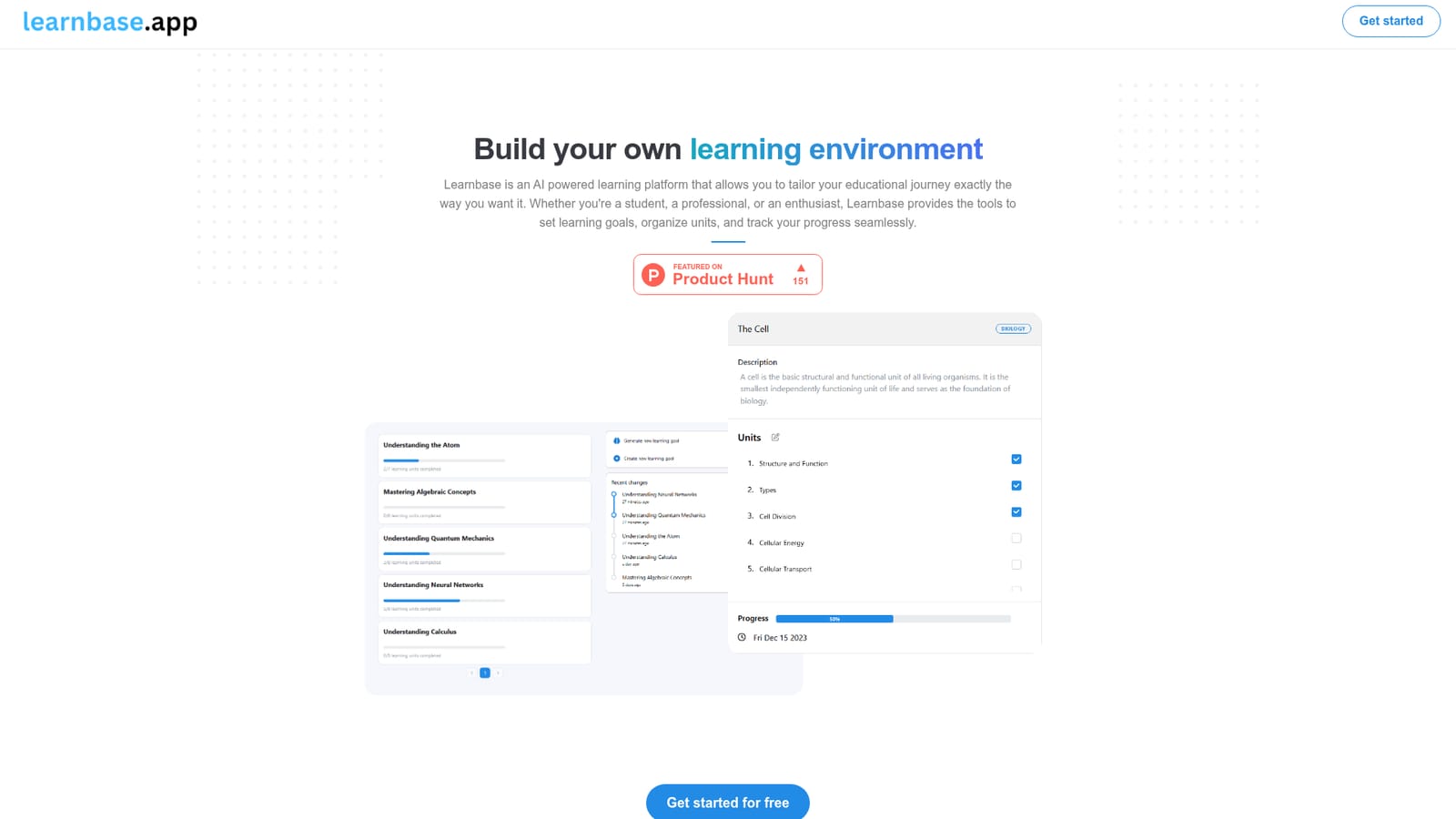
Learnbase is an AI task generator tool. An AI assisted learning workspace that combines a block editor, a library of saved resources and a goal generator that turns objectives into structured learning units. Best for self directed learners who want to plan and document their own syllabus.
Learnbase is a web based learning environment built around a single idea: your study plan, your notes and your source material should live in one place instead of scattered across bookmarks, documents and half finished note apps. The product pairs a Notion style block editor with an AI assistant that writes and improves notes on the subjects you are working through, and a learning goal generator that takes a stated objective and turns it into suggested learning units. You define the destination, the system proposes the route. The workflow is deliberately structured. Goals sit at the top, units break each goal into teachable chunks, and every unit holds its own notes plus a list of resources you attach while researching. A global search triggered by a keyboard shortcut jumps between notes, units and saved links, and inline editing keeps most of the work on the keyboard, which matters for anyone who researches at speed. Because resources are stored against topics rather than in a separate read later queue, the reading you collected stays attached to the thing you were trying to learn. It suits independent learners, students balancing several subjects, and professionals picking up new domains without a formal course. People who already like to design their own syllabus will get the most from it. Those who want ready made lessons, quizzes, spaced repetition or graded exercises will find the scope narrower than a dedicated course platform, and the AI is aimed at note drafting and curriculum planning rather than tutoring you through problems. Compared with generic note tools, Learnbase adds the goal and unit hierarchy plus an AI planner. Compared with structured online course sites, it offers far more freedom and far less authored content. The free entry point comes with 10 AI credits, which is enough to test whether the planning model matches how you study before committing to paid AI capacity.
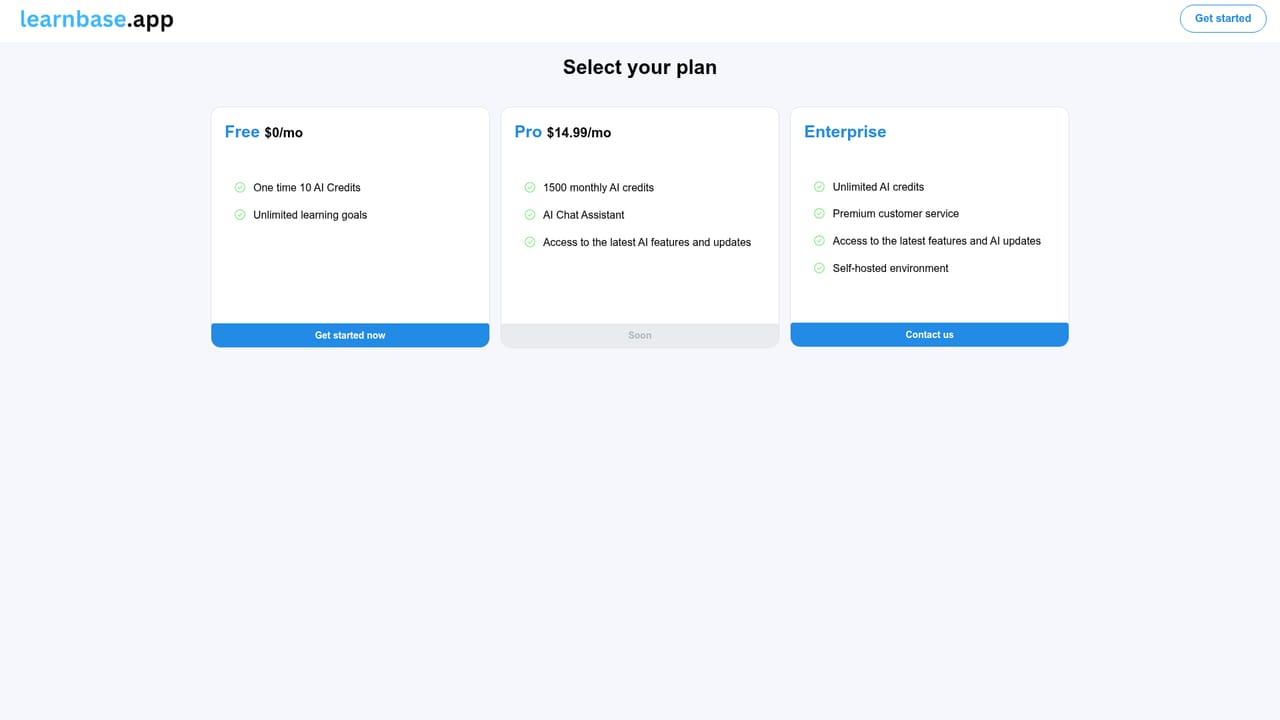
Signing up yields 10 free AI credits, which functions as a trial allowance for the assistant and goal generator rather than a time limited trial of the full product.
Learn moreThe homepage does not publish tier prices. It advertises a free start with 10 AI credits, and a pricing page exists for the paid options, so exact plan costs and credit allowances need to be checked there before committing.
Learn moreA block based editor for notes and summaries, an AI chat assistant that drafts and improves notes on a topic, an AI learning goal generator that builds units from a stated objective, a resource library attached to each topic, and keyboard driven search with inline editing.
 AI Angels400+ customizable AI girlfriends for NSFW chat, voice calls, and roleplay
 Candy AIExperience the future of companionship with AI friends who chat, role-play, and connect with you on a human level.
 ourdream.aiA vast AI roleplay platform with millions of characters for chat, images, video and voiceAI Angels400+ customizable AI girlfriends for NSFW chat, voice calls, and roleplayCandy AIExperience the future of companionship with AI friends who chat, role-play, and connect with you on a human level.ourdream.aiA vast AI roleplay platform with millions of characters for chat, images, video and voice


