Free trial
A free tier allows one page per project with one generation per month, including full AI content migration and source code download. No payment is required to test the output.
Learn moreTurn an old site into clean React code in minutes, not weeks
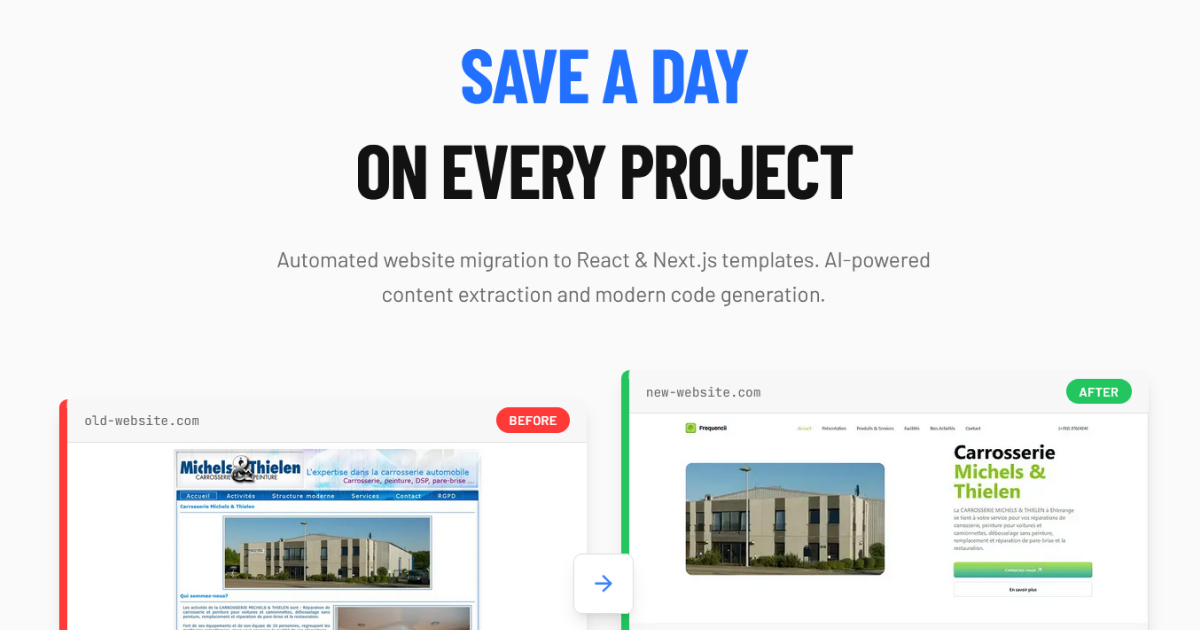
Legasite is a developer tool that turns an old site into clean React code in minutes, not weeks. Legasite converts an existing website into a modern React and Next.js codebase by extracting its content, mapping it onto a chosen template and delivering downloadable source within roughly 10 to 20 minutes.
Legasite is an automated website revamp tool aimed at developers, agencies and freelance web builders who would otherwise spend weeks rebuilding an existing site from scratch. The flow is deliberately narrow: pick a human-written template from the library, paste the URL of the site you want to replace, and the system extracts the content from that source, maps it onto the chosen template, and produces clean source code for download. The homepage quotes a 10 to 20 minute window for a full multi-page generation, with customization and deployment happening afterward in the developer's own environment. The core value proposition is content migration. Copying text, images and page structure by hand is the slow, error-prone part of any redesign, and Legasite automates that step so the developer can focus on layout and feature work. The output is described as a React and Next.js codebase that can be deployed anywhere, with the company stating that developers own the generated code and may use it for client projects. Because the deliverable is a repository rather than a hosted site, the tool sits closer to code scaffolding than to a site builder. The audience is split three ways. Agencies are pitched on replacing several client rebuilds at once, freelancers on quoting the same project while cutting the hours, and in-house teams on migrating legacy interfaces inside a single sprint. Against alternatives, the homepage positions Legasite as cheaper and faster than manual redesign, more portable than Framer or Wix (which lock you to their own platforms), and different from prompt-to-UI tools such as v0 because it starts from an existing live URL and preserves real content. Pricing is per project rather than per seat: a free tier covers a single page with one generation per month, a $49 tier covers up to 40 pages, and a bundle of five projects is sold at a discount. Everything runs in the browser after signup, so there is nothing to install.
A free tier allows one page per project with one generation per month, including full AI content migration and source code download. No payment is required to test the output.
Learn moreFree tier: one page per project and one generation per month, including content migration and source download. Single Project costs $49 for up to 40 pages with multi-page generation. A bundle of four projects plus one free is $196, reduced from $245. Pricing is per project, not per seat.
Learn moreLegasite extracts content from an existing site URL, maps it onto a human-written template and returns downloadable React and Next.js source code. Image and text migration are automated, multi-page projects are supported on paid plans, and developers own the generated code and may deploy it anywhere. Generation takes 10 to 20 minutes per project.
 AI Angels400+ customizable AI girlfriends for NSFW chat, voice calls, and roleplay
 Candy AIExperience the future of companionship with AI friends who chat, role-play, and connect with you on a human level.
 ourdream.aiA vast AI roleplay platform with millions of characters for chat, images, video and voiceAI Angels400+ customizable AI girlfriends for NSFW chat, voice calls, and roleplayCandy AIExperience the future of companionship with AI friends who chat, role-play, and connect with you on a human level.ourdream.aiA vast AI roleplay platform with millions of characters for chat, images, video and voice


