Support
Support is available through a contact page and a help center for additional questions.
Learn moreYour AI teaching assistant for lesson planning and more
Own Luna AI by Newsela? Verify ownership to get a dofollow link

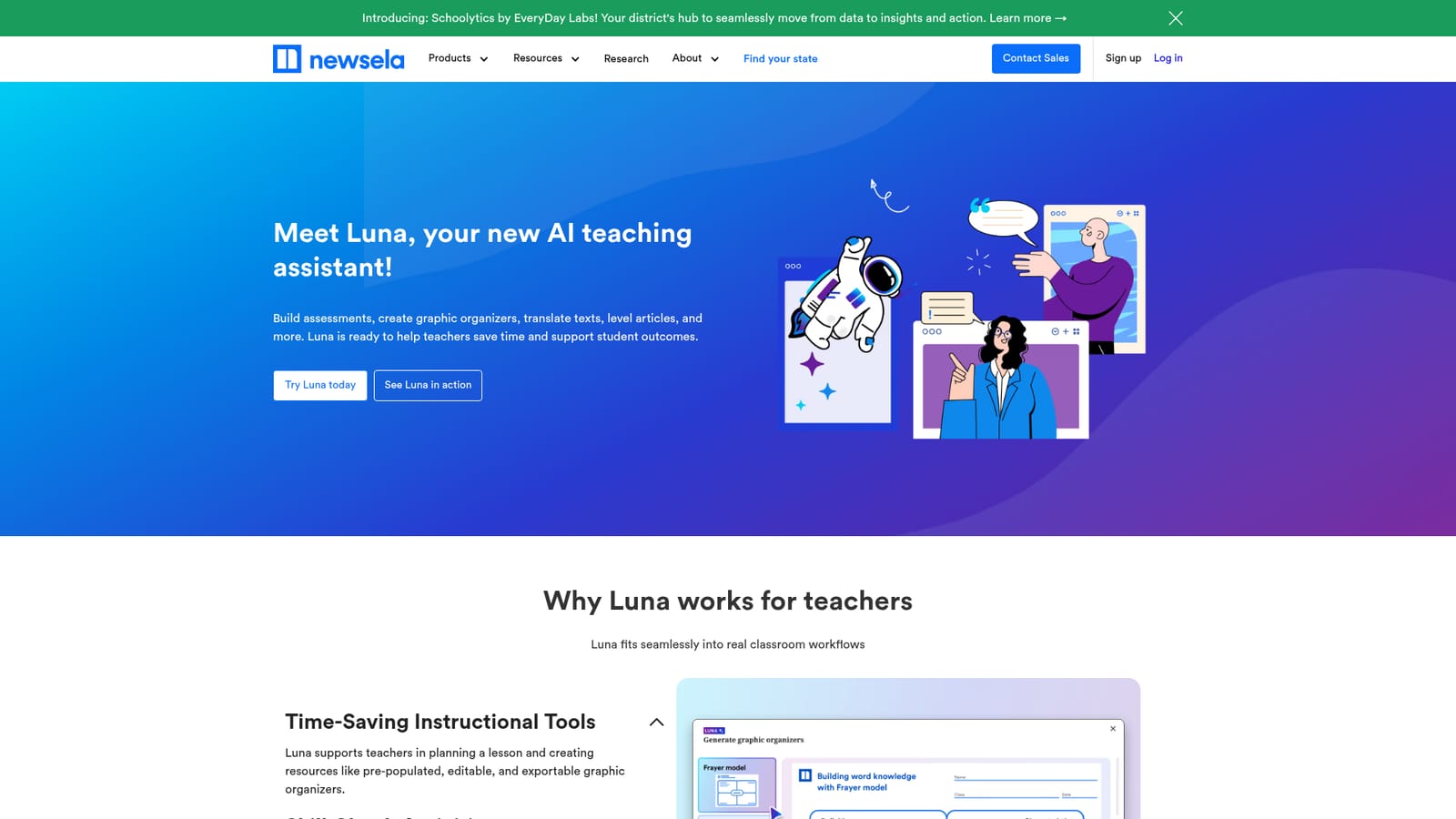
Luna AI by Newsela is a learning tool. Luna AI is a teaching assistant built into Newsela that helps educators generate lesson plans, level texts, create graphic organizers, and add checks for understanding, all within the Newsela platform.
Luna AI is a built-in assistant inside Newsela, designed to help teachers with planning, resource creation, and differentiation. It works directly within Newsela's platform, so educators can generate lesson plans, adapt texts to different reading levels, create graphic organizers, and embed checks for understanding without switching tools. The assistant is positioned as a time-saver that also supports research-based practices, such as scaffolding for multilingual learners and close reading strategies. In practice, Luna handles several tasks that often consume planning time. The Lesson Planner generates a full lesson plan based on a Newsela article, selected standards, and a learning objective. The Text Leveler adjusts any text to a target reading level, and the graphic organizer tool produces editable PDFs populated with key terms from the source article. Teachers can also add low-stakes recall questions throughout a text to encourage close reading, and use guided highlighting to prompt students to identify evidence tied to a reading skill. For multilingual learners, an in-paragraph translation feature provides AI-powered support, while full-article Spanish translations remain human reviewed. Luna is built for K-12 educators who already use or are considering Newsela's content library, which includes over 18,000 leveled articles. It is not a standalone lesson planning tool; its value depends on access to Newsela's articles and products. Compared with generic AI assistants that can draft lesson plans, Luna is tightly integrated with Newsela's content and instructional workflows, which reduces copy-paste work and keeps activities aligned to the source material. The assistant is included across Newsela products, so teachers in ELA, social studies, science, and writing can use it within their existing subscriptions. While the homepage emphasizes teacher workflows, it does not detail student-facing access or pricing specifics. Teachers looking for a quick way to operationalize Newsela content will find Luna most useful, especially if they want to differentiate texts and create scaffolds without leaving the platform.
Support is available through a contact page and a help center for additional questions.
Learn moreLuna provides a Lesson Planner that generates plans from Newsela content, standards, and objectives; a Text Leveler to adapt texts to different reading levels; editable and assignable graphic organizers; Checks for Understanding embedded in texts; in-paragraph translations for multilingual learners; and guided highlighting prompts to support reading skills.
 AI Angels400+ customizable AI girlfriends for NSFW chat, voice calls, and roleplay
 Candy AIExperience the future of companionship with AI friends who chat, role-play, and connect with you on a human level.
 ourdream.aiA vast AI roleplay platform with millions of characters for chat, images, video and voiceAI Angels400+ customizable AI girlfriends for NSFW chat, voice calls, and roleplayCandy AIExperience the future of companionship with AI friends who chat, role-play, and connect with you on a human level.ourdream.aiA vast AI roleplay platform with millions of characters for chat, images, video and voice


