Pricing
Cloud workspaces start at $20 per user per month, and payment is required to activate a workspace. The homepage does not publish usage based tiers, enterprise quotes or separate self-hosted licence terms.
Learn moreObservability and prompt management for teams shipping LLM apps

Lunary is a monitoring, analytics and prompt management layer for LLM applications. It logs prompts, responses and agent traces, tracks cost and user feedback, supports prompt versioning and A/B tests, and can be self-hosted for compliance. Built for engineering and product teams running AI products in production.
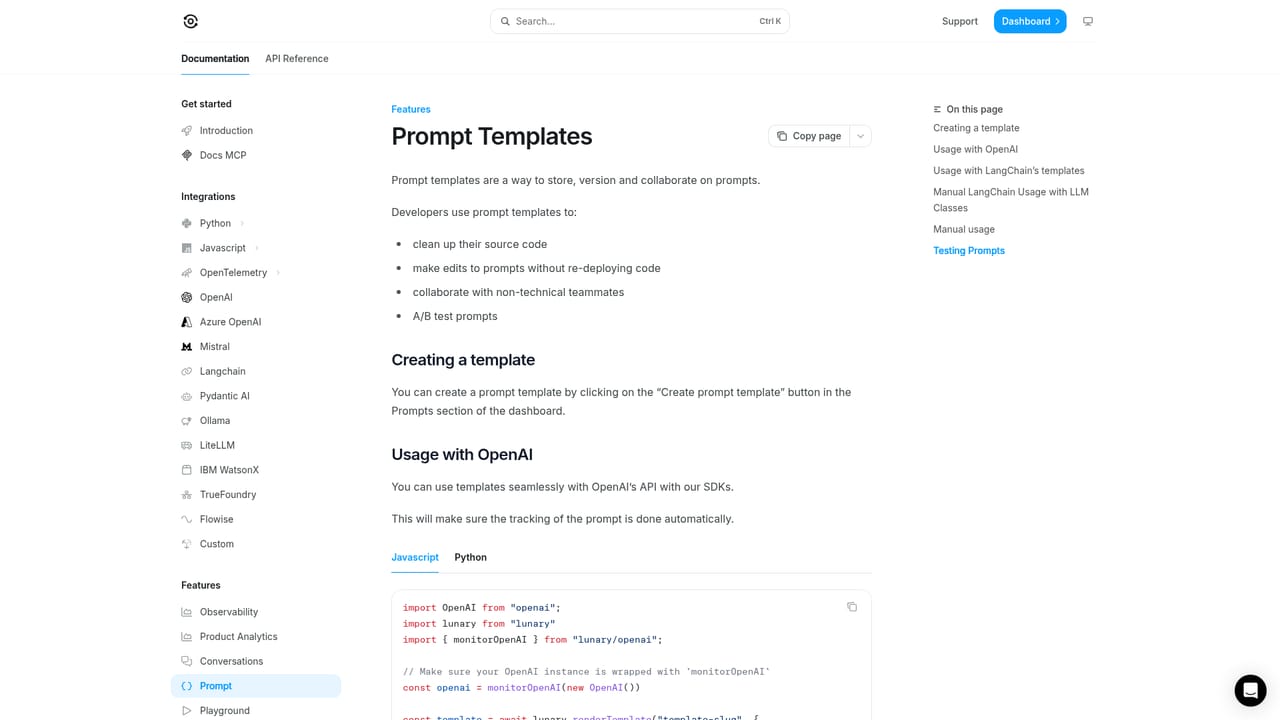
Lunary is an observability and prompt management platform for teams building applications on top of large language models. Rather than generating content itself, it sits underneath an AI product and records what happens inside it: every prompt sent, every response returned, the traces that connect them, and the errors that break the chain. The goal is to close the gap between a demo that works and a production system whose behaviour is actually understood. In practice, a developer adds the SDK to an existing codebase (a single line can wrap an OpenAI client, according to the homepage sample) and traffic starts flowing into Lunary's dashboards. From there, teams replay chats, group conversations into detected topics, watch model usage and costs, and read user satisfaction signals such as thumbs up or thumbs down. A playground lets people experiment with prompts and models without writing code, and templates can be versioned and A/B tested so that prompt changes are managed outside the source tree. Human review queues, PII masking, multi-modal support for text, audio and images, and an alerts system round out the operational toolset. The product is aimed at engineering and product teams that run internal knowledge assistants, customer-facing support bots or autonomous agents, from startups to large organisations such as IBM, DHL and Zurich, which the homepage lists as customers. It also suits regulated or European companies: the platform is SOC 2 Type II and ISO 27001 certified, self-hostable via Kubernetes or Docker in a customer's own VPC, and offers role based access control, SSO and masking of personal data. Lunary competes in the LLM evaluation and monitoring space, where the usual comparison points are tracing depth, prompt tooling and data residency. Its distinguishing pitch is the combination of hosted analytics with an open source, self-managed option and a persistent SDK rather than a hosted proxy, which keeps inference in your own account. Buyers evaluating it should confirm which LLM providers and frameworks are covered by the SDKs and how each integration is wired before committing a team.
Cloud workspaces start at $20 per user per month, and payment is required to activate a workspace. The homepage does not publish usage based tiers, enterprise quotes or separate self-hosted licence terms.
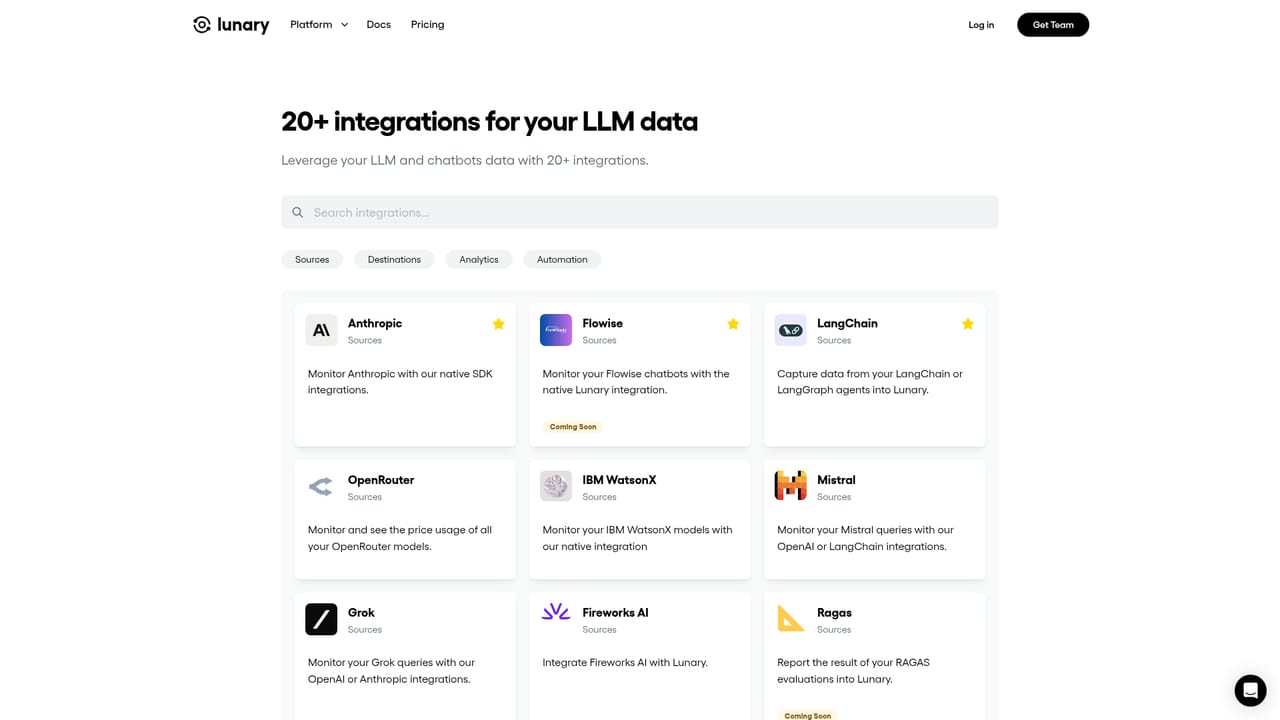
Learn moreSDKs cover providers including OpenAI, Anthropic, Vertex, Azure, Mistral, Llama 2, Replicate and Hugging Face, with framework support such as LangChain. An integrations directory lists data destinations for sending captured LLM data onward.
Learn moreLogs and traces for prompts and agent runs, chat replays, error stack traces, instant search, model usage and cost analytics, custom dashboards, topic classification, user feedback tracking, human reviews, prompt templates with versioning and A/B testing, a no-code playground, alerts, PII masking, multi-modal support for text, audio and images, plus RBAC and SSO.
Learn more AI Angels400+ customizable AI girlfriends for NSFW chat, voice calls, and roleplay
 Candy AIExperience the future of companionship with AI friends who chat, role-play, and connect with you on a human level.
 ourdream.aiA vast AI roleplay platform with millions of characters for chat, images, video and voiceAI Angels400+ customizable AI girlfriends for NSFW chat, voice calls, and roleplayCandy AIExperience the future of companionship with AI friends who chat, role-play, and connect with you on a human level.ourdream.aiA vast AI roleplay platform with millions of characters for chat, images, video and voice


