Free trial
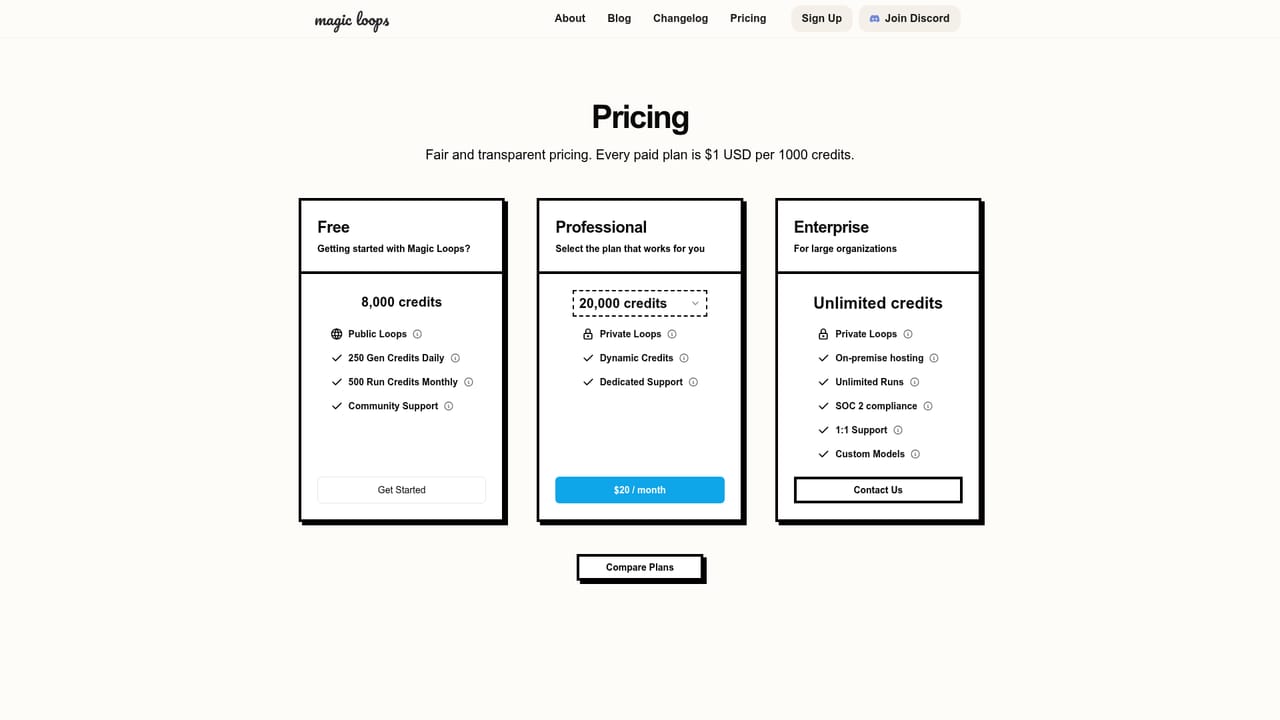
No time limited trial is described. The Free tier acts as the entry point, with 8,000 credits, 250 generation credits per day and 500 run credits per month, limited to public Loops.
Learn moreCombine LLMs and code to build small AI apps without writing code

Magic Loops is an app creation tool. A no-code leaning builder for small AI apps, where makers combine language model prompts with code blocks into shareable Loops. The marketplace covers creative toys, productivity utilities and study helpers. Credits meter generation and runs, private apps require the paid tier, and enterprise options cover hosting and compliance.
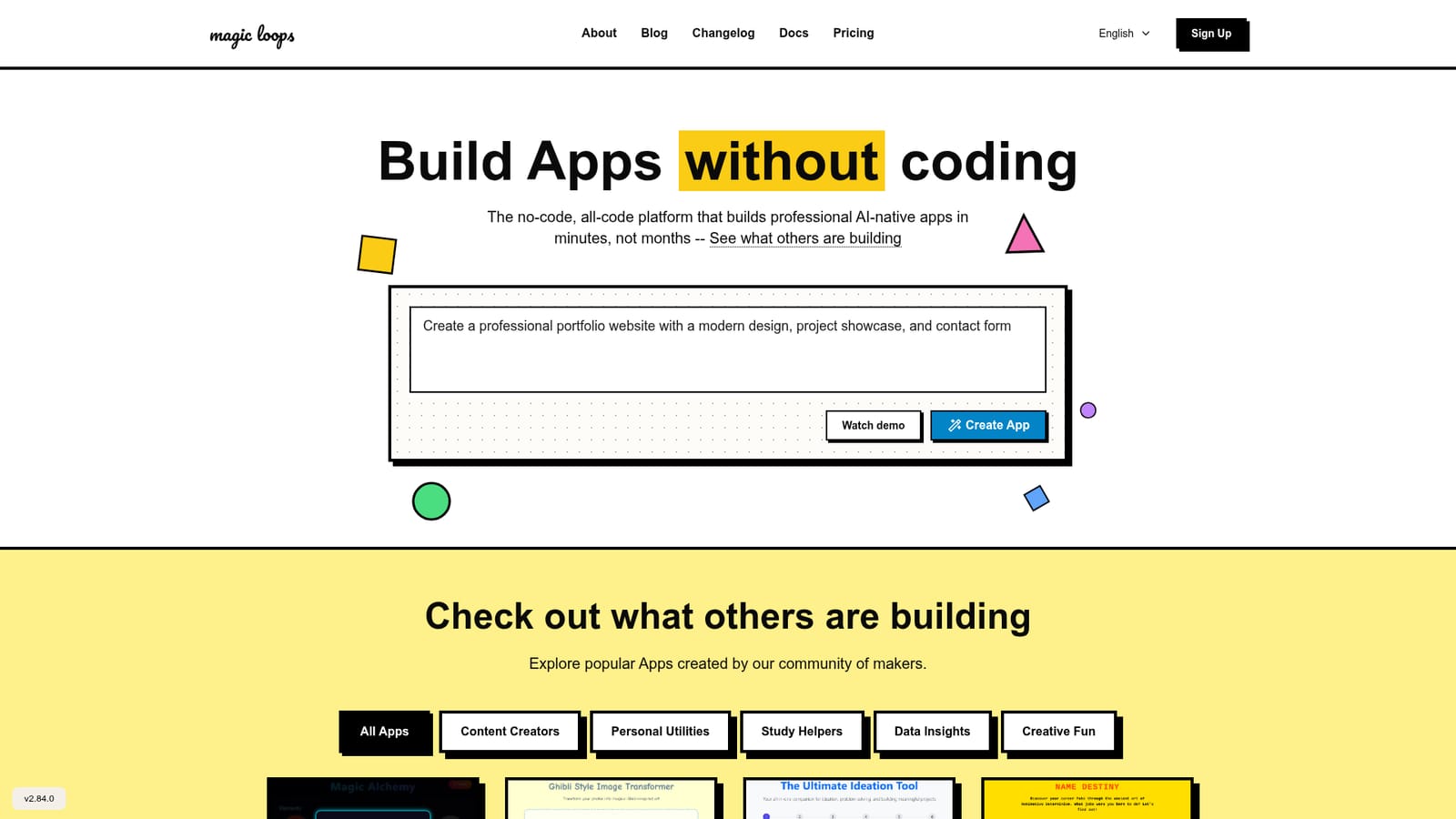
Magic Loops is a browser based builder for small AI native apps. The pitch is a middle road between no-code and full-code: a maker assembles a Loop by mixing large language model calls with small pieces of code, then wraps that Loop in a simple interface and publishes it as an app. The company frames the result as a professional app produced in minutes rather than months, and the public marketplace shows the range: a Ghibli style photo transformer, an idea generator, a headshot maker, a personal expense tracker and a URL summarizer all sit in the same gallery. The audience is broad. Creators who want a personal utility without hiring a developer, educators building study helpers, and small teams turning a repetitive task into a shareable tool are the obvious users. Makers can start from an existing Loop, remix the logic and publish under their own subdomain, which is how many of the marketplace entries appear to have been produced. The heavy lifting is described as combining model prompts with code blocks, so a user needs a rough idea of how inputs, prompts and outputs connect, but not a programming background in the traditional sense. Operationally the product leans on credits. Generation and runs are metered separately on the free tier, and paid plans are quoted at one dollar per thousand credits, with the Professional tier listing dynamic credits and private Loops. The site reports 3.5 million Loop runs across 65,000 users, which gives a rough sense of scale without revealing retention. Against general chat assistants, Magic Loops offers persistence and a shareable front end; against dedicated app builders, it is narrower but faster to a working prototype. The main caveat is fit. This is a tool for compact, prompt driven utilities, not for data heavy products or complex state management, and the free tier keeps Loops public while private work sits behind a paid plan. Enterprise buyers get on-premise hosting, SOC 2 compliance and custom models. For a maker who wants a working AI tool published in an afternoon, the tradeoffs are reasonable.
No time limited trial is described. The Free tier acts as the entry point, with 8,000 credits, 250 generation credits per day and 500 run credits per month, limited to public Loops.
Learn moreFree tier includes 8,000 credits, public Loops, 250 generation credits daily and 500 run credits monthly. Professional is $20 per month with 20,000 credits, private Loops, dynamic credits and dedicated support. Enterprise offers unlimited credits, on-premise hosting, unlimited runs, SOC 2 compliance, 1:1 support and custom models. Paid plans are priced at $1 per 1000 credits.
Learn moreCommunity support on the Free tier, dedicated support with the Professional plan, and 1:1 support plus a direct contact address for Enterprise customers.
A no-code leaning builder for AI apps, where loops combine language model prompts with code blocks. Features include app creation in the browser, a public marketplace of community apps, remixable Loops, a published app URL per project, and a credit system that meters generation and runs separately.
 AI Angels400+ customizable AI girlfriends for NSFW chat, voice calls, and roleplay
 Candy AIExperience the future of companionship with AI friends who chat, role-play, and connect with you on a human level.
 ourdream.aiA vast AI roleplay platform with millions of characters for chat, images, video and voiceAI Angels400+ customizable AI girlfriends for NSFW chat, voice calls, and roleplayCandy AIExperience the future of companionship with AI friends who chat, role-play, and connect with you on a human level.ourdream.aiA vast AI roleplay platform with millions of characters for chat, images, video and voice


