Free trial
A Free plan at $0 lets users assess MecAgent for non-commercial use, with MecAgent Light and Medium models, community support and data collection.
Learn moreAn AI copilot that works inside your CAD session
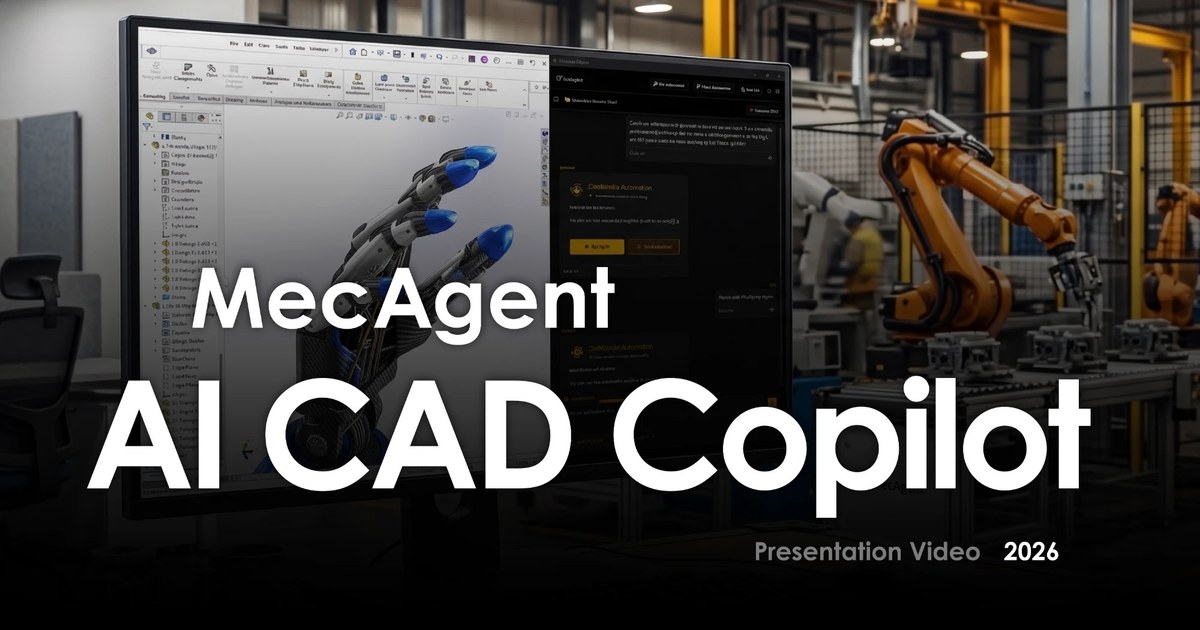
MecAgent is a Windows desktop AI copilot that connects to an open CAD session, currently SolidWorks, and builds parts, assemblies, drawings and macros from text, STEP files or drawings, live or as background tasks.
MecAgent is a desktop AI copilot for CAD professionals. It runs as a separate app next to the CAD window, connects to the session an engineer already has open, and then acts directly on the model: creating features, adding parts to assemblies, applying materials and equations, renaming components, exporting files and writing macros. Requests are typed in plain language, such as asking for a turbine wheel with a stated diameter, blade count and keyed bore, and the result lands in the feature tree as editable, fully defined geometry. The product splits its work into two modes. The Live CAD Agent responds in real time while the user watches the model change. Background CAD Tasks handle longer jobs while the user keeps modelling, including drawings generated from existing CAD, and CAD built from drawings, text prompts or STEP files. The homepage also demonstrates sketch-to-CAD, exploded views, configurations, motion, drawing template creation, tolerance stackup analysis and defeaturing for FEA. SolidWorks 2024, 2025 and 2026 are the supported versions today. Inventor, CATIA V5, 3DEXPERIENCE, Fusion 360, Siemens NX, Solid Edge, Onshape and PTC Creo are shown as coming soon. The download is for Windows. The site states that MecAgent is independent and not affiliated with SOLIDWORKS. Pricing is built around a monthly token budget shared across all actions, so a user decides how much goes to agentic runs, macro generation, Drawing-to-CAD and CAD-to-Drawing. A Free plan is meant for non-commercial evaluation, while paid plans cover professional work and add Background CAD Tasks, privacy mode and, on the top tier, team controls. An Enterprise option targets design offices that want a shared budget and SOC 2 level security. Among alternatives, MecAgent sits closer to an in-app automation layer than to a standalone text-to-3D generator. It suits mechanical engineers, designers and drafters who already work in parametric CAD and want to hand off repetitive modelling, drawing and scripting chores, rather than people looking for a fresh modelling environment.
A Free plan at $0 lets users assess MecAgent for non-commercial use, with MecAgent Light and Medium models, community support and data collection.
Learn moreFree plan at $0 for non-commercial use. Starter is shown at $84/mo (struck-through $125) and Advanced+ at $417/mo per seat (struck-through $625); yearly billing saves about 17%. Enterprise is quoted through sales.
Learn moreFree plan has community support, Starter has standard email support, Advanced+ adds a 24/7 direct support line, and Enterprise promises close, personal support.
Learn moreWorks with SolidWorks 2024, 2025 and 2026 today. Inventor, CATIA V5, 3DEXPERIENCE, Fusion 360, Siemens NX, Solid Edge, Onshape and PTC Creo are marked as coming soon.
Live CAD Agent for text-to-CAD, STEP-to-CAD, assembly parts, materials, equations, renaming, export and macros; Background CAD Tasks for CAD-to-Drawing and Drawing-to-CAD; saved automations; privacy mode; team workspace on top tier.
 AI Angels400+ customizable AI girlfriends for NSFW chat, voice calls, and roleplay
 Candy AIExperience the future of companionship with AI friends who chat, role-play, and connect with you on a human level.
 ourdream.aiA vast AI roleplay platform with millions of characters for chat, images, video and voiceAI Angels400+ customizable AI girlfriends for NSFW chat, voice calls, and roleplayCandy AIExperience the future of companionship with AI friends who chat, role-play, and connect with you on a human level.ourdream.aiA vast AI roleplay platform with millions of characters for chat, images, video and voice


