Free trial
A free AI music generator experience is available to start before choosing a paid plan. Limits are not specified on the homepage.
Learn moreText, lyrics and ideas become original songs, covers and stems
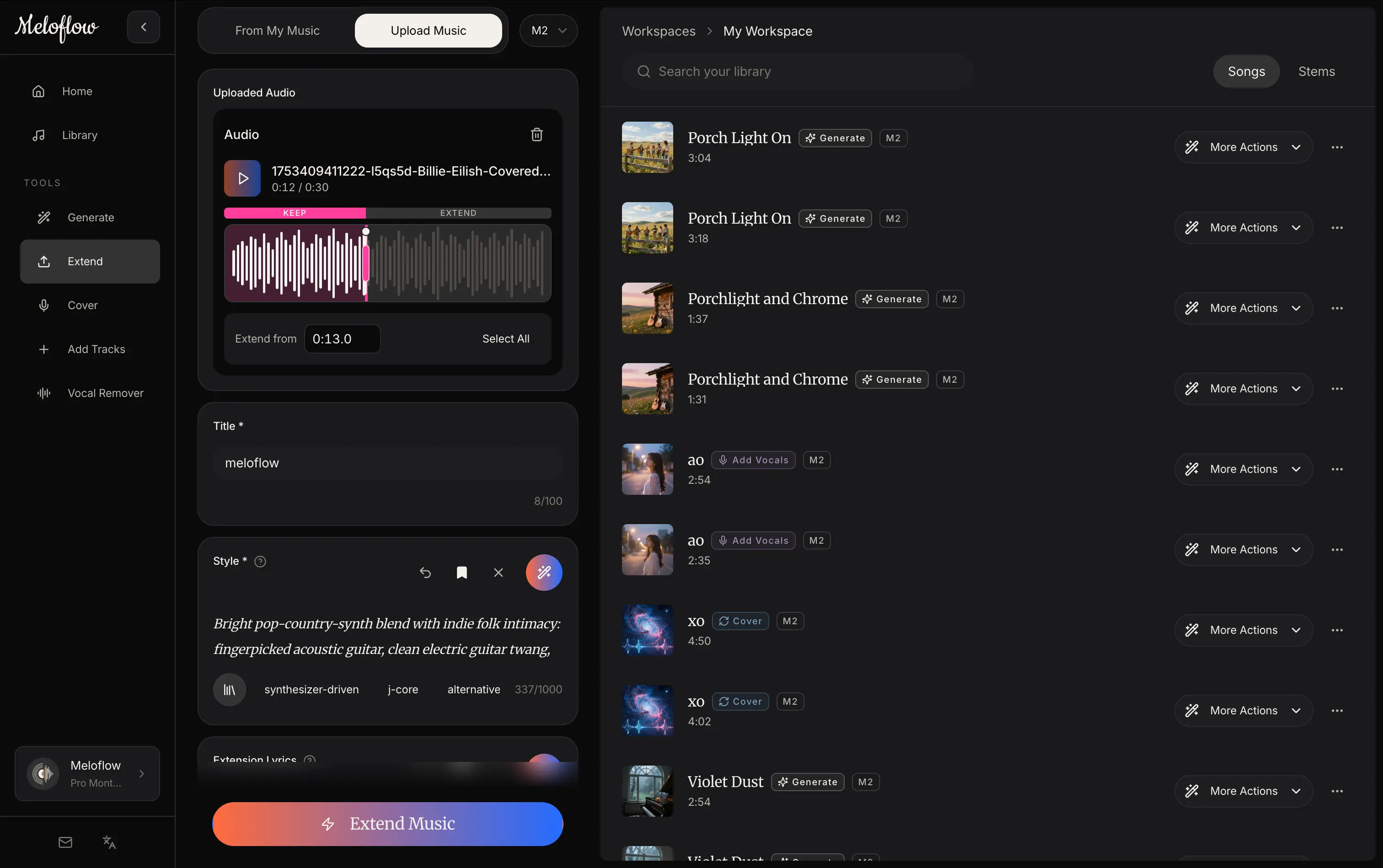
Meloflow AI generates original songs from text prompts, lyrics or ideas, and adds cover, extend, add-track and vocal remover tools. It targets creators making music for videos, games, podcasts and ads, with a free start.
Meloflow AI is a web-based music generator that turns written prompts, lyrics or loose ideas into original songs. A user describes a genre, mood, instrumentation or scene, optionally adds lyrics and vocal direction, and the service produces a complete track rather than a short loop. The listing sits in the creative category and is aimed at people who need usable music without a studio: video creators, podcasters, game developers, marketers and hobbyist songwriters. Beyond straight generation, the site splits the workflow into dedicated tools. A cover tool takes an uploaded song and produces a new version with a different vocal feel, style or arrangement. An extender continues an uploaded idea, loop or finished track into a longer arrangement. An add-tracks tool layers vocals, instrumentals or supporting parts onto existing music. A vocal remover and stem splitter separates vocals from instrumentals for remixing, sampling or editing. The homepage frames these as one connected set, so a draft can move from generation to extension to stems without switching products. In practice the process runs in four stages: describe the sound, generate the track, shape it with the extend, cover, add-track or stem tools, then use it in a video, campaign, game, podcast or release. Example prompts on the homepage cover brand bumpers, lo-fi YouTube beds, social ad music, loopable game themes, podcast intros and study tracks. The site positions output as royalty-free and suitable for commercial work, while advising users to check current plan and license terms before publishing paid projects. Among alternatives, Meloflow competes with other prompt-to-song generators. Its distinguishing angle is the bundle of post-generation tools (cover, extend, add parts, stems) offered alongside generation. A free starting experience exists, with paid subscriptions unlocking more capacity and advanced workflows, and a playground page where users sign in to continue a prompt.
A free AI music generator experience is available to start before choosing a paid plan. Limits are not specified on the homepage.
Learn moreStarts free, with paid subscriptions that unlock more creation capacity and advanced workflows. Specific prices are not listed on the homepage.
Learn moreText-to-music and lyrics-to-song generation with vocal direction, an AI cover song generator, a music extender, add vocals or instrumentals, and a vocal remover with stem splitting.
Learn more AI Angels400+ customizable AI girlfriends for NSFW chat, voice calls, and roleplay
 Candy AIExperience the future of companionship with AI friends who chat, role-play, and connect with you on a human level.
 ourdream.aiA vast AI roleplay platform with millions of characters for chat, images, video and voiceAI Angels400+ customizable AI girlfriends for NSFW chat, voice calls, and roleplayCandy AIExperience the future of companionship with AI friends who chat, role-play, and connect with you on a human level.ourdream.aiA vast AI roleplay platform with millions of characters for chat, images, video and voice


