moar

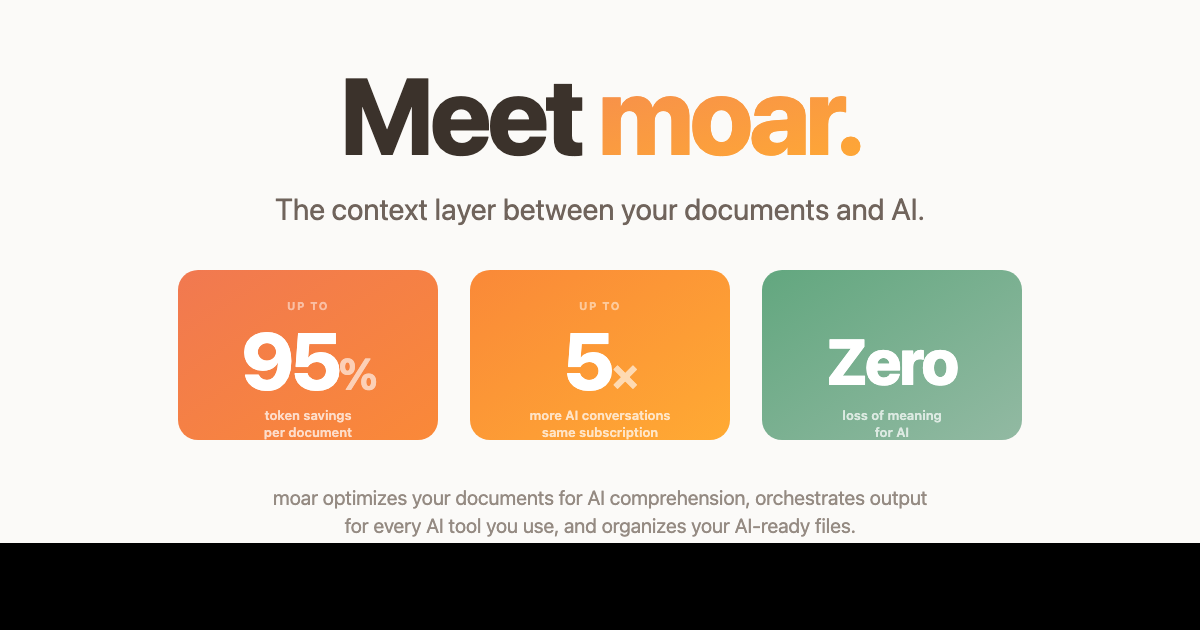
Shrink documents up to 95% so they fit your AI's context window

Beginner
Screenshot of moar, Shrink documents up to 95% so they fit your AI's context window

What is moar?

moar is a document formatting tool. A Chrome extension that converts PDFs, Office files and spreadsheets into compact, AI-ready Markdown or CSV, sized to your model's context window. Runs fully offline. Free tier covers all formats; a one-time paid upgrade adds section-level retrieval, chunking for oversized files and cross-format merging.

moar is a Chrome extension that sits between your documents and whichever AI chatbot you already use. It reads the internal structure of a file, rewrites it as clean Markdown or CSV, and sizes the result to the token budget of your specific model and plan tier. The pitch is narrow and concrete: raw uploads dump extracted text into a context window with formatting artifacts and noise intact, while moar extracts headers, clauses, tables and footnotes and returns a compact version of the same document. The vendor claims reductions of up to 95% with no loss of meaning, which in practice means more messages before you hit a limit. The free tier covers all nine supported formats (PDF, DOCX, PPTX, XLSX, CSV, TXT, MD, JSON, HTML), platform-aware sizing, a document library with processing history, and merging of multiple files of the same format, with a 50 MB per-file cap. The paid tier, moar Most, adds three things aimed at documents that cannot be shrunk enough to fit: Smart Select, which takes a plain-language question and returns only the relevant sections of a long file (the vendor's example pulls 8 of 86 sections from a 247 page HOA bylaws document), Intelligent Chunking, which splits oversized files into right-sized pieces with cross references preserved at each boundary, and Fuse, which combines documents of different formats into a single AI-ready file. Everything runs locally in the browser. No account, no upload, no telemetry, and it works offline, which matters if you handle contracts, filings or anything under confidentiality. The Mac app is listed as coming soon; the shipping product is the extension. It is aimed at people who regularly paste long PDFs, spreadsheets or reports into ChatGPT, Claude, Gemini or Perplexity and keep running into context limits or degraded answers. It is not a document reader or a chat interface: it is a preprocessing step, and you still do the pasting. Compared with writing your own extraction scripts, connecting an enterprise RAG pipeline, or relying on whatever a chatbot does with a raw upload, moar trades flexibility for zero setup and a one-time price.

How do you use moar?

  1. 1Install the Chrome extension
    Add moar from the Chrome Web Store. No account or payment details are required for the free tier, and the extension begins working immediately.
  2. 2Drop in a document
    Open the extension and drag a file into the upload area, or click to browse. PDF, DOCX, PPTX, XLSX, CSV, TXT, MD, JSON and HTML are supported up to 50 MB each.
  3. 3Pick your AI and plan tier
    Choose the model and subscription level you use so moar can shape the output to that context window. The tool flags when a document still exceeds the limit.
  4. 4Review the optimized output
    Check the reported size reduction and inspect the Markdown or CSV before copying it. Structure such as headings, tables and footnotes is retained.
  5. 5Copy into your chatbot
    Paste the generated text into ChatGPT, Claude, Gemini or Perplexity in place of a raw file upload, then continue the conversation as normal.
  6. 6Unlock Smart Select and chunking
    Buy moar Most, install the free extension if you have not already, and paste your license key to unlock section retrieval, chunking and cross-format merging.

Pros and cons

Pros

  • All processing happens locally in the browser, with no upload, no account and no telemetryAI
  • Free tier already handles all nine file formats, model-aware sizing and a document libraryAI
  • One-time purchase for the premium tier rather than a recurring subscriptionAI
  • Smart Select surfaces only the relevant sections of very long documents from a plain questionAI
  • Chunking preserves headers and cross references so multi-part documents stay coherentAI

Cons

  • Delivered as a Chrome extension, so users outside Chrome have no path to the tool todayAI
  • No integrations with any AI platform: output is pasted manually into the chatbotAI
  • Some files barely shrink (the vendor shows a CSV at 4% smaller), so gains vary by document typeAI
  • Chunking and section retrieval still depend on the AI handling multi-part input wellAI
  • Mac app is announced but not available, and no mobile or Windows client existsAI

How much does moar cost?

Pricing

Free tier covers structure extraction across all nine formats, platform-aware sizing, the document library, same-format merging and files up to 50 MB. moar Most is a one-time purchase: $12.99 at launch, rising to $19.99, with lifetime access to current and future premium features. A 14-day refund is offered.

Learn more

Support

A privacy policy is published on the site and the homepage carries an FAQ covering pricing, privacy and how the optimizer differs from raw uploads. No help centre or contact channel is described.

Integrations

No direct integrations. Output is plain Markdown or CSV meant to be pasted into ChatGPT, Claude, Gemini, Perplexity or another chatbot, and the vendor notes an MCP server connected in the Mac app preview.

Features

Structure extraction for nine formats, output sized to a chosen model and plan tier, a library with processing history, and same-format file merging on the free tier. moar Most adds Smart Select for pulling relevant sections from long files, Intelligent Chunking for documents that exceed any context window, and Fuse for combining documents of different formats.

Frequently asked questions about moar

  • How much does moar cost?
    Free tier covers structure extraction across all nine formats, platform-aware sizing, the document library, same-format merging and files up to 50 MB. moar Most is a one-time purchase: $12.99 at launch, rising to $19.99, with lifetime access to current and future premium features. A 14-day refund is offered.
  • How do you use moar?
    The walkthrough on this page covers 6 steps: 1. Install the Chrome extension 2. Drop in a document 3. Pick your AI and plan tier 4. Review the optimized output 5. Copy into your chatbot 6. Unlock Smart Select and chunking.
  • What platforms does moar support?
    moar is available on Browser extension and Web App.
  • What does moar integrate with?
    No direct integrations. Output is plain Markdown or CSV meant to be pasted into ChatGPT, Claude, Gemini, Perplexity or another chatbot, and the vendor notes an MCP server connected in the Mac app preview.
  • What are the limitations of moar?
    Delivered as a Chrome extension, so users outside Chrome have no path to the tool today. No integrations with any AI platform: output is pasted manually into the chatbot. Some files barely shrink (the vendor shows a CSV at 4% smaller), so gains vary by document type.

Status

StatusActive
Views0
Outbound clicks0
Added10/21/2026

Platforms

Browser extensionWeb App

Pricing

FreePaid