Moonlightai

Turn a written scene into a painting in a chosen artist's style

Beginner
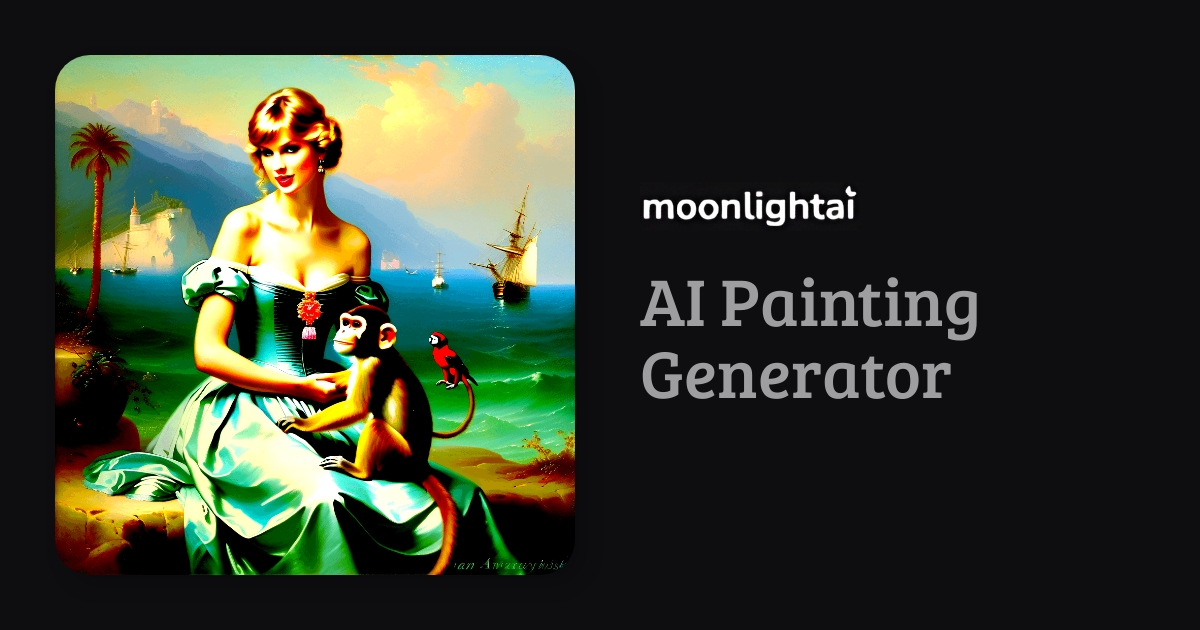
Screenshot of Moonlightai, Turn a written scene into a painting in a chosen artist's style

What is Moonlightai?

Moonlightai is a generative art tool that turns a written scene into a painting in a chosen artist's style. A web based painting generator that repaints a written scene in the style of named painters such as Van Gogh, Monet and Grimshaw, or of movements like Renaissance and Baroque.

Moonlightai is a browser based painting generator that takes a written scene and reworks it in the manner of a chosen painter or historical movement. The site ships with a roster of named artists, among them Van Gogh, Claude Monet, John Atkinson Grimshaw, Ivan Aivazovsky, Caspar David Friedrich, Salvador Dali and Adolph Menzel, alongside movement presets such as Renaissance, Baroque and Romanticism. Instead of asking users to engineer a style prompt from scratch, it lets them pick the look first and then describe the subject. The typical workflow is short. A visitor opens the generator, enters a subject, and selects an artist or movement. The gallery on the homepage shows the range this produces: a portrait of Daenerys Targaryen filtered through Van Gogh, an Istanbul skyline under Grimshaw's moonlight, a Dracula castle reimagined by Aivazovsky, the Starry Night repainted in another hand, and the Mona Lisa given a frame in Grimshaw's manner. Subjects run from the classical to the contemporary, including a Taylor Swift scene and a time machine portrait. Moonlightai suits people who want period-flavoured imagery without deep knowledge of diffusion prompting: illustrators hunting for mood references, writers visualising a scene, hobbyists making gifts, and small creative studios producing concept art. It is a narrower tool than general image generators, trading flexibility for a curated set of art history styles, so anyone needing photoreal renders or precise control over composition will find it limited. The site reports more than 1000 users. Rights are addressed in the FAQ. Creations may be used for commercial and non commercial purposes, provided they respect the site terms and the CreativeML Open RAIL++-M use restrictions. The FAQ is candid that copyright in AI output is unsettled, citing a US court ruling that denied copyright to AI generated artwork, so users should treat ownership as a live legal question rather than a settled promise.

How do you use Moonlightai?

  1. 1Open the painting generator
    Start from the Moonlightai homepage and follow the prompt to the generate page, where the style and subject inputs live.
  2. 2Review the sample gallery
    Scan the homepage gallery to see how each painter and movement renders familiar subjects before committing to one.
  3. 3Choose a painter or movement
    Pick a named artist such as Van Gogh or Aivazovsky, or a period such as Baroque or Romanticism, as the style for your image.
  4. 4Describe your subject
    Write the scene or object you want depicted. The examples suggest that concrete subjects, places and characters work well.
  5. 5Generate and compare
    Produce the painting and try the same subject against a different style if the first result misses the intended mood.
  6. 6Check usage terms before publishing
    Read the terms and the CreativeML Open RAIL++-M use restrictions if the image is going into commercial work.

Pros and cons

Pros

  • Curated painter and movement presets remove most prompt engineering workAI
  • Style list spans individual artists and broad periods, from Renaissance to RomanticismAI
  • Homepage gallery shows real outputs, so expectations are set before signing upAI
  • FAQ states that images can be used commercially and non commercially within the termsAI
  • Runs in the browser with a short path from idea to generated paintingAI

Cons

  • Style choice is limited to the presets on offer, with no visible route to custom stylesAI
  • No visible controls for aspect ratio, resolution or seed on the public pagesAI
  • Pricing is not stated on the homepage, so cost is unknown before signing upAI
  • Commercial use is bounded by the CreativeML Open RAIL++-M restrictions, which some buyers will find restrictiveAI
  • Copyright status of the output is explicitly unresolved, which is a risk for brand workAI

How much does Moonlightai cost?

Features

Style presets built around individual painters (Van Gogh, Monet, Grimshaw, Aivazovsky, Friedrich, Dali, Menzel) and art movements (Renaissance, Baroque, Romanticism). Users supply a text subject and the tool renders it in the chosen style. A public gallery shows example outputs, and the FAQ covers commercial use and licensing limits.

Frequently asked questions about Moonlightai

  • How do you use Moonlightai?
    The walkthrough on this page covers 6 steps: 1. Open the painting generator 2. Review the sample gallery 3. Choose a painter or movement 4. Describe your subject 5. Generate and compare 6. Check usage terms before publishing.
  • What platforms does Moonlightai support?
    Moonlightai is available on Web App.
  • What are the limitations of Moonlightai?
    Style choice is limited to the presets on offer, with no visible route to custom styles. No visible controls for aspect ratio, resolution or seed on the public pages. Pricing is not stated on the homepage, so cost is unknown before signing up.

Status

StatusActive
Views0
Outbound clicks0
Added10/21/2026

Platforms

Web App

Pricing

Freemium