Free trial
The homepage and meta description both advertise a free try, so output can be evaluated before any payment. Exact free allowance is not specified on the homepage.
Learn moreText to image art and AI portraits, with a mobile-first workflow
PicSo is a text to image art generator with a separate AI portrait mode, positioned as a mobile-first app and web platform for quick stylized artwork across many art styles.
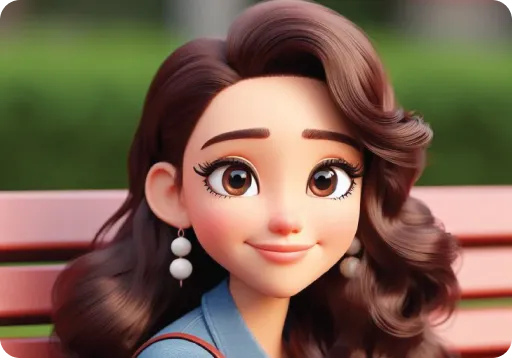
PicSo is a text to image art generator that turns short written prompts into finished images, and it also ships a dedicated AI portrait mode. The homepage pitches it as a creative digital art app and online platform, with example output such as a well rendered matte fantasy painting of a Halloween scene. Two things stand out immediately: the tool advertises support for a wide range of art styles, and it frames its output as something you can push toward NFT art, oil painting looks and similar decorative formats. The product is built around a prompt-and-generate loop. You open the create area, write a description of the scene or subject you want, and the service renders an image. A separate AI character page handles portrait work, which suggests a more guided flow for people whose goal is a stylized likeness rather than a freeform scene. The homepage also stresses a mobile-first approach: the marketing copy talks about creating artworks anytime and anywhere with your mobile phone, and it describes moving data from your PC to your phone so the generating happens on the device you carry. That makes PicSo a reasonable fit for hobbyists, social media creators and casual illustrators who want quick visuals without opening a desktop editor. In practice PicSo sits in the crowded consumer tier of text to image tools, next to other app-first generators that compete on style variety and convenience rather than on studio-grade control. What the homepage shows is a simple prompt interface, style breadth and a portrait mode. What it does not show is anything about model versions, image resolution, upscaling, negative prompts, batch generation or licensing terms, so anyone with professional requirements should check those details directly before committing. Pricing lives on a separate page and the site invites free trials, which puts the tool in freemium territory. Accounts are handled through standard login and signup pages. It is best judged as an accessible entry point for prompt-driven art and portraits, not as a replacement for a full illustration pipeline.
The homepage and meta description both advertise a free try, so output can be evaluated before any payment. Exact free allowance is not specified on the homepage.
Learn morePricing is published on a dedicated page rather than the homepage. The site promotes a free try before purchase, indicating a freemium model, but plan tiers, credit amounts and limits are not stated on the homepage.
Learn moreText to image generation from written prompts, a separate AI portrait and character mode, support for a wide range of art styles including fantasy painting, oil painting looks and NFT art, plus a mobile-first workflow with PC to phone data transfer.
Learn more AI Angels400+ customizable AI girlfriends for NSFW chat, voice calls, and roleplay
 Candy AIExperience the future of companionship with AI friends who chat, role-play, and connect with you on a human level.
 ourdream.aiA vast AI roleplay platform with millions of characters for chat, images, video and voiceAI Angels400+ customizable AI girlfriends for NSFW chat, voice calls, and roleplayCandy AIExperience the future of companionship with AI friends who chat, role-play, and connect with you on a human level.ourdream.aiA vast AI roleplay platform with millions of characters for chat, images, video and voice