MuseGen

Turn a text prompt or lyrics into a full song with vocals.

Beginner
Screenshot of MuseGen, Turn a text prompt or lyrics into a full song with vocals

What is MuseGen?

MuseGen is a death metal generator tool that turns a text prompt or lyrics into a full song with vocals. MuseGen converts text prompts or lyrics into full songs with optional AI vocals, then lets you edit sections, swap individual stems, and export WAV or MIDI.

MuseGen is an AI music generator built around a simple premise: describe a moment in plain language and receive a complete song, vocals included. The platform accepts text prompts or pasted lyrics, then interprets the brief to select genre, mood, tempo and instrumentation before rendering a finished track. A style-based step lets users pick from genres such as pop, lo-fi, jazz, classical, EDM, hip-hop and cinematic, or supply a prompt that blends them. Vocals are optional; the same tool can produce instrumental-only pieces. The current V6 model is promoted for steadier vocals and faster output. Once a song exists, MuseGen goes further than a one-shot generator. Editing tools work at the section level: choruses can be extended, a bass line replaced, or an alternate bridge merged in. Masking, described as in-painting, targets individual layers such as drums, bass, lead and vocals. Tracks are built from separate stems, and exports include WAV at 48k plus MIDI for DAW work, so the output can be re-voiced with favorite plugins. Smart mixing and mastering run automatically, which means no audio engineering knowledge is required to get a balanced result. The tool is aimed at creators who need music but are not necessarily musicians: social media producers hunting for royalty-free background tracks, indie game developers building loopable ambience, podcasters after intros and transitions, video teams scoring ads, and artists sketching hooks. Those with production skills can use MIDI and stems to refine the AI draft in a DAW, while beginners can stay inside the browser. MuseGen also bundles adjacent utilities, including a lyrics generator, BPM detection, key detection, MP3 to WAV conversion, audio to MIDI conversion and music video generation. Compared with prompt-only song generators, MuseGen's differentiator is the editing layer: section-safe regeneration and stem-level control are closer to an assistant for production than a jukebox. It ships in English, French, German, Spanish, Portuguese, Russian and Chinese, and the public Music Plaza shows what other users have made, which is useful for judging the vocal quality before committing to a paid plan.

How do you use MuseGen?

  1. 1Open the song maker
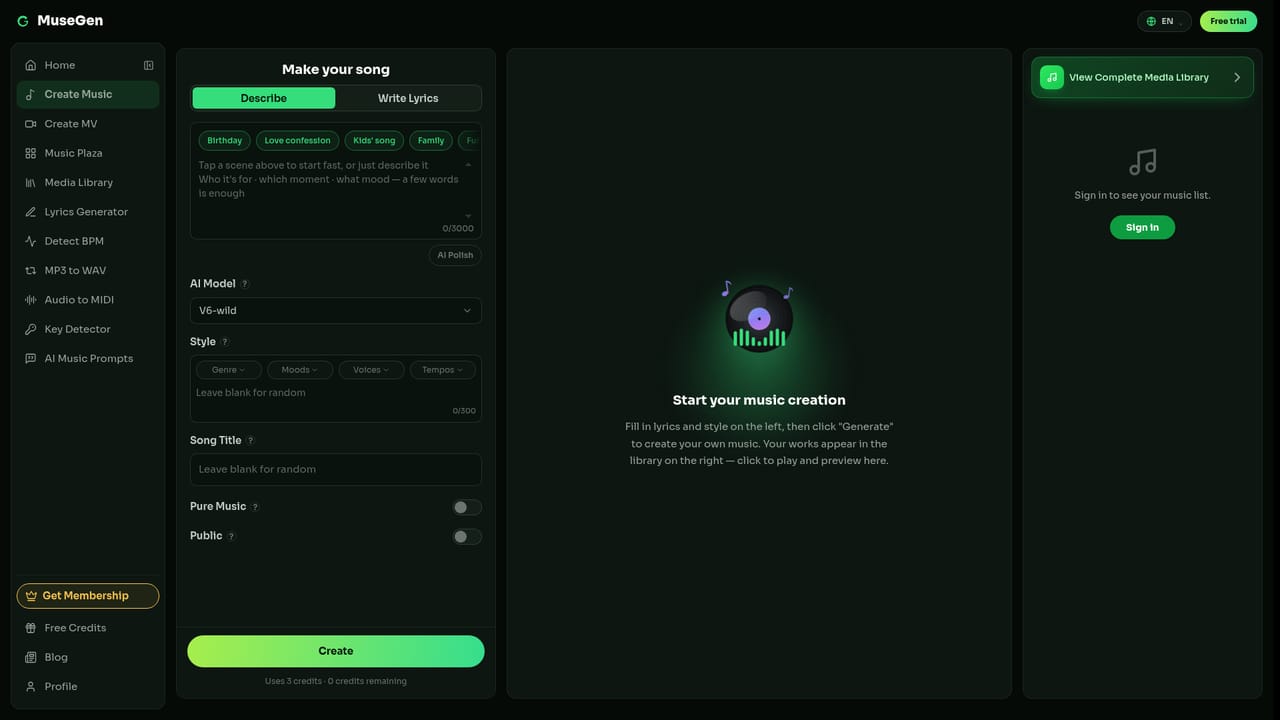
    Go to the AI song maker page and start a new creation. The entry point is the same whether you plan to prompt a song or paste your own lyrics.
    MuseGen — Open the song maker
  2. 2Choose a style and set the foundation
    Pick a genre, mood and instruments, or write a descriptive prompt such as a lofi track with vinyl crackle at 85 BPM. This steers the composition before any audio is generated.
  3. 3Add guidance with lyrics or a reference
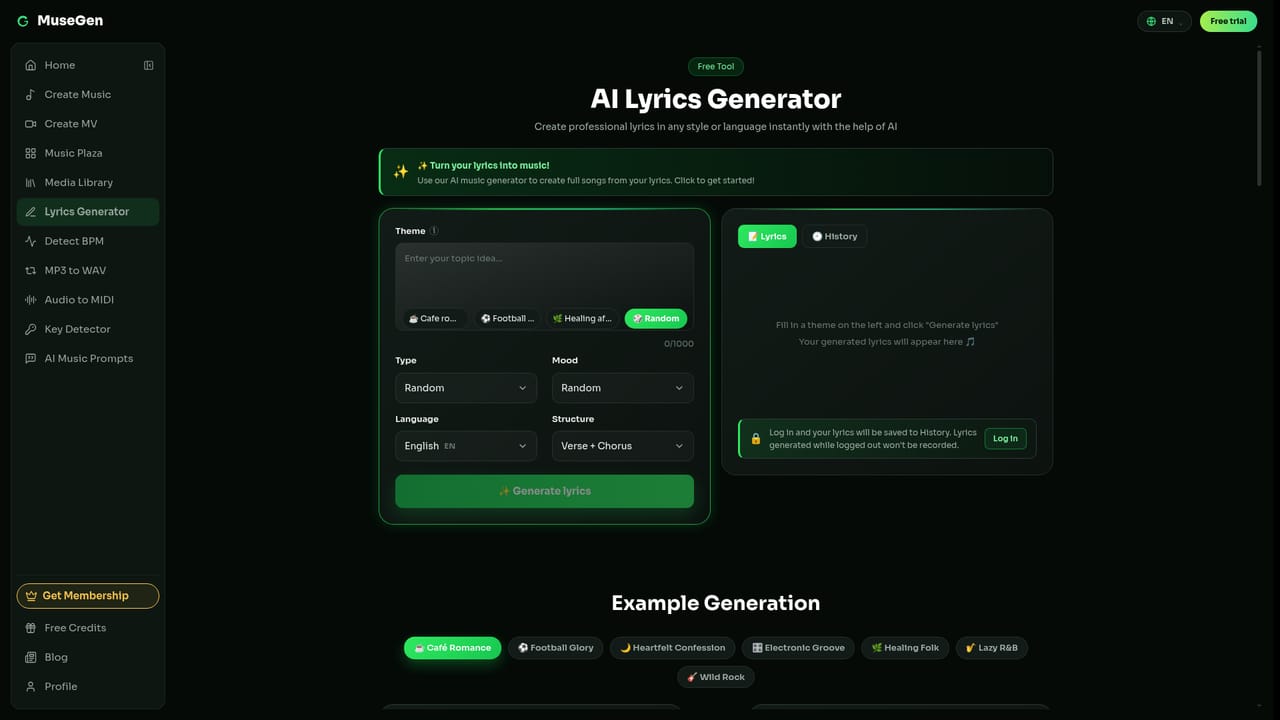
    Paste lyrics or upload a reference beat, and add style tags, mood and tempo. If you need lyric ideas, the built-in lyrics generator can expand a theme into full lines.
    MuseGen — Add guidance with lyrics or a reference
  4. 4Generate and audition the track
    Run the generation, then preview the result. Vocals can be switched between male and female or turned off entirely for an instrumental version.
  5. 5Edit sections and stems
    Use the editing controls to extend a chorus, replace a bass part or merge an alternate bridge. Masking lets you regenerate a single layer such as drums or lead without touching the rest.
  6. 6Export and collect in your library
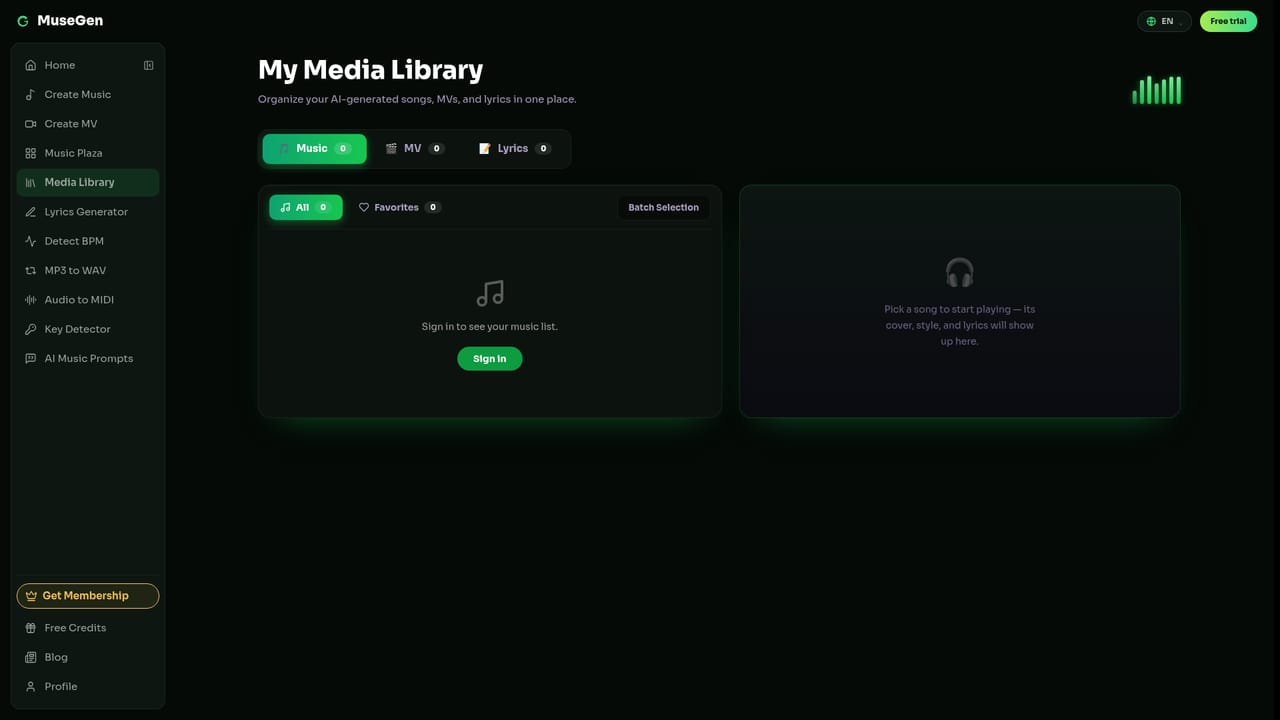
    Download the finished mix or individual stems as WAV, and MIDI for DAW work. Saved songs live in your library, and public tracks can be browsed in the Music Plaza for reference.
    MuseGen — Export and collect in your library

Pros and cons

Pros

  • Generates complete songs from short text prompts or pasted lyricsAI
  • Section-level editing (extend, replace, merge) goes beyond one-shot generationAI
  • Stem and MIDI export at WAV 48k supports real DAW refinementAI
  • Automatic mixing and mastering removes the need for audio engineering skillAI
  • Instrumental mode and multiple vocal options cover both song and score workAI

Cons

  • Pricing is a weekly points model, which can be awkward for occasional usersAI
  • Points are consumed by both music and music video generation, so heavy video use drains the allowance quicklyAI
  • No API or documented third-party integrations are listed on the homepageAI
  • The highest tier is capped at 416 music creations per week rather than truly unlimited outputAI
  • Interface language options exist, but the homepage does not state the range of languages supported for sung vocalsAI

How much does MuseGen cost?

Pricing

Weekly and monthly plans: Pro at $9.99/week (or $19.99 monthly) with 248 points per week, 82 music creations and 124 seconds of video; Max at $29.99/week (or $39.99 monthly) with 1248 points per week, 416 music creations and 624 seconds of video. Yearly billing is also offered, with 40% off shown.

Learn more

Support

Support is handled by email at support@musegen.ai; no help centre or documentation portal is linked from the homepage.

Integrations

MIDI and stem exports are designed for use in external DAWs, but no named DAW partnerships, plugins or API integrations are listed on the homepage.

Features

Text-to-music and lyrics-to-song generation with optional AI vocals, genre and mood selection, BPM and arrangement control, section editing, stem-level masking, stem and MIDI export at WAV 48k, smart mixing and mastering, private creations, plus a lyrics generator, BPM and key detection, audio to MIDI and music video generation.

Frequently asked questions about MuseGen

  • How much does MuseGen cost?
    Weekly and monthly plans: Pro at $9.99/week (or $19.99 monthly) with 248 points per week, 82 music creations and 124 seconds of video; Max at $29.99/week (or $39.99 monthly) with 1248 points per week, 416 music creations and 624 seconds of video. Yearly billing is also offered, with 40% off shown.
  • How do you use MuseGen?
    The walkthrough on this page covers 6 steps: 1. Open the song maker 2. Choose a style and set the foundation 3. Add guidance with lyrics or a reference 4. Generate and audition the track 5. Edit sections and stems 6. Export and collect in your library.
  • What platforms does MuseGen support?
    MuseGen is available on Web App.
  • What does MuseGen integrate with?
    MIDI and stem exports are designed for use in external DAWs, but no named DAW partnerships, plugins or API integrations are listed on the homepage.
  • What are the limitations of MuseGen?
    Pricing is a weekly points model, which can be awkward for occasional users. Points are consumed by both music and music video generation, so heavy video use drains the allowance quickly. No API or documented third-party integrations are listed on the homepage.

Status

StatusActive
Views0
Outbound clicks0
Added10/21/2026

Platforms

Web App

Pricing

FreemiumSubscriptionPaid