Music Visualizer

Turn any track into a beat-synced, share-ready video without touching a video editor.

Beginner
Screenshot of Music Visualizer, Turn any track into a beat-synced, share-ready video without touching a video editor

What is Music Visualizer?

Music Visualizer is a music tool that turns any track into a beat-synced, share-ready video without touching a video editor. A browser-based studio that turns a music track into a beat-synced, audio-reactive video using customizable presets, with free local editing and credit-based cloud export up to 2K.

Music Visualizer is a browser-based studio that converts an audio file into a synchronized, audio-reactive video. Users pick from a library of 25 presets, such as Liquid Bass or Retro Cassette, then layer in artwork, a logo, title text, and color choices while a live local preview shows exactly how the motion will respond to the track's beat and frequency. Because editing happens entirely in the browser, files stay on the user's device until the moment an export is requested, which keeps the early creative process private and free. The tool is aimed at people who release music or audio but do not want to learn a full video editor: independent artists and producers preparing a single, DJs who want consistent visuals for a mix, bands building a recognizable look across releases, and podcasters who want a screen-ready version of an episode. Output formats cover square, vertical, and widescreen framing so the same edit can be adapted for YouTube, TikTok, Instagram, or other channels, with export resolutions up to 2K and H.264 video rendered in the cloud at up to 60 FPS. In practice, the workflow is linear: choose a preset, add audio and artwork, shape the frame and intensity, then sign in and spend export credits to render. Credits are bought once (not a recurring subscription) and finished videos remain downloadable for 14 days before source files and renders are deleted. This positions Music Visualizer between simple audio-to-waveform generators and full motion-graphics software: more customizable and beat-aware than a static waveform video, but far simpler than After Effects style tools, with the tradeoff that deeper customization, longer retention, and higher-resolution output are not yet available.
How do you use Music Visualizer?

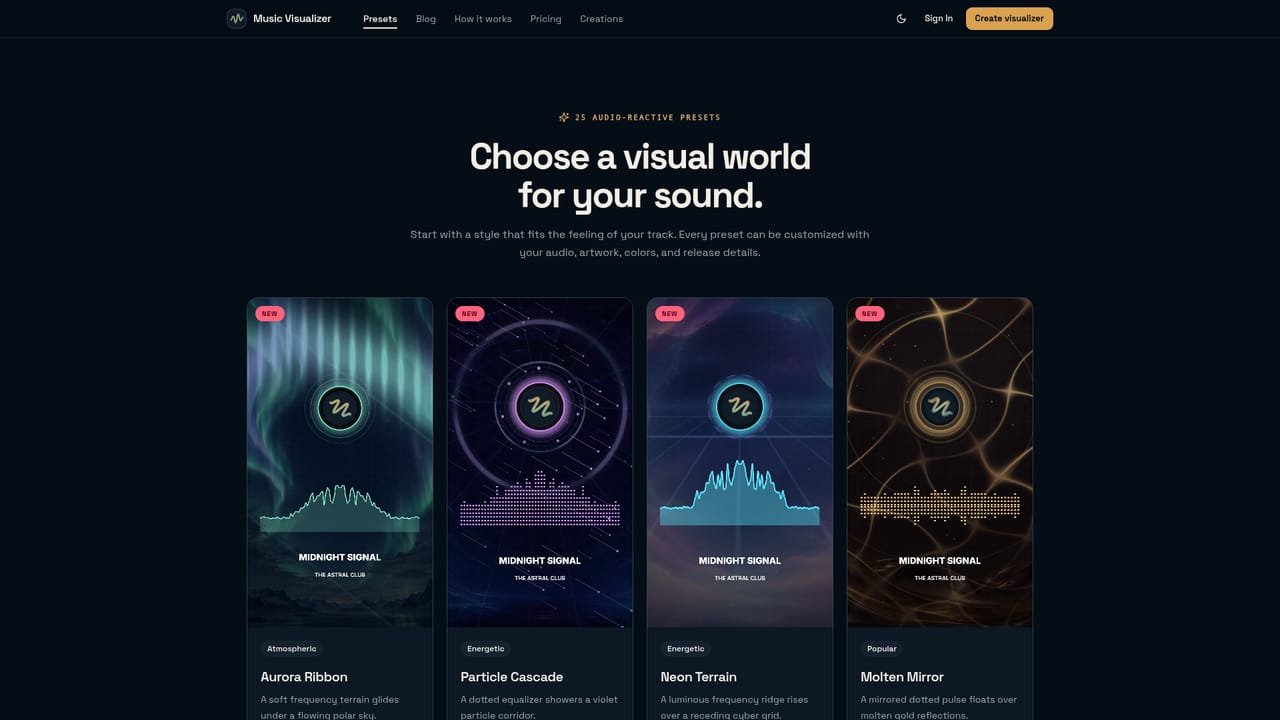
  1. 1Browse presets and pick a mood
    Scroll through styles such as Liquid Bass, Retro Cassette, or Forest Echo to find a visual direction that matches the track before opening the studio.
    Music Visualizer — Browse presets and pick a mood
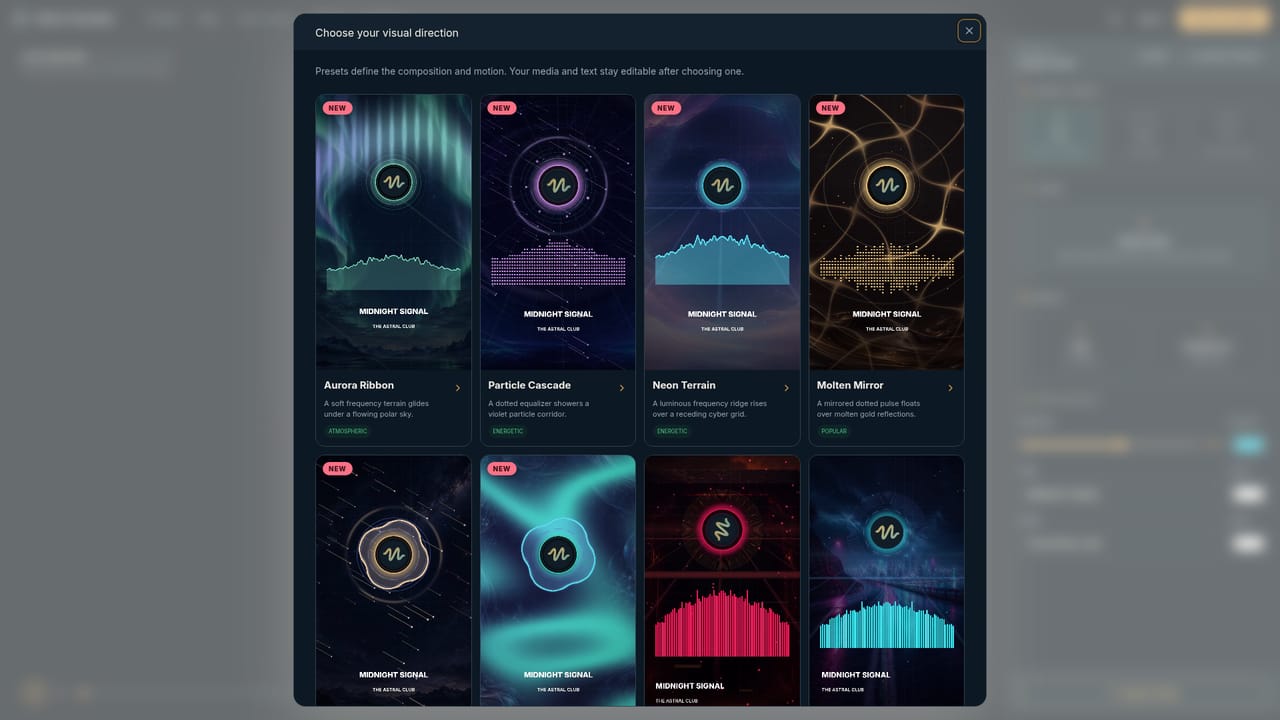
  2. 2Open the studio and add your media
    Upload the audio file, cover artwork, and logo. Everything stays local in the browser at this stage, nothing uploads to the cloud yet.
    Music Visualizer — Open the studio and add your media
  3. 3Shape the frame and intensity
    Adjust text, color, aspect ratio (1:1, 9:16, or 16:9), and reactive intensity while watching the live local preview update instantly.
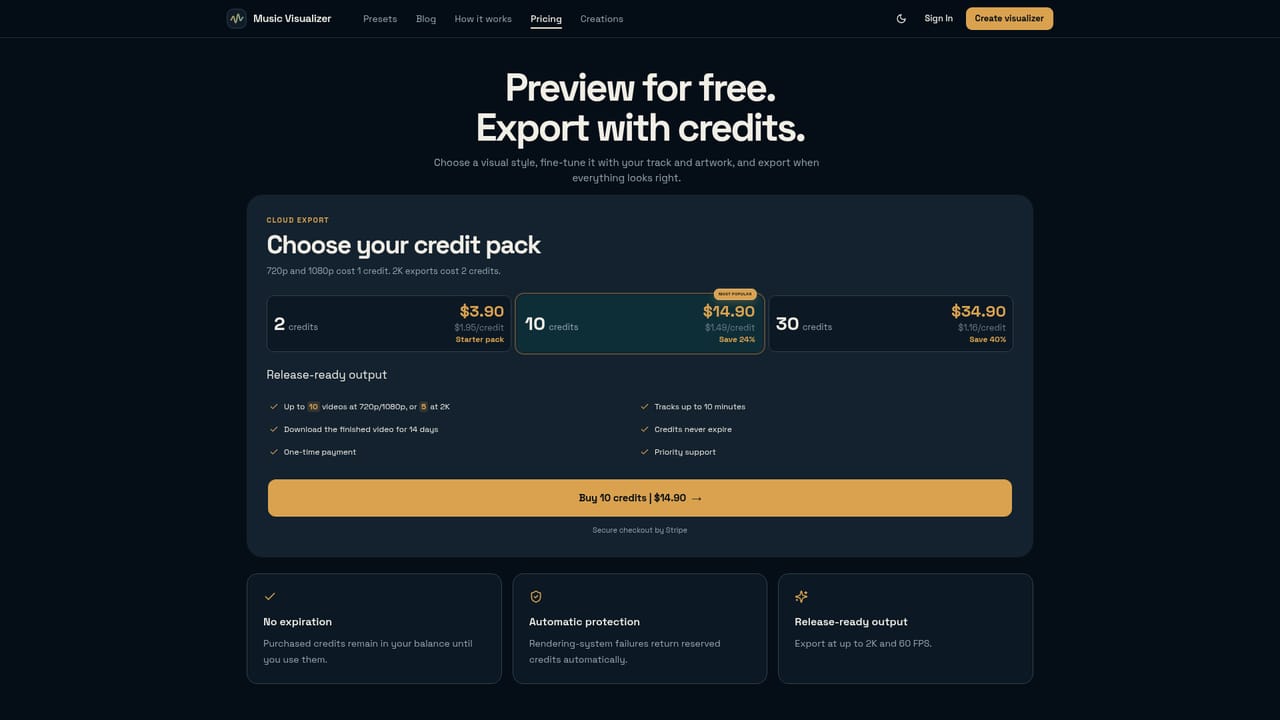
  4. 4Buy export credits
    Sign in and choose a one-time credit pack. 720p and 1080p renders cost 1 credit each, while 2K exports cost 2 credits.
    Music Visualizer — Buy export credits
  5. 5Export and download
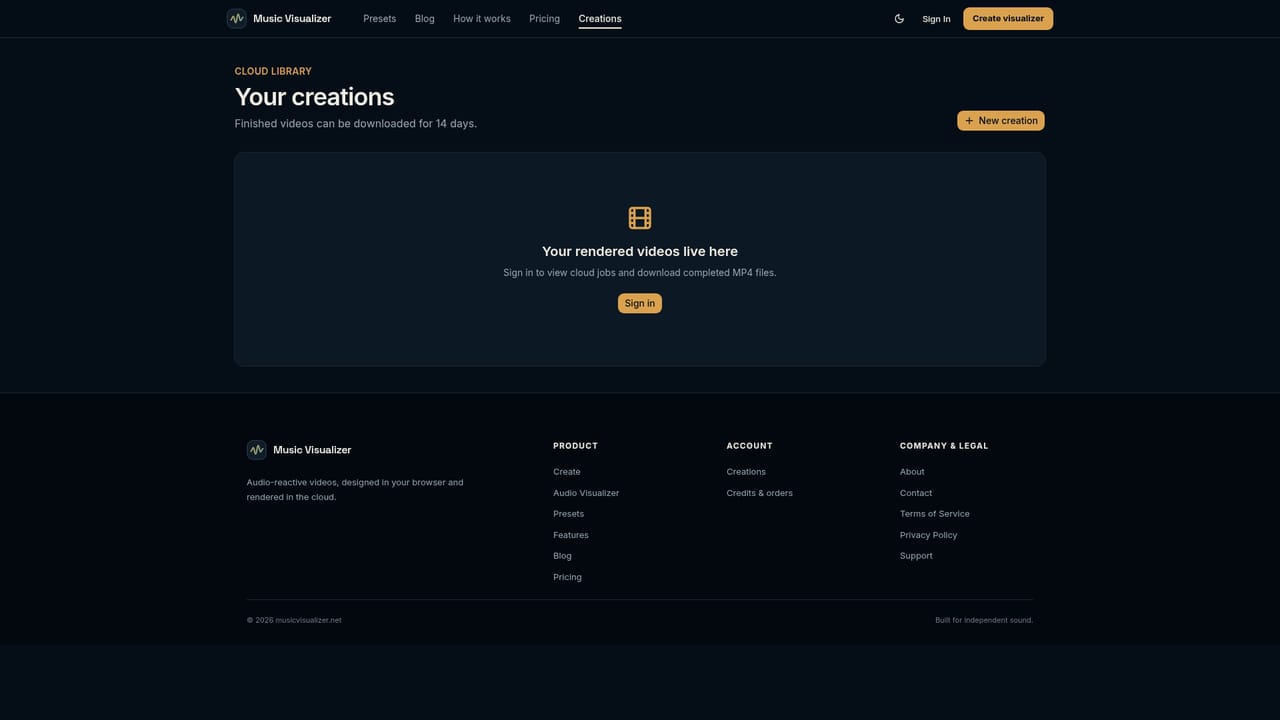
    Start the cloud render, then download the share-ready H.264 video. Files remain available for unlimited downloads for 14 days.
    Music Visualizer — Export and download

Pros and cons

Pros

  • Live local preview lets creators audition artwork, color, and motion before spending anythingAI
  • 25 audio-reactive presets give a quick starting point for different moods and genresAI
  • Square, vertical, and widescreen export covers the main social and streaming formats from one editAI
  • One-time credit packs avoid a mandatory recurring subscription for occasional usersAI

Cons

  • Finished videos and source files are deleted after 14 days, so downloads must happen promptlyAI
  • Maximum resolution is capped at 2K, with 4K listed only as a future roadmap itemAI
  • No mention of lyric sync, multi-track mixing, or deeper manual animation control in the current versionAI
  • Every export consumes paid credits, so there is no way to generate a final video entirely for freeAI
  • Invalid or corrupt uploaded media is explicitly excluded from credit refunds if a render failsAI

How much does Music Visualizer cost?

Free trial

Editing and live preview are free and unlimited; credits are only spent when exporting a final rendered video.

Learn more

Pricing

One-time credit packs, no subscription required: 2 credits for $3.90, 10 credits for $14.90, and 30 credits for $34.90. 720p and 1080p exports cost 1 credit; 2K exports cost 2 credits, and credits do not expire.

Learn more

Support

A contact page and an in-account support ticket system are available, with priority support noted for larger credit pack purchases.

Learn more

Features

Audio-reactive presets with customizable artwork, logo, text, and color; local-first editing with live preview; square, vertical, and widescreen formats; cloud rendering at 720p, 1080p, or 2K in H.264; 14-day download retention.

Frequently asked questions about Music Visualizer

  • How much does Music Visualizer cost?
    One-time credit packs, no subscription required: 2 credits for $3.90, 10 credits for $14.90, and 30 credits for $34.90. 720p and 1080p exports cost 1 credit; 2K exports cost 2 credits, and credits do not expire.
  • Does Music Visualizer offer a free trial?
    Editing and live preview are free and unlimited; credits are only spent when exporting a final rendered video.
  • How do you use Music Visualizer?
    The walkthrough on this page covers 5 steps: 1. Browse presets and pick a mood 2. Open the studio and add your media 3. Shape the frame and intensity 4. Buy export credits 5. Export and download.
  • What platforms does Music Visualizer support?
    Music Visualizer is available on Web App.
  • What are the limitations of Music Visualizer?
    Finished videos and source files are deleted after 14 days, so downloads must happen promptly. Maximum resolution is capped at 2K, with 4K listed only as a future roadmap item. No mention of lyric sync, multi-track mixing, or deeper manual animation control in the current version.

Status

StatusActive
Views0
Outbound clicks0
Added10/13/2026

Platforms

Web App

Pricing

FreemiumPaid