Free trial
A Free Try button appears next to the prompt field on the creation page, indicating you can test generation before paying. No trial length, credit amount or output limits are stated on the homepage.
Learn moreTurn a finished song into a full AI music video in one click

MusicLab is an audio to video tool that turns a finished song into a full AI music video in one click. MusicLab generates original songs from text prompts and then turns those tracks into AI music videos, matching scenes and pacing to the audio.
MusicLab is a browser-based creation platform from STARWAVE AI INC that pairs song generation with music video production. The core promise is narrow and practical: you bring a track or a written idea, and the system analyzes the audio to build visuals that follow its mood, pacing and structure, rather than laying generic stock footage over the top. The site frames the whole process as one click from song to high-quality video, with a 16:9 output and a prompt field that accepts up to 3000 characters of creative direction. The workflow runs in three stages. You start by describing genre, energy, instruments, lyrical theme, audience or scene, with optional lyrics when exact wording matters. From there you generate an original song, listen back and revise the title, prompt, style, lyrics or vocal direction until it lands. Only then do you move the track into the music video workflow, pick a visual direction and let MusicLab build scenes around the song. Public examples on the site show the range of directions on offer, including cyberpunk, romantic, tropical, metal, desert and stage-performance looks. Featured styles cover common jobs rather than abstract aesthetics: video ads, wedding videos, love stories, cooking videos, birthday videos and straightforward music videos. That set tells you who the tool is aimed at. Independent musicians wanting a promo clip, short-form creators filling TikTok, Reels or Shorts slots, and people producing personal event videos all fit, and none of them need arranging or editing experience. Social platform export is explicitly supported. Where MusicLab differs from standalone video generators is the closed loop between audio and image. Competitors usually assume the track already exists and treat it as a fixed input. Here the song can be generated, revised and then visualized inside one account, with community browsing kept next to the creation tools for reference. The trade off is that you are working inside MusicLab's own style catalogue and prompt grammar instead of directing shots yourself. Anyone who needs frame-level control, licensed commercial tracks or a locked brand look will find the automated path fast but opinionated.
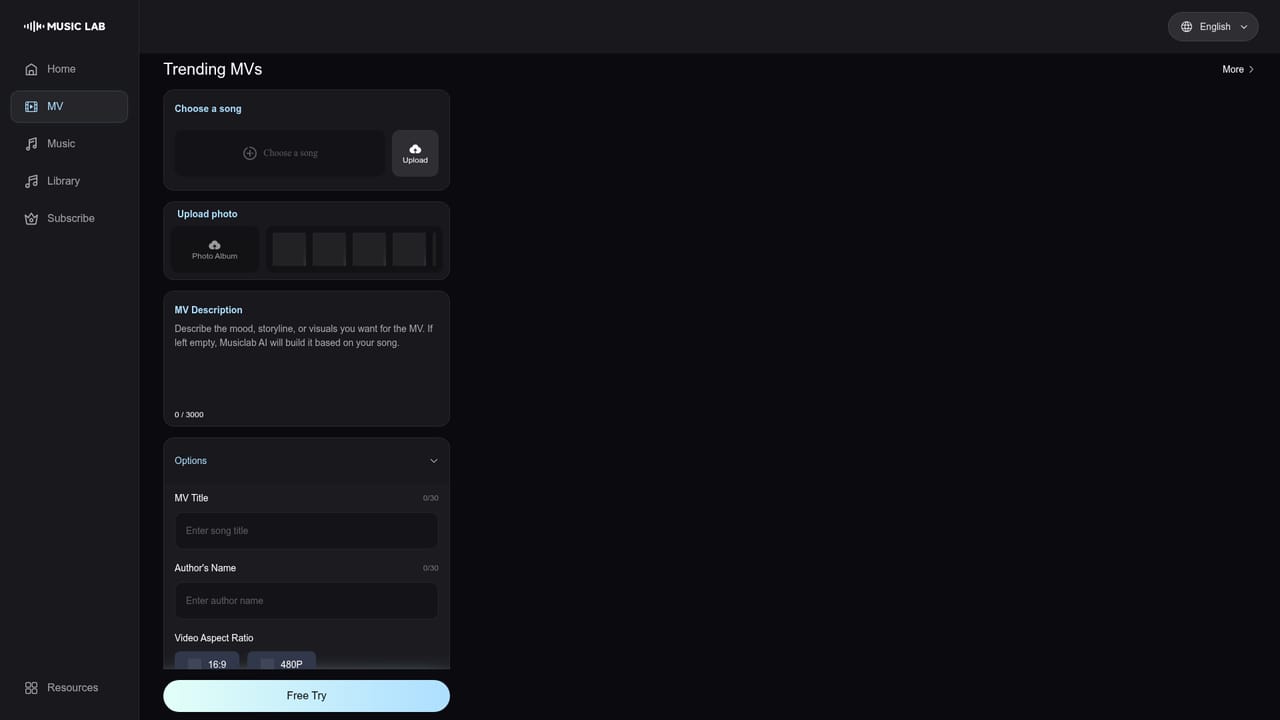
A Free Try button appears next to the prompt field on the creation page, indicating you can test generation before paying. No trial length, credit amount or output limits are stated on the homepage.
Learn moreSupport runs through the company contact details published on the site. STARWAVE AI INC is named as the operator, with contact, privacy and terms pages, plus guides, product updates and community examples for learning the workflow.
Original song generation from natural-language prompts covering atmosphere, genre, tempo, instrumentation and vocal character. Music video generation that analyzes the track and builds scenes around its mood and structure. Featured styles for ads, weddings, love stories, cooking and birthday videos, a public gallery of examples, project storage for iterating on your own work, and a 16:9 output frame.
Learn more AI Angels400+ customizable AI girlfriends for NSFW chat, voice calls, and roleplay
 Candy AIExperience the future of companionship with AI friends who chat, role-play, and connect with you on a human level.
 ourdream.aiA vast AI roleplay platform with millions of characters for chat, images, video and voiceAI Angels400+ customizable AI girlfriends for NSFW chat, voice calls, and roleplayCandy AIExperience the future of companionship with AI friends who chat, role-play, and connect with you on a human level.ourdream.aiA vast AI roleplay platform with millions of characters for chat, images, video and voice


