Integrations
The homepage shows a practice management system connection with two-way read and write, naming Open Dental as an example. Other integrations are not detailed on the homepage.
Learn moreAI front office platform for dental practices, from calls to insurance

Newton is an AI calls tool. A dental-specific AI front office platform centered on Sophia, a voice agent that answers calls, books into the PMS, works recall and waitlists, verifies insurance overnight, and reports production across every location.
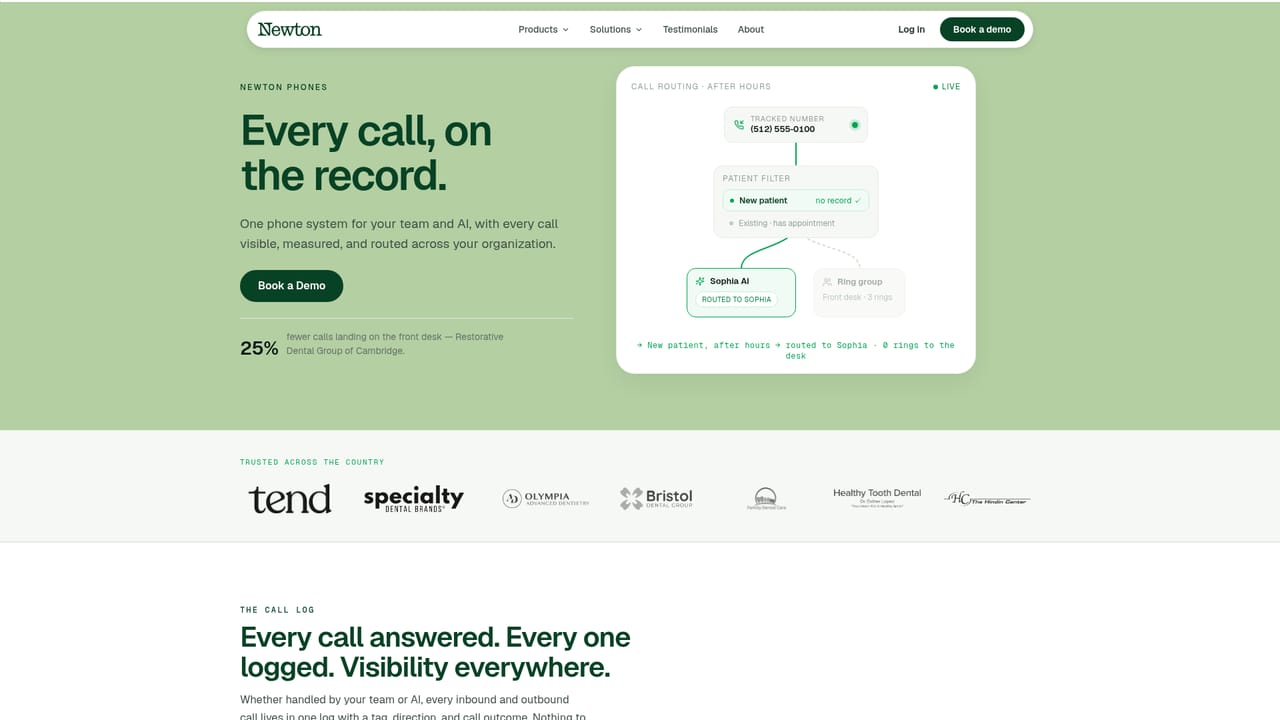
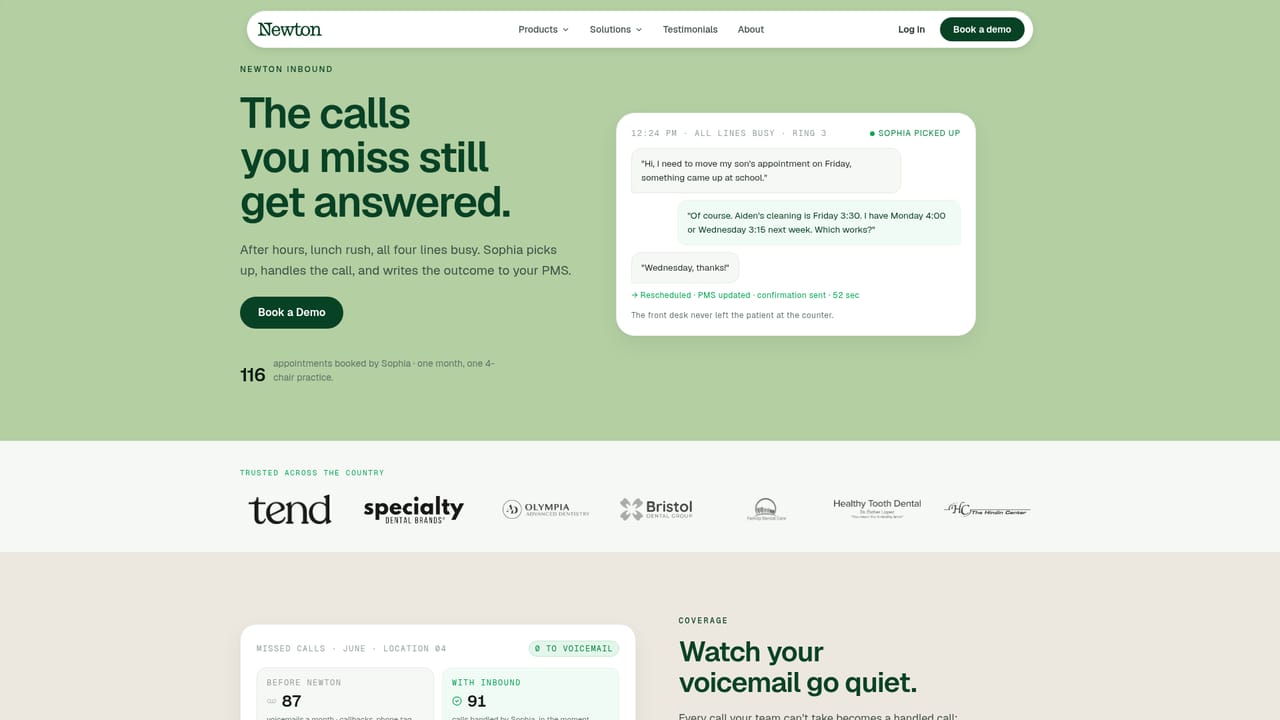
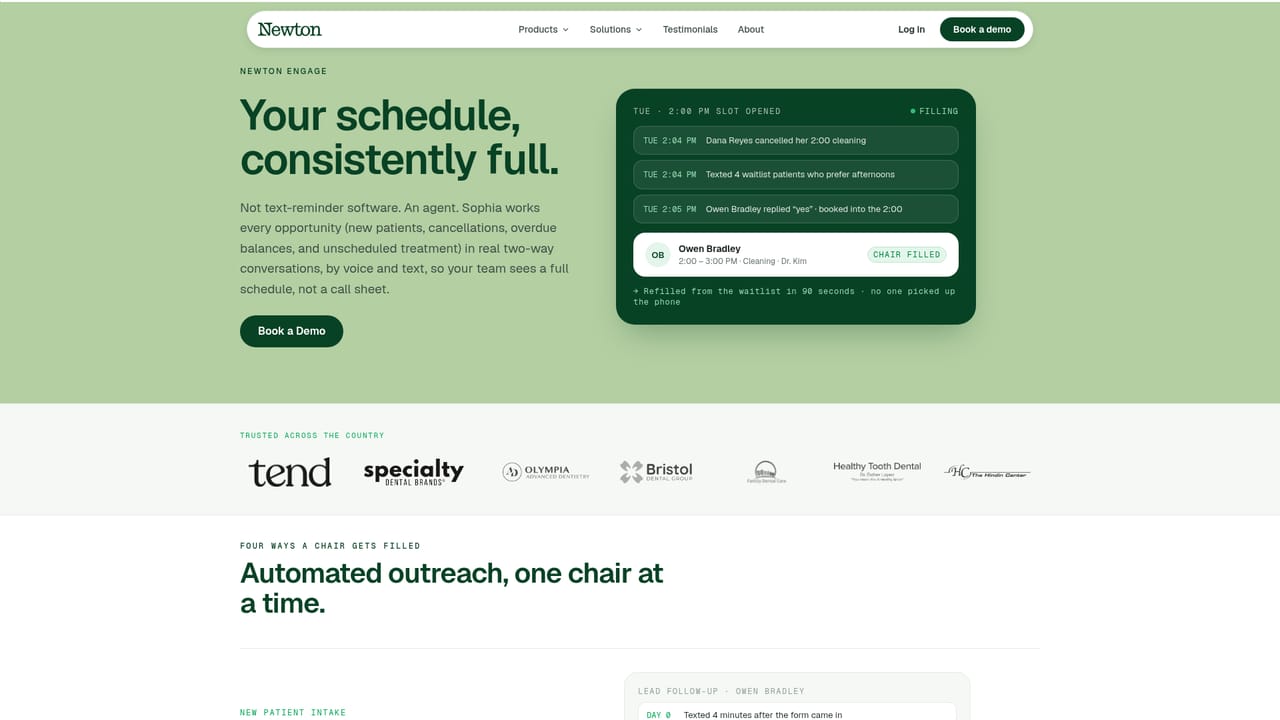
Newton is an AI-native platform built specifically for the dental front office, not a general purpose receptionist bolted onto a practice management system. It runs the operational layer that sits around the chair: inbound calls, scheduling, recall and waitlist outreach, insurance eligibility checks, and collections. The centerpiece is Sophia, a voice agent that answers when the front desk cannot, including nights and weekends, and writes the outcome of each call back into the practice management system with real-time read and write access rather than leaving staff to reconstruct what happened. In daily use the platform behaves like a coordinated set of modules sharing one patient record. Sophia picks up overflow and after-hours calls, triages them, and books appointments directly into open slots. Engage works recall lists, cancellations, waitlist gaps, and outstanding balances on a recurring schedule, while Phones gives the team one call log where every inbound and outbound call carries a tagged outcome. Insurance runs eligibility overnight and attaches verified coverage to the chart before the morning huddle. Growth traces new patients back to the source that produced them so acquisition cost is counted against production, not clicks. The product is aimed at dental groups rather than solo practitioners: emerging groups consolidating somewhere between five and twenty locations, and larger DSOs that need every site measured against the best performing one. Leadership gets a location index showing booked-from-calls rates, recall currency, and production side by side, plus a natural language assistant for questions about open chairs or weekly collections. Compared with generic AI receptionists, Newton's advantage is dental specificity and a single data model; the tradeoff is that it is a platform commitment, not a lightweight phone add-on. Onboarding is presented as a guided process measured in weeks: practice management connection on day one, call handling rules by day three, team training by day five, and a Monday morning go live. Published customer results include a four office pilot that added $121.8k in new patient revenue and a group reporting roughly 25 percent fewer calls handled directly by front desk staff.
The homepage shows a practice management system connection with two-way read and write, naming Open Dental as an example. Other integrations are not detailed on the homepage.
Learn moreFive modules on one patient record: Phones logs and routes every call with a tagged outcome, Inbound puts Sophia on overflow and after-hours calls with direct PMS booking, Engage runs recall and waitlist outreach plus balance collection, Insurance verifies eligibility overnight down to the code, and Growth traces new patients to true acquisition cost. An Ask Newton assistant answers questions across all locations.
Learn more AI Angels400+ customizable AI girlfriends for NSFW chat, voice calls, and roleplay
 Candy AIExperience the future of companionship with AI friends who chat, role-play, and connect with you on a human level.
 ourdream.aiA vast AI roleplay platform with millions of characters for chat, images, video and voiceAI Angels400+ customizable AI girlfriends for NSFW chat, voice calls, and roleplayCandy AIExperience the future of companionship with AI friends who chat, role-play, and connect with you on a human level.ourdream.aiA vast AI roleplay platform with millions of characters for chat, images, video and voice


