Ohai.ai

A text-based household assistant for calendars, to-dos and family life

Beginner
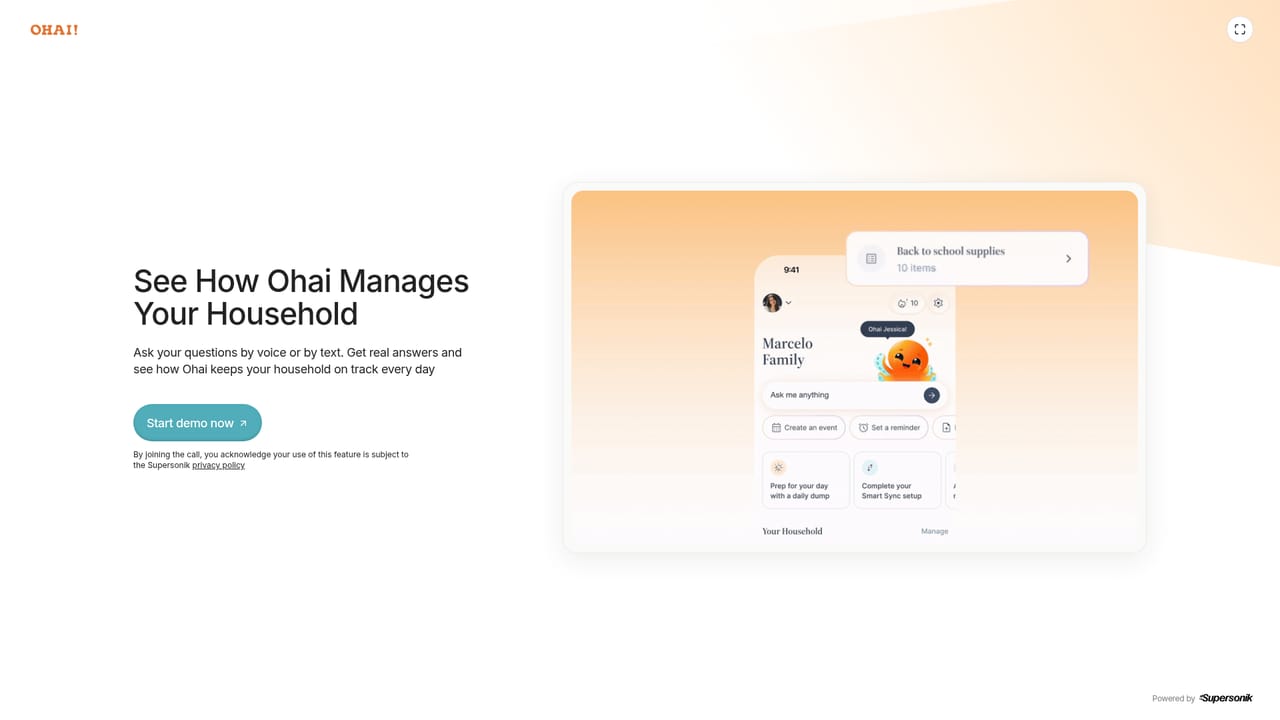
Screenshot of Ohai.ai, A text-based household assistant for calendars, to-dos and family life

What is Ohai.ai?

Ohai.ai is an accountability buddy tool. Ohai is a conversational household assistant. Text or talk to its agent, O, and it turns messages, emails, screenshots and school schedules into shared calendar events, to-dos, meal plans and grocery lists for a busy family.

Ohai is a household management assistant built around a conversational agent called O. Rather than opening a dedicated productivity app and filing tasks by hand, users text or talk to O the way they would message a helper. O reads what arrives (a school newsletter, a photo of a paper schedule, a forwarded email, a screenshot of a recipe) and turns it into calendar events, to-do items and shopping lists. The product is explicitly aimed at the person carrying most of a household's administrative work, a role the company describes as Chief Household Officer. Parents, and particularly mothers, are the core audience, and a number of the published testimonials come from users who say conventional planners have not worked for them. In practice the workflow is message-first. You send a note about an appointment, and O scans the message for dates and writes them into a synced calendar. You forward a school email, and O summarises the content and lifts out the dates that matter. You send a recipe screenshot, and the ingredients land on a shared list. From there the assistant handles coordination: a shared household calendar keeps everyone in the same picture, tasks can be assigned across family members, and meal planning sits alongside the schedule rather than in a separate tool. The company positions this as a response to the roughly 30 hours per week families spend coordinating daily life. Ohai sits between a plain shared calendar and a paid human assistant. It is more conversational and more tolerant of messy inputs than calendar apps, and cheaper than hiring help, but it is narrower than a general chatbot: the focus is family logistics rather than writing, coding or research. The company says AI handles routine work while human assistants can step in on complicated documents, and premium users can book a setup walkthrough with the team. Privacy claims are stated on the homepage: data is used to power product features and is not sold or shared for advertising. The tool suits busy parents, caregivers and anyone who manages schedules for several people, including users with ADHD who find structured planners hard to maintain. It is a weaker fit for solo users who only need a calendar, or for teams looking for project management rather than household coordination.

How do you use Ohai.ai?

  1. 1Try the preview
    Open the preview page to see how O responds before creating an account. It demonstrates the message-based flow the product is built around.
    Ohai.ai — Try the preview
  2. 2Sign up and start the free tier
    Create an account and begin on the free version, which covers reminders, meal planning and lists. No payment is needed to test the core loop.
  3. 3Connect your calendars
    Link the digital calendars your household already uses so O can read the existing schedule and write new events into a shared place.
  4. 4Send O your first inputs
    Text or talk to O with an appointment, forward a school email, or share a screenshot of a schedule or recipe. O extracts the dates and items and files them.
  5. 5Set up the shared household view
    Add family members so tasks and calendar entries are visible to everyone, and assign responsibilities rather than holding them all yourself.
  6. 6Move to premium if you need coordination
    Upgrade when shared calendars and family task coordination become essential, and book a walkthrough with the team if setup feels unclear.

Pros and cons

Pros

  • Accepts messy real-world inputs: photos of paper schedules, forwarded school emails and recipe screenshots all become organised entriesAI
  • Conversation-first design suits people who abandon traditional planners and reminder appsAI
  • Shared household calendar and cross-family task coordination, not just a personal listAI
  • Free tier covers reminders, meal planning and lists before any paymentAI
  • Human assistants can review complicated documents, with an optional setup walkthrough for premium usersAI

Cons

  • Premium pricing sits at $9.99 per month, a recurring cost for a tool that overlaps with calendars families already ownAI
  • The homepage gives little detail on which calendar services sync or how the shared household accounts are structuredAI
  • Scope is firmly domestic; it is not useful for work project management, research or general writing tasksAI
  • Heavy reliance on messaging means the experience depends on how well O interprets unstructured input, and results are not guaranteed for complex documentsAI

How much does Ohai.ai cost?

Pricing

A free version covers core features such as reminders, meal planning and lists. Premium plans start at $9.99 per month and add shared household calendars, family task coordination, household reminders and tools for managing schedules, meals and responsibilities together.

Learn more

Support

Support blends AI automation with human assistants who can review complicated schedules or documents. Premium users can schedule a walkthrough with a member of the Ohai team.

Integrations

Ohai syncs with users' digital calendars, and the conversation itself runs through text messaging. The homepage names no other third-party integrations.

Features

Core capabilities include a smart calendar that syncs existing calendars into one shared household view, to-do and task coordination across family members, meal planning with grocery list generation, and handling of emails and documents. O scans messages, forwarded emails and screenshots, extracts dates and items, and files them automatically.

Frequently asked questions about Ohai.ai

  • How much does Ohai.ai cost?
    A free version covers core features such as reminders, meal planning and lists. Premium plans start at $9.99 per month and add shared household calendars, family task coordination, household reminders and tools for managing schedules, meals and responsibilities together.
  • How do you use Ohai.ai?
    The walkthrough on this page covers 6 steps: 1. Try the preview 2. Sign up and start the free tier 3. Connect your calendars 4. Send O your first inputs 5. Set up the shared household view 6. Move to premium if you need coordination.
  • What platforms does Ohai.ai support?
    Ohai.ai is available on Web App and iOS.
  • What does Ohai.ai integrate with?
    Ohai syncs with users' digital calendars, and the conversation itself runs through text messaging. The homepage names no other third-party integrations.
  • What are the limitations of Ohai.ai?
    Premium pricing sits at $9.99 per month, a recurring cost for a tool that overlaps with calendars families already own. The homepage gives little detail on which calendar services sync or how the shared household accounts are structured. Scope is firmly domestic; it is not useful for work project management, research or general writing tasks.

Status

StatusActive
Views0
Outbound clicks0
Added10/21/2026

Platforms

Web AppiOS

Pricing

FreemiumSubscription