Open Tutor App

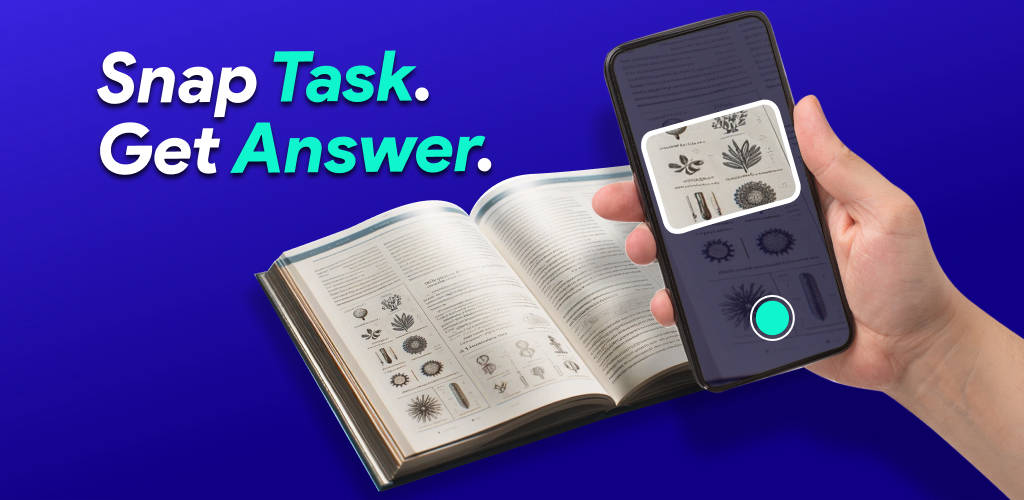
Snap a photo of homework and get step-by-step answers

Beginner
Screenshot of Open Tutor App, Snap a photo of homework and get step-by-step answers

What is Open Tutor App?

Open Tutor App is an accounting homework help tool. A mobile homework helper that scans a photographed problem and returns step-by-step solutions with explanations, positioned for mixed subjects including math and economics rather than math alone.

Open Tutor App is a homework helper built around the camera on a phone. A student photographs a problem from a textbook or worksheet, and the app analyzes the image and returns a worked solution with explanations rather than a bare final answer. The examples the site leads with are math problems and economics questions, and the framing is textbook homework across subjects rather than a single narrow solver. The workflow is deliberately short. There is no typing out equations or uploading a document: the photo is the input, and the output is a step-by-step breakdown that a student can follow and compare against their own attempt. Because it runs as a mobile app on Android and iOS with a web entry point as well, it fits the way homework actually happens, at a desk with a book open and a phone within reach. The pitch on the site is about studying your own way and lifting grades through better study sessions, not about handing in machine output. Open Tutor sits in the crowded photo-solver field, alongside apps that scan math specifically. Its differentiator is breadth: the marketing points at subjects like economics as readily as arithmetic, so it is aimed at students who want one helper for a mixed homework load rather than a math-only tool. That makes it most useful for secondary school and early college learners working through problem sets. What the site does not spell out is the pricing model, the full subject list, or any integration with school platforms. Those gaps matter for anyone evaluating it against a paid subscription solver, so check the store listing before committing.

How do you use Open Tutor App?

  1. 1Install the app for your phone
    Download Open Tutor from Google Play or the App Store using the buttons on the homepage, then open it to reach the scan screen.
  2. 2Photograph the homework problem
    Frame the question from your textbook or worksheet in the camera and take the picture. Keep the whole problem in shot so nothing is cut off.
  3. 3Read the step-by-step solution
    The app analyzes the photo and returns a worked solution with explanations. Follow each step and compare it with your own working.
  4. 4Learn the method, not just the answer
    Use the explanations to understand why each step follows, then redo the problem yourself without the app to confirm it stuck.

Pros and cons

Pros

  • Camera-first input means no typing out equations or uploading filesAI
  • Returns step-by-step solutions and explanations rather than answer-only outputAI
  • Positioned for more than math, with economics questions cited alongside mathAI
  • Mobile apps on both Google Play and the App Store, plus a web entry pointAI

Cons

  • No pricing information on the site, so the cost model is unclear before you installAI
  • Subject coverage beyond math and economics is never enumeratedAI
  • No stated integrations with learning management systems or school platformsAI
  • Students can lean on the answers instead of the steps, which undercuts the study goalAI

How much does Open Tutor App cost?

Features

The core feature is photo-based problem solving: snap a homework question and the app analyzes the image, then returns step-by-step solutions with explanations. The site cites math and economics homework as examples. The app is distributed through Google Play and the App Store, with a web link on the homepage as an alternative entry point.

Learn more

Frequently asked questions about Open Tutor App

  • How do you use Open Tutor App?
    The walkthrough on this page covers 4 steps: 1. Install the app for your phone 2. Photograph the homework problem 3. Read the step-by-step solution 4. Learn the method, not just the answer.
  • What platforms does Open Tutor App support?
    Open Tutor App is available on Android, iOS and Web App.
  • What are the limitations of Open Tutor App?
    No pricing information on the site, so the cost model is unclear before you install. Subject coverage beyond math and economics is never enumerated. No stated integrations with learning management systems or school platforms.

Status

StatusActive
Views0
Outbound clicks0
Added10/21/2026

Platforms

AndroidiOSWeb App

Pricing

Freemium