Free trial
A 7 day free trial is offered, with sign-up starting from the pricing page. No card or eligibility details are stated on the homepage.
Learn moreConnect your bank once, then ask Claude or ChatGPT about your money

OpenBudget is an AI spreadsheet generator tool. OpenBudget links bank accounts through Plaid and pipes transactions, balances and spending categories into Claude, ChatGPT, Google Sheets or Excel, so you can ask questions about your money in natural language instead of exporting CSVs.
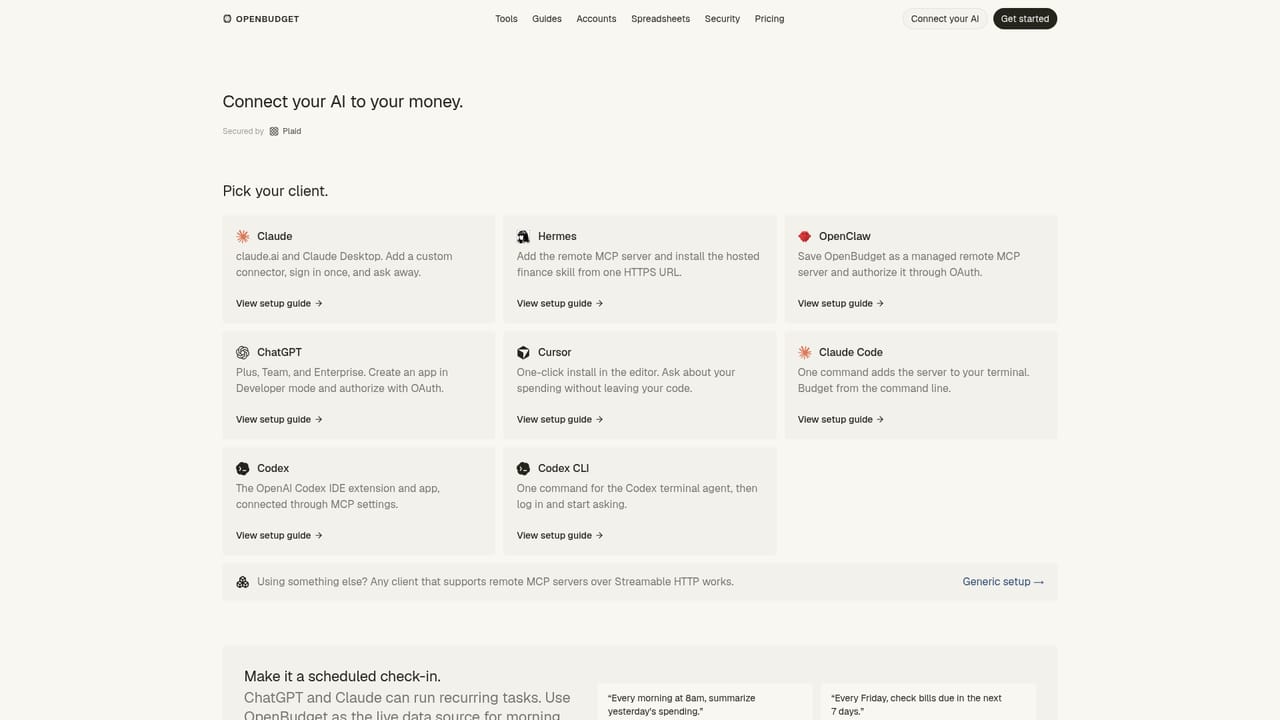
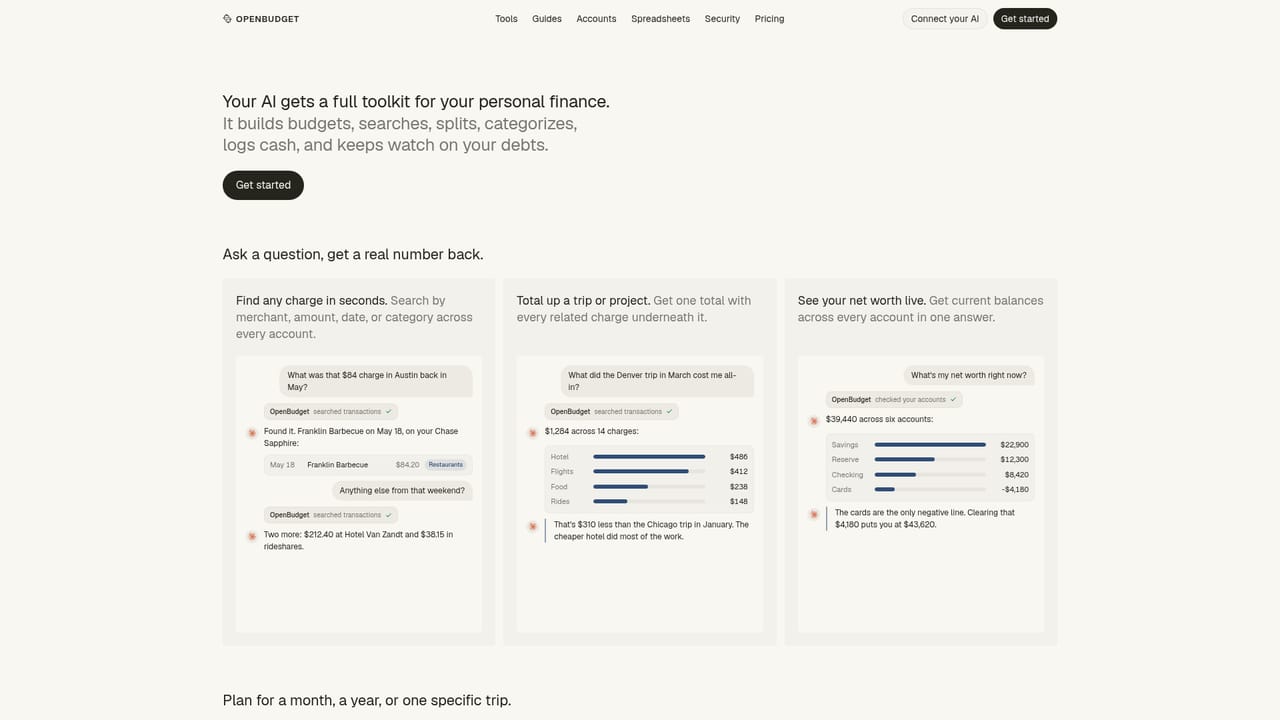
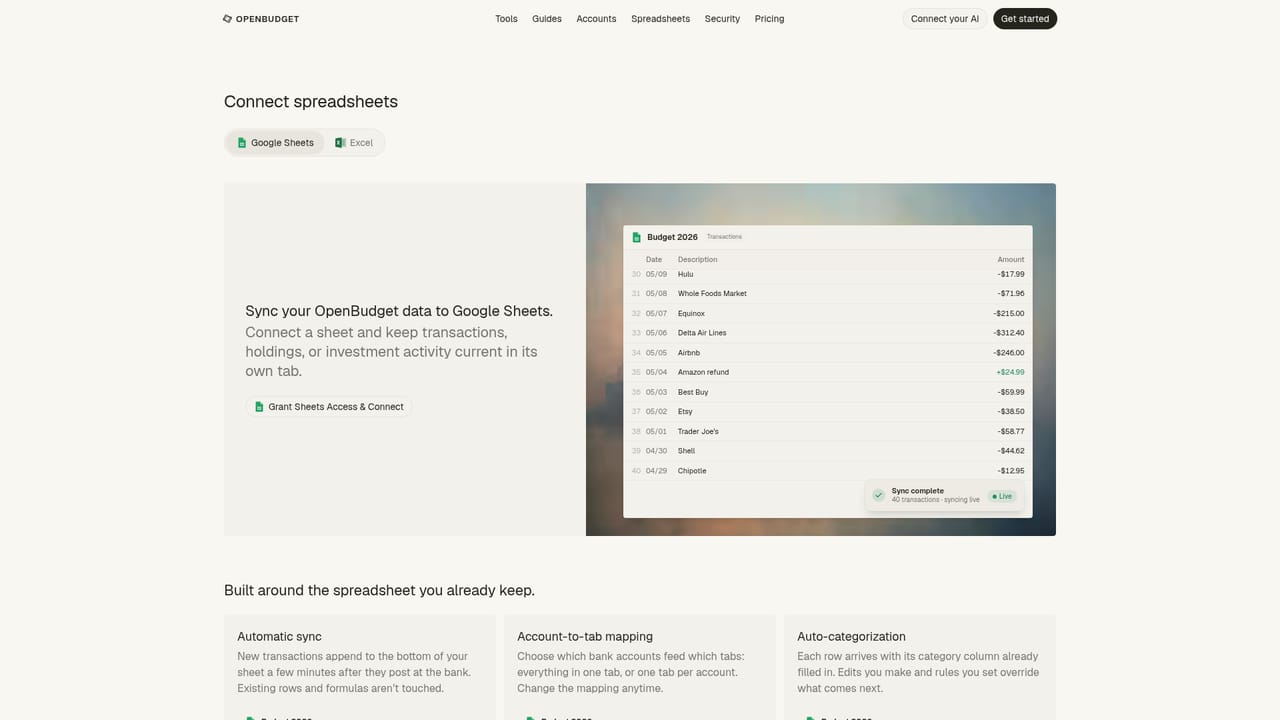
OpenBudget is a connector layer between your bank accounts and the AI assistants or spreadsheets you already use. Instead of logging into a budgeting app to read charts, you link accounts once through Plaid and then ask questions in plain language inside Claude, ChatGPT, Hermes or OpenClaw. Balances, transactions and spending categories flow into the conversation, so a question like how much went to restaurants last month comes back as an actual number with a breakdown rather than a generic answer. The product covers more than a transaction feed. Categorization rules can be set once and remembered, so a recurring payment to a landlord stays classified as rent and past entries get corrected on request. Mixed purchases, such as a single Amazon charge containing several items, can be split so each item lands in the right budget category. Investment holdings, retirement accounts, real estate and manual assets can be added and reviewed alongside day to day spending, and liabilities such as credit cards and loans are tracked with balances, APRs and due dates so payoff questions get a concrete answer. For people who prefer a spreadsheet to a chat window, OpenBudget syncs the same data into Google Sheets and Excel automatically, replacing the CSV export ritual. Around 10,000 banks and cards are listed as supported, connections are reported to take about two minutes, and transactions arrive pre-sorted into more than 100 categories. Because Claude and ChatGPT can run recurring tasks, OpenBudget also works as a live data source for scheduled check-ins: a morning spending summary, a weekly bill check, or a monthly review of miscategorized entries. Bank credentials stay with Plaid and the service cannot move money. The tool sits alongside AI money assistants rather than traditional budgeting apps. Its pitch is that the assistant is the interface, which suits people already paying for Claude or ChatGPT and unwilling to learn another dashboard. Anyone who wants a self-contained app with its own mobile experience and visual reports will find less here, since the value depends on the third party AI client doing the reasoning.
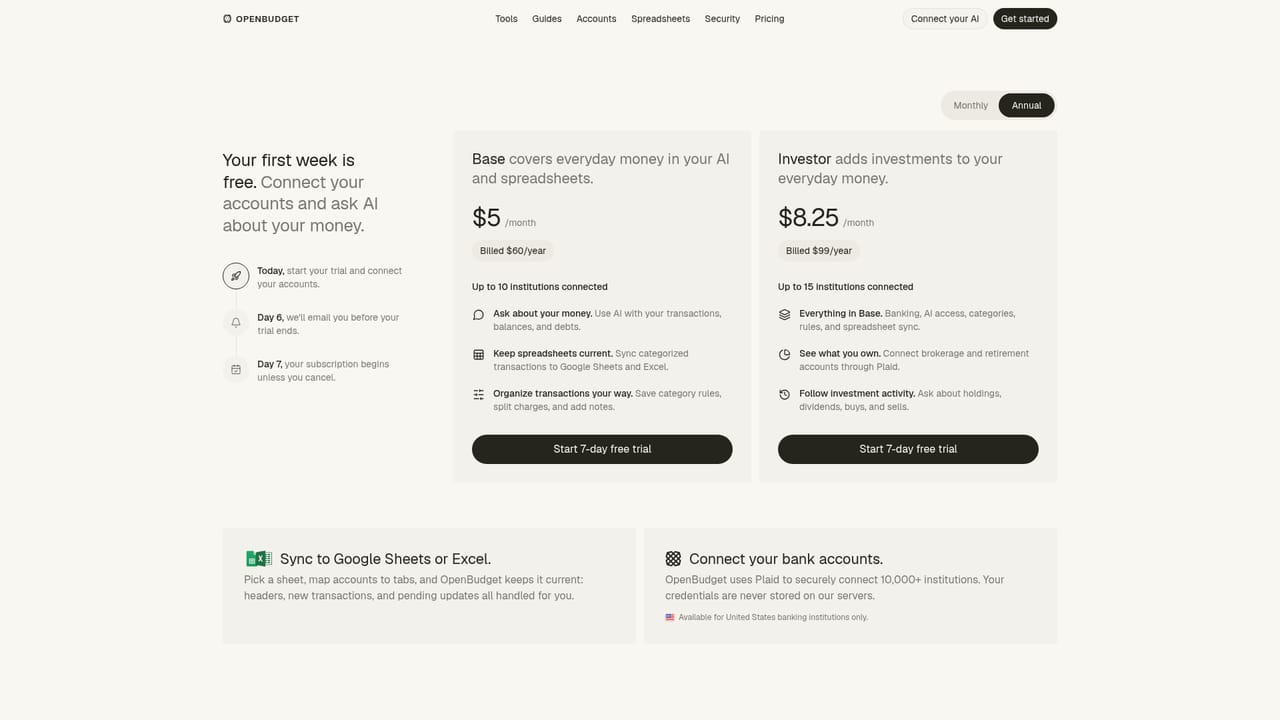
A 7 day free trial is offered, with sign-up starting from the pricing page. No card or eligibility details are stated on the homepage.
Learn moreThe homepage promotes a 7 day free trial and links to a dedicated pricing page, but no plan tiers or dollar amounts appear in the homepage content, so exact costs need to be checked on that page.
Learn moreConnectors are documented for Claude, ChatGPT, Hermes and OpenClaw, plus Google Sheets and Excel for spreadsheet sync. Banks are linked through Plaid.
Learn moreBank connections through Plaid, natural language querying inside Claude, ChatGPT, Hermes and OpenClaw, persistent categorization rules, item level splitting of mixed charges, investment and manual asset tracking, credit card and loan payoff analysis, automatic Google Sheets and Excel sync, and support for scheduled recurring check-ins.
Learn more AI Angels400+ customizable AI girlfriends for NSFW chat, voice calls, and roleplay
 Candy AIExperience the future of companionship with AI friends who chat, role-play, and connect with you on a human level.
 ourdream.aiA vast AI roleplay platform with millions of characters for chat, images, video and voiceAI Angels400+ customizable AI girlfriends for NSFW chat, voice calls, and roleplayCandy AIExperience the future of companionship with AI friends who chat, role-play, and connect with you on a human level.ourdream.aiA vast AI roleplay platform with millions of characters for chat, images, video and voice




