Free trial
No free generation. Public games can be played without signing in, and signing in lets you discuss your idea and prepare a plan at no cost, but building your own game requires Studio credits.
Learn moreDescribe a game idea and let an AI agent build a playable browser prototype
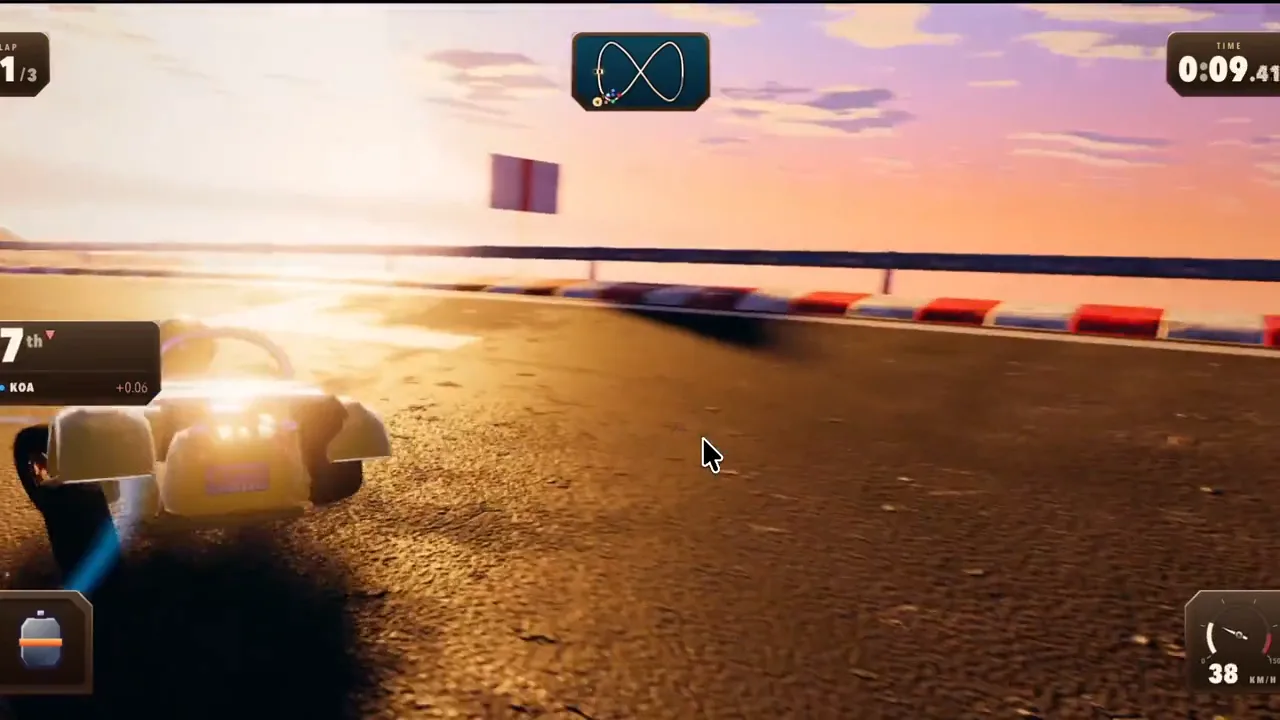
OpenGame is an AI game agent that turns a written idea into a playable HTML5 or 3D browser game. Studio handles planning, generation, conversational refinement, playtesting and HTML or ZIP export, with metered credits covering each generation attempt.
OpenGame is a browser-based AI game agent built around a tool called Studio. You describe a game idea in plain language, the agent helps you turn that into a structured brief (the site calls this an AI game plan), and it then generates a playable build. The output runs in the browser: 2D projects come out as HTML5 games, and 3D projects can be exported as a ZIP of project files. Previews can be played inside Studio, saved versions can be revisited, and a shareable or embeddable link can be published once you are satisfied. The stated scope is deliberately narrow. The homepage points at puzzles, platformers, racing games and arcade games, and describes the process as starting from one clear gameplay idea and expanding only after playtesting. Iteration happens conversationally: you describe what went wrong or what you want changed, and the agent produces a new version. Downloaded code can be inspected and edited by hand if you want finer control, which makes Studio a prototyping front end rather than a locked black box. Who it suits: hobbyists and designers who want to test a mechanic without setting up an engine, game jam participants working against a clock, and developers who want a rough playable skeleton to refine elsewhere. The public games library doubles as a reference shelf, with 3D shooters, life simulations, runners and demolition physics demos that show the ceiling of what the agent has produced. Case studies on the blog trace specific builds that also involved outside tools such as Blender and Meshy, which suggests the polished showcase titles are not purely single-prompt outputs. The economics matter more than usual here because generation is metered. Each standard generation, including a revision of an existing game, costs 10 credits, and credits buy attempts rather than guaranteed finished games. Credit packs are one-time purchases that do not expire, while subscriptions grant monthly credits that reset or annual credits upfront. One limitation worth stating plainly: there is no free tier for generating your own game. You can play public games without signing in and discuss a plan for free, but building requires credits. Alternatives in this space range from chat assistants that emit raw code to full game engines with scripted tutorials; OpenGame sits between them, trading engine depth for speed from idea to something playable.
No free generation. Public games can be played without signing in, and signing in lets you discuss your idea and prepare a plan at no cost, but building your own game requires Studio credits.
Learn moreCredit based. A standard generation costs 10 credits, and packs of 60, 160 and 400 credits are sold as one-time purchases that do not expire. Monthly and annual subscriptions are also offered, with annual saving 20 percent; subscription credits expire at the end of the billing month or billing year. Credits cover attempts, not a guaranteed number of finished games.
Learn moreSupport is reached by contact form for billing issues, including credits that were not restored after a confirmed service failure or a cancellation before completion.
Learn moreStudio pairs an AI game plan step with generation of playable 2D HTML5 games and 3D browser prototypes. Prompt based iteration produces new versions, saved builds can be replayed, and finished projects export as HTML or a 3D ZIP. A published link can be shared or embedded, and downloaded code can be inspected and edited. The site lists puzzles, platformers, racing and arcade games as typical outputs.
Learn more AI Angels400+ customizable AI girlfriends for NSFW chat, voice calls, and roleplay
 Candy AIExperience the future of companionship with AI friends who chat, role-play, and connect with you on a human level.
 ourdream.aiA vast AI roleplay platform with millions of characters for chat, images, video and voiceAI Angels400+ customizable AI girlfriends for NSFW chat, voice calls, and roleplayCandy AIExperience the future of companionship with AI friends who chat, role-play, and connect with you on a human level.ourdream.aiA vast AI roleplay platform with millions of characters for chat, images, video and voice