Opolyo

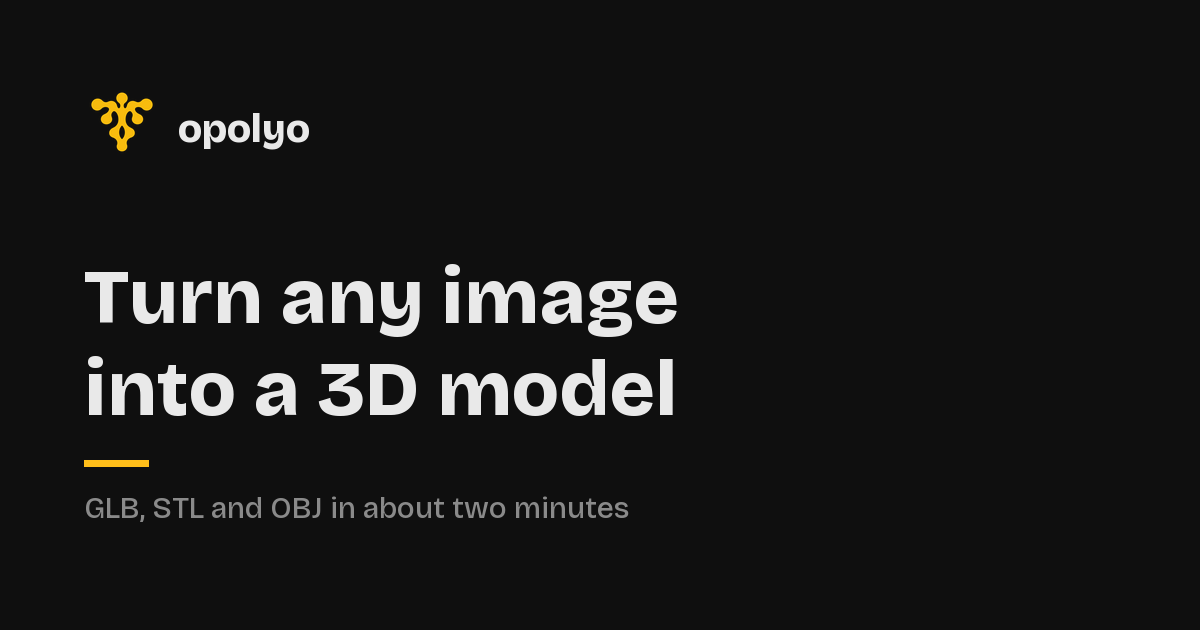
Turn a photo or a sentence into a closed, textured 3D model in minutes.

Beginner
Screenshot of Opolyo, Turn a photo or a sentence into a closed, textured 3D model in minutes

What is Opolyo?

Opolyo is a generate concepts tool that turns a photo or a sentence into a closed, textured 3D model in minutes. Opolyo converts a single image or a short text prompt into a closed, textured 3D model with user controlled topology, polygon count and texture quality.

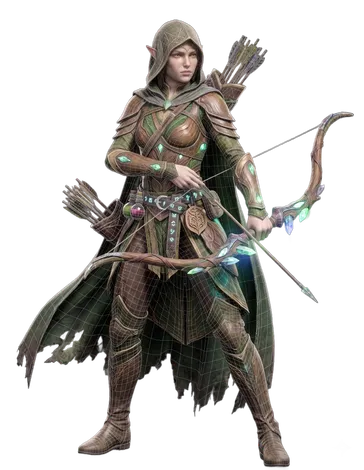
Opolyo is a web based AI 3D model generator that accepts either a single image or a text prompt and returns a finished mesh with textures already applied. The core pitch is that the model is closed and complete, not a front facing relief. It has a real back, sides and depth, which matters if the output is going to be printed, rigged or dropped into a game engine. Generation typically finishes in under three minutes. The tool gives you control over the technical details before you commit. You pick texture quality (Standard, Ultra or Max), topology (triangle or quad) and a polygon budget anywhere from 500 to 2,000,000 faces. PBR maps are baked into the GLB that comes out of the generator, so the surface looks the same in your editor as it did in the preview. STL and OBJ are converted in the browser at download time, while FBX, glTF, USDZ and 3MF are written by a separate built in converter that carries its own charge. Opolyo is aimed at people who need 3D assets without a modelling pipeline: game developers filling out scenes, designers turning product shots into spinnable meshes, hobbyists preparing files for 3D printing, and artists or filmmakers blocking out characters and props. The same workspace handles both image to 3D and text to 3D, so you can start from a reference picture or a written description. Text prompts work best when they name one object and give it a material and a style. Compared with general purpose AI 3D tools, Opolyo leans on file quality and pricing transparency. The credit cost of your exact settings shows on the generate button before you spend, failed runs refund their credits automatically, and paid plans include a commercial licence. The trade off is that there is no free tier, and the converter for common exchange formats is a paid extra step rather than part of the base generation.

How do you use Opolyo?

  1. 1Open the image to 3D workspace
    Go to the image to 3D app page. The workspace accepts JPG, PNG and WEBP files up to 10 MB, and you can drag a file in, click to browse or paste with Ctrl+V.
  2. 2Upload a clean reference image
    Choose a photo, product shot or concept art with one clear subject filling most of the frame on a plain background. Busy scenes with several objects are the usual cause of a poor result.
  3. 3Set texture quality, topology and polygon budget
    Pick Standard, Ultra or Max textures, choose triangle or quad topology, and set a face limit between 500 and 2,000,000. Use quad topology if the mesh will be edited or animated later.
  4. 4Check the credit cost and generate
    The generate button displays the exact credit price for your chosen settings before you press it. Generation usually finishes in under three minutes, with progress shown live in the viewport.
  5. 5Download the GLB or convert to another format
    Download the GLB with PBR textures baked in. If you need STL or OBJ, those are converted in your browser at download time. For FBX, USDZ or 3MF, use the built in converter, which is charged separately.
  6. 6Try text to 3D for prompt based models
    Switch to the text to 3D app and describe one object with its material and style, for example a hexagonal iron lantern with amber glass. The same settings and credit pricing apply.

Pros and cons

Pros

  • Closed, watertight meshes with real depth, suitable for printing and riggingAI
  • Topology, texture quality and polygon budget set before generationAI
  • Exact credit cost shown on the button before you spendAI
  • Failed generations refund credits automaticallyAI
  • Paid plans include a commercial licence and private generationsAI

Cons

  • No free tier or free trial; you must buy a plan to test itAI
  • The format converter for FBX, glTF, USDZ and 3MF is a separate paid stepAI
  • Monthly subscription credits reset at month end instead of rolling overAI
  • Results depend heavily on input quality, and busy scenes often produce poor meshesAI

How much does Opolyo cost?

Pricing

Subscription plans start at $19.99 per month for 160 credits (about 16 generations), $39.99 for 360 credits and $89.99 for 900 credits. Yearly billing saves 20%. Credit packs are also sold as one-off purchases and expire after 365 days. A standard generation costs 10 credits.

Learn more

Support

Email support is included on all plans, with priority email support and a 24 hour response target on the Scale plan. The homepage also lists an FAQ and a support email address.

Integrations

No direct integrations are listed on the homepage. Models are exported as GLB, STL, OBJ, FBX, glTF, USDZ or 3MF, which open in standard 3D software, game engines and slicers.

Features

Image to 3D and text to 3D generation from one workspace. Output is a closed, textured mesh with a real back and sides. Choose Standard, Ultra or Max texture quality, triangle or quad topology, and a polygon budget from 500 to 2,000,000 faces. PBR textures are baked into the GLB. STL and OBJ are converted in the browser on download, while FBX, glTF, USDZ and 3MF come from a separate converter. Generations are private by default and paid plans carry a commercial licence.

Frequently asked questions about Opolyo

  • How much does Opolyo cost?
    Subscription plans start at $19.99 per month for 160 credits (about 16 generations), $39.99 for 360 credits and $89.99 for 900 credits. Yearly billing saves 20%. Credit packs are also sold as one-off purchases and expire after 365 days. A standard generation costs 10 credits.
  • How do you use Opolyo?
    The walkthrough on this page covers 6 steps: 1. Open the image to 3D workspace 2. Upload a clean reference image 3. Set texture quality, topology and polygon budget 4. Check the credit cost and generate 5. Download the GLB or convert to another format 6. Try text to 3D for prompt based models.
  • What platforms does Opolyo support?
    Opolyo is available on Web App.
  • What does Opolyo integrate with?
    No direct integrations are listed on the homepage. Models are exported as GLB, STL, OBJ, FBX, glTF, USDZ or 3MF, which open in standard 3D software, game engines and slicers.
  • What are the limitations of Opolyo?
    No free tier or free trial; you must buy a plan to test it. The format converter for FBX, glTF, USDZ and 3MF is a separate paid step. Monthly subscription credits reset at month end instead of rolling over.

Status

StatusActive
Views0
Outbound clicks0
Added10/21/2026

Platforms

Web App

Pricing

SubscriptionPaid