Free trial
New accounts receive 50 free credits with no credit card required, which is enough to test a generation or a small engine comparison before subscribing.
Learn moreOne prompt, three 3D engines, compared side by side before you export
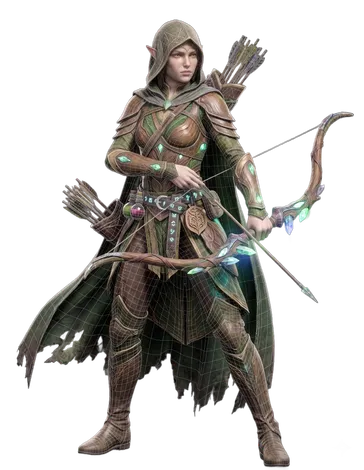
Trify3D is a multi-model 3D generator that runs the same prompt or image through Tripo3D, Meshy and Rodin in one studio, then exports GLB, glTF, OBJ or STL. One account, one credit pool, side by side comparison before you commit.
Trify3D is a browser based 3D generation studio that routes a single text prompt or reference image through several third party AI engines at once. Instead of subscribing to Tripo3D, Meshy or Rodin separately, you get one account and one shared credit pool, then run the same input across them and keep whichever mesh looks better. The stated goal is to remove the guesswork of picking an engine before you have seen its output. The workflow has three parts. You describe an object in natural language or upload a JPG, PNG, or WEBP reference (photos, concept art and sketches all work), select an engine, style and detail level, and choose a target format. The platform reconstructs the geometry, unwraps UVs and applies PBR maps covering albedo, normal, roughness and metallic, with most previews finishing inside a minute. Finished assets download as GLB, glTF, OBJ or STL and are meant to drop into Unity, Unreal, Blender, Three.js or a print slicer without hands-on cleanup. A texturing mode also applies full PBR map suites at up to 4K to meshes you already own. It suits indie game developers, Roblox creators, product designers and 3D printing hobbyists who need props, characters, miniatures and environment dressing quickly. The compare feature is optional: a single engine handles throwaway assets cheaply, while hero assets justify running two or three engines on the same input at roughly triple the credit cost. Commercial rights to generated models stay with the user. Where it differs from single engine competitors is flexibility rather than proprietary modelling tech. Anyone already locked into one vendor's ecosystem, or needing native FBX and USDZ output, will find the routing model less essential.
New accounts receive 50 free credits with no credit card required, which is enough to test a generation or a small engine comparison before subscribing.
Learn moreMonthly plans: Starter at $15.83/mo for 1,000 credits, Pro at $24/mo for 3,500 credits plus a priority queue, and Max at $120/mo for 18,000 credits. Yearly billing saves 20 percent. One-time packs are also sold at $24.90 for 1,000 credits, $39.90 for 3,500 and $179 for 18,000. Engines draw from one pool at multipliers of 1.0x to 1.5x.
Learn morePriority technical support is bundled with the Pro plan and dedicated technical support with Max. Lower tier support channels are not described on the homepage.
Text to 3D from natural language prompts, image to 3D from photos, sketches or concept art with multi-view reconstruction and auto-retopology, plus a texturing mode that builds PBR map suites (albedo, normal, roughness, metallic) up to 4K on existing meshes. Multi-model mode runs one input through Tripo3D, Meshy and Rodin for comparison. Exports cover GLB, glTF, OBJ and STL; GLB and glTF carry baked PBR maps.
Learn more AI Angels400+ customizable AI girlfriends for NSFW chat, voice calls, and roleplay
 Candy AIExperience the future of companionship with AI friends who chat, role-play, and connect with you on a human level.
 ourdream.aiA vast AI roleplay platform with millions of characters for chat, images, video and voiceAI Angels400+ customizable AI girlfriends for NSFW chat, voice calls, and roleplayCandy AIExperience the future of companionship with AI friends who chat, role-play, and connect with you on a human level.ourdream.aiA vast AI roleplay platform with millions of characters for chat, images, video and voice