Pricing
Plans are listed on a separate pricing page. The homepage shows a limited-time 50% off banner but does not state plan prices.
Learn moreTurns listing photos into a ready-to-post Reel, caption and share page

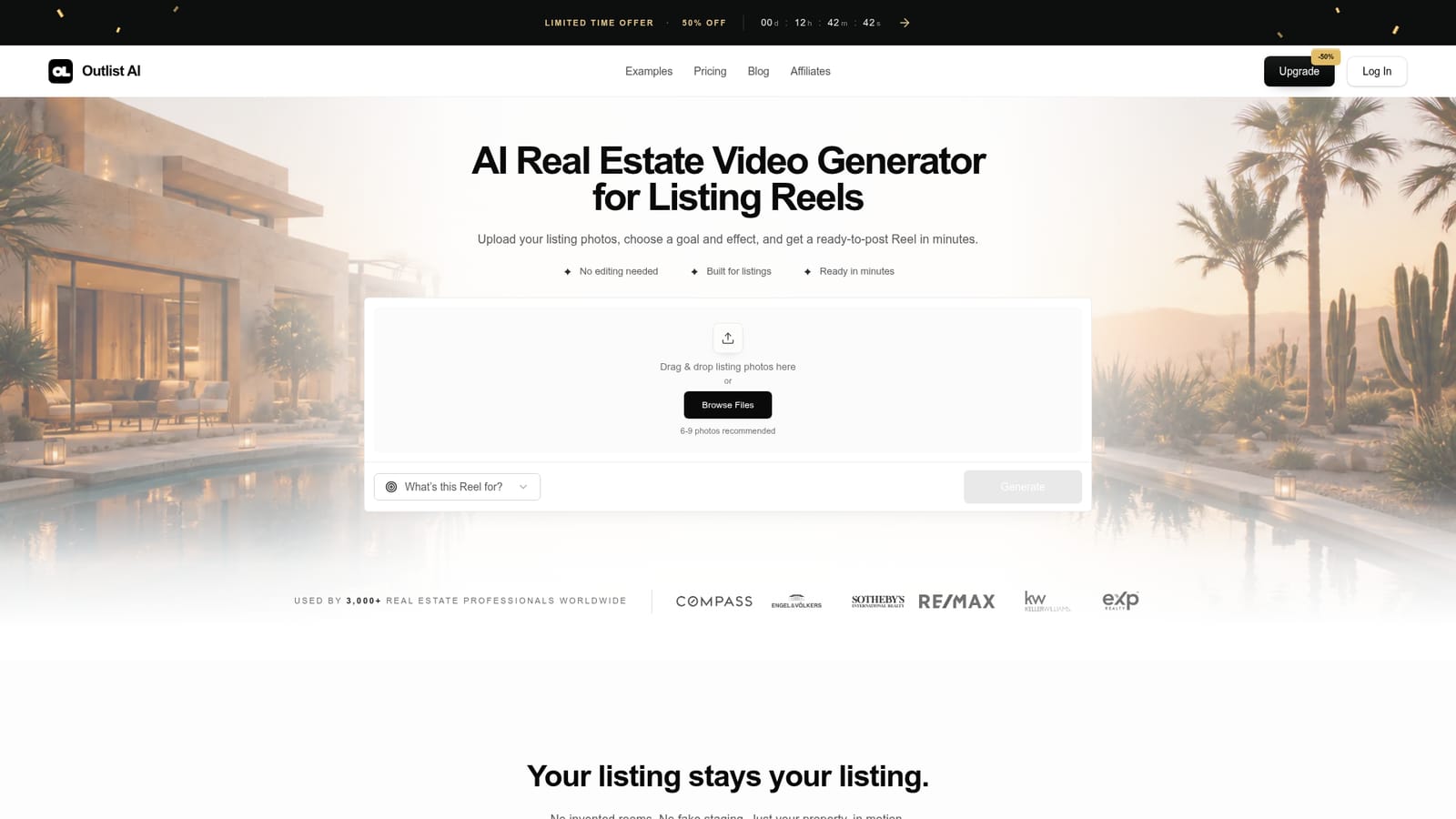
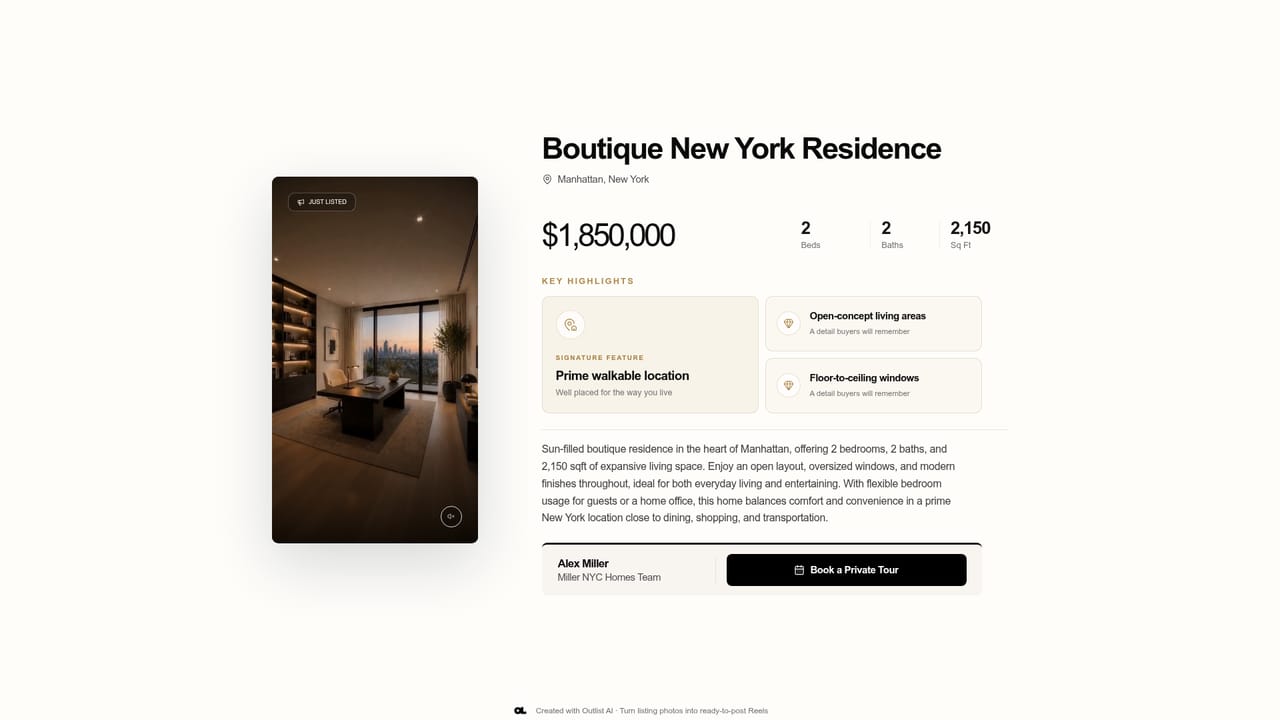
Outlist is a marketing tool that turns listing photos into a ready-to-post Reel, caption and share page. Outlist is a web-based generator that turns 6-9 property photos into a vertical Reel, a caption with CTA and hashtags, and a branded share page, aimed at agents, photographers and media teams who want listing content without editing.
Outlist is a web tool that converts a set of property photos into a finished marketing package for a real estate listing. The package contains a vertical Reel, a written post caption with a call to action and hashtags, and a branded share page that presents the property details. The goal is to remove the filming and editing steps that normally sit between a photo shoot and a social post. The workflow starts with an upload. A user drops in the listing photos (the site recommends six to nine), states what the Reel is for, picks an effect, and generates. The product says results arrive in minutes, with roughly five minutes quoted from photos to postable content. The output is built from the supplied images only, and the homepage stresses that it does not invent rooms or add fake staging, so the video stays faithful to the actual property. A published study page compares original photos with finished Reels. Outlist is aimed at three groups. Real estate photographers can add a Reel as an upsell to each shoot. Media teams can deliver more content without growing their editing queue. Agents and brokerage teams can launch each listing with content that is already written and ready to publish. Dedicated pages exist for photographers and for agents and teams. The homepage cites more than 3,000 professionals as users and shows logos of large brokerages, though those are the vendor's own claims. Testimonials focus on removing the weekend editing backlog and keeping handoffs in one package. Among alternatives, Outlist sits between general AI video generators and manual editing apps. General tools offer broad creative freedom but need prompting, editing and separate copywriting. Outlist narrows the job to listing marketing and bundles the video, copy and landing page, which suits users who value a repeatable process over fine creative control. Pricing details live on a separate page, and the homepage advertises a limited-time discount.
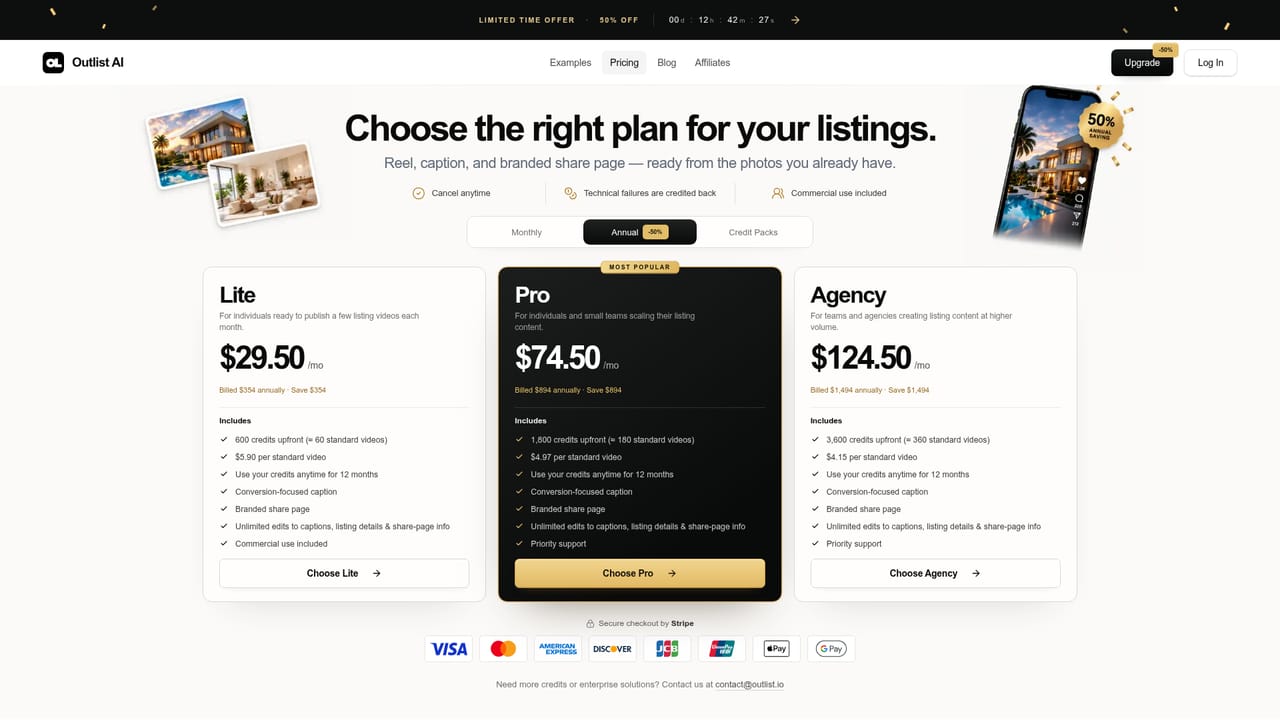
Plans are listed on a separate pricing page. The homepage shows a limited-time 50% off banner but does not state plan prices.
Learn moreGenerates a vertical listing Reel from 6-9 photos, a post caption with CTA and hashtags, and a branded share page showing beds, baths and square footage. Users pick a goal and effect. No filming or editing is required.


