Free trial
A free trial is available on signup with no credit card. Trial credits are limited to personal or evaluation use; commercial rights begin with paid credits.
Learn moreText or photo prompts into VR-ready 360° equirectangular panoramas.
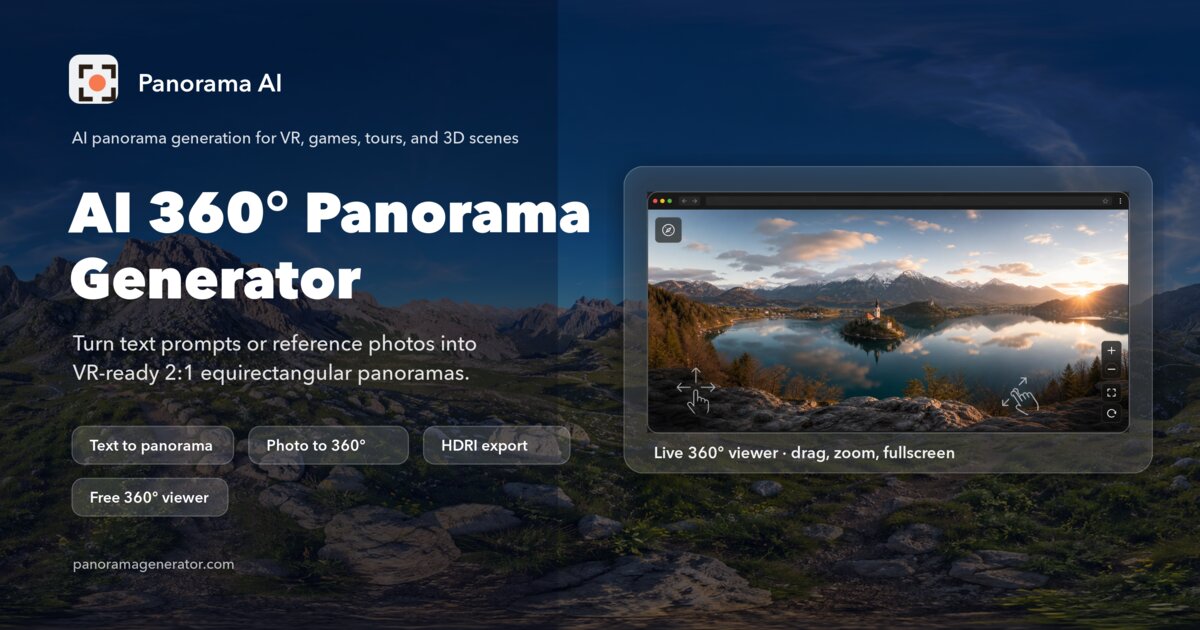
Panorama AI turns text prompts or up to three reference photos into seamless 2:1 equirectangular panoramas at 1K, 2K, or 4K, with a built-in 360 viewer and exports that fit VR headsets and 3D engines. Credit-based pricing includes commercial use on paid plans.
Panorama AI is a web tool for producing 2:1 equirectangular panoramas that are ready for 360 degree viewers and VR headsets. It handles a job that general image models tend to fail at: understanding what a spherical panorama needs. You can generate a scene from a plain English prompt or from up to three reference photos, and the service rewrites prompts with equirectangular hints, blends the wrap-around seam, and exports the result as a flat 2:1 PNG you can drop into any sphere viewer. The workflow is short. Choose one of six scene presets (living room, beach, mountain, mall, street, custom) or write your own description, optionally attach reference images to steer style, lighting, and palette, then pick an output size and generate. Resolution options are 1K, 2K, and 4K, with 4K sized at 3840 by 1920 for desktop or headset playback. A built-in 360 degree viewer lets you pan, zoom, and go fullscreen on the result without installing anything, including on mobile browsers. Generation typically takes a few minutes, with live progress shown while the pipeline runs. The output targets people who need imagined environments rather than documentation of real places: concept artists, game environment designers, virtual tour builders, and real estate marketers who want a backdrop rather than a photo shoot. The 2:1 PNG works in Three.js, A-Frame, Unity, Unreal, and Blender, and a separate .hdr export option wraps the file in a Radiance container for image-based lighting setups (the source is 8-bit, so it is not true 32-bit HDR). Against a 360 camera, the tradeoff is clear: hardware wins on real-world geometry, while Panorama AI wins on speed, fictional scenes, and cost. Pricing is credit-based. One-time packs run from $4.99 for 25 credits to $199 for 1,600 credits, with commercial rights included on paid credits. Subscriptions start at $29.9 per month, and annual billing brings the effective rate to $9.9 per month. Free trial credits are limited to personal or evaluation use, which is the main thing to check before planning client work.
A free trial is available on signup with no credit card. Trial credits are limited to personal or evaluation use; commercial rights begin with paid credits.
Learn moreCredit-based. One-time packs: $4.99 for 25 credits, $19.9 for 100, $49 for 300, and $199 for 1,600, all with no expiry and commercial use included. Subscriptions start at $29.9 per month, with annual billing from $9.9 per month. Credit cost per panorama varies by resolution.
Learn moreNo formal integrations are listed. Outputs are standard 2:1 equirectangular PNG files that work in Three.js, A-Frame, Unity, Unreal, and Blender, plus a Radiance .hdr export for image-based lighting pipelines.
Text-to-360 generation with prompt rewriting for equirectangular output, image-to-360 using up to three reference photos, six scene presets, seam-aware post-processing with a symmetric alpha blend across the outer 80px, pole correction, 1K/2K/4K output, an embedded 360 degree viewer, PNG download and share links, and an .hdr export option for IBL workflows.
Learn more AI Angels400+ customizable AI girlfriends for NSFW chat, voice calls, and roleplay
 Candy AIExperience the future of companionship with AI friends who chat, role-play, and connect with you on a human level.
 ourdream.aiA vast AI roleplay platform with millions of characters for chat, images, video and voiceAI Angels400+ customizable AI girlfriends for NSFW chat, voice calls, and roleplayCandy AIExperience the future of companionship with AI friends who chat, role-play, and connect with you on a human level.ourdream.aiA vast AI roleplay platform with millions of characters for chat, images, video and voice