Free trial
New accounts receive 30 free credits with no credit card required, which is enough to generate templates and test the API before choosing a plan.
Learn moreTurn prompts, HTML or Markdown into pixel-perfect PDFs via one REST call
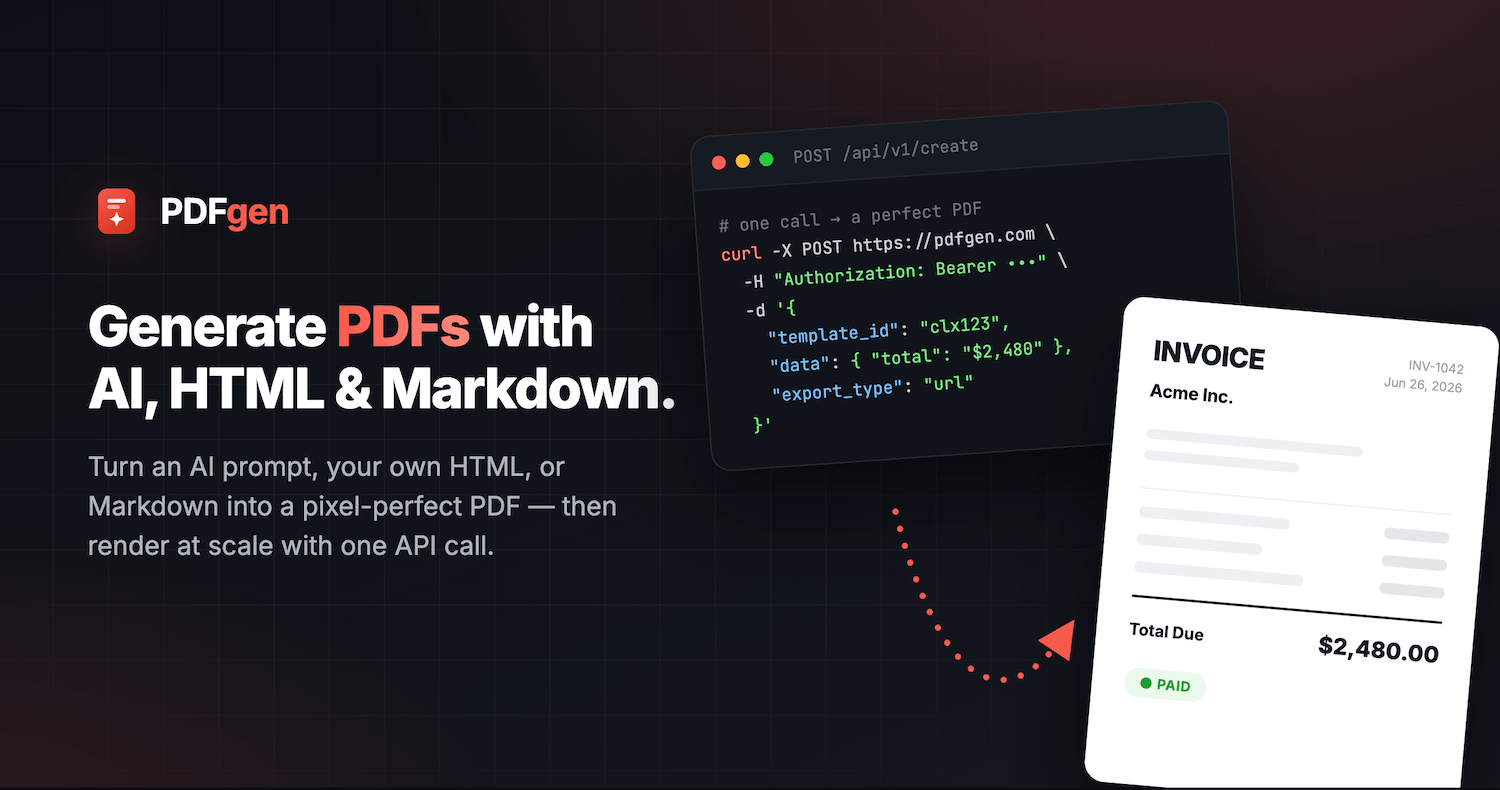
PDFgen is a developer tool that turns prompts, HTML or Markdown into pixel-perfect PDFs via one REST call. PDFgen generates PDFs from an AI prompt, raw HTML or Markdown, then renders saved templates at scale through a single REST API endpoint.
PDFgen is a document generation service built around a single idea: a template should be designed once and then rendered thousands of times from data. The starting point can be a plain-language prompt, an uploaded sample PDF to clone, hand-written HTML, or Markdown. The AI layer drafts the visual template, and the user then adjusts it either by describing changes in a prompt or by clicking on elements directly in the editor. Once the layout is right, fields are marked as dynamic and the template is saved for reuse. The generative side runs through a REST API. A request carries a template ID plus a JSON payload of values, and the service returns either a finished file or a short-lived signed URL. Templating uses Handlebars syntax, so loops and conditionals cover repeating content such as invoice line items, subtotals and tax rows without custom code on the client side. Output can be sized to A4, US Letter, Legal, A3, A5 or Tabloid, encrypted with a password, and locked down for printing or copying. Files can also be pushed to an S3 bucket the customer already owns, which suits teams with existing storage and retention rules. The audience splits into two groups. Product and engineering teams use it as a rendering backend when they would otherwise run a headless browser themselves, with multiple API keys, usage logs and rate limits provided. Operations and marketing teams use the template library and the prompt editor to produce invoices, name badges, event tickets and certificates without writing code, then connect the same templates to Zapier, Make, n8n or Airtable. Against general purpose design tools, PDFgen trades layout freedom for repeatability and a clean programmatic interface. Against self-hosted HTML to PDF libraries, it removes the rendering infrastructure but adds a hosted dependency and a credit system. Pricing tiers are not spelled out on the homepage, though new accounts start with 30 free credits and no card requirement.
New accounts receive 30 free credits with no credit card required, which is enough to generate templates and test the API before choosing a plan.
Learn moreNo-code connections to Zapier (9,000+ apps), Make scenarios via an HTTP module, plus n8n and Airtable, alongside direct REST API access for custom builds.
Learn moreAI template design from a prompt or an uploaded PDF, a prompt and click-to-edit refinement loop, Handlebars dynamic fields with loops and conditionals, a REST API for templates or raw HTML, page sizes from A5 to Tabloid, password encryption with print and copy permissions, S3 delivery, multiple API keys, usage logs and rate limits.
 AI Angels400+ customizable AI girlfriends for NSFW chat, voice calls, and roleplay
 Candy AIExperience the future of companionship with AI friends who chat, role-play, and connect with you on a human level.
 ourdream.aiA vast AI roleplay platform with millions of characters for chat, images, video and voiceAI Angels400+ customizable AI girlfriends for NSFW chat, voice calls, and roleplayCandy AIExperience the future of companionship with AI friends who chat, role-play, and connect with you on a human level.ourdream.aiA vast AI roleplay platform with millions of characters for chat, images, video and voice