Support
A Discord community is linked from the homepage for users to join and get help alongside other members. No dedicated help centre or documentation page is listed.
Text to pixel art, plus a built-in editor to refine it

Pixel-Art.ai is a generative art tool. A text-to-pixel-art generator with a built-in editor for layers, brushes and inpainting. Aimed at game developers and designers who need retro-styled sprites and backgrounds they can refine pixel by pixel and export as PNG.
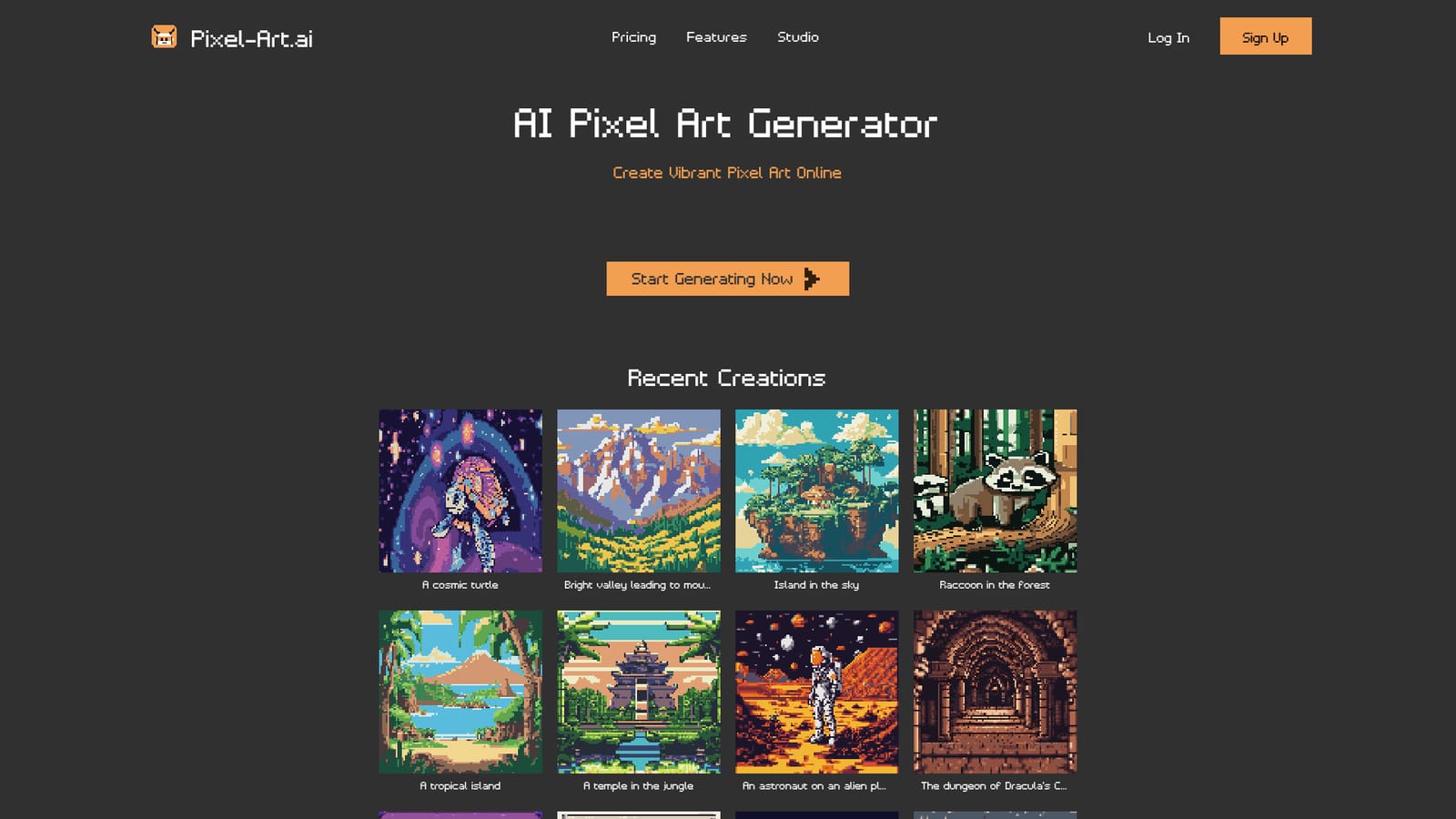
Pixel-Art.ai is a text-to-image generator built specifically around the pixel art aesthetic rather than general-purpose illustration. You describe a scene, such as a cosmic turtle, a jungle temple, a haunted house or a side-scrolling level background, and the tool renders it in a blocky, low-resolution style suited to games and retro graphics. The homepage gallery shows the range it targets: characters, creatures, environments and interior scenes, all rendered in the same pixel vocabulary. The product pairs the generator with an actual editor, which is where it separates from generic image tools. Creations are saved, organized across multiple canvases, and exported to PNG. The editor includes layers, brushes, copy and paste, and enough precision to adjust individual pixels, so the generated image becomes a starting point rather than a finished asset. An inpainting feature lets you select a region, describe the change in a prompt, review the results and apply the preferred one directly to the canvas. That workflow points at a clear audience: indie game developers producing sprites and backgrounds, designers who need retro-styled assets quickly, and pixel art hobbyists who want a draft to clean up by hand. Privacy is stated on the homepage as a property of stored work, which matters for teams that cannot put unreleased assets through a public tool. Where the tool fits: general image generators can approximate pixel art but tend to produce soft edges and inconsistent grids, so a dedicated model plus a pixel-level editor is the better choice when output must be usable in a game engine. The tradeoff is scope. This is a focused pixel art product, not a full illustration suite, and anyone needing high-resolution or painterly output should look elsewhere. Pricing tiers, export options beyond PNG and any API access are not detailed on the homepage, so those details need checking in the studio before committing.
A Discord community is linked from the homepage for users to join and get help alongside other members. No dedicated help centre or documentation page is listed.
Text-to-pixel-art generation, a pixel-level editor with layers, brushes and copy and paste, AI inpainting for targeted edits, saved creations across multiple canvases, and PNG export. The homepage also states that work is kept private.
 AI Angels400+ customizable AI girlfriends for NSFW chat, voice calls, and roleplay
 Candy AIExperience the future of companionship with AI friends who chat, role-play, and connect with you on a human level.
 ourdream.aiA vast AI roleplay platform with millions of characters for chat, images, video and voiceAI Angels400+ customizable AI girlfriends for NSFW chat, voice calls, and roleplayCandy AIExperience the future of companionship with AI friends who chat, role-play, and connect with you on a human level.ourdream.aiA vast AI roleplay platform with millions of characters for chat, images, video and voice