Plagiarismremover

Rewrites copied text into fresh wording, then checks it for overlap

Beginner
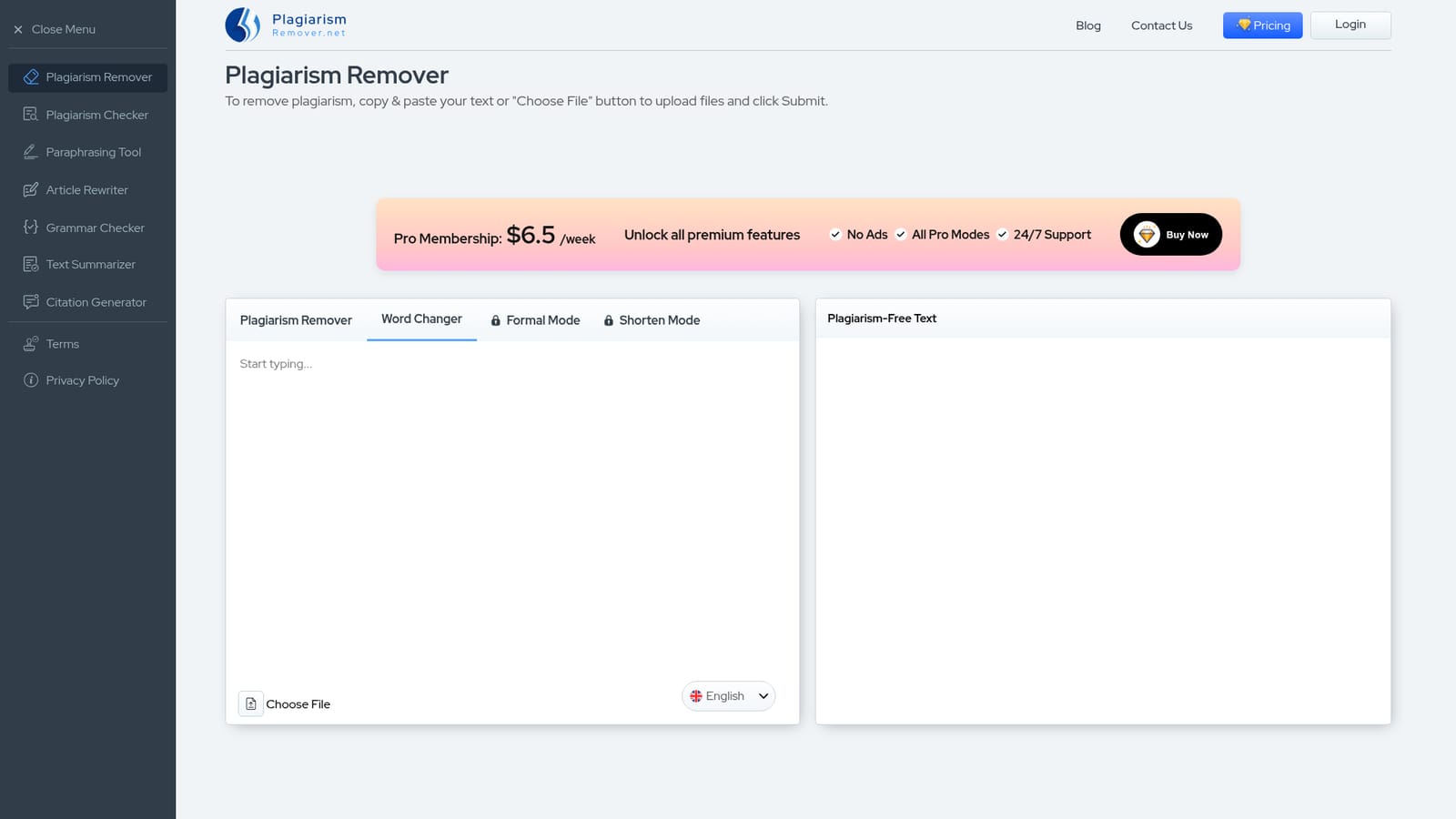
Screenshot of Plagiarismremover, Rewrites copied text into fresh wording, then checks it for overlap

What is Plagiarismremover?

Plagiarismremover is a content detector tool that rewrites copied text into fresh wording, then checks it for overlap. A free web tool that rewrites pasted or uploaded text to reduce wording overlap, with four rewrite modes, multi language output, and .txt or .docx export.

Plagiarismremover.net is a browser based writing utility that takes text you paste or upload and rewrites it so the wording no longer matches the source. The site frames the tool as a plagiarism changer rather than a pure detector: it uses Natural Language Processing and deep learning to restructure sentences and swap vocabulary while trying to keep the original meaning intact. A separate checker page exists for scanning text, but the core product here is the rewriting engine. In practice the workflow is short. You paste content or use the Choose File button, pick one of four modes (the standard Plagiarism Remover, Word Changer, Formal, or Shorten), optionally switch the output language, and submit. The result arrives as rewritten text with its own word count, which you can copy or save as a .txt or .docx file. The free tier caps input at 1000 words, and Formal and Shorten sit behind a paid membership alongside the ad free experience. Language options listed on the homepage include English, Spanish, German, Dutch, Portuguese, Indonesian, Turkish and Russian, with the site claiming broader coverage. Who it suits: bloggers, students, content writers and freelancers who need a quick paraphrase before publishing or submitting work. It is closest in spirit to paraphrasing and article rewriting tools, with a grammar checker, summarizer and citation generator sitting alongside it in the same suite. The main caveat is conceptual. Rewriting text reduces string similarity, but it does not remove the obligation to cite a source, and no rewriting tool should be treated as a substitute for an actual similarity report from a service such as Turnitin or Copyscape. The site's own FAQ makes the point that institutions accept no plagiarism at all, which sits awkwardly next to marketing language about making content unique. Use it as a drafting aid, not a compliance guarantee.

How do you use Plagiarismremover?

  1. 1Open the Plagiarism Remover tool
    Go to the homepage and locate the main input box under the Plagiarism Remover heading. The word counter below the box shows how much of the 1000 word free allowance your text uses.
    Plagiarismremover — Open the Plagiarism Remover tool
  2. 2Add your text or upload a file
    Paste content straight into the box, or hit Choose File to pull a document from your device. The counter updates as soon as text lands.
  3. 3Pick a mode and output language
    Select Plagiarism Remover, Word Changer, Formal or Shorten from the mode menu, then choose the output language from the dropdown. Formal and Shorten prompt an upgrade if you are on the free tier.
  4. 4Submit and review the rewritten text
    Press Remove Plagiarism and wait for the loader to finish. The right hand panel returns the rewritten version with its own word count so you can compare length against the original.
  5. 5Copy or export the result
    Use the copy icon for quick pasting, or the Save option to download the output as a .txt or .docx file. Read through the result before publishing.
  6. 6Scan the rewrite for remaining overlap
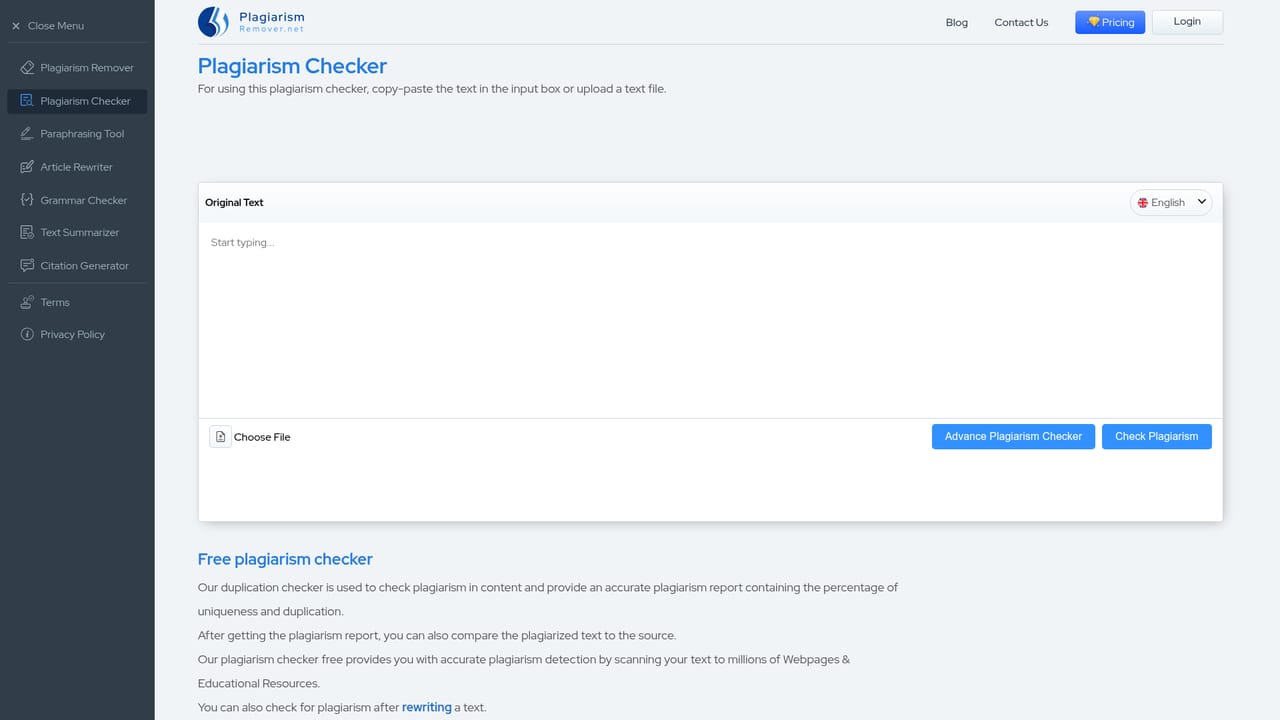
    Run the finished text through the plagiarism checker page to look for passages that still match published sources, and add citations where ideas came from elsewhere.
    Plagiarismremover — Scan the rewrite for remaining overlap

Pros and cons

Pros

  • No account needed for basic rewriting, and the free tier covers text up to 1000 words per runAI
  • Four distinct modes give real control over output, from a simple word swap to a condensed versionAI
  • Direct file upload plus download as .txt or .docx fits easily into an existing writing workflowAI
  • Output language can be switched, which helps with drafts written in non English marketsAI
  • The site bundles a checker, paraphraser, grammar checker, summarizer and citation generator in one placeAI

Cons

  • Free tier tops out at 1000 words, so long articles and theses must be split into chunks manuallyAI
  • Formal and Shorten modes are locked behind a paid membership, which limits the trial of the full toolsetAI
  • The tool rewrites text rather than scanning it against a database, so it gives no similarity percentage or source listAI
  • A weekly subscription of $6.5 is a stiff structure for occasional users who only need a few rewrites a monthAI
  • Rewritten output still requires a human edit, and the site offers no way to verify the result against academic databasesAI

How much does Plagiarismremover cost?

Pricing

The homepage advertises a Pro Membership at $6.5 per week, which unlocks all premium features, removes ads, opens all Pro modes and includes 24/7 support. Rewriting up to 1000 words per run is presented as free. No annual or one off plan is described on the homepage.

Learn more

Support

24/7 support is listed as a benefit of the Pro Membership. The site also has a contact page for general enquiries. Support channels are not detailed on the homepage.

Learn more

Features

Four rewriting modes (standard Plagiarism Remover, Word Changer, Formal, Shorten), file upload from your device, an output language selector covering English, Spanish, German, Dutch, Portuguese, Indonesian, Turkish and Russian among others, a live word counter, and export to .txt or .docx. Formal and Shorten are premium gated, and the free tier caps input at 1000 words.

Frequently asked questions about Plagiarismremover

  • How much does Plagiarismremover cost?
    The homepage advertises a Pro Membership at $6.5 per week, which unlocks all premium features, removes ads, opens all Pro modes and includes 24/7 support. Rewriting up to 1000 words per run is presented as free. No annual or one off plan is described on the homepage.
  • How do you use Plagiarismremover?
    The walkthrough on this page covers 6 steps: 1. Open the Plagiarism Remover tool 2. Add your text or upload a file 3. Pick a mode and output language 4. Submit and review the rewritten text 5. Copy or export the result 6. Scan the rewrite for remaining overlap.
  • What platforms does Plagiarismremover support?
    Plagiarismremover is available on Web App.
  • What are the limitations of Plagiarismremover?
    Free tier tops out at 1000 words, so long articles and theses must be split into chunks manually. Formal and Shorten modes are locked behind a paid membership, which limits the trial of the full toolset. The tool rewrites text rather than scanning it against a database, so it gives no similarity percentage or source list.

Status

StatusActive
Views0
Outbound clicks0
Added10/21/2026

Platforms

Web App

Pricing

FreemiumSubscription