Integrations
A Spotify playlist names generator builds titles from a connected Spotify playlist. Names are otherwise intended for use across streaming services such as Apple Music, Amazon Music and Tidal.
Learn moreName your playlist by mood, genre and purpose, then let AI learn your taste.
Own Playlistnameai? Verify ownership to get a dofollow link
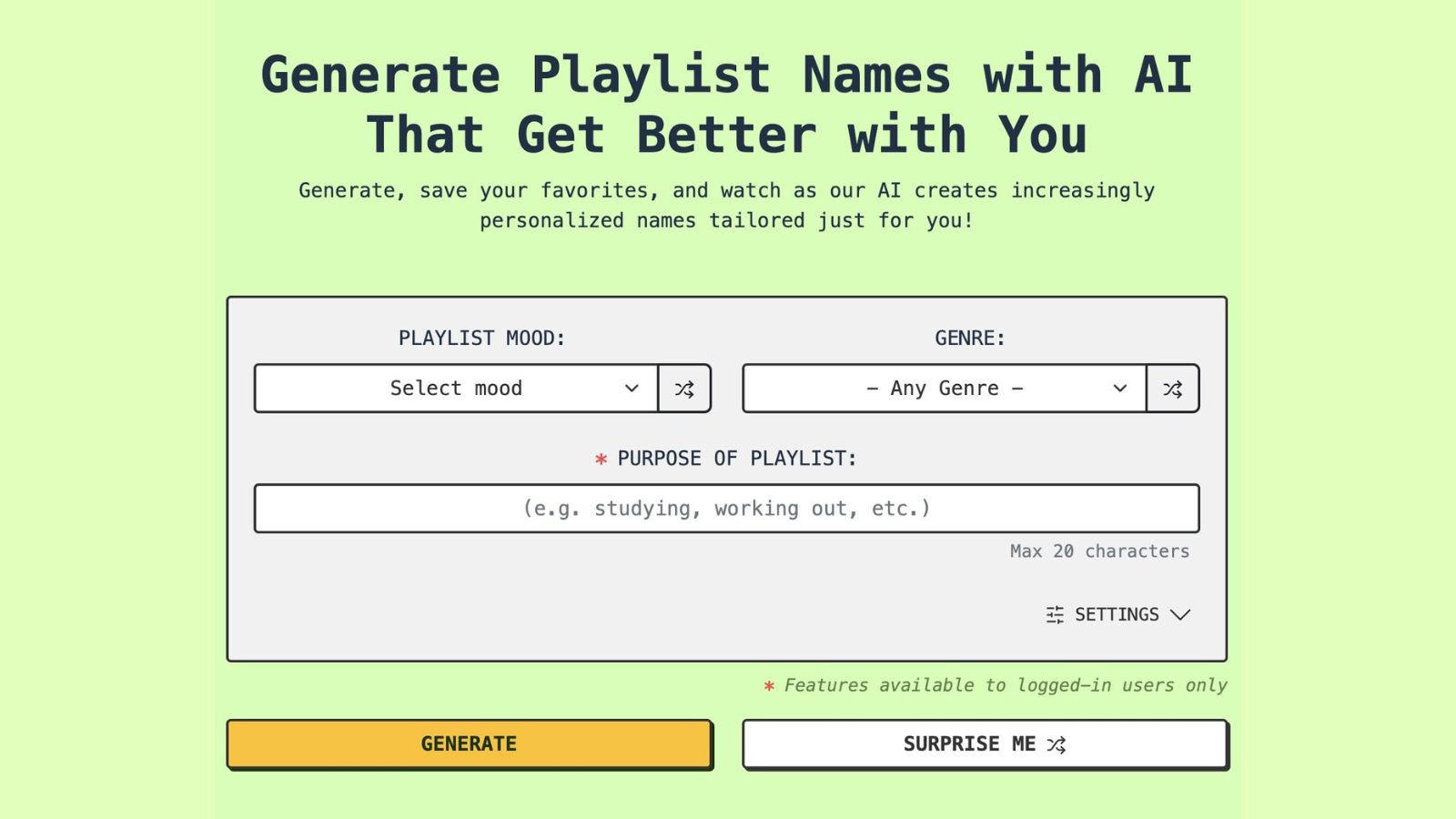
Playlistnameai is a name generator tool. An AI generator for playlist titles: choose a mood, genre and short purpose, then generate, save favorites and let the tool learn your naming style over time. Includes emoji-only and Gen Z modes plus a Spotify playlist naming tool.
Playlist Name AI is a web tool for generating playlist titles that match the character of a collection of songs. You pick a mood from a long list (aesthetic, nostalgic, savage, cozy, wistful and dozens more), pair it with a genre such as hip hop, indie, K-pop or bluegrass, and add a short purpose note of up to 20 characters. The generator returns a batch of candidate names, and you save the ones you like. Names work on any streaming service, including Spotify, Apple Music, Amazon Music and Tidal. The product is built around a loop rather than a single lookup. Every saved name becomes a preference signal, and once at least five names are saved, logged-in users can switch on personalization so later suggestions lean toward the saved style. A "More" action produces variations on a name you liked, which pushes the model further in that direction. Settings add control: short or long name length, emoji-only output, a Gen Z mode for slangier titles, and a choice between two AI models, with the GOAT option marketed as the stronger of the two. A Surprise Me button and shuffle icons randomly combine mood and genre for people who want to break out of their usual naming habits. A separate Spotify tool generates names from a connected playlist, which is the closest thing to real integration here. Everything else runs in the browser, and accounts exist mainly to store favorites and unlock personalization and the better model. The audience is casual: people curating personal libraries, DJs and social media users who post playlist screenshots, and anyone tired of default names like "My Playlist #4." It sits alongside generic AI writing assistants and plain idea blogs, and its edge is narrow focus plus a save-driven feedback loop. The underlying models are stock GPT-4 and Claude according to the site itself, so the value is in the tuned prompts, the mood and genre taxonomy, and the personalization layer rather than in proprietary AI.
A Spotify playlist names generator builds titles from a connected Spotify playlist. Names are otherwise intended for use across streaming services such as Apple Music, Amazon Music and Tidal.
Learn moreMood and genre based name generation with a purpose field, short or long name length, emoji-only output, Gen Z mode, BASIC and GOAT model options, shuffle and Surprise Me randomization, saving favorites to a profile, a More button for variations, and personalization that learns from saved names once five are stored. A separate tool generates names from Spotify playlists.
Learn more AI Angels400+ customizable AI girlfriends for NSFW chat, voice calls, and roleplay
 Candy AIExperience the future of companionship with AI friends who chat, role-play, and connect with you on a human level.
 ourdream.aiA vast AI roleplay platform with millions of characters for chat, images, video and voiceAI Angels400+ customizable AI girlfriends for NSFW chat, voice calls, and roleplayCandy AIExperience the future of companionship with AI friends who chat, role-play, and connect with you on a human level.ourdream.aiA vast AI roleplay platform with millions of characters for chat, images, video and voice